
conceptviz
ConceptViz simplifies complex science and math concepts into clear, ready-to-use diagrams for educators and researchers.
VisitPublished on:
December 1, 2025
Pricing:
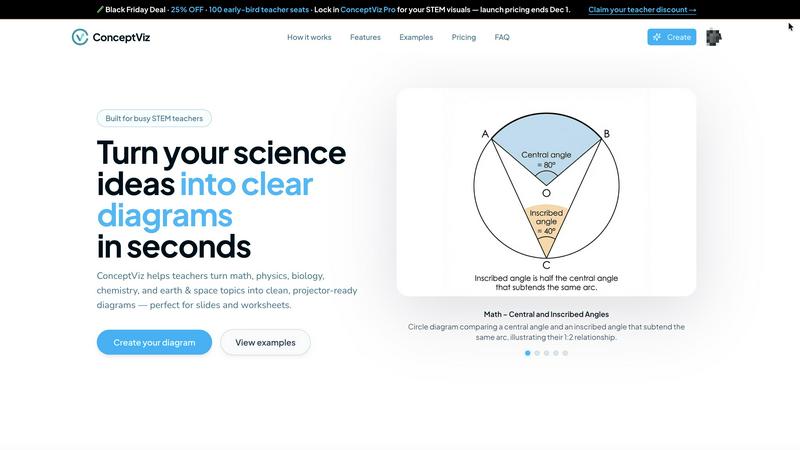
About conceptviz
ConceptViz is a cutting-edge diagram creation tool tailored for educators, students, and researchers within STEM fields. This innovative platform allows users to transform intricate scientific concepts into clear, visually appealing diagrams in just seconds. Whether you are a K-12 teacher crafting lesson plans, a student working on assignments, or a researcher in need of precise visuals for publications, ConceptViz offers a user-friendly experience that meets the needs of all educational levels. By emphasizing clarity and usability, it ensures that diagrams are not only projector-ready but also perfectly suited for handouts. The tool’s unique feature of generating custom visuals from simple text descriptions makes it an essential resource for enhancing comprehension and engagement in science and mathematics education, streamlining the process of creating educational materials that resonate with learners.
Features of conceptviz
User-Friendly Interface
ConceptViz boasts an intuitive interface that allows users to easily navigate through the diagram creation process. With just a few clicks, users can generate high-quality visuals without needing any prior design skills, making it accessible for everyone.
Quick Diagram Generation
The platform enables users to create classroom-ready diagrams in seconds. By simply entering a plain-English description of the desired visual, ConceptViz instantly produces a tailored diagram, saving educators and students valuable time during lesson preparation.
Projector-Ready Clarity
All diagrams generated by ConceptViz are designed with high contrast and legible labels, ensuring that visuals remain sharp and clear, whether viewed from the front row or the back of the classroom. This focus on clarity enhances the teaching and learning experience.
Subject and Grade Presets
ConceptViz offers a variety of presets tailored to different subjects and educational levels, including physics, biology, chemistry, and math. These presets align with U.S. grade bands, allowing users to select the appropriate level of complexity for their diagrams, making it easier to cater to diverse learning environments.
Use Cases of conceptviz
Classroom Instruction
Teachers can utilize ConceptViz to create visually engaging diagrams that simplify complex topics for their students. From illustrating the structure of a cell to demonstrating energy transformations in physics, diagrams enhance understanding and retention.
Homework Assistance
Students can leverage ConceptViz to create clear visuals for their assignments, making their work more impactful and easier to comprehend. Whether it's a labeled diagram of a plant cell or a ray diagram for optics, students can illustrate their concepts effectively.
Research Publications
Researchers can quickly generate precise figures for their publications, ensuring that their visuals accurately represent their findings. ConceptViz helps streamline the process of creating scientific diagrams, making it an invaluable tool for academics.
Collaborative Projects
In group settings, students can use ConceptViz to collaborate on projects, creating diagrams that visually represent their collective understanding of complex topics. This collaborative feature fosters teamwork and enhances learning through shared visual aids.
Frequently Asked Questions
What types of diagrams can I create with ConceptViz?
ConceptViz allows users to create a wide variety of diagrams, including those for biology, physics, chemistry, and mathematics. You can generate anything from cell structures to energy diagrams, tailored to different educational levels.
Is there a learning curve for using ConceptViz?
Not at all! ConceptViz is designed with a user-friendly interface that makes it easy for anyone to create diagrams without any prior design experience. The step-by-step process ensures that you can start generating visuals immediately.
Can I use ConceptViz for presentations?
Yes, all diagrams created with ConceptViz are projector-ready and can easily be integrated into presentations. You can download them in high-resolution PNG format, making them perfect for PowerPoint, Google Slides, or printed materials.
Is there a free trial available?
ConceptViz offers a free version that allows users to explore its features and create diagrams without requiring a credit card. This trial provides an excellent opportunity to assess the tool's capabilities before making a purchase.
Similar to conceptviz

Verla AI
AI academic assistant for writing, research, presentations, and coding
AIPetGen
AIPetGen turns a photo of your dog, cat, or other pet, or a written description, into a new picture or a short animation.
screenRIG
Signage and kiosk infrastructure for AI agents. Your agent publishes images, video, streams, web pages and apps to screens via one plugin.screenRIG is
Novastart
Novastart brings apps and files onto an infinite canvas where people and AI agents can work together.

AdsTurbo
Turn winning ads and product links into new video ad variations with AI actors, then translate them into 35+ languages with lip sync.

AUTOMATER.ai
A tray helper for every AI coding tool: sessions, alerts and usage in one place
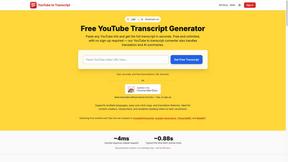
GetYouTubeTranscript
Free YouTube transcripts on the web, a Chrome extension, and an API + MCP server so AI assistants can read YouTube.
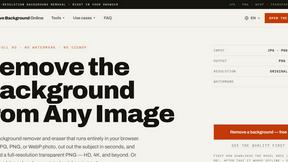
Remove Image Background
Free background remover that runs entirely in your browser — zero uploads, full resolution, no watermark. Your photos never leave your device.