Bank Statement Engine
Convert PDF bank statements to Excel or CSV instantly with no signup, no limits, and support for thousands of banks worldwide.
Visit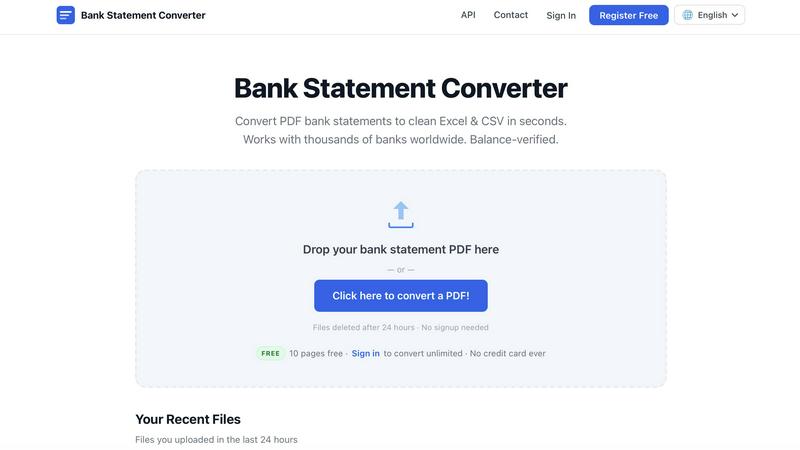
About Bank Statement Engine
Bank Statement Engine is a free, secure, and highly accurate online tool designed to convert PDF bank statements into clean, structured data formats like Excel (XLSX), CSV, JSON, QBO, OFX, and QIF. It serves as a critical utility for accountants, bookkeepers, small business owners, and developers who need to extract transaction data quickly without manual data entry. The tool supports over 10,000 banks worldwide, including major institutions like Chase, Barclays, HDFC, SBI, and RBC, making it universally applicable. A standout feature is its built-in OCR (Optical Character Recognition) that handles scanned PDFs, as well as support for password-protected statements. Bank Statement Engine operates with a strong privacy-first approach: no signup is required for basic use, files are auto-deleted after 24 hours, and all data is transmitted via HTTPS encryption. For users needing more volume, a free registered account unlocks unlimited pages and bulk conversion. Developers can also leverage a REST API for seamless integration into custom workflows. The platform is built with a quality-over-quantity philosophy, focusing on delivering reliable, balance-verified conversions without hidden fees, page limits, or subscriptions.
Features of Bank Statement Engine
Universal Bank and Format Support
Bank Statement Engine works with statements from thousands of banks across the USA, India, UK, Europe, Australia, the Middle East, Africa, and beyond. It supports major institutions like Chase, Barclays, HDFC, SBI, and RBC, ensuring that users from diverse regions can rely on it. The tool converts PDFs into multiple output formats including Excel (XLSX), CSV, JSON, QBO, OFX, and QIF, catering to different accounting software needs. This broad compatibility eliminates the need for multiple converters, streamlining financial data processing for global users.
Built-in OCR for Scanned PDFs
The tool includes a powerful built-in OCR engine that can accurately extract text from scanned or image-based bank statements. This feature is essential for handling older or non-digital statements where the text is not selectable. The OCR technology is continually improved to maintain high accuracy, and users are encouraged to report any issues for prompt fixes. This capability ensures that even physical statements that have been scanned are converted just as reliably as native digital PDFs.
Privacy and Security First
Bank Statement Engine prioritizes user data security with a strict no-storage policy. All uploaded files are processed on secure servers and are permanently deleted after 24 hours. Data transmission is protected by HTTPS encryption, ensuring that sensitive financial information remains private. The platform does not require any signup or account creation for basic conversions, meaning users can convert statements anonymously. This approach builds trust, especially for professionals handling confidential client data.
Free Tier with Unlimited Potential
The tool offers a generous free tier that allows anonymous users to convert up to 10 pages per day with CSV and Excel downloads. For users who register a free account (no credit card required), the limits are removed entirely, enabling unlimited page conversions and bulk file processing. This tiered model ensures that casual users get immediate value while power users can access full functionality without any financial commitment. The platform also offers bespoke services for custom document processing and API integration needs.
Use Cases of Bank Statement Engine
Accountants and Bookkeepers
Accountants and bookkeepers frequently need to import transaction data from bank statements into accounting software like QuickBooks, Xero, Zoho Books, or Sage. Bank Statement Engine converts PDF statements directly into QBO, OFX, CSV, or Excel formats, eliminating manual data entry and reducing errors. The balance-verified output ensures that the imported data matches the original statement, saving hours of reconciliation work per client. The tool’s support for password-protected and scanned statements makes it versatile for handling any client file.
Small Business Owners
Small business owners often receive bank statements in PDF format but need them in Excel or CSV for budgeting, expense tracking, or tax preparation. Bank Statement Engine allows them to convert these files instantly without needing technical skills or expensive software. The free tier is particularly valuable for startups and solopreneurs who want to manage finances without additional overhead. The ability to handle statements from thousands of banks worldwide means it works for businesses operating across multiple countries.
Developers and API Integrators
Developers building financial applications, expense management tools, or data analysis platforms can integrate Bank Statement Engine’s REST API to automate statement processing. The JSON output format provides structured transaction data that is easy to parse and manipulate programmatically. This use case is ideal for fintech companies, accounting software developers, or any business that needs to process large volumes of bank statements without manual intervention. The API is designed for scalability and reliability, with custom solutions available for unique requirements.
Freelancers and Remote Workers
Freelancers and remote workers who manage their own finances often receive bank statements in PDF format from various international banks. Bank Statement Engine enables them to convert these statements into Excel or CSV for personal budgeting, invoice reconciliation, or tax filing. The tool’s no-signup requirement and 24-hour auto-deletion policy provide peace of mind for users concerned about data privacy. The ability to handle scanned PDFs is particularly useful for those who receive physical statements by mail.
Frequently Asked Questions
How do I convert a PDF bank statement to Excel?
Upload your PDF bank statement file to the Bank Statement Engine website by either dragging and dropping the file or clicking to browse. The tool automatically processes the file and extracts transaction data. Within seconds, you can download the converted file in your preferred format, such as Excel (XLSX) or CSV. The output includes transaction dates, descriptions, amounts, and running balances, verified for accuracy against the original statement.
Is my bank statement data secure?
Yes, your data is fully secure. Bank Statement Engine processes all files on encrypted servers using HTTPS. Uploaded files are automatically and permanently deleted from the server after 24 hours. The platform does not store, share, or access your financial data. For anonymous users, no account is required, so no personal information is collected. This security-first approach ensures your sensitive bank statements remain private.
Can I convert a scanned bank statement?
Yes, Bank Statement Engine includes a built-in OCR (Optical Character Recognition) engine that can read text from scanned or image-based PDFs. This allows you to convert even physical bank statements that have been scanned into digital files. The OCR technology is continuously improved to maintain high accuracy across different statement layouts and fonts. If a scanned file does not convert as expected, you can contact support for assistance.
Is there an API for developers?
Yes, Bank Statement Engine offers a REST API for developers who need to integrate bank statement conversion into their own applications or workflows. The API provides structured JSON output, making it easy to parse transaction data programmatically. It supports all the same features as the web interface, including OCR, password-protected PDFs, and multiple output formats. For custom requirements, the team offers bespoke services and integration support.
Similar to Bank Statement Engine
BillionVerify
BillionVerify is a professional email verification service built to solve one problem: bad email data costs businesses money.
Novastart
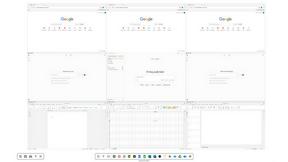
Novastart brings apps and files onto an infinite canvas where people and AI agents can work together.
GetYouTubeTranscript
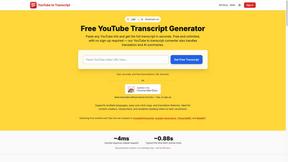
Free YouTube transcripts on the web, a Chrome extension, and an API + MCP server so AI assistants can read YouTube.

Sprite Sheet Maker
A free browser-based toolkit for creating, cutting, converting, and previewing sprite sheet animations.