
AI Photo Assistant
Effortlessly enhance your photos to professional quality in seconds with AI Photo Assistant's smart one-click editing.
Visit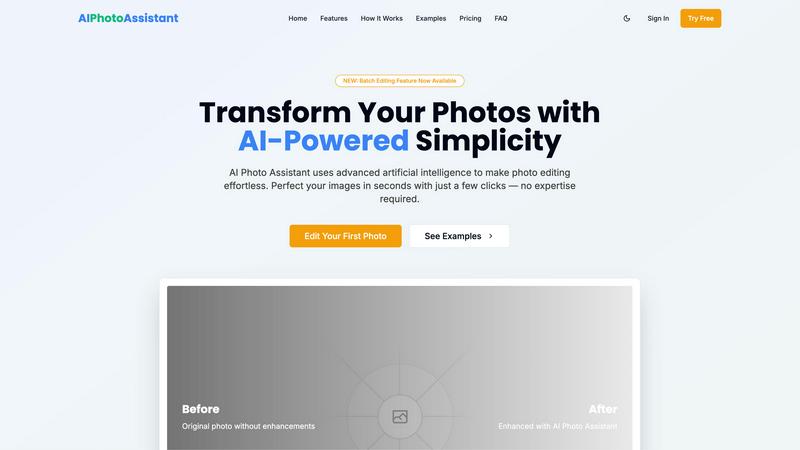
About AI Photo Assistant
AI Photo Assistant is a cutting-edge, AI-powered photo editing platform designed to effortlessly elevate your images into stunning visuals. Utilizing advanced algorithms, this intelligent tool automatically enhances photos, producing professional-quality results with minimal effort. By analyzing each image, AI Photo Assistant optimizes key aspects such as brightness, contrast, saturation, and composition, ensuring that every photo looks its best. This platform caters specifically to social media content creators who need quick and polished images, small business owners looking for high-quality product photos without the financial burden of professional photography, and anyone who may lack photo editing experience but desires exceptional results. With AI Photo Assistant, busy professionals can efficiently edit multiple photos at once, saving valuable time while achieving impressive outcomes. Its primary value proposition lies in its ability to deliver sophisticated photo enhancements without the need for technical expertise or extensive editing skills, making it accessible to all users.
Features of AI Photo Assistant
Intelligent Editing
AI Photo Assistant's intelligent editing feature leverages machine learning algorithms to recognize and apply ideal adjustments for your photos. This means you can achieve perfect lighting, color, and composition effortlessly, ensuring that every image looks professionally edited without any manual effort.
One-Click Enhancement
With the one-click enhancement feature, users can optimize their images instantly. By analyzing the photo, the AI applies adjustments to brightness, contrast, saturation, and more, transforming ordinary photos into stunning visuals with just a single click, making it perfect for those pressed for time.
Batch Editing
The newly introduced batch editing feature allows users to apply enhancements to multiple photos simultaneously. This is especially beneficial for content creators and businesses who need to process large volumes of images quickly, ensuring consistency across their visual content.
High-Quality Exports
AI Photo Assistant offers high-quality export options to ensure your enhanced images maintain their clarity and detail. Users can choose from various resolutions based on their needs, making it suitable for social media, printing, or any other professional use.
Use Cases of AI Photo Assistant
Social Media Content Creation
For social media influencers and creators, AI Photo Assistant streamlines the photo editing process. Users can quickly enhance their images, ensuring they look captivating and professional, helping to increase engagement on their platforms.
E-Commerce Product Photography
Small business owners can utilize AI Photo Assistant to create stunning product images that attract customers. With professional-quality edits available at their fingertips, they can effectively showcase their products without hiring expensive photographers.
Personal Photo Enhancement
Individuals looking to enhance personal photos from vacations, celebrations, or everyday moments can benefit from AI Photo Assistant. The user-friendly interface allows anyone to elevate their memories into beautiful images, regardless of their editing skills.
Event Photography
For amateur and professional photographers alike, AI Photo Assistant can assist in quickly editing event photos. By applying automatic enhancements, photographers can prepare images for clients or social media in a fraction of the time it would take with traditional editing software.
Frequently Asked Questions
How does AI Photo Assistant enhance my photos?
AI Photo Assistant uses advanced artificial intelligence algorithms to analyze your images and apply the most suitable adjustments automatically, ensuring optimal brightness, contrast, saturation, and composition.
Is there a learning curve for using AI Photo Assistant?
No, AI Photo Assistant is designed to be intuitive and user-friendly, requiring no prior photo editing experience. Users can achieve professional results with just a few clicks.
Can I edit multiple photos at once?
Yes, the batch editing feature allows you to enhance multiple images simultaneously, saving you time and ensuring consistent quality across your photo collection.
What formats does AI Photo Assistant support?
AI Photo Assistant supports all popular image formats, making it simple to upload and edit photos directly from your device or cloud storage without any hassle.
Similar to AI Photo Assistant
Verla AI
AI academic assistant for writing, research, presentations, and coding
AIPetGen
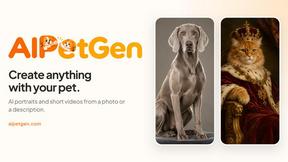
AIPetGen turns a photo of your dog, cat, or other pet, or a written description, into a new picture or a short animation.
screenRIG
Signage and kiosk infrastructure for AI agents. Your agent publishes images, video, streams, web pages and apps to screens via one plugin.screenRIG is
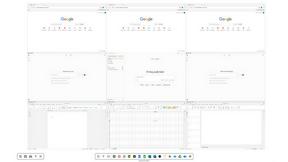
Novastart
Novastart brings apps and files onto an infinite canvas where people and AI agents can work together.
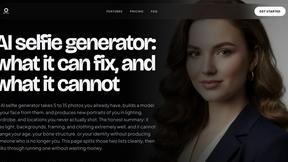
MyPhotoAI
Turn your selfies into AI headshots and portraits. Get 3 photos for US$5 or every photo from one shoot for US$10. No subscription.

AUTOMATER.ai
A tray helper for every AI coding tool: sessions, alerts and usage in one place
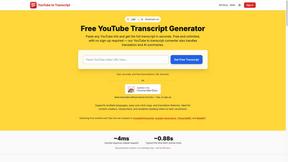
GetYouTubeTranscript
Free YouTube transcripts on the web, a Chrome extension, and an API + MCP server so AI assistants can read YouTube.
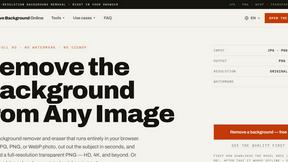
Remove Image Background
Free background remover that runs entirely in your browser — zero uploads, full resolution, no watermark. Your photos never leave your device.