
MaxArt.ai vs SimpleDraw
Side-by-side comparison to help you choose the right AI tool.

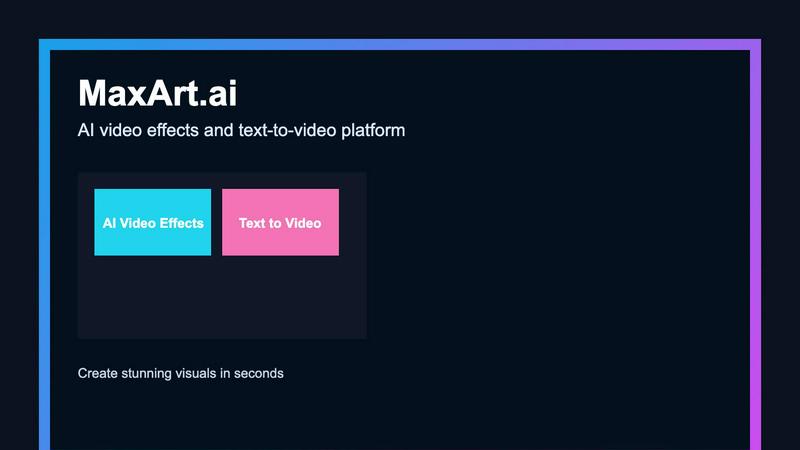
MaxArt.ai instantly transforms your footage into stunning AI video effects using simple text prompts or reference images.
Last updated: April 4, 2026

SimpleDraw
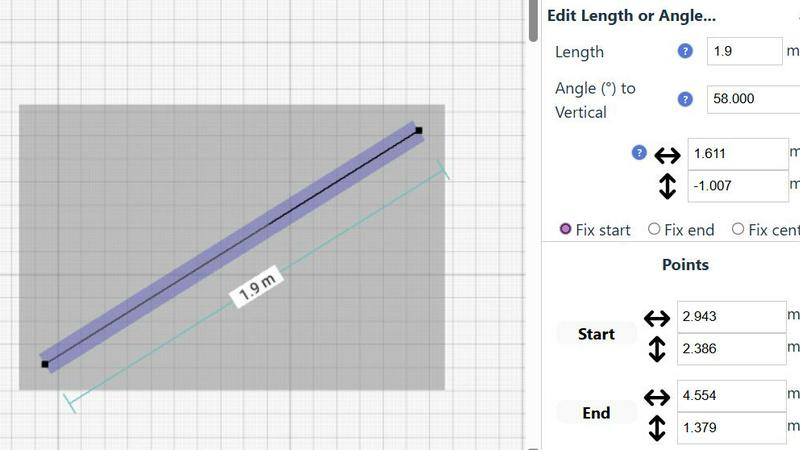
Create precise floor plans and room layouts effortlessly online with SimpleDraw, no software needed.
Last updated: March 1, 2026
Visual Comparison
MaxArt.ai
SimpleDraw
Feature Comparison
MaxArt.ai
Sora 2 Pro Storyboard Model
This advanced feature utilizes OpenAI's premier AI video model for structured, professional video generation. It supports multi-scene sequencing, allowing creators to build cohesive narratives by adding and describing individual scenes with specific durations. The model excels at maintaining visual consistency across scenes and offers precise control over output length, enabling the creation of polished, story-driven videos up to 25 seconds long for sophisticated projects.
Text-to-Video and Image-to-Video Generation
MaxArt.ai provides two intuitive pathways for video creation. Users can describe their vision in a detailed text prompt, and the AI will generate a corresponding video from scratch. Alternatively, by uploading a reference image, the platform can animate and extend the visual into a dynamic video sequence. This dual-input flexibility caters to different creative workflows, from conceptual ideation to enhancing existing visual assets.
Pre-Built AI Video Effects Library
Beyond generation from scratch, the platform offers a curated collection of specialized, one-click AI video effects. This includes tools like the AI 360° Rotation Video Generator and the AI Smooth Transition Video Generator. These effects allow users to apply complex cinematic transformations to their existing footage instantly, adding professional polish and creative flair without any manual editing.
User-Centric Control Panel
The interface provides essential, non-overwhelming controls for a refined output. Users can easily adjust the total video duration, select from various aspect ratios (Landscape, Portrait, etc.), and manage project visibility. The clean design, coupled with a real-time status indicator and credit cost preview, ensures a transparent and efficient creation process from start to finish.
SimpleDraw
Accurate Measurements & Scale Drawing
SimpleDraw provides users with precise measurements and smart alignment, ensuring that all drawings are both accurate and to scale. This feature is crucial for users who require technical accuracy in their designs, allowing them to create professional-looking layouts effortlessly.
Specialized Floor Plan Creator
The dedicated Floor Plan Mode enables users to create detailed floor plans with walls, windows, doors, and furniture in just a few clicks. This feature allows for real-time measurement viewing as adjustments are made, streamlining the planning process for renovations and interior design.
Smart Alignment System
The innovative smart alignment system assists users in positioning lines and points accurately. With visual indicators, the system ensures that elements are placed exactly where intended, enhancing user experience and precision throughout the drawing process.
Comprehensive Measurement System
SimpleDraw includes a comprehensive measurement system with customizable display options. Users can choose between metric or US units, and contextual measurements are dynamically shown as they work, helping them create their drawings with confidence and clarity.
Use Cases
MaxArt.ai
Social Media Content Creation
Ideal for influencers and social media managers needing to produce a high volume of engaging, eye-catching content. Quickly generate unique video backgrounds, apply trending visual effects to clips, or create short narrative ads for platforms like Instagram Reels and TikTok, all tailored to the correct aspect ratio for maximum platform impact.
Brand Marketing and Advertising
Marketing teams can prototype and produce professional ad concepts rapidly. Use text prompts to visualize product demos, create brand story videos with consistent cinematic style, or apply sleek transitions to campaign footage, resulting in high-quality video assets suitable for paid social campaigns and website content.
Creative Storyboarding and Prototyping
Filmmakers, agencies, and content planners can use the multi-scene storyboard feature to visualize concepts before production. Quickly generate a sequence of scenes to pitch ideas, establish mood, and test visual narratives, saving significant time and resources in the pre-production phase.
Enhancing Existing Video Projects
Editors and creators can use MaxArt.ai as a powerful post-production tool. Upload existing footage to apply specific AI enhancements like smooth, professional transitions or dynamic 360-degree rotation effects, elevating the production value of vlogs, presentations, or personal projects without complex software.
SimpleDraw
Kitchen & Bathroom Renovations
Users can plan their kitchen or bathroom renovations with accurate measurements and layouts. By visualizing their designs before starting work, they can ensure that all fixtures fit perfectly into the intended spaces, reducing costly mistakes.
Room Layouts & Furniture Planning
SimpleDraw serves as an excellent tool for designing bedroom, living room, or office layouts. Homeowners can see how new furniture will fit in their spaces before making purchases, ensuring that their designs are practical and aesthetically pleasing.
Complete House & Apartment Plans
The tool is perfect for creating complete floor plans for homes and apartments. Whether for personal use or rental listings, users can design comprehensive layouts that consider every aspect of their living space, optimizing functionality and flow.
Community-Driven Development
SimpleDraw encourages community feedback for continuous improvement. Users can join the Discord community to suggest features and improvements, allowing them to be part of a development process that prioritizes user experience and satisfaction.
Overview
About MaxArt.ai
MaxArt.ai is a curated AI-powered platform designed to transform video creation for modern creators and marketers. It eliminates the complexity of traditional editing software by enabling users to generate stunning, professional-grade visual effects directly from simple text prompts or reference images. The platform is built for those who demand high-impact visual storytelling for social media content, advertisements, and brand narratives but lack the time or technical expertise for intricate post-production workflows. At its core, MaxArt.ai offers a selective, quality-first approach, leveraging cutting-edge AI models like OpenAI's Sora 2 Pro Storyboard to ensure visual consistency, cinematic styles, and smooth multi-scene sequencing. Its value proposition is clear: deliver instant, accessible, and broadcast-quality AI video effects, empowering users to focus on their creative vision rather than the technical process.
About SimpleDraw
SimpleDraw is a free, web-based drawing tool that democratizes the art of scale drawing, making it accessible for everyone, regardless of technical expertise. Designed for casual users, DIY enthusiasts, and homeowners alike, it simplifies the traditionally complex CAD experience into an intuitive platform. Users can start creating right away, without the need for software downloads or account creation, which lowers barriers to entry. Whether you are sketching out a room layout for new furniture, planning a garden renovation, or drafting technical diagrams, SimpleDraw offers precise measurement features, smart alignment tools, and real-time editing capabilities. The platform ensures that users can visualize their ideas accurately and effectively, transforming concepts into scaled drawings directly in their browser, with no steep learning curve involved.
Frequently Asked Questions
MaxArt.ai FAQ
What AI models power the effects on MaxArt.ai?
MaxArt.ai is powered by state-of-the-art generative AI models, including OpenAI's Sora 2 Pro for structured storyboard generation and other advanced systems like Veo 3.1 Premium. This curated selection of top-tier technology is chosen specifically to deliver the highest possible visual quality, consistency, and creative control for all generated video effects and transformations.
How long does it take to generate a video with AI effects?
The platform is engineered for speed. Typically, the AI processes your request and applies effects within 30 to 60 seconds. The generation time can vary slightly based on the complexity of the prompt, the selected video duration, and the specific effect or model being used, but the focus remains on delivering rapid, high-quality results.
Can I use the videos I create for commercial purposes?
Yes, absolutely. You retain full rights to the videos you generate and enhance using MaxArt.ai. The content you create is yours to use for any commercial purpose, including in advertising campaigns, social media marketing, client projects, and brand storytelling, without any licensing restrictions from the platform.
What video formats and aspect ratios are supported?
MaxArt.ai supports outputs in multiple industry-standard aspect ratios to fit any project need. This includes Landscape (16:9), Portrait (9:16), and Square (1:1) formats, making it perfect for YouTube, Instagram Stories/Reels, TikTok, and other social media platforms. All videos are generated in high-definition quality suitable for professional use.
SimpleDraw FAQ
Is SimpleDraw really free to use?
Yes, SimpleDraw is entirely free to use. There are no hidden fees, and users can access all features without the need for an account or software download.
What types of projects can I create with SimpleDraw?
You can create a wide range of projects, including floor plans for kitchens and bathrooms, room layouts, furniture planning, and complete house designs, all tailored to your specific needs.
Do I need any prior experience to use SimpleDraw?
No prior experience is necessary. SimpleDraw is designed to be user-friendly and intuitive, making it accessible for beginners and casual users alike.
Can I collaborate with others on my drawings?
While collaboration features may be limited, you can share your drawings easily by exporting them or inviting friends to view your designs, depending on your needs and preferences.
Alternatives
MaxArt.ai Alternatives
MaxArt.ai is an AI-powered video creation platform in the content creation and design tools category. It enables users to generate cinematic video effects and text-to-video content instantly, simplifying complex editing workflows for creators and marketers. Users often explore alternatives for various reasons, such as specific budget constraints, the need for different feature sets, or compatibility with other platforms in their workflow. The search for the right tool is highly personal and depends on individual project requirements and creative goals. When evaluating other options, consider the core capabilities that matter most to you. Key factors include the quality and style of AI-generated visuals, ease of use, export formats and resolution, and how well the tool integrates into your existing content production process.
SimpleDraw Alternatives
SimpleDraw is a free, web-based tool designed for creating accurate scale drawings and floor plans, making it a popular choice among casual users, DIY enthusiasts, and homeowners. Users often seek alternatives to SimpleDraw for various reasons, including the need for advanced features, specific platform compatibility, or pricing structures that better fit their budgets. When searching for an alternative, consider factors such as ease of use, available features, and whether the tool aligns with your specific drawing needs, ensuring you find a solution that enhances your design process. --- [{"question": "What is SimpleDraw?", "answer": "SimpleDraw is a free online tool that simplifies the process of creating accurate scale drawings and floor plans."},{"question": "Who is SimpleDraw for?", "answer": "SimpleDraw is designed for casual users, DIY enthusiasts, homeowners, and anyone needing to create precise visual plans without the complexity of traditional CAD software."},{"question": "Is SimpleDraw free?", "answer": "Yes, SimpleDraw is completely free to use, with no software download or account creation required."},{"question": "What are the main features of SimpleDraw?", "answer": "Key features of SimpleDraw include a dedicated floor plan mode, intelligent smart alignment, and flexible zoom and precision control."}]