
Glima - AI Image & Video Generator vs Ray3
Side-by-side comparison to help you choose the right AI tool.

Glima - AI Image & Video Generator
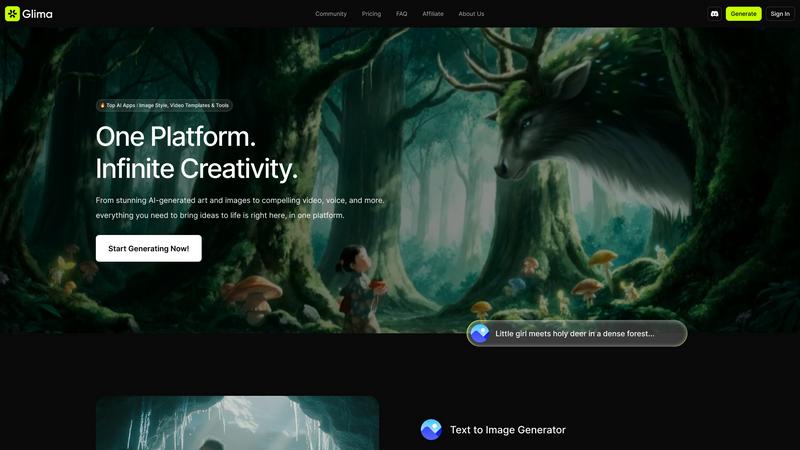
Glima is an all-in-one AI platform that transforms text into stunning images and videos effortlessly.
Last updated: March 1, 2026
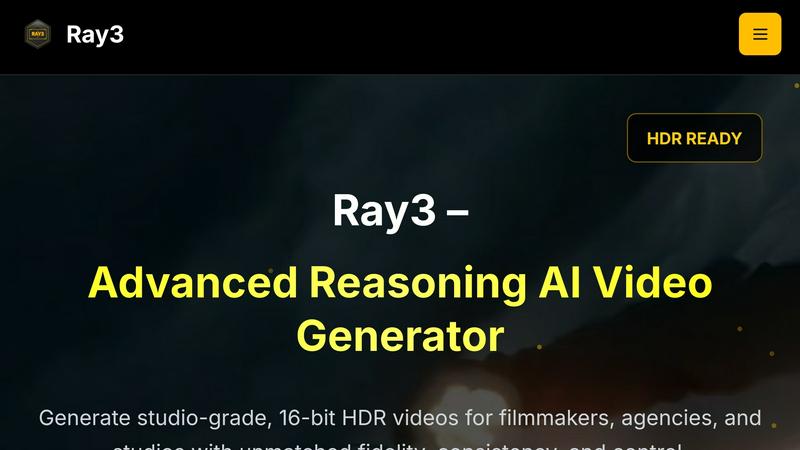
Ray3 generates studio-grade 16-bit HDR videos with advanced AI reasoning for professionals.
Last updated: March 1, 2026
Visual Comparison
Glima - AI Image & Video Generator
Ray3
Feature Comparison
Glima - AI Image & Video Generator
Text to Image Generator
With Glima's text to image generator, users can easily create stunning visuals from mere text prompts. This feature eliminates the need for design skills, allowing anyone to enhance colors, alter styles, and generate high-quality images in seconds, making creativity accessible to all.
Text to Video Generator
Glima's text to video generator allows users to create impressive, high-quality videos effortlessly. The advanced algorithm ensures smooth animations and realistic movements, enabling users to produce professional-level videos quickly and efficiently, ideal for marketing and storytelling.
AI Image Editing
The AI image editing tools within Glima are designed for seamless redesigning, retouching, and refining of images. Users can utilize smart tools for flawless editing, including an object remover that allows them to erase unwanted elements while preserving overall image quality, enhancing their visual content.
AI Video Templates
Glima offers a variety of ready-made video templates that streamline the video creation process. These templates are designed to help users create faster and smarter, allowing them to focus on their creative vision while Glima handles the technical aspects of video production.
Ray3
True 16-bit HDR Output
Ray3 delivers professional-grade cinematic quality with support for true 10, 12, and 16-bit HDR video generation. This ensures exceptional color depth, a wide dynamic range, and visual fidelity that meets industry standards for broadcast and film. Outputs are compatible with ACES2065-1 EXR formats, providing a perfect foundation for professional color grading and seamless integration into high-end post-production pipelines.
Advanced Reasoning Intelligence
Powered by the world's first reasoning-based AI video model, Ray3 ensures logical consistency and physical accuracy across all generated content. Its engine understands complex scene context, maintains coherent object behavior over time, and accurately simulates multi-character interactions and physics-based motion. This results in videos where elements move and interact believably, eliminating the jarring inconsistencies common in other AI tools.
5x Faster Draft Mode
Accelerate your creative exploration with Draft Mode, a feature designed for rapid iteration. It allows creators to generate quick, lower-fidelity previews of their concepts at five times the speed and a fraction of the cost of a full render. This enables efficient testing of ideas, compositions, and narratives, providing a crucial sandbox for experimentation before upgrading to a final, high-fidelity output.
Seamless Professional Workflow Integration
Ray3 is built for the professional environment, offering seamless integration with tools like Adobe Premiere Pro and supporting industry-standard ACES color workflows. This compatibility ensures that assets generated by Ray3 can be imported directly into existing editing and grading suites without cumbersome conversion steps, maintaining color accuracy and streamlining the production process from ideation to final delivery.
Use Cases
Glima - AI Image & Video Generator
Marketing Campaigns
Businesses can leverage Glima to generate engaging promotional visuals and videos that capture audience attention. By transforming ideas into high-quality content quickly, marketers can enhance their campaigns and improve engagement across various platforms.
Social Media Content Creation
Content creators can utilize Glima to produce eye-catching social media posts, stories, and videos. With the ability to generate unique visuals rapidly, users can maintain a consistent and visually appealing online presence, keeping their audience engaged.
Artistic Exploration
Artists and designers can experiment with Glima to push the boundaries of their creativity. By using simple prompts to generate complex images and videos, they can explore new styles and concepts that may not have been possible through traditional methods.
Portfolio Development
Freelancers and professionals in creative fields can use Glima to build impressive portfolios. By generating a cohesive visual series from text prompts, users can showcase their skills and creativity, making it easier to attract potential clients and job opportunities.
Ray3
Cinematic Film & Narrative Sequences
Filmmakers and directors can leverage Ray3 to generate high-quality scene pre-visualizations, concept trailers, or even final visual effects shots. The reasoning engine ensures character movements and scene dynamics are physically plausible, while the 16-bit HDR output provides the color depth needed for cinematic grading, making it ideal for crafting compelling narrative visuals.
High-End Commercial & Advertising
Creative agencies can produce stunning product showcases and commercial concepts with Ray3. The tool excels at rendering materials like metals, glass, and fabrics with accurate lighting and reflections, as demonstrated in luxury watch commercials. Draft Mode allows for rapid client presentations and iterations, ensuring the final high-fidelity video meets brand standards.
Architectural Visualization & Design
Architects and real estate developers can create immersive, photorealistic visualizations of buildings and spaces. Ray3's understanding of natural lighting, shadows, and spatial consistency allows for the generation of walkthroughs and flyovers that accurately represent architectural designs, helping to showcase projects to clients and stakeholders with professional polish.
Fashion Editorial & Dynamic Content
Fashion brands and content creators can produce editorial-style video content with dramatic lighting and high-end aesthetics. Ray3 enables the creation of dynamic lookbooks, model showcases, and abstract motion design pieces that capture texture, movement, and style, providing a powerful tool for innovative visual marketing and brand storytelling.
Overview
About Glima - AI Image & Video Generator
Glima is a unified creative platform that empowers users to translate their imaginative concepts into captivating visual realities. Designed as an all-in-one AI suite, it caters to creators, professionals, and businesses looking to produce high-quality images and videos without the complexities often associated with traditional design software. The essence of Glima lies in its ability to enable users to manifest their ideas through simple text prompts, providing limitless opportunities for creative expression. By integrating advanced AI models for image generation, video creation, headshot refinement, interior design, and smart editing, Glima offers a streamlined and intuitive interface. The platform stands out by delivering cinematic-quality outputs—from evocative scenes like a war photographer illuminated by sunset light to smooth, vibrant AI-generated videos—effortlessly and swiftly. With a focus on high-quality results and user-friendly controls, Glima democratizes advanced visual creation, making it an essential tool for visual storytelling, marketing, and artistic exploration.
About Ray3
Ray3 is the world's first reasoning-based AI video generation model, engineered to meet the exacting standards of professional creators. It transcends conventional AI video tools by delivering true cinematic-quality output in 10, 12, and 16-bit HDR, ensuring every project benefits from unparalleled color depth, dynamic range, and visual fidelity. At its core is an advanced temporal reasoning engine that understands and simulates physically accurate motion and complex multi-character interactions, guaranteeing logical consistency and realism across every frame. Designed for filmmakers, creative agencies, and studios, Ray3 integrates seamlessly into professional workflows with native compatibility for Adobe Premiere Pro and ACES color pipelines. Its unique Draft Mode accelerates the creative ideation process by five times, allowing for rapid concept testing before committing to high-fidelity renders. Whether crafting high-end commercials, narrative sequences, architectural visualizations, or fashion editorials, Ray3 empowers professionals to produce studio-grade video content with unprecedented speed, reliability, and creative control, setting a new benchmark in AI-assisted production.
Frequently Asked Questions
Glima - AI Image & Video Generator FAQ
How does Glima generate images and videos from text?
Glima utilizes advanced AI models that interpret user-provided text prompts to create visually stunning images and videos. The process is designed to be intuitive, allowing even those without design experience to produce high-quality content.
Is Glima suitable for beginners?
Absolutely! Glima is designed with user-friendliness in mind. Its simple interface and straightforward prompts make it an ideal choice for beginners looking to explore their creativity without needing extensive design skills.
Can I edit images generated by Glima?
Yes, Glima includes robust image editing tools that allow users to redesign, retouch, and refine their images. Features like object removal and smart editing tools ensure that users can achieve the desired look for their visuals.
What types of videos can I create with Glima?
With Glima, users can create a wide range of video content, including promotional videos, social media clips, and artistic animations. The platform's advanced video generation capabilities ensure high-quality outputs suitable for various applications.
Ray3 FAQ
What makes Ray3 different from other AI video generators?
Ray3 is distinguished as the first reasoning-based AI video model. While other tools may generate videos frame-by-frame, Ray3's advanced temporal reasoning engine understands the entire scene context, ensuring logical consistency, physically accurate motion, and coherent multi-character interactions across all frames. This, combined with true professional 16-bit HDR output, sets it apart for cinematic and commercial applications.
How does the Draft Mode work and what are its benefits?
Draft Mode is a faster, more cost-effective generation setting within Ray3. It produces quicker previews at a lower credit cost, allowing creators to iterate on ideas, test compositions, and refine prompts approximately five times faster than a full-quality render. Once satisfied with a draft, users can seamlessly upgrade it to a high-fidelity HDR output without losing the core concept.
What formats does Ray3 support for professional workflows?
Ray3 is designed for professional integration. It supports true 10, 12, and 16-bit HDR output, including delivery in the ACES2065-1 EXR format, which is the industry standard for color management. This ensures generated videos can be directly imported into color grading software like DaVinci Resolve and editing suites like Adobe Premiere Pro without color space conversion issues.
Who is the ideal user for Ray3?
Ray3 is built for professional creators who require studio-grade output. Its primary users are filmmakers, video production agencies, advertising studios, architectural visualization artists, and fashion content creators. The tool is tailored for those who need high fidelity, logical consistency, and seamless workflow integration that generic consumer AI video tools cannot provide.
Alternatives
Glima - AI Image & Video Generator Alternatives
Glima - AI Image & Video Generator is a comprehensive platform designed to transform text prompts into high-quality images and videos, catering to creators, professionals, and businesses. As users explore their creative options, they often seek alternatives due to factors such as pricing, specific feature sets, or compatibility with their desired platforms. Finding the right alternative involves assessing similar functionalities, ease of use, and the ability to produce professional-grade results without extensive design experience. When considering alternatives, it's essential to evaluate the features that matter most to you, such as the variety of templates, customization options, and the quality of output. Additionally, consider user interface design and the level of support available to ensure a smooth creative process. Ultimately, the right choice should align with your creative vision and operational needs, enabling you to achieve stunning visual storytelling effectively.
Ray3 Alternatives
Ray3 is a professional-grade AI video generation tool, specifically engineered for filmmakers, agencies, and studios. It stands out in the video AI category by producing 16-bit HDR content with advanced reasoning for logical consistency and cinematic quality. Users may explore alternatives for various reasons. These can include budget constraints, a need for different feature sets like real-time generation or 3D animation, or compatibility requirements with other software platforms and operating systems. When evaluating other tools, professionals should prioritize output fidelity, workflow integration, and the underlying AI's ability to handle complex, multi-element scenes coherently. The goal is to find a solution that aligns with both creative ambitions and practical production pipelines.