
GPT Image 1.5 vs Grok Video
Side-by-side comparison to help you choose the right AI tool.

GPT Image 1.5
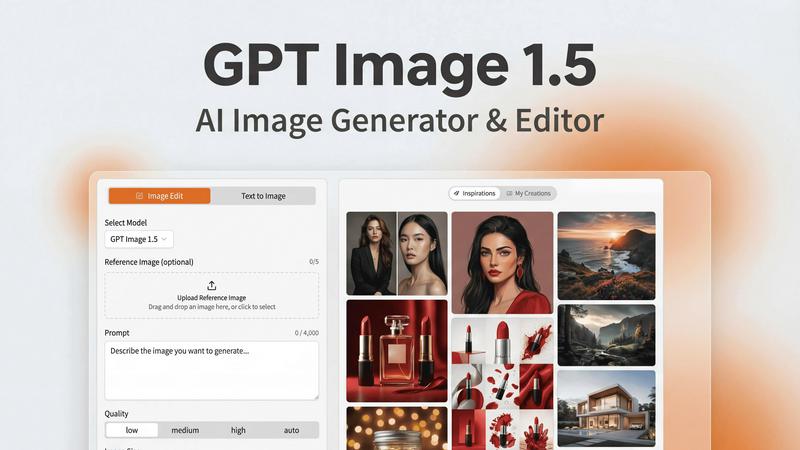
Create stunning photorealistic images and designs effortlessly with GPT Image 1.5's fast generation and precise editing.
Last updated: February 28, 2026

Grok Video
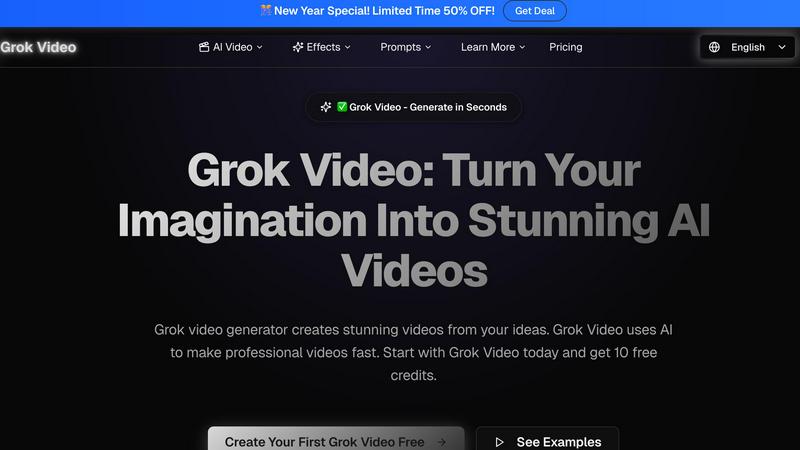
Grok Video transforms your ideas into stunning, professional-quality videos in minutes using advanced AI technology.
Last updated: April 13, 2026
Visual Comparison
GPT Image 1.5
Grok Video
Feature Comparison
GPT Image 1.5
Fast Image Generation
GPT Image 1.5 offers up to 4x faster image generation compared to its predecessors. This speed allows users to iterate rapidly on their designs, making it ideal for projects with tight deadlines and dynamic requirements.
Enhanced Text Rendering
The platform excels in generating images with precise text rendering. It ensures crisp lettering and layout consistency, which is crucial for professionals needing reliable, text-heavy graphics such as infographics and marketing materials.
Versatile Editing Capabilities
With powerful editing tools, users can modify existing images with precision. Features like style transfer, object removal, and scene modifications enable artists to transform their visuals while preserving essential details and elements.
User-Friendly Workflow
GPT Image 1.5 supports a streamlined workflow from concept to final output. Users can write prompts, generate or edit images, refine outputs iteratively, and export in various formats, ensuring a smooth and efficient creative process.
Grok Video
Lightning-Fast Video Generation
Grok Video revolutionizes the video creation process with lightning-fast generation times, allowing users to produce stunning videos in just 2-5 minutes. While many traditional video editing tools require hours of work, Grok Video streamlines the process so you can generate high-quality content quickly, saving you time and enhancing your productivity.
Simple Text-to-Video Magic
With Grok Video, creating videos is as simple as describing your vision in plain English. The AI understands your creative intent and translates it into captivating motion graphics, eliminating the need for complex software skills. This feature makes video creation accessible to everyone, regardless of their technical background.
Crystal-Clear 4K Quality
Every video generated with Grok Video boasts stunning 4K resolution, ensuring that your content looks sharp and professional on any device. Whether you are sharing videos on YouTube, Instagram, or TikTok, the high-quality output elevates your content and grabs your audience's attention.
Transform Photos into Videos
Grok Video allows users to breathe life into static images by transforming them into dynamic videos. By uploading a reference photo, creators can animate their memories, product images, or artwork, resulting in captivating visual storytelling that engages viewers and enhances your content's appeal.
Use Cases
GPT Image 1.5
Marketing Campaigns
Marketers can leverage GPT Image 1.5 to create eye-catching visuals for their campaigns. The ability to quickly generate infographics and promotional images allows teams to adapt to market trends and consumer interests effectively.
User Interface Mockups
Designers can utilize GPT Image 1.5 to produce high-quality UI mockups. The platform’s focus on text accuracy and visual fidelity ensures that mockups are not only aesthetically pleasing but also functional for user testing and presentations.
Branding and Logo Design
Businesses looking to establish or refresh their brand identity can use GPT Image 1.5 for logo design. With its powerful capabilities, users can explore multiple design concepts and refine them until they achieve the perfect representation of their brand.
Creative Art Projects
Artists and creators can experiment with unique styles and transformations using GPT Image 1.5. The platform allows for creative freedom, enabling users to push the boundaries of conventional art through innovative image editing and generation.
Grok Video
Social Media Content Creation
Grok Video is an invaluable tool for social media managers and influencers looking to generate engaging video content quickly. By leveraging the platform's intuitive prompt system, users can create eye-catching videos tailored to their audience, leading to increased engagement and follower growth on various platforms.
Marketing Campaigns
Businesses can harness Grok Video to produce professional marketing videos in minutes instead of hours. The tool's fast generation capability, combined with high-quality output, allows marketing teams to create compelling promotional content that resonates with their target audience, ultimately driving higher conversion rates.
Educational Videos
Educators and trainers can utilize Grok Video to create informative and engaging educational content that enhances learning experiences. By turning complex concepts into visually appealing videos, Grok Video helps educators capture students' attention and simplify information delivery.
Personal Projects and Memories
Grok Video is perfect for individuals looking to create memorable videos for personal projects, such as family events, travel experiences, or artistic expressions. By animating photos or crafting unique narratives, users can preserve and share their cherished memories in a visually captivating format.
Overview
About GPT Image 1.5
GPT Image 1.5 is a revolutionary AI image generator and editor, harnessing the power of OpenAI's latest model, gpt-image-1.5. Catering to creative professionals, it allows users to effortlessly create stunning visuals including images, infographics, logos, and UI mockups. The platform is designed for marketers, designers, and developers who want to enhance their creative workflows without requiring coding skills. With its intuitive web interface, GPT Image 1.5 streamlines the image creation and editing process, making it accessible for everyone. The model features significant advancements in realism and text accuracy, ensuring that every output meets high professional standards. Whether you are conceptualizing marketing materials or building AI-integrated products, GPT Image 1.5 empowers users to turn their ideas into visually striking results. With its robust capabilities, it stands as a vital tool for anyone looking to elevate their visual content.
About Grok Video
Grok Video is an innovative AI-powered video generation tool that transforms your ideas into stunning videos in just minutes. Designed for content creators, marketers, and individuals looking to elevate their video content, Grok Video offers a user-friendly interface that requires no technical expertise. Simply provide a text prompt, and Grok Video's advanced AI algorithms bring your vision to life, resulting in professional-quality videos that are perfect for social media, marketing campaigns, or personal projects. With features such as fast generation times and crystal-clear 4K output, Grok Video ensures that your content stands out in a crowded digital landscape. Whether you are looking to create engaging social media posts, promotional videos, or artistic animations, Grok Video empowers you to produce exceptional content effortlessly. Join thousands of satisfied users who leverage Grok Video for their video needs and start creating your first video with free credits today!
Frequently Asked Questions
GPT Image 1.5 FAQ
How does GPT Image 1.5 improve upon previous versions?
GPT Image 1.5 is built on the latest OpenAI model, delivering faster generation speeds, enhanced text rendering, and superior image editing capabilities, making it a significant upgrade for users.
Can I use GPT Image 1.5 without any design experience?
Absolutely! GPT Image 1.5 is designed with a user-friendly interface that allows individuals without coding or design experience to create and edit high-quality images easily.
What formats can I export my images in?
Users can export their images in various formats, including PNG, JPEG, and WebP, making it easy to use the visuals across different platforms and mediums.
Is there a free trial available for GPT Image 1.5?
Yes, GPT Image 1.5 offers a free trial, allowing users to explore its capabilities and features before committing to a purchase. This is an excellent opportunity to assess how it fits into your creative workflow.
Grok Video FAQ
What types of input can I use with Grok Video?
Grok Video allows users to create videos using both text and images as input. You can start with a simple text prompt or upload a reference image to generate dynamic videos based on your creative vision.
How long does it take to generate a video with Grok Video?
Videos can be generated in as little as 2-5 minutes, making Grok Video one of the fastest AI video creation tools available. This rapid turnaround allows users to produce high-quality content quickly and efficiently.
Is there a free trial available for Grok Video?
Yes, Grok Video offers new users 10 free credits to create their first videos. This allows you to explore the platform and see the quality of videos you can generate without any initial investment.
Can I remove the watermark from my videos?
Yes, if you already have a Grok Video video, you can remove the watermark instantly. This feature allows you to present your content professionally without any branding interference, making it suitable for public sharing or business use.
Alternatives
GPT Image 1.5 Alternatives
GPT Image 1.5 is an advanced AI image generator and editor that belongs to the category of AI Assistants, specifically designed to help creative professionals produce high-quality visuals. Its capabilities include generating photorealistic images and infographics, making it a valuable tool for marketers, designers, and developers. Users often seek alternatives due to various factors such as pricing constraints, specific feature requirements, or compatibility with existing platforms. When choosing an alternative, it’s essential to consider aspects like speed, ease of use, and the range of editing functions available, as these elements significantly influence the effectiveness and efficiency of the creative process. Users should also assess the platform's ability to produce high-quality renders that meet professional standards while aligning with their particular creative needs.
Grok Video Alternatives
Grok Video is an innovative video generator that allows users to create stunning videos quickly from text and images. It falls within the AI video creation category, facilitating seamless content generation for social media, marketing, or personal projects. Users often seek alternatives to Grok Video due to various factors such as pricing structures, feature sets, or specific platform requirements that may better suit their needs. When exploring alternatives, consider aspects such as ease of use, output quality, and the ability to process both text and images effectively. Look for platforms that offer natural language control, a variety of templates, and flexible pricing options to ensure that you find a solution that aligns with your creative goals and budget.