
Dreamflow vs FilexHost
Side-by-side comparison to help you choose the right AI tool.

Dreamflow
Dreamflow is a visual AI builder that syncs your prompts, canvas, and code for production apps.
Last updated: March 1, 2026

FilexHost instantly creates a shareable link for any file you drag and drop.
Last updated: February 28, 2026
Visual Comparison
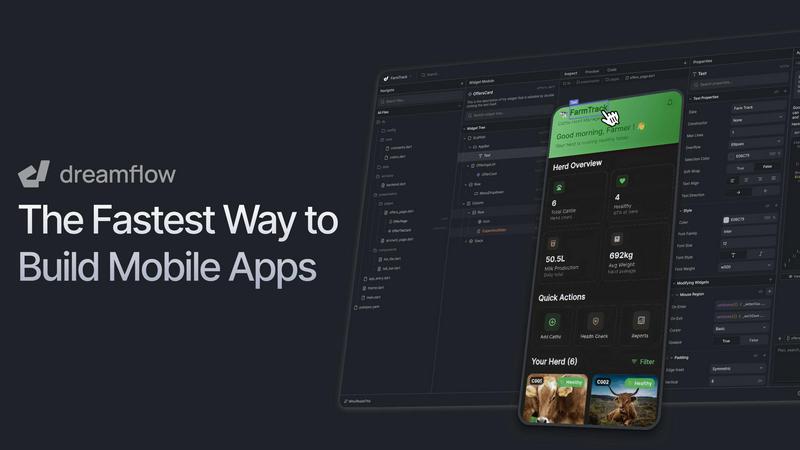
Dreamflow
FilexHost

Feature Comparison
Dreamflow
Tri-Surface Editing
Dreamflow's core innovation is its synchronized tri-surface environment. You can switch seamlessly between an AI agent you prompt in natural language, a visual drag-and-drop canvas, and a full Flutter code editor. Every change made on one surface is instantly reflected across the others, eliminating the disconnect between prototyping and development. This allows you to start with an AI-generated scaffold, visually fine-tune the UI, and then directly edit the underlying code, all within the same project.
AI-Powered, Context-Aware Generation
The platform features a smart, agentic AI that understands app development patterns and best practices. It goes beyond simple code generation by providing context-aware suggestions and scaffolding for entire features. You can describe functionality in plain English, and the AI will build it the right way, accelerating development while maintaining code quality and adherence to Flutter conventions.
Build for Any Screen & Instant Deployment
Powered by Flutter, Dreamflow enables you to build robust, responsive applications that adapt to every device size. Once your app is ready, you can deploy it with just a few clicks. The platform provides one-click deployment to the web and streamlined workflows for publishing to the Apple App Store and Google Play Store, handling much of the complex configuration for you.
Integrated Backend & Full-Stack Capabilities
Dreamflow comes with managed backend integrations out of the box, primarily with Firebase and Supabase. This allows you to build full-stack applications with real-time databases, authentication, and cloud functions from day one, without managing separate infrastructure. You can connect your visual UI components directly to your backend data, creating scalable production applications.
FilexHost
Universal File Support & Smart Rendering
FilexHost accepts a vast array of file types, including PDFs, images (JPG, PNG, WEBP, HEIC, TIFF), audio/video (MP4, MP3), data files (XLSX, CSV, JSON), code, and ZIP archives. Its intelligent engine doesn't just store files; it presents them optimally. HTML/ZIP files render as live websites, spreadsheets become sortable in-browser tables, documents display in clean readers, and media files play with built-in lightweight players. This smart rendering ensures your content is experienced, not just downloaded.
Instant, Secure Subdomains
With zero configuration, every uploaded file or site instantly receives a permanent, secure subdomain (e.g., your-file.filex.host). Each link is automatically protected with free SSL encryption, ensuring all data transfer is secure. This feature removes the technical hurdles of setting up hosting, making it possible to go from a local file to a live, web-accessible URL in mere seconds, perfect for rapid sharing and testing.
Granular Sharing Controls
FilexHost provides powerful controls over how your content is accessed. You can set files to expire after a set duration (from 24 hours to forever) and add optional password protection for privacy. Furthermore, you can choose the view mode for recipients, deciding whether a file renders directly in the browser or presents a download page first, giving you flexibility based on the context of your share.
Simple Drag & Drop Workflow
The platform is built on ultimate simplicity. There is no command line, git, or complex configuration required. The entire process is based on an intuitive drag-and-drop interface. You upload your file, optionally set a title, description, expiry, and password, and immediately receive your shareable link. This streamlined workflow makes professional file hosting accessible to everyone, regardless of technical skill.
Use Cases
Dreamflow
Rapid Prototyping & MVP Development
Founders and product managers can transform a concept into a working minimum viable product in a matter of hours. By describing the app idea to the AI agent and visually refining the output, teams can quickly create a tangible, interactive prototype to validate ideas with users or stakeholders before committing to extensive custom development.
Developer-Led App Acceleration
Professional developers and small engineering teams use Dreamflow to accelerate their workflow. They can leverage the AI to generate boilerplate code and standard UI components, then switch to the code editor to implement complex custom logic and business rules. This hybrid approach dramatically increases development speed without sacrificing code ownership or quality.
Cross-Platform App Creation
Businesses and entrepreneurs needing a presence on both iOS and Android, and often the web, find Dreamflow ideal. By building once with Flutter through Dreamflow's visual and AI tools, they can create a single codebase that deploys natively to all major platforms, ensuring consistency and reducing development time and cost.
Educational Projects & Learning Flutter
Aspiring developers and students learning mobile development can use Dreamflow to understand Flutter app structure. They can start visually, see how their design choices translate into code, and then experiment by editing that code directly. This provides a practical, hands-on learning environment that bridges the gap between visual design and programming.
FilexHost
Professional Client Deliverables
Freelancers, consultants, and agencies can use FilexHost to deliver reports, presentations, design mockups, or video proofs to clients. Instead of clogging inboxes with large attachments or using cumbersome cloud storage with permission barriers, you can send a single, clean link. The file renders beautifully in the client's browser, providing a polished, professional experience without requiring them to download software or create an account.
Developer Prototyping & Demos
Developers and designers can instantly host static websites, landing pages, project demos, or mock API endpoints (using JSON files). This is ideal for sharing work-in-progress with team members, testing responsive designs, or presenting portfolio projects. The instant subdomain and live rendering allow for quick feedback cycles without deploying to a production server.
Digital Product Distribution
Creators, educators, and small businesses can distribute digital products like e-books (PDF), audio files, video courses, software zip files, or asset packs. By using password protection and expiry settings, you can control access. Recipients get a direct, hassle-free download or viewing page, enhancing the customer experience compared to email attachments or convoluted download portals.
Friction-Free Media Sharing
For anyone needing to share photos, videos, or audio clips that are too large for email or messaging apps, FilexHost offers a perfect solution. Upload your media collection as a ZIP or individual files, and share the link. Recipients can view images in a gallery, play video/audio in-browser, or download what they need, all without uploading to a public social media platform.
Pricing Comparison
Dreamflow
Dreamflow offers simple, transparent pricing with a free tier to explore and paid plans that scale with your needs.
Free Plan: Priced at $0/month, this plan allows you to explore Dreamflow with private projects, visual and code editing, managed backend integrations (Firebase/Supabase), one-click web deployment, and a one-time starter pack of 10 AI credits.
Hobby Plan: At $20/month, this plan is for building and launching complete applications. It includes everything in Free, plus one-click deployment to the Play Store & App Store, full code export, the ability to run apps locally on simulators, and 100 AI credits per month.
Pro Plan: Priced at $90/month and marked as "Most Popular," this plan supports a production-ready workflow. It includes everything in Hobby, plus version control (Git), priority access to premium AI models, and 500 AI credits per month.
Enterprise Plan: This is a custom solution for teams using Dreamflow as a core platform. It includes dedicated support, onboarding, advanced access control, the ability to bring your own AI models, SLA & uptime guarantees, and private cloud deployment. Pricing is available upon request.
FilexHost
FilexHost operates on a simple freemium model with two clear plans:
Free Plan: Ideal for quick sharing and testing. It includes hosting for up to 1,000 files, a 25MB maximum file size, 1GB of total storage, and 10GB of monthly bandwidth. Files have an expiry of up to 7 days. The free experience includes ads and a watermark, and does not include access to analytics.
Pro Plan: Priced at $10 per month, this plan is built for professional, business, and high-traffic usage. It unlocks permanent file hosting (forever expiry) for up to 10,000 files, with a 1GB maximum file size and 100GB of total storage. It includes 100GB of monthly bandwidth, an ad-free and watermark-free experience, and provides views and downloads analytics. The Pro Plan also includes password protection and is billed monthly with the option to cancel anytime.
Overview
About Dreamflow
Dreamflow is the definitive next-generation visual AI builder for creating production-ready mobile applications. It represents a paradigm shift by unifying three powerful development surfaces into one seamless platform: AI-driven prompting, a visual drag-and-drop canvas, and direct Flutter code editing. This integrated approach empowers developers, founders, and product teams to build mobile apps with unprecedented flexibility. You can start with a simple idea described in natural language, refine the user experience visually on an intuitive canvas, and dive directly into clean, exportable Flutter code whenever necessary. Unlike traditional no-code tools that often lock you into prototypes or abstracted environments, Dreamflow ensures all three surfaces are perfectly synchronized. This gives you the speed of AI-assisted generation, the intuitive control of visual design, and the ultimate confidence of owning scalable, publishable code. Built by the team behind FlutterFlow and trusted by over 2 million builders, Dreamflow is engineered to turn concepts into real, deployable applications for the App Store, Google Play Store, and web without compromise.
About FilexHost
FilexHost is a modern, frictionless platform for instant file hosting and sharing. It strips away the complexity traditionally associated with online file delivery, offering a universal solution for any file type—from documents and spreadsheets to media files and complete static websites. The core philosophy is a "Drop & Share" workflow: you upload a file, and FilexHost instantly generates a secure, shareable link. There are no servers to manage, no DNS to configure, and no requirement for recipients to log in or request access. This makes sharing effortless for the sender and seamless for the viewer.
The platform is designed for professionals, creators, and developers who value speed, presentation, and simplicity. It intelligently renders content, ensuring recipients see files as intended—HTML projects become live websites, spreadsheets turn into interactive tables, and media plays directly in the browser. Whether you're a freelancer sending client reports, a developer hosting a project demo, or a creator distributing digital assets, FilexHost prioritizes a beautiful, direct viewer experience over forcing downloads. It eliminates attachment limits and permission emails, providing a clean, professional alternative for getting files from you to anyone, anywhere.
Frequently Asked Questions
Dreamflow FAQ
How is Dreamflow different from traditional no-code platforms?
Unlike traditional no-code platforms that often lock you into their proprietary environment and output limited prototypes, Dreamflow provides full access to clean, standard Flutter code. Its tri-surface sync means you are never trapped; you can start with AI or visuals and always dive into the code to extend, customize, or export the entire project for independent development.
Can I export my app's source code?
Yes, full code export is a key feature, available on the Hobby plan and above. You can export your entire project as a standard Flutter codebase at any time. This allows you to run the app locally on simulators or real devices, integrate with any custom tooling, and maintain complete ownership and portability of your work.
What backend services does Dreamflow support?
Dreamflow offers managed backend integrations with Firebase and Supabase out of the box. These services handle essential full-stack capabilities like authentication, real-time databases, and cloud functions. The platform provides visual tools to connect your app's UI directly to these backend data sources seamlessly.
Who is Dreamflow best suited for?
Dreamflow is designed for a wide spectrum of builders. It is ideal for founders and product teams wanting to build MVPs rapidly, for professional developers seeking to accelerate their Flutter workflow, and for entrepreneurs needing to launch cross-platform apps without a large team. Its flexibility caters to both non-coders and experienced developers alike.
FilexHost FAQ
What is FilexHost?
FilexHost is an instant file hosting and sharing service. It allows you to upload any file type—documents, media, archives, or static websites—and immediately receive a secure, shareable web link. The platform focuses on simplicity and viewer experience, rendering files intelligently in the browser so recipients can view content directly without mandatory downloads.
Is it really free?
Yes, FilexHost offers a fully-featured Free Plan. This plan allows you to host up to 1,000 files, with a maximum file size of 25MB and total storage of 1GB. Files expire after 7 days. The free experience is supported by ads and includes a watermark. For permanent, ad-free hosting with larger limits and advanced features, the Pro Plan is available.
What file types are supported?
FilexHost supports a wide range of universal file types. This includes documents (PDF, TXT), data (XLSX, CSV, JSON), images (JPG, PNG, WEBP, HEIC, TIFF), media (MP4, MP3), code files, and ZIP archives. The platform's built-in viewers automatically render these files appropriately in the web browser for optimal viewing.
How do I update my hosted file or site?
To update a file or static site hosted on FilexHost, you simply need to upload the new version of the file. The platform will generate a new, unique link for the new upload. If you wish to keep the same URL, you would need to use the Pro Plan feature (when available) to manage and replace files under a consistent subdomain or custom domain.
Alternatives
Dreamflow Alternatives
Dreamflow is a visual AI builder for creating production-ready mobile applications. It uniquely integrates AI prompting, a visual canvas, and direct Flutter code editing into a synchronized workflow, allowing teams to build from concept to deployment without compromise. Users may explore alternatives for various reasons, including budget constraints, a need for different programming languages or frameworks, or a preference for a more traditional development environment. The choice often hinges on the specific balance between visual speed, code control, and the target platform. When evaluating options, consider the core workflow. Key factors include the depth of code access and ownership, the quality and scalability of the generated output, the learning curve, and whether the tool supports your desired deployment targets, such as native app stores or the web.
FilexHost Alternatives
FilexHost is a streamlined file hosting and sharing service that falls into the productivity and management category. It specializes in turning any file into a live, shareable link within seconds, prioritizing a simple drag-and-drop workflow and a polished viewer experience for recipients. Users often explore alternatives for various reasons. Common drivers include needing different pricing structures, larger file size limits, longer or permanent link expiry, or specific platform integrations. Some may require advanced security controls, custom branding, or a different balance between free and paid features. When evaluating other services, consider your core needs: the maximum file size you'll share, how long links should remain active, and whether you need password protection or analytics. The ideal alternative should match your workflow's simplicity while meeting your specific requirements for capacity, security, and presentation.