
AISeedance2 vs MaxArt.ai
Side-by-side comparison to help you choose the right AI tool.

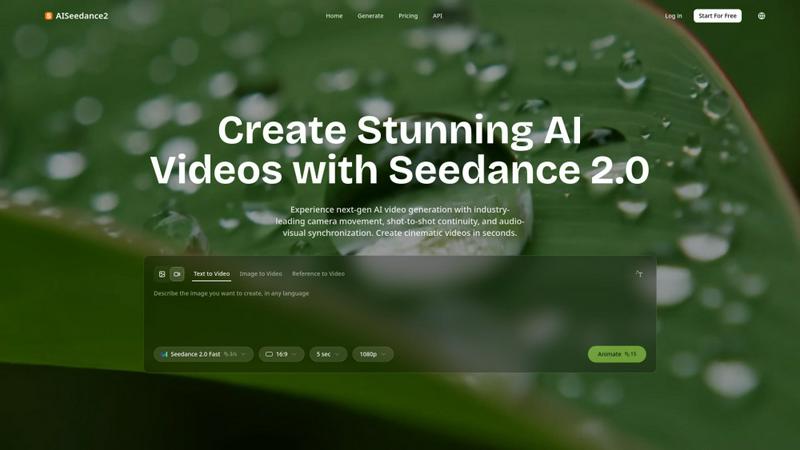
Seedance 2.0 creates stunning, cinematic AI videos with professional camera movement and continuity.
Last updated: February 27, 2026

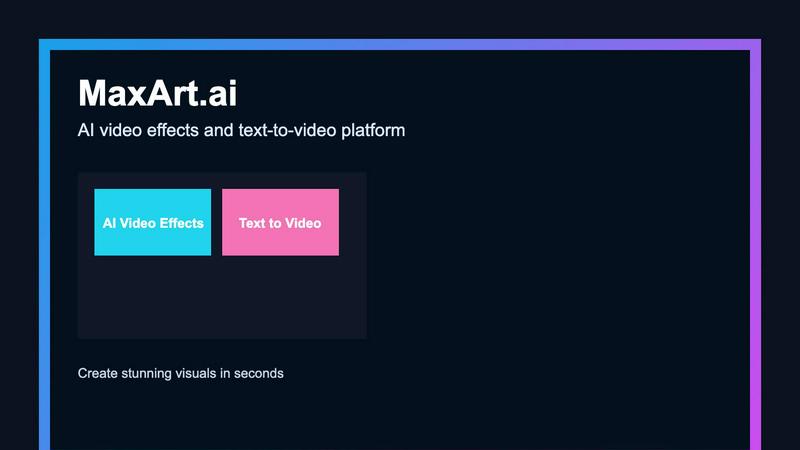
MaxArt.ai instantly transforms your footage into stunning AI video effects using simple text prompts or reference images.
Last updated: April 4, 2026
Visual Comparison
AISeedance2
MaxArt.ai
Feature Comparison
AISeedance2
Wide-Range Cinematic Camera Movement
This feature delivers the most advanced AI camera control available, executing complex, fluid movements that rival professional cinematography. It handles sweeping crane shots, dynamic tracking, orbital movements, and drone-like aerial perspectives from a simple text prompt. The AI understands cinematic motion to create smooth camera paths with accurate depth-of-field transitions and dramatic push-in/pull-out sequences, enabling creators to achieve a level of visual dynamism previously unattainable with AI.
Shot-to-Shot Continuity
AISeedance2 maintains perfect visual coherence across different scenes and shots, a critical challenge in AI video generation. This ensures that characters, settings, lighting, and style remain consistent throughout a multi-scene narrative. It allows creators to build cohesive stories, such as short films or commercials, without jarring visual breaks, making the final product feel professionally edited and narratively seamless from start to finish.
Precision Audio-Visual Synchronization
The platform synchronizes every frame of video with the beat and rhythm of an accompanying audio track. This precision ensures that on-screen action, transitions, and effects match the music or soundscape perfectly. It is ideal for creating music videos, dynamic social media clips, and any content where the emotional impact relies on a tight marriage between what is seen and what is heard, automating a typically meticulous editing task.
Character Identity Lock
This feature ensures that characters remain visually consistent throughout a video, regardless of scene changes, camera angles, or action sequences. Facial features, hairstyles, clothing, and body type are maintained across shots. This is essential for storytelling and branding, allowing for the creation of recurring characters in films or consistent brand ambassadors in marketing campaigns without unintended visual alterations.
MaxArt.ai
Sora 2 Pro Storyboard Model
This advanced feature utilizes OpenAI's premier AI video model for structured, professional video generation. It supports multi-scene sequencing, allowing creators to build cohesive narratives by adding and describing individual scenes with specific durations. The model excels at maintaining visual consistency across scenes and offers precise control over output length, enabling the creation of polished, story-driven videos up to 25 seconds long for sophisticated projects.
Text-to-Video and Image-to-Video Generation
MaxArt.ai provides two intuitive pathways for video creation. Users can describe their vision in a detailed text prompt, and the AI will generate a corresponding video from scratch. Alternatively, by uploading a reference image, the platform can animate and extend the visual into a dynamic video sequence. This dual-input flexibility caters to different creative workflows, from conceptual ideation to enhancing existing visual assets.
Pre-Built AI Video Effects Library
Beyond generation from scratch, the platform offers a curated collection of specialized, one-click AI video effects. This includes tools like the AI 360° Rotation Video Generator and the AI Smooth Transition Video Generator. These effects allow users to apply complex cinematic transformations to their existing footage instantly, adding professional polish and creative flair without any manual editing.
User-Centric Control Panel
The interface provides essential, non-overwhelming controls for a refined output. Users can easily adjust the total video duration, select from various aspect ratios (Landscape, Portrait, etc.), and manage project visibility. The clean design, coupled with a real-time status indicator and credit cost preview, ensures a transparent and efficient creation process from start to finish.
Use Cases
AISeedance2
Short Film & Narrative Production
Independent filmmakers and content creators can use AISeedance2 to produce short films with cinematic quality. The shot-to-shot continuity and character identity lock enable coherent storytelling, while the advanced camera movements add a professional, dynamic feel. This drastically reduces the cost and technical barrier associated with traditional film production, from pre-visualization to final output.
Marketing & Advertising Creatives
Marketing teams can rapidly generate high-impact video ads, product demos, and social media content. The tool's ability to lock brand characters, sync visuals with promotional audio, and produce 2K cinematic visuals ensures brand consistency and high production value. It enables the quick iteration of creative concepts for campaigns across various digital platforms.
Educational & Explainer Content
Educators and corporate trainers can create engaging explainer videos and educational modules. Complex concepts can be visualized with dynamic camera work and clear, consistent visuals. The audio-visual sync is perfect for matching narration with on-screen graphics or demonstrations, enhancing comprehension and retention for the audience.
Dynamic Social Media Content
Social media managers and influencers can create eye-catching, platform-optimized content quickly. From music-synced clips for TikTok and Reels to longer, narrative-driven posts for YouTube, AISeedance2's speed and cinematic output help maintain a consistent, professional feed that stands out in crowded social feeds and drives higher engagement.
MaxArt.ai
Social Media Content Creation
Ideal for influencers and social media managers needing to produce a high volume of engaging, eye-catching content. Quickly generate unique video backgrounds, apply trending visual effects to clips, or create short narrative ads for platforms like Instagram Reels and TikTok, all tailored to the correct aspect ratio for maximum platform impact.
Brand Marketing and Advertising
Marketing teams can prototype and produce professional ad concepts rapidly. Use text prompts to visualize product demos, create brand story videos with consistent cinematic style, or apply sleek transitions to campaign footage, resulting in high-quality video assets suitable for paid social campaigns and website content.
Creative Storyboarding and Prototyping
Filmmakers, agencies, and content planners can use the multi-scene storyboard feature to visualize concepts before production. Quickly generate a sequence of scenes to pitch ideas, establish mood, and test visual narratives, saving significant time and resources in the pre-production phase.
Enhancing Existing Video Projects
Editors and creators can use MaxArt.ai as a powerful post-production tool. Upload existing footage to apply specific AI enhancements like smooth, professional transitions or dynamic 360-degree rotation effects, elevating the production value of vlogs, presentations, or personal projects without complex software.
Overview
About AISeedance2
AISeedance2, also known as Seedance 2.0, represents the next generation of AI video generation, developed by ByteDance. It is a powerful tool designed for creators, filmmakers, marketing teams, and educators who demand cinematic quality and professional workflow efficiency. The platform redefines AI filmmaking by moving beyond simple clip generation to offer a cohesive, multi-shot video production suite. Its core value proposition lies in three industry-first breakthroughs: wide-range cinematic camera movement, shot-to-shot continuity, and precision audio-visual synchronization. By combining these with 2K cinematic resolution, persistent character identity lock, and rendering speeds 30% faster than its predecessor, AISeedance2 provides a complete toolkit. It empowers users to produce stunning, professional-grade videos for short films, marketing creatives, educational content, and social media in seconds, not days, bridging the gap between creative vision and technical execution.
About MaxArt.ai
MaxArt.ai is a curated AI-powered platform designed to transform video creation for modern creators and marketers. It eliminates the complexity of traditional editing software by enabling users to generate stunning, professional-grade visual effects directly from simple text prompts or reference images. The platform is built for those who demand high-impact visual storytelling for social media content, advertisements, and brand narratives but lack the time or technical expertise for intricate post-production workflows. At its core, MaxArt.ai offers a selective, quality-first approach, leveraging cutting-edge AI models like OpenAI's Sora 2 Pro Storyboard to ensure visual consistency, cinematic styles, and smooth multi-scene sequencing. Its value proposition is clear: deliver instant, accessible, and broadcast-quality AI video effects, empowering users to focus on their creative vision rather than the technical process.
Frequently Asked Questions
AISeedance2 FAQ
What makes AISeedance2 different from other AI video generators?
AISeedance2 sets itself apart with three core, industry-first capabilities: professional-grade wide-range camera movements, true shot-to-shot continuity for multi-scene narratives, and precise audio-visual synchronization. Combined with 2K resolution and character consistency, it offers a more complete and professional filmmaking toolkit compared to generators that primarily create isolated, short clips.
What video formats and resolutions does it support?
The platform supports generation of videos in up to 2K cinematic resolution, ensuring high-quality output suitable for professional use. The standard aspect ratio is 16:9, and users can create clips with durations like 5 seconds, which can be combined into longer sequences using its continuity features.
Is AISeedance2 suitable for beginners with no video editing experience?
Yes, its intuitive interface, starting with simple text, image, or reference video prompts, makes it accessible. The AI handles the complex cinematography and editing techniques automatically. However, its advanced features also provide powerful controls that professional creators can leverage, making it a versatile tool for all skill levels.
How does the Character Identity Lock feature work?
You can define a character through an initial image or detailed text description. Once set, AISeedance2's AI model will "lock" that character's visual identity—including face, hair, and attire—across all subsequent shots and scenes in your video project, ensuring they appear consistently throughout your narrative.
MaxArt.ai FAQ
What AI models power the effects on MaxArt.ai?
MaxArt.ai is powered by state-of-the-art generative AI models, including OpenAI's Sora 2 Pro for structured storyboard generation and other advanced systems like Veo 3.1 Premium. This curated selection of top-tier technology is chosen specifically to deliver the highest possible visual quality, consistency, and creative control for all generated video effects and transformations.
How long does it take to generate a video with AI effects?
The platform is engineered for speed. Typically, the AI processes your request and applies effects within 30 to 60 seconds. The generation time can vary slightly based on the complexity of the prompt, the selected video duration, and the specific effect or model being used, but the focus remains on delivering rapid, high-quality results.
Can I use the videos I create for commercial purposes?
Yes, absolutely. You retain full rights to the videos you generate and enhance using MaxArt.ai. The content you create is yours to use for any commercial purpose, including in advertising campaigns, social media marketing, client projects, and brand storytelling, without any licensing restrictions from the platform.
What video formats and aspect ratios are supported?
MaxArt.ai supports outputs in multiple industry-standard aspect ratios to fit any project need. This includes Landscape (16:9), Portrait (9:16), and Square (1:1) formats, making it perfect for YouTube, Instagram Stories/Reels, TikTok, and other social media platforms. All videos are generated in high-definition quality suitable for professional use.
Alternatives
AISeedance2 Alternatives
AISeedance2 is a web-based AI video generator specializing in Seedance 2.0 technology, which transforms text and images into dynamic video content. It operates within the competitive landscape of AI-powered video creation tools, a category defined by rapid innovation and diverse applications for creators and businesses. Users often explore alternatives for various practical reasons. These can include budget constraints, as pricing models vary widely, or the need for specific features not covered by a single platform. Some may require different deployment options, like desktop software versus cloud services, or seek tools better aligned with a particular workflow, such as team collaboration or integration with other creative suites. When evaluating other options, consider the core capabilities that define high-quality AI video generation. Key factors include the realism and range of motion, consistency across multiple video shots, and the accuracy of lip-sync or audio alignment. The output resolution, ease of use, and the ability to maintain character identity throughout a scene are also critical benchmarks for professional results.
MaxArt.ai Alternatives
MaxArt.ai is an AI-powered video creation platform in the content creation and design tools category. It enables users to generate cinematic video effects and text-to-video content instantly, simplifying complex editing workflows for creators and marketers. Users often explore alternatives for various reasons, such as specific budget constraints, the need for different feature sets, or compatibility with other platforms in their workflow. The search for the right tool is highly personal and depends on individual project requirements and creative goals. When evaluating other options, consider the core capabilities that matter most to you. Key factors include the quality and style of AI-generated visuals, ease of use, export formats and resolution, and how well the tool integrates into your existing content production process.