
AI Image Maker vs dmaya
Side-by-side comparison to help you choose the right AI tool.

AI Image Maker
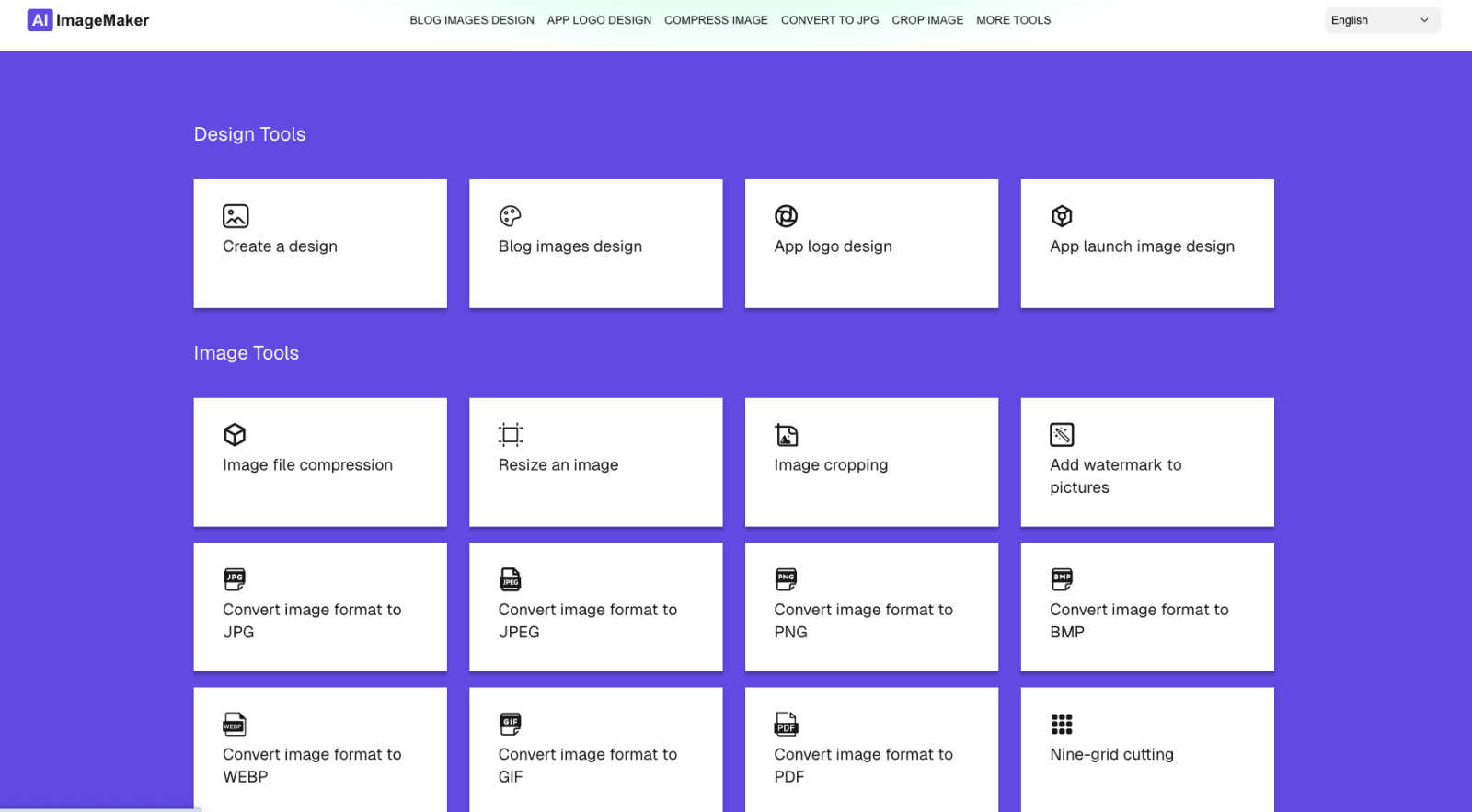
AI Image Maker is a free online tool for effortlessly creating stunning images, logos, and designs with 20+ built-in.
Last updated: March 1, 2026

dmaya
dMaya is the AI design platform for agencies to generate client-ready UI and export to code.
Last updated: April 13, 2026
Visual Comparison
AI Image Maker
dmaya
Feature Comparison
AI Image Maker
Design Canvas
The built-in design canvas allows users to create professional-quality blog covers, app icons, and App Store screenshots with ease. This feature provides a flexible workspace tailored for various design needs.
Background Removal
With just one click, users can effortlessly remove backgrounds from images, making it easier to create clean and polished visuals. This advanced feature saves time and enhances productivity in the design process.
Image Compression
AI Image Maker includes an image compression tool to help users reduce file sizes without compromising quality. This feature is essential for optimizing images for web use while maintaining visual integrity.
Format Conversion
The platform supports multiple image formats, including JPG, PNG, GIF, and PDF, allowing users to convert images between these formats seamlessly. This flexibility ensures compatibility across different platforms and applications.
dmaya
Conversational AI Design Generation
Describe your vision for a SaaS dashboard, e-commerce flow, or mobile app in plain language. dMaya's AI agent interprets your text and generates complete, production-ready UI designs with coherent layouts, component systems, and responsive variants in seconds. This foundational feature transforms abstract ideas into tangible visual starting points instantly, eliminating the blank canvas problem.
Multi-Screen Infinite Canvas
Work across multiple desktop and mobile frames simultaneously on a flexible, infinite canvas. Organize, drag, and zoom through screens with a familiar Figma-like interface, but supercharged with AI. This allows for holistic project management, enabling you to design and view entire user flows and application states side-by-side for better context and consistency.
Client Presentation & Feedback Links
Share interactive, polished previews of your work with clients or stakeholders through a single, secure link. Recipients can review the designs directly in their browser without needing an account, leave clear feedback, and grant approval. This feature professionalizes the review process, making it seamless and rapid, turning a typically protracted cycle into a matter of minutes.
Design-to-Code Export
Once a design is client-approved, export it as clean, well-structured HTML, CSS, and JavaScript code. This output is specifically formatted to be easily ingested by AI coding agents like Claude Code or Cursor, which can then transform it into production-ready code for React, Next.js, Flutter, or any other framework your development team uses, ensuring a smooth handoff.
Use Cases
AI Image Maker
Content Creation
Content creators can leverage AI Image Maker to design eye-catching visuals for blogs, social media, and marketing campaigns. The platform's templates and tools make it easy to produce high-quality graphics that capture audience attention.
Indie Development
Indie developers can utilize the platform to create distinctive app icons and promotional images for their applications. With the design canvas and background removal feature, they can elevate their app's visual appeal without extensive design experience.
Marketing Materials
Marketers can craft engaging promotional materials, such as flyers and banners, using the intuitive templates provided by AI Image Maker. The ease of use allows them to focus on their messaging while ensuring professional design quality.
Small Business Branding
Small business owners can enhance their brand visibility by designing logos, social media graphics, and promotional content with AI Image Maker. The platform's comprehensive tools allow for consistent branding across various channels.
dmaya
Agency Pitch & Concept Development
Agencies can use dMaya to rapidly generate multiple high-fidelity design concepts during client discovery calls or pitch meetings. This ability to visualize ideas in real-time helps win more business by demonstrating capability instantly. Teams can then iterate based on initial client reactions and present refined directions for sign-off in hours, not weeks.
Product Team Ideation & Prototyping
Product managers and designers can explore diverse UI directions and create interactive prototypes before committing valuable engineering resources. dMaya facilitates collaboration across design, product, and engineering in a single workspace, allowing for rapid validation of concepts and a significant reduction in the gap between what is designed and what ultimately gets built.
Freelancer Project Delivery
Freelancers and independent designers can leverage dMaya to take on more client projects without increasing their working hours. The platform dramatically accelerates the design and revision process, enabling faster turnaround times. This efficiency allows freelancers to increase their capacity, improve client satisfaction with quick iterations, and potentially command higher rates for their streamlined service.
Design System & Consistency Scaling
Teams building complex applications can use dMaya to ensure visual consistency at scale. The platform's underlying design tokens automatically maintain typography, color, and spacing rules across all generated and iterated screens. This is crucial for maintaining brand integrity and a cohesive user experience as projects grow and evolve across multiple screens and states.
Overview
About AI Image Maker
AI Image Maker is a cutting-edge, browser-based platform that revolutionizes design and image editing, making it accessible to users of all skill levels. This tool caters to a diverse audience, including content creators aiming for striking visuals, indie developers in need of distinctive app icons, marketers crafting engaging promotional materials, and small business owners looking to boost brand visibility. What sets AI Image Maker apart is its comprehensive suite of creative tools, all available instantly and free of charge, with no account registration required. Users can enjoy a seamless experience as they utilize intuitive templates for designing stunning posters, blog covers, and app store images. The platform also boasts advanced features such as one-click background removal, enhancing the efficiency of the design process. With a user-friendly interface, AI Image Maker empowers individuals to unleash their creativity without the burden of complex software or financial constraints, transforming the way they approach visual content creation.
About dmaya
dMaya is the AI design platform purpose-built for professional workflows. It is a vibe design platform created for agencies, product teams, and freelancers who understand that intentional visual design must come before code. While other AI tools skip directly to development, dMaya reinstates the critical design phase, enabling teams to make strategic decisions, align stakeholders, and catch problems early. The core value proposition is speed and precision: describe a UI concept in plain text, and dMaya generates polished, professional screens in seconds. From there, you iterate conversationally with an AI agent, making instant changes to colors, layouts, and typography while design tokens ensure visual consistency. The platform streamlines client collaboration by allowing you to share a simple preview link for feedback and approval, collapsing review cycles from days to minutes. Finally, approved designs export as clean HTML, CSS, and JS, ready to be handed to coding agents like Cursor or Claude Code for implementation in any framework. dMaya is built for teams that prioritize presentation, client sign-off, and shipping with confidence.
Frequently Asked Questions
AI Image Maker FAQ
Can I use this commercially?
Yes, AI Image Maker allows for both personal and commercial use. You can create and sell the images you design using the platform without any recurring fees.
Do I need design skills?
No, AI Image Maker is designed for users of all skill levels. Its intuitive interface and pre-made templates make it easy for anyone to create professional designs without prior experience.
Can I customize the template?
Absolutely. The platform offers a wide range of customizable templates that you can modify to fit your specific needs, allowing for a personalized touch in your designs.
What image tools are included?
AI Image Maker comes with over 20 built-in image tools, including design canvas, image compression, background removal, and format conversion, ensuring a comprehensive suite for all your design needs.
dmaya FAQ
Who is dMaya built for?
dMaya is purpose-built for professional design workflows used by digital agencies, in-house product teams, and freelance designers. It is specifically for those who need to create, present, and iterate on visual designs with clients and stakeholders before any development begins. It is not aimed at solo enthusiasts looking to immediately generate final code without a design phase.
How does the AI design iteration work?
You interact with dMaya through a chat interface. After the initial design is generated, you can instruct the AI using natural language. For example, you can ask to "change the primary color to navy blue," "swap the sidebar to the right," "increase the font size of the headers," or "add a testimonial section." The AI executes these changes precisely and instantly on your canvas.
What kind of code does dMaya export?
dMaya exports clean, semantic HTML, CSS, and vanilla JavaScript. This code is not framework-specific but is intentionally structured to be easily parsed and converted by modern AI coding assistants. You can hand this code to an agent like Cursor or Claude Code with instructions to rebuild the components in your chosen framework, such as React, Next.js, or Flutter.
How do clients review designs without an account?
You simply generate a shareable preview link from within your dMaya project. When you send this link to a client, they can open it in any modern web browser. They will see an interactive, high-fidelity version of your designs where they can click through flows, leave feedback comments directly on the design, and mark their approval, all without needing to sign up or log in.
Alternatives
AI Image Maker Alternatives
AI Image Maker is a free, versatile online tool that belongs to the category of design tools, specifically focusing on image creation and editing. This innovative platform simplifies the design process, making it accessible to users of all skill levels, from content creators to small business owners. Users often seek alternatives due to various factors such as pricing, desired features, platform compatibility, or the need for additional functionalities that may not be offered by AI Image Maker. When searching for alternatives, it is essential to consider the specific features that align with your design needs. Look for platforms that provide customizable templates, comprehensive image processing tools, and advanced capabilities like background removal. Additionally, evaluate user-friendliness, accessibility, and whether the tool meets your budget and platform requirements to ensure a seamless design experience.
dmaya Alternatives
dMaya is an AI-powered vibe design platform that streamlines the early-stage visual design process for agencies, teams, and freelancers. It belongs to the category of AI design tools, specifically those that facilitate rapid UI prototyping and client collaboration before a single line of code is written. Users often explore alternatives to find a solution that best fits their specific workflow, budget constraints, or technical requirements. The search for a different tool can be driven by various factors, such as pricing models, the need for specific integrations, or a desire for different output formats. Some teams may prioritize granular design control, while others seek more advanced collaboration features or support for particular design systems. When evaluating options, it's crucial to consider your core needs. Key factors include the quality and speed of AI-generated designs, the intuitiveness of the iteration process, the effectiveness of client feedback tools, and the cleanliness and utility of the exported code. The ideal platform should reduce friction from concept to client approval to developer handoff.