Veo 4 video generator
Veo 4 transforms text, images, or video into studio-grade clips with ultra-realistic motion and cinematic detail in seconds.
Visit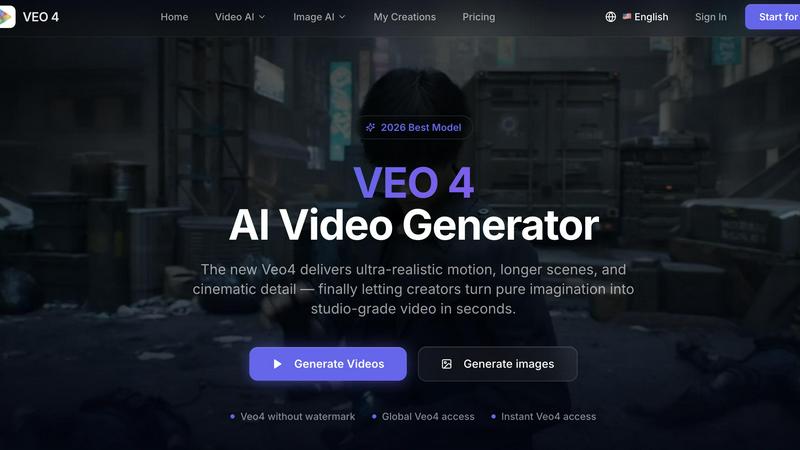
About Veo 4 video generator
Veo 4 is a next-generation AI video generator designed for creators, brands, and marketing teams who need studio-grade video output in seconds. Unlike many AI video tools that feel like research demos, Veo 4 is a practical production workflow that turns text prompts, images, or existing footage into polished, usable clips. The core value proposition is simple: ultra-realistic motion, cinematic detail, and stronger scene control that bridges the gap between imagination and publishable media. Veo 4 supports three primary creation paths: text-to-video for exploring concepts from scratch, image-to-video for animating static visuals, and video-to-video for restyling, extending, or improving existing footage. This makes it especially valuable for teams that need to iterate quickly on ads, social content, product launches, and branded storytelling. The platform emphasizes quality over quantity, delivering cleaner exports with smoother motion and more intentional framing than typical AI generators. Whether you are a solo creator producing short-form content or an agency running multiple campaign variations, Veo 4 provides a fast, reliable path from concept to export-ready video without the slow, expensive production process traditionally required for cinematic results. Global access and instant generation mean you can start creating immediately, with no watermark on your final outputs.
Features of Veo 4 video generator
Text, Image, and Video Input Options
Veo 4 offers three distinct creation paths to match your starting point. Begin with a text prompt when you want to explore a new concept or generate something from pure imagination. Upload an image when you need visual direction and want to animate a specific still frame. Or start from existing video footage when you want to restyle, extend, or improve an old clip without rebuilding it from scratch. This flexibility means you are never locked into a single workflow and can adapt your approach based on the assets you already have.
Superior Motion and Scene Control
One of the standout features of Veo 4 is its ability to produce smoother motion, cleaner framing, and more intentional scenes compared to earlier AI video tools. The model is trained to understand how objects move in the real world, resulting in outputs that feel less like glitchy animations and more like actual video footage. You can adjust motion direction and visual style to match your specific ad, product, or brand goal, giving you creative control without requiring technical expertise in video production.
Longer Clips with Cleaner Exports
Veo 4 is built for narrative sequences, campaign concepts, and product explainers that require longer runtimes. The platform generates extended clips without the quality degradation or artifacts that often appear in longer AI-generated videos. Clean exports mean you can move straight from generation into editing software, landing pages, or ad workflows without needing extensive post-processing. This saves significant time and effort for teams producing multiple video assets.
Aspect Ratio and Style Customization
Before generating, you can set the aspect ratio to common formats like 9:16 for vertical social content or 16:9 for widescreen presentations. Combined with adjustable motion and style parameters, this allows you to tailor each video to its intended platform and purpose. Whether you need a square crop for Instagram, a vertical format for TikTok, or a wide format for YouTube, Veo 4 gives you the flexibility to output in the right dimensions from the start.
Use Cases of Veo 4 video generator
Social Media Content Creation
Creators and social media managers can use Veo 4 to produce short-form videos for platforms like TikTok, Instagram Reels, and YouTube Shorts. By inputting a text prompt or image, you can generate visually engaging clips with realistic motion and cinematic detail in seconds. This speeds up content calendars significantly, allowing you to test multiple variations of a concept before committing to a final version. The ability to export in vertical 9:16 format ensures your videos are optimized for mobile viewing without additional cropping.
Advertising and Marketing Campaigns
Marketing teams can leverage Veo 4 to create ad concepts, product launch videos, and paid social assets faster than traditional production methods. Start with a product image or a brief text description of your campaign idea, and Veo 4 generates a polished video that can be used as a first draft or even as final creative. The platform is particularly useful for A/B testing different visual styles, motion directions, and narrative approaches before investing in full-scale production. Clean exports mean these videos can go directly into ad platforms like Meta Ads Manager or Google Ads.
Video-to-Video Iteration and Restyling
For teams that already have existing footage, Veo 4 offers a practical video-to-video workflow. You can take rough cuts, old commercials, or source material and give them a new look, stronger pacing, or cleaner motion without rebuilding from scratch. This is ideal for refreshing outdated brand content, adapting a single video for multiple markets, or improving the visual quality of user-generated content. The iterative nature of this feature makes Veo 4 a valuable tool for post-production teams.
Product Demonstrations and Explainer Videos
Product teams and e-commerce brands can use Veo 4 to create quick product demonstrations and explainer videos that showcase features in a realistic setting. By uploading product images or writing descriptive prompts, you can generate videos that show the product in use, highlight key benefits, and tell a compelling story. Longer clip support means you can create narrative sequences that walk viewers through a product journey without needing a full video production crew. These videos work well on landing pages, email campaigns, and social media.
Frequently Asked Questions
What types of input does Veo 4 support?
Veo 4 supports three primary input types: text prompts, images, and existing video footage. You can start from a text description when you want to generate something entirely new, upload an image when you want to animate a specific visual, or provide a video clip when you need to restyle or improve existing footage. This flexibility allows you to choose the most efficient starting point for your project.
Can I use Veo 4 for commercial projects?
Yes, Veo 4 is designed specifically for commercial use by creators, brands, agencies, and marketing teams. The platform focuses on producing usable clips that can be deployed in ads, landing pages, social campaigns, and product storytelling. Exports are clean and watermark-free, making them suitable for professional distribution without additional processing.
How long are the videos generated by Veo 4?
Veo 4 supports longer clips compared to many AI video generators, making it suitable for narrative sequences, campaign concepts, and product explainers. The exact maximum length may vary based on your subscription tier, but the platform is built to produce extended videos that maintain quality and coherence throughout. Clean exports ensure these longer clips can be used directly in editing or publishing workflows.
Is Veo 4 available globally?
Yes, Veo 4 offers global access, meaning users from around the world can sign up and start generating videos immediately. The platform is designed for instant access without waitlists or geographic restrictions. This makes it accessible to creators and teams in any region who need fast, reliable AI video generation.
Similar to Veo 4 video generator
AI Face Swap Video
Swap any face into any video online with AI in minutes. Upload a clip and a photo, get natural lighting and expressions. Free credits on sign-up.

Rumpelstiltskin AI Video Generator
Make the viral Rumpelstiltskin tiptoe dance meme video from two photos

TryH3 - MiniMax H3 Video Generator
Try MiniMax Hailuo H3 video generation in the browser
AIPetGen
AIPetGen turns a photo of your dog, cat, or other pet, or a written description, into a new picture or a short animation.

AdsTurbo
Turn winning ads and product links into new video ad variations with AI actors, then translate them into 35+ languages with lip sync.
Raindance AI
Turn two authorized portraits into a seaside golden-hour video: a wooden dock, two people taking turns singing, and a slow pullback to the sunset. Pre
GetYouTubeTranscript
Free YouTube transcripts on the web, a Chrome extension, and an API + MCP server so AI assistants can read YouTube.