
Sprite-AI
Sprite-AI turns your ideas into pixel-perfect game sprites in seconds, no drawing skills required.
Visit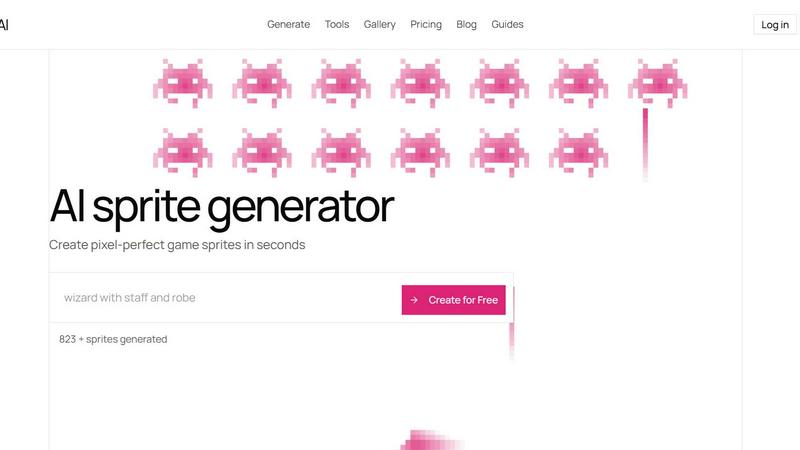
About Sprite-AI
Sprite-AI is a specialized, AI-powered pixel art generator designed for indie game developers, hobbyists, and prototypers who need high-quality 2D assets without delay. The product transforms a plain English description into a clean, game-ready pixel art image in seconds, supporting the most essential sprite sizes: 32x32, 64x64, and 128x128 pixels. Each sprite is correctly proportioned for its intended role, whether that be a small icon, a usable item, a character, or a hero or boss piece. Beyond generation, Sprite-AI includes a built-in pixel editor that allows users to paint, erase, fill, and color-pick to fine-tune every detail. The final output is a transparent PNG that exports directly into popular game engines like Unity, Godot, GameMaker, or Unreal. The platform also fosters a community with a gallery, prompt guides, and a token-based pricing model, ensuring you only pay for what you generate. Sprite-AI is not a general image tool; it is a curated, quality-over-quantity solution for creators who value speed, precision, and artistic control, eliminating the need for drawing skills while still offering the tools to make each asset your own.
Features of Sprite-AI
Text-to-Sprite Generation
Describe your sprite in plain English and receive a polished, pixel-perfect image in seconds. The AI interprets your prompt accurately, producing results in 32x32, 64x64, or 128x128 sizes that are correctly scaled for their intended purpose, from tiny icons to detailed hero art. This feature eliminates the barrier of artistic skill, letting you focus on game design.
Built-in Pixel Editor
Once a sprite is generated, a full suite of editing tools is available to refine every pixel. You can paint new details, erase mistakes, fill large areas with color, and use the color-picker to match existing hues. This editor gives you total control over the final asset, ensuring it meets your exact vision before export.
One-Click Game Engine Export
Export your final sprite as a transparent PNG that is immediately compatible with major game engines. Whether you are building in Unity, Godot, GameMaker, or Unreal, the file drops straight into your project with no conversion or resizing needed. This seamless workflow saves you hours of manual asset preparation.
Community Gallery and Prompt Guides
Explore a curated gallery of sprites created by other users to find inspiration and see what is possible. The platform also includes detailed prompt guides to help you write better descriptions for more accurate and creative results. This community-driven resource helps you learn and improve your sprite generation skills over time.
Use Cases of Sprite-AI
Rapid Prototyping for Game Jams
During a game jam, time is the most limited resource. Sprite-AI allows you to generate a full set of character sprites, item icons, and environment tiles in minutes. Describe a "fire-breathing dragon with red scales" or a "medieval knight with sword and shield," and you have a game-ready asset to drop directly into your prototype, letting you focus on mechanics and gameplay.
Indie Game Development and Asset Creation
For solo developers or small teams, creating a consistent art style from scratch is a major challenge. Sprite-AI helps you build a library of cohesive pixel art assets, from heroes and enemies to weapons and props. The ability to edit and fine-tune each sprite ensures that your game maintains a unique, polished look without needing a dedicated artist on staff.
Creating Icon and UI Elements
Many games require small, clear icons for inventory items, abilities, or user interface elements. With Sprite-AI, you can generate a 32x32 icon of a "flaming sword" or a "golden magic lamp" that is perfectly sized and styled for your game's UI. The transparent PNG export ensures these icons integrate cleanly into your interface without background issues.
Generating Concept Art for Game Design
Before committing to a full art direction, use Sprite-AI to visualize character concepts or enemy designs. Describe a "ninja with spiky yellow hair" or a "skeleton with shield bone armor" to see how the idea translates into pixel art. This rapid visualization helps you iterate on designs quickly and communicate your vision to collaborators or stakeholders.
Frequently Asked Questions
What sizes of sprites can I generate with Sprite-AI?
Sprite-AI supports three standard pixel art sizes: 32x32, 64x64, and 128x128 pixels. These sizes are chosen to cover the most common needs for 2D game development, from small icons and items to larger character and hero sprites. The AI automatically scales the detail level to match the chosen size for optimal results.
Can I edit a sprite after it is generated?
Yes, every sprite you generate comes with access to a built-in pixel editor. You can use tools to paint, erase, fill areas, and pick colors from the existing sprite. This allows you to fine-tune details, fix any imperfections, or add your own creative touches before exporting the final asset.
Which game engines are compatible with the exported sprites?
The exported sprites are transparent PNG files that work directly with all major game engines, including Unity, Godot, GameMaker, and Unreal. There is no need for additional conversion or resizing. Simply download the file and drop it into your project's asset folder to start using it immediately.
How does the token-based pricing model work?
Sprite-AI uses a token-based system where you only pay for the sprites you generate. Each plan includes a set number of tokens per month, which correspond to the number of game-ready sprites you can create. This model ensures you are not paying for unused features or storage, and it allows you to scale your usage based on your project's needs.
Pricing of Sprite-AI
Sprite-AI offers three pricing tiers to match different levels of usage. The Starter plan is ideal for hobbyists and game jams at $5 per month, providing 8 game-ready sprites. The Creator plan, currently at a 38% discount of $8 per month, is best for indie developers shipping real games and includes 20 sprites, PNG and SVG exports, and uncensored generations. The Studio plan, also at 38% off at $24 per month, is designed for teams and serious production, offering 75 sprites per month and all Creator features. All plans are cancelable anytime, and the discounted prices are locked in forever for the first 386 users.
Similar to Sprite-AI
AI Sprite Generator
Create pixel-art game characters in the browser: generate a sprite, animate it, edit pixels, and export PNG or sprite sheets.
ImageAgent
Create and edit AI images through conversation, using text or reference images and refining results in chat.

CloneWebsite
Clone any webpage pixel-perfect, export HTML/CSS/ZIP or React/Vue components.
AppIconGenerator
Generate iOS and Android app icons from any image and export all platform sizes for free.
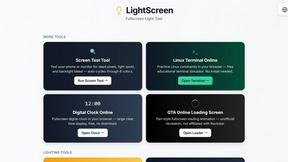
LightScreen
Free light screen tool online. Turn any display into a flashlight, ambient light, or solid-color screen. No download or sign-up.
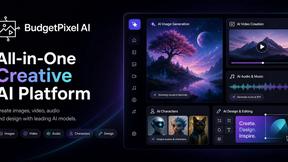
Budgetpixel AI
Create and edit AI images, videos, music, and designs in one workspace, with multiple models, reusable characters, and API access.
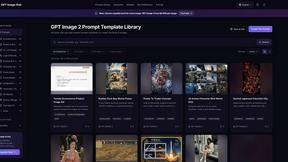
GPT Image Hub
Curated image prompts, reusable templates, and multi-model AI generation in one workspace.
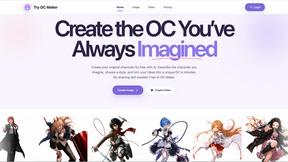
Try OC Maker
Create OCs from text or images, customize their look, and turn them into animated videos with AI.