
QUVIAI
QUVIAI empowers creators to generate stunning architectural visuals, videos, and music seamlessly from simple text prompts.
Visit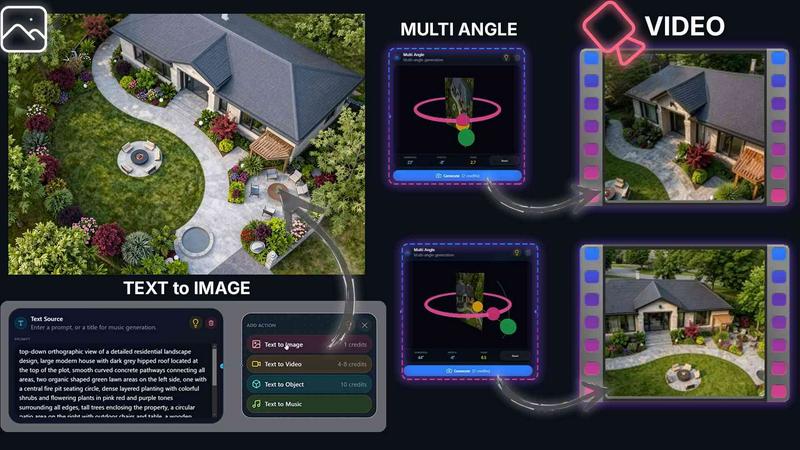
About QUVIAI
QUVIAI is an innovative, all-in-one AI-powered creative platform tailored for architects, designers, and creators seeking to elevate their project presentations and workflows. This powerful tool allows users to upload sketches, images, or 3D models, transforming them into stunning photorealistic renders, cinematic videos, and multi-angle views, all from a single interface. The platform is designed to streamline the creative process, enabling users to model, render, and iterate within a built-in 3D workspace without the hassle of switching between different applications. With features like scene editing via text prompts, furniture generation, and the ability to stage objects, QUVIAI empowers users to produce high-quality visuals and immersive cinematic walkthroughs efficiently. Available across web, iOS, and Android, QUVIAI is the perfect companion for anyone looking to bring their architectural visions to life in an accessible and inspiring manner.
Features of QUVIAI
AI Image Generation
QUVIAI's AI Image Generation feature allows users to turn any text prompt or reference image into breathtaking photorealistic architectural renders in mere seconds. This functionality streamlines the creative process by enabling quick iterations and visualizations based on user-defined concepts.
AI Video Creation
Transform still images into dynamic narratives with the AI Video Creation tool. Users can animate their designs or generate cinematic walkthroughs from a single prompt, enhancing their presentations and storytelling capabilities while showcasing their architectural visions in an engaging format.
Multi-Angle Camera Generation
With the Multi-Angle Camera feature, users can generate multiple architectural viewpoints from a single source image. This capability enriches presentations by providing diverse perspectives, making it easier to convey design intentions and spatial relationships.
Object Staging
The Object Staging tool allows users to stage generated 3D objects seamlessly into scene backgrounds. This feature enhances visual compositions with consistent lighting and context, resulting in polished and professional outputs that effectively communicate design ideas.
Use Cases of QUVIAI
Architectural Presentations
Designers can use QUVIAI to create stunning architectural presentations. By generating photorealistic renders and cinematic videos, they can effectively showcase their projects to clients or stakeholders, ensuring that their ideas are communicated clearly and compellingly.
Concept Development
During the conceptual phase, architects can rapidly iterate on designs using QUVIAI's image generation and editing tools. This flexibility allows for quick experimentation with various styles, materials, and layouts, ultimately leading to more refined final designs.
Marketing and Promotion
Real estate developers and marketers can leverage QUVIAI to produce high-quality visual content for promotional materials. By using the platform to create eye-catching renders and videos, they can attract potential buyers and investors with visually stunning representations of properties.
Educational Purposes
Students and educators in architecture and design can utilize QUVIAI for learning and teaching purposes. The platform provides a hands-on approach to understanding architectural concepts and visualization techniques, making it an invaluable tool in academic settings.
Frequently Asked Questions
What types of files can I upload to QUVIAI?
QUVIAI supports various file types including sketches, images, and 3D models, allowing users to transform their existing designs into photorealistic visuals effortlessly.
Is QUVIAI suitable for beginners?
Absolutely! QUVIAI is designed to be user-friendly and intuitive, making it accessible for both beginners and experienced professionals in the architectural and design fields.
Can I edit my generated images and videos?
Yes, QUVIAI includes editing tools that allow users to refine visuals using masking, inpainting, and other adjustment features, ensuring that the final outputs meet their creative standards.
Is there a mobile version of QUVIAI?
Yes, QUVIAI is available on web, iOS, and Android platforms, providing users with the flexibility to create and manage their projects on-the-go.
Similar to QUVIAI
Pixolm
Create AI images from prompts and references, then refine them with an AI agent and editing tools in one workspace.
AI STL Generator
The fastest AI STL generator to turn prompts and images into 3D printable STL files.

Tikdek
An AI video and AI image platform for creating visual content in the browser and scaling production with stable APIs.
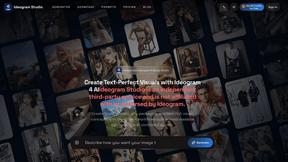
Ideogram Studio
Ideogram 4 AI workflows for text-perfect logos, posters, ads, packaging, and ecommerce visuals.
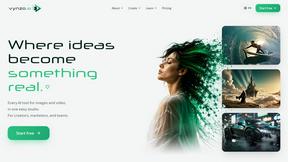
Vynzo
AI image and video studio. Generate from a prompt, animate stills, swap faces, restyle clips and edit — one credit pool, no subscription.
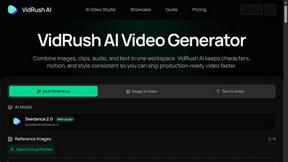
VidRush AI
AI-powered long video generator. Turn text, images, audio and video into long, production-ready AI videos.

HomeShoot AI
Turn 3-6 phone photos into a themed studio photoshoot: baby, maternity & Indian festivals. Free watermarked preview, pay Rs199 only if you love it.