
poseup
PoseUp enhances your photos with one-click AI, improving poses, posture, and composition for stunning results.
Visit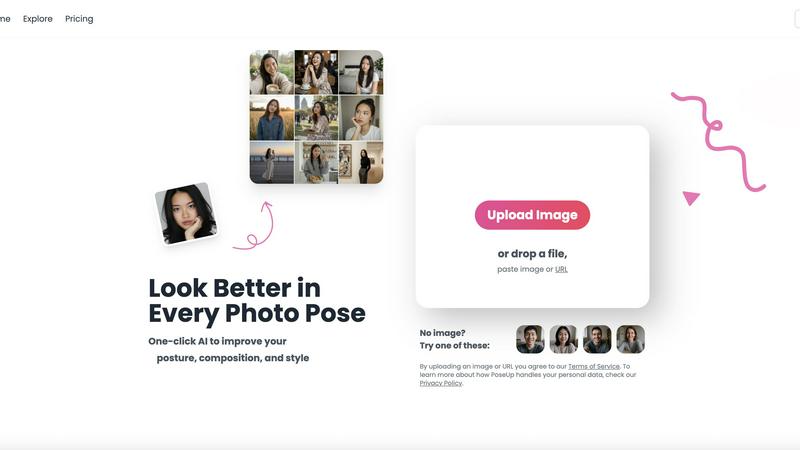
About poseup
PoseUp is an innovative AI-powered photo enhancement platform that revolutionizes the way we capture and present our images. Designed to transform ordinary snapshots into professional-quality portraits with just a single click, PoseUp addresses common frustrations such as awkward poses, poor posture, and suboptimal composition. The platform intelligently analyzes uploaded images to make automatic corrections, improving body positioning and optimizing visual appeal for a more flattering result. It caters to a diverse audience, including social media enthusiasts, content creators, photographers, and everyday individuals who desire to elevate their image quality. The core value proposition of PoseUp is its commitment to democratizing professional-grade photo enhancement, making advanced pose optimization accessible to everyone, regardless of their technical background or photography skills. With no need for expensive software or hours of manual editing, users can achieve stunning results effortlessly, ensuring they look their best in every photo.
Features of poseup
AI Pose Enhancement
PoseUp's primary feature is its AI-driven pose enhancement technology, which automatically analyzes photos to correct poses and improve overall composition. This feature ensures that users can effortlessly enhance their images without needing any prior knowledge of photography.
One-Click Optimization
With PoseUp, users can transform their images with a single click. The platform streamlines the photo enhancement process, allowing users to obtain professional results quickly and efficiently, making it perfect for those short on time.
Diverse Support Formats
PoseUp supports various image formats, including JPG, PNG, WEBP, and HEIC, accommodating a wide range of user preferences. The platform can handle images up to 5MB in size, ensuring versatility for different types of photos.
Community and Support
PoseUp offers an engaging community experience through platforms like Discord, where users can connect, share tips, and gain inspiration. Additionally, customer support is readily available for any queries, enhancing the overall user experience.
Use Cases of poseup
Social Media Content Creation
Social media influencers and content creators can utilize PoseUp to enhance their images for platforms like Instagram, ensuring they present polished and professional-looking photos that attract followers and engagement.
Family Portraits
PoseUp is ideal for families looking to improve their group photos. It can correct awkward poses and enhance overall composition, resulting in cherished memories that everyone can be proud of.
Professional Headshots
For job seekers and professionals, PoseUp offers a quick solution for creating standout headshots. The AI technology optimizes posture and composition, ensuring users make a strong first impression in their professional profiles.
Fitness and Wellness Photography
Fitness enthusiasts and wellness coaches can benefit from PoseUp by enhancing their workout photos or transformation pictures. The tool helps in portraying confidence and strength, making their images more inspiring and impactful.
Frequently Asked Questions
How does PoseUp enhance photos?
PoseUp uses advanced AI algorithms to analyze uploaded images, automatically correcting poses, optimizing body positioning, and improving overall composition for a visually appealing result.
Is PoseUp easy to use?
Yes, PoseUp is designed for ease of use. Users can simply upload their photos and click a button to apply enhancements, making it accessible for individuals without any photography skills.
What image formats does PoseUp support?
PoseUp supports multiple image formats, including JPG, PNG, WEBP, and HEIC, allowing users to upload photos from various devices and ensuring compatibility.
Can I get support if I encounter issues?
Absolutely! PoseUp provides customer support and has a community on Discord, where users can ask questions, share experiences, and receive assistance with any challenges they may face.
Explore more in this category:
Similar to poseup
AIPetGen
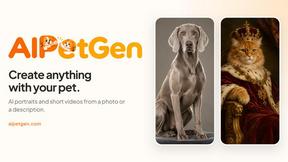
AIPetGen turns a photo of your dog, cat, or other pet, or a written description, into a new picture or a short animation.
MyPhotoAI
Turn your selfies into AI headshots and portraits. Get 3 photos for US$5 or every photo from one shoot for US$10. No subscription.
Remove Image Background
Free background remover that runs entirely in your browser — zero uploads, full resolution, no watermark. Your photos never leave your device.
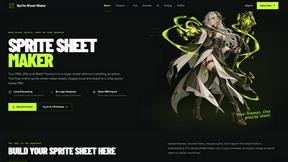
Sprite Sheet Maker
A free browser-based toolkit for creating, cutting, converting, and previewing sprite sheet animations.
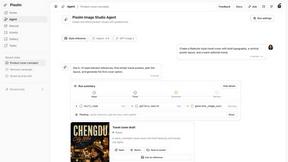
Pixolm
Create AI images from prompts and references, then refine them with an AI agent and editing tools in one workspace.
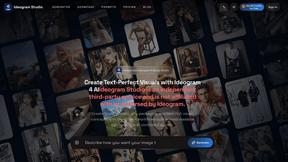
Ideogram Studio
Ideogram 4 AI workflows for text-perfect logos, posters, ads, packaging, and ecommerce visuals.

HomeShoot AI
Turn 3-6 phone photos into a themed studio photoshoot: baby, maternity & Indian festivals. Free watermarked preview, pay Rs199 only if you love it.

ProfileLoom
ProfileLoom turns one photo into platform-ready AI portraits for professional, social, and creator profiles, with presets and built-in editing.