
Playwriter
Playwriter empowers your agents to control your Chrome browser seamlessly with full access to extensions, cookies, and the Playwright API.
Visit
About Playwriter
Playwriter is an innovative Chrome extension and command-line interface (CLI) designed to enhance the browsing capabilities of AI agents. Unlike traditional AI tools that operate in isolated environments with no access to user accounts or extensions, Playwriter allows agents to leverage your actual Chrome session. This means all your logins, cookies, and extensions are readily available for the agent to use, minimizing bot detection and enhancing the browsing experience. Playwriter is particularly useful for developers, testers, and teams requiring robust automation and collaboration tools. Its unique API allows for seamless integration with any Model-Client-Protocol (MCP) client, including Cursor, Claude, and VS Code. With features such as network interception, live code editing, and accessibility snapshots, Playwriter stands out by offering a full suite of automation capabilities without the constraints of traditional tools.
Features of Playwriter
Seamless Browser Integration
Playwriter integrates directly with your existing Chrome browser session, providing agents with access to all your logged-in accounts and extensions. This eliminates issues like bot detection and allows for a more natural interaction with web applications.
Full Automation API
The tool offers a comprehensive Playwright API accessible through a single execute command, simplifying the automation process. This reduces context switching and enables users to execute any Playwright code without the overhead of multiple tool definitions.
Real-Time Collaboration
With Playwriter, collaboration is made easy. Users can watch the agent perform tasks in real time, allowing for immediate intervention when faced with CAPTCHAs or consent walls. This ensures that human oversight is always available, providing a safety net for automation.
In-Depth Debugging Tools
Playwriter includes a powerful debugger with breakpoints, live code editing, and network interception capabilities. This allows users to analyze and optimize agent performance, making it easier to troubleshoot and enhance automated tasks on the fly.
Use Cases of Playwriter
Web Scraping Automation
Using Playwriter, developers can automate the process of web scraping, leveraging the agent's ability to navigate complex websites while maintaining session integrity. This is especially useful for data collection in research and market analysis.
Testing Web Applications
Quality assurance teams can utilize Playwriter to automate the testing of web applications in real browser environments. This ensures that tests reflect real user interactions, improving the reliability of test results and enhancing product quality.
Interactive Customer Support
Support teams can deploy Playwriter to automate repetitive customer interactions while allowing agents to step in when nuanced human interactions are necessary. This hybrid approach improves efficiency and customer satisfaction.
Content Monitoring and Compliance
Organizations can use Playwriter for monitoring web content to ensure compliance with regulations. By automating the browsing of specific pages, teams can track changes and ensure that content remains aligned with corporate policies.
Frequently Asked Questions
How does Playwriter improve agent performance?
Playwriter enhances agent performance by providing a real browser session filled with your logged-in accounts and extensions. This reduces the risks of bot detection and improves the accuracy of automated tasks.
Is Playwriter suitable for all web applications?
Yes, Playwriter is designed to work with any web application as it operates within your actual Chrome browser, allowing agents to interact with the site as a normal user would.
What are the system requirements for Playwriter?
Playwriter requires the Chrome browser and a local environment to run the CLI. It is compatible with any operating system that supports Node.js, making it accessible for a wide range of users.
Can multiple agents use Playwriter simultaneously?
Absolutely. Playwriter's local WebSocket relay allows multiple agents or CLI instances to interact with the same browser session concurrently, facilitating collaborative automation efforts.
Similar to Playwriter

Zeptap
Zeptap lets AI use your real iPhone like you do: open apps, read the screen, tap, swipe and type. Reply to DMs, post Stories, book rides, test apps.

9bot
WhatsApp group bot for moderation, automation and reports: welcomes, anti-spam, link filtering, scheduling, RSS, API and MCP.

imgtxtapp.laviolab.com
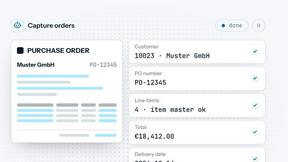
imgtxtapp.laviolab.com is a Telegram-based image-to-text converter that turns photos, screenshots, scanned documents into editable text
Novastart
Novastart brings apps and files onto an infinite canvas where people and AI agents can work together.

ReadyHermes
Your own hosted Hermes Agent in a minute: memory, self-learning skills, schedules, a real browser and 1,000+ app connections.
AI Email Filter
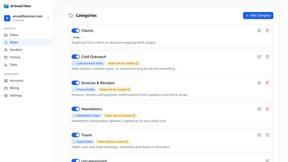
AI Email Filter sorts incoming mail into folders using plain-language prompts you write. Works with any IMAP mailbox; bring your own LLM if you want.

Sourcelane
Live data connectors for AI agents. Top up with a card, pay per result, spend guardrails included.