
PayBot
PayBot enables seamless Stripe subscriptions for Discord, allowing you to monetize your community effortlessly in just five minutes.
Visit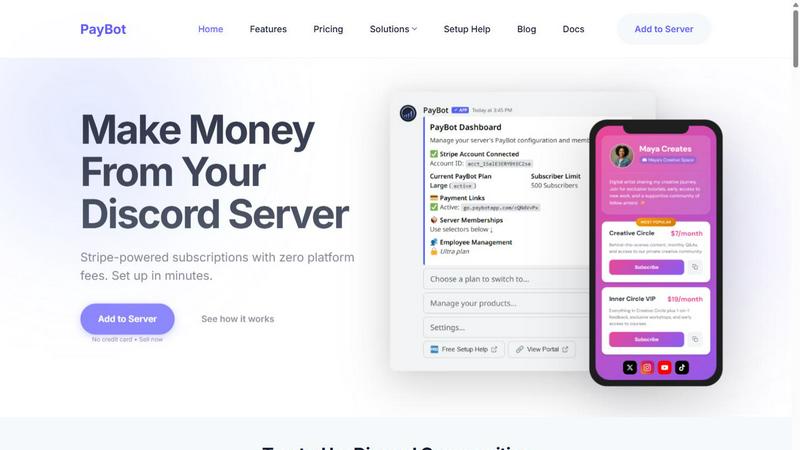
About PayBot
PayBot is an innovative payment bot designed specifically for Discord, bridging the gap between Stripe and Discord servers. It empowers server owners to easily accept both subscriptions and one-time payments without the need for a dedicated website. This unique tool is ideal for community leaders, online educators, and content creators looking to monetize their Discord channels effortlessly. With a straightforward setup process that takes just five minutes, PayBot automates the entire payment and role assignment process, allowing server owners to focus on building their community rather than managing administrative tasks. By utilizing PayBot, users can offer a seamless payment experience, ensuring that members gain immediate access upon payment while being able to manage their subscriptions through a user-friendly portal. The platform operates with zero transaction fees on top of Stripe's standard rates, making it a cost-effective solution for monetizing Discord communities.
Features of PayBot
Shareable Payment Links
With PayBot, server owners can create shareable payment links that customers can use from anywhere. This feature allows for easy distribution, whether through social media, emails, or direct messages, simplifying the payment process for users.
Automated Discord Role Management
PayBot automates the assignment of Discord roles when payments are received. This means that once a member makes a payment, they instantly receive the appropriate access within the server, enhancing user experience and reducing manual workload for server admins.
Full Customer Payment Portal
Customers benefit from a comprehensive payment portal that allows them to manage their subscriptions independently. They can update payment methods, view invoices, and oversee their subscription status, providing a seamless experience that increases overall satisfaction.
Recurring Subscriptions and One-Time Purchases
PayBot supports both recurring subscriptions and one-time purchases, offering flexibility for server owners. This allows communities to cater to various membership models, accommodating a diverse range of users and their payment preferences.
Use Cases of PayBot
Community Subscription Management
PayBot is perfect for community leaders who want to manage subscriptions effectively. By automating role assignments and payment processing, leaders can focus on engagement rather than administrative tasks, streamlining the onboarding process for new members.
Online Course Monetization
Educators and online course creators can leverage PayBot to sell access to their educational materials directly through Discord. With instant access upon payment, students can dive into the content without delay, enhancing their learning experience.
Exclusive Content Access
Content creators can use PayBot to charge for exclusive content or services within their Discord servers. By providing seamless payment options, they can ensure that only paying members gain access to premium content, fostering a community of engaged supporters.
Event Ticket Sales
For communities hosting events or webinars, PayBot offers a streamlined solution for ticket sales. Organizers can easily create payment links for events, ensuring that attendees receive their access credentials automatically upon payment.
Frequently Asked Questions
How does PayBot connect to my Stripe account?
To connect PayBot to your Stripe account, simply use the /setup command within Discord. This process is secure and only takes one click to establish the connection.
Are there any hidden fees associated with using PayBot?
No, PayBot charges zero platform fees on top of Stripe's standard processing rates. You keep 100% of your revenue, ensuring transparency in your payment processing.
Can non-Discord users purchase subscriptions through PayBot?
Yes, non-Discord users can purchase subscriptions using PayBot. During the checkout process, they will create a new Discord account and receive an invite link to your server after completing their payment.
How quickly can I set up PayBot for my server?
Setting up PayBot takes just five minutes. You can connect your Stripe account, configure your products, and start sharing payment links with your community almost instantly.
Similar to PayBot
Novastart
Novastart brings apps and files onto an infinite canvas where people and AI agents can work together.

AdsTurbo
Turn winning ads and product links into new video ad variations with AI actors, then translate them into 35+ languages with lip sync.

fit.
See any outfit on your own photo before you buy, and ask Aira, your AI stylist, what to wear from the clothes you own.
AI Email Filter
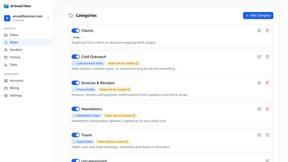
AI Email Filter sorts incoming mail into folders using plain-language prompts you write. Works with any IMAP mailbox; bring your own LLM if you want.
SnitchFeed
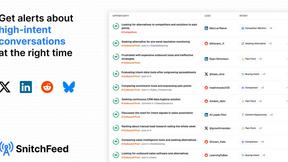
SnitchFeed is an agentic social listening tool that surfaces high-intent conversations on LinkedIn, X, Hackernews, and more for GTM and product teams.

OutreachGenie
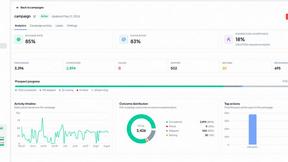
LinkedIn prospecting CRM with optional AI-assisted CSV column mapping and a browser companion for user-directed actions.