
JFIF to JPG Converter
Convert JFIF to JPG instantly in your browser with zero quality loss and full privacy.
Visit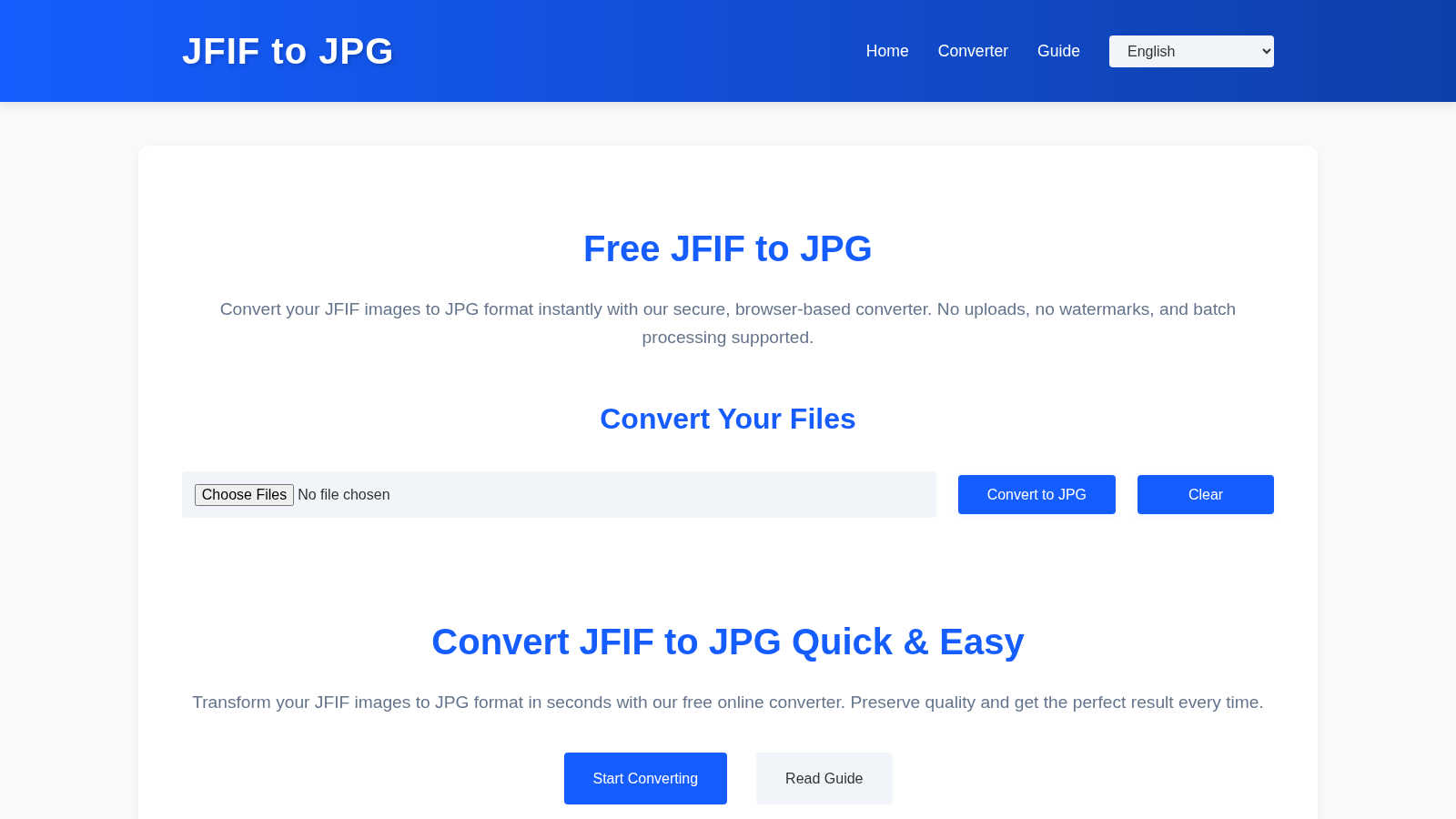
About JFIF to JPG Converter
The JFIF to JPG Converter is a specialized online utility designed to solve a specific and often frustrating digital compatibility issue. It transforms JFIF (JPEG File Interchange Format) files into the universally accepted JPG/JPEG format. This tool is essential for anyone who encounters JFIF files, which are commonly generated by Windows-based browsers like Chrome and Edge or certain screenshot tools. While these images appear normal on your device, they are frequently rejected by websites, content management systems (CMS), social media platforms, and graphic software that strictly expect standard JPGs. The converter's core value proposition is built on three pillars: absolute data privacy, zero quality loss, and effortless batch processing. Unlike many online tools, all conversion operations are executed entirely within your web browser. Your images are never uploaded to a remote server, guaranteeing complete security and confidentiality. The process is technically precise; it does not recompress or alter the core image data. Instead, it intelligently rewrites the JFIF file container into a proper JPG container, preserving the original JPEG compression stream, EXIF metadata, and ICC color profiles without any degradation. This results in a perfectly compatible file that behaves like a native JPG everywhere. Designed for efficiency, it supports dragging and dropping multiple files for instant batch conversion, with results available for individual download or packaged in a single ZIP archive. It is an indispensable utility for photographers managing galleries, web developers handling client uploads, and general users seeking seamless digital workflow.
Features of JFIF to JPG Converter
Browser-Based Privacy & Security
All conversion happens locally within your web browser. Your JFIF files are never sent to or stored on any external server. This ensures maximum data privacy, security, and confidentiality, making it safe for converting sensitive or personal images without any risk of unauthorized access.
Zero Quality Loss Conversion
The tool performs a container-level conversion, not a re-encoding. It extracts the original JPEG compression data stream from the JFIF wrapper and places it into a standard JPG container. This process preserves every pixel, ensuring there is no generational quality loss, blurring, or compression artifacts introduced during the conversion.
Batch Processing & ZIP Export
Efficiency is paramount. You can drag and drop or select multiple JFIF files simultaneously for conversion in one go. After processing, you can download each converted JPG individually or use the convenient "Download All as ZIP" function to receive a single, organized archive, saving time and clicks.
Full Metadata Preservation
Beyond the image pixels, important embedded data is retained. The converter meticulously preserves EXIF metadata (like camera settings, date, and location) and ICC color profiles, ensuring color accuracy and informational integrity are maintained for professional workflows and archival purposes.
Use Cases of JFIF to JPG Converter
Web Development & CMS Integration
Web developers and content managers often face upload errors when clients or systems provide JFIF files. This converter ensures all images are in a web-compliant JPG format before integration, preventing broken image links and upload failures on platforms like WordPress, Shopify, or custom web applications.
Photographic Workflow Standardization
Photographers who receive or download images from various sources may find their catalogs mixed with JFIF files. Converting them to standard JPG ensures consistency across editing software (like Adobe Lightroom or Photoshop), online portfolios, and print labs, streamlining the entire post-production and delivery pipeline.
Social Media & Platform Compliance
Many social networks, forums, and online marketplaces have strict file format validators that reject JFIF. Users can quickly convert their screenshots or downloaded images to JPG, guaranteeing successful uploads and shares without encountering frustrating, cryptic format errors.
Archiving & Digital Organization
For individuals and organizations curating digital photo libraries, maintaining a single, consistent file format is crucial for long-term accessibility. Converting legacy JFIF files to the ubiquitous JPG standard future-proofs collections, ensuring they can be opened by any software or device for years to come.
Frequently Asked Questions
Will converting from JFIF to JPG reduce image quality?
No. The conversion process does not touch or recompress the actual image data. It only rewrites the file container from JFIF to the standard JPG format. The original JPEG compression stream, which defines the image quality, is copied exactly as-is, resulting in a bit-for-bit identical visual output.
Why can't I just rename a .jfif file to .jpg?
Renaming only changes the file extension, not the internal container structure. Many applications check the file's internal header data (MIME type) and will still identify it as a JFIF, leading to rejection or errors. A proper conversion rewrites this internal header to be fully JPG-compliant.
Are my files uploaded to your server?
Absolutely not. The entire conversion process is executed locally within your browser using JavaScript. Your images never leave your computer, ensuring complete privacy and security. There is no upload step, and no account is required.
Does the tool support batch conversion of multiple files?
Yes, it is designed for efficiency. You can drag and drop or select multiple JFIF files at once. The tool will process them all in a batch and provide download links for each converted JPG file, along with an option to download everything as a single ZIP archive for convenience.
Explore more in this category:
Similar to JFIF to JPG Converter
AIPetGen
AIPetGen turns a photo of your dog, cat, or other pet, or a written description, into a new picture or a short animation.

MyPhotoAI
Turn your selfies into AI headshots and portraits. Get 3 photos for US$5 or every photo from one shoot for US$10. No subscription.
Remove Image Background
Free background remover that runs entirely in your browser — zero uploads, full resolution, no watermark. Your photos never leave your device.
Sprite Sheet Maker
A free browser-based toolkit for creating, cutting, converting, and previewing sprite sheet animations.
Pixolm
Create AI images from prompts and references, then refine them with an AI agent and editing tools in one workspace.
Ideogram Studio
Ideogram 4 AI workflows for text-perfect logos, posters, ads, packaging, and ecommerce visuals.

HomeShoot AI
Turn 3-6 phone photos into a themed studio photoshoot: baby, maternity & Indian festivals. Free watermarked preview, pay Rs199 only if you love it.

ProfileLoom
ProfileLoom turns one photo into platform-ready AI portraits for professional, social, and creator profiles, with presets and built-in editing.