
imgpilot.app
ImgPilot lets you edit or generate images through simple conversation, refining your vision across multiple chat turns.
Visit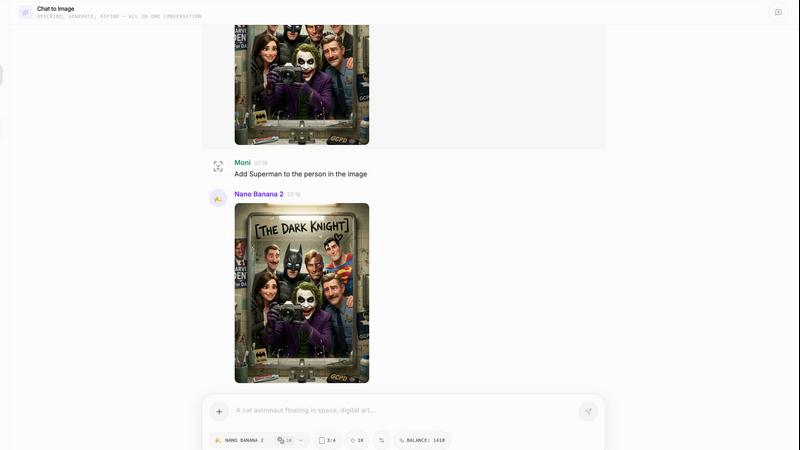
About imgpilot.app
ImgPilot is a thoughtfully designed AI image studio that redefines the creative process by prioritizing conversation over complex prompting. It is built for individuals who have a clear vision in their mind but lack the technical expertise or patience to craft the perfect text command for a generative AI. The core value proposition is a seamless, iterative workflow that eliminates the frustration of starting from scratch with every adjustment. Whether you begin with a simple text description, an uploaded reference image, or a ready-made prompt from the library, ImgPilot allows you to enter the creative process at your comfort level. Its intelligent chat-to-edit interface then lets you refine your image through natural language, asking for changes, swaps, additions, or style shifts. Each instruction builds upon the previous result, preserving your core concept while evolving the details. Supporting a curated selection of seven powerful AI models, including GPT-4o Image and Flux Kontext Pro, ImgPilot offers both versatility and quality. It is the ideal tool for content creators, marketers, designers, and hobbyists who seek professional-grade AI imagery through an intuitive, conversational, and ultimately more human creative dialogue.
Features of imgpilot.app
Chat-to-Edit Workflow
This is the defining feature of ImgPilot. Instead of a one-and-done generation, you engage in a multi-turn conversation with the AI to refine your image. Upload any picture or generate a first draft, then simply describe the changes you want—like "swap the background to a beach," "remove the red car," or "make it look like a vintage painting." Each edit is applied to the previous version, allowing for cumulative refinement without ever losing your original direction or starting over from a blank slate.
Multi-Model AI Engine
ImgPilot provides access to a curated suite of seven advanced AI image models, including GPT-4o Image, Flux Kontext Pro/Max, Nano Banana, and Grok Image. This allows you to select the best tool for your specific need, whether it's for hyper-realistic detail, specific artistic styles, or faster generation times. You can experiment with different models within the same chat to see which one best interprets your creative vision for a particular project.
Built-In Prompt Library
For users unsure of how to begin, ImgPilot offers a library of ready-made, proven prompts organized by image type and style. Browse categories like "3D Illustration," "Minimalist Editorial," or "Pixar-Style," and preview the aesthetic direction. With a single click, you can send any of these high-quality prompts directly into the generator, bypassing the need to learn complex prompt syntax and providing an instant, professional starting point.
Persistent Chat History
Every creative session is saved, allowing you to revisit, review, and continue your image-editing conversations at any time. This history page is crucial for iterative projects, enabling you to pick up right where you left off, explore different branching ideas from a previous result, or simply download final versions from past chats. It ensures your creative process is continuous and never lost.
Use Cases of imgpilot.app
Iterative Concept Design
Designers and artists can use the chat-to-edit feature to rapidly prototype visual concepts. Start with a rough sketch or a basic text description of a character, scene, or product, and then iteratively refine details like clothing, expression, lighting, and environment through simple conversational commands, quickly arriving at a polished final concept without constant re-prompting.
Marketing Asset Creation
Marketing professionals and social media managers can efficiently produce tailored visuals for campaigns. Upload a product photo and ask the AI to place it in different settings, change the season, or add festive elements. Alternatively, generate a base image from text for a new campaign idea and then refine the branding, colors, and composition through chat to perfectly match brand guidelines.
Photo Editing and Enhancement
Individuals can use ImgPilot as a powerful AI-powered photo editor. Upload any personal or stock photo and perform complex edits through simple requests: remove unwanted objects or photobombers, replace a dull sky with a dramatic sunset, restyle the clothing in a portrait, or even change the time of day in a landscape shot, all through natural conversation.
Creative Brainstorming and Inspiration
Writers, content creators, and teams can overcome creative block by using the prompt library and text-to-image generator for brainstorming. Generate a series of quick visual drafts for a story scene, blog header, or presentation graphic. The act of seeing a visual interpretation of an idea, and then chatting to alter it, can spark new directions and refine abstract concepts into concrete imagery.
Frequently Asked Questions
How do I start using ImgPilot?
You can begin in three straightforward ways. First, use the Text-to-Image generator by typing a simple sentence describing your idea. Second, use the Chat-to-Image studio by uploading a reference picture you want to edit. Third, browse the Prompt Library, select a pre-made prompt that fits your goal, and send it directly to the generator. New users receive free starter credits to explore all methods.
What does "chat-to-edit" mean?
Chat-to-edit is a conversational workflow. Instead of generating a new image from a full prompt every time you want a change, you start a chat with your image (either uploaded or AI-generated). You then give follow-up instructions like "make the cat fluffier," "change the style to claymation," or "add a rainbow in the background." The AI applies these changes to the existing image, allowing for step-by-step refinement.
Which AI models are available?
ImgPilot supports a selection of seven leading AI image models, including OpenAI's GPT-4o Image, Black Forest Labs' Flux Kontext Pro and Flux Kontext Max, Nano Banana, and xAI's Grok Image. This variety lets you choose a model based on the desired style, detail level, or generation speed for your specific project.
Can I edit my own uploaded photos?
Absolutely. A core function of ImgPilot is editing existing images through chat. You can upload any photo or digital image and instruct the AI to modify it. Common edits include object removal, background replacement, style transfer, adding new elements, color correction, and more. The AI interprets your conversational requests and applies the edits directly to your uploaded file.
Pricing of imgpilot.app
ImgPilot operates on a credit-based system. New users are welcomed with 50 free starter credits to test the platform's full capabilities without any initial payment. This allows you to experiment with both text-to-image generation and the chat-to-edit workflow across the different AI models. For continued use after the free credits are consumed, you will need to purchase additional credit packs. Specific pricing tiers and the cost per credit for these packs are detailed on the official ImgPilot website under the "Pricing" section.
Similar to imgpilot.app
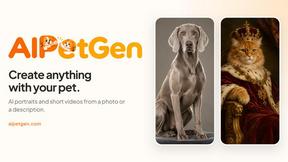
AIPetGen
AIPetGen turns a photo of your dog, cat, or other pet, or a written description, into a new picture or a short animation.
MyPhotoAI
Turn your selfies into AI headshots and portraits. Get 3 photos for US$5 or every photo from one shoot for US$10. No subscription.
Raindance AI
Turn two authorized portraits into a seaside golden-hour video: a wooden dock, two people taking turns singing, and a slow pullback to the sunset. Pre
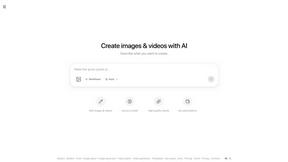
ImageGPT
ImageGPT is an all-in-one AI creative platform for generating, editing and transforming images and videos using AI.
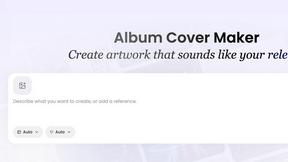
AI Album Cover Maker
Create release-ready album covers from a prompt or photo. Generate, refine, and export art for singles, EPs, mixtapes, and playlists.
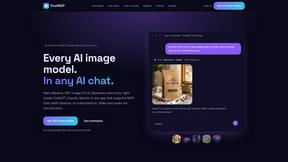
PixelMCP
Use every top AI image model (Nano Banana, GPT Image, FLUX and more) right inside ChatGPT, Claude, Gemini or any MCP client. One credit balance, no su
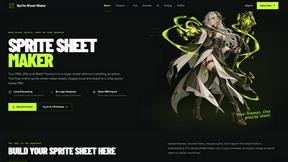
Sprite Sheet Maker
A free browser-based toolkit for creating, cutting, converting, and previewing sprite sheet animations.
Pixolm
Create AI images from prompts and references, then refine them with an AI agent and editing tools in one workspace.