
Img Editor
Img Editor effortlessly transforms your concepts into stunning, professional-quality images in seconds using advanced.
Visit
About Img Editor
Img Editor is a leading free-to-use AI image generation platform that empowers users to create high-quality digital art with ease. Designed to democratize the art creation process, Img Editor transforms imaginative text descriptions into breathtaking visuals, making it ideal for artists, designers, content creators, and hobbyists alike. The platform features an intuitive interface that seamlessly bridges the gap between creativity and technology. With a unique value proposition, Img Editor offers users 10 free image generations daily, along with the chance to earn unlimited bonus credits through community contributions. This model not only eliminates financial barriers but also nurtures a vibrant collaborative ecosystem. Powered by sophisticated AI capable of understanding nuanced natural language, Img Editor stands as the definitive tool for anyone eager to delve into the realm of AI-assisted art without compromise. Whether crafting professional-grade images or exploring artistic concepts, Img Editor is the ultimate companion for unleashing your creative potential.
Features of Img Editor
Text to Image Conversion
The hallmark feature of Img Editor is its ability to convert text descriptions into stunning images. Users can simply input their imaginative ideas, and the platform’s advanced AI will meticulously create visuals that capture the essence of the descriptions. This feature is essential for those looking to turn abstract thoughts into concrete images quickly.
Image Editing Capabilities
Beyond generating images, Img Editor also offers robust image editing tools. Users can refine and adjust their generated images, allowing for enhancements in color, contrast, and detail. This feature ensures that users can tailor their creations to meet specific artistic needs or personal preferences, making the platform versatile for various projects.
Community Gallery and Collaboration
Img Editor encourages user engagement through its community gallery, where users can submit their creations for review. Approved submissions not only enrich the gallery but also reward contributors with additional image generations. This feature fosters a collaborative environment, allowing users to share inspiration and learn from each other’s work.
Prompt Generator
The integrated prompt generator assists users in formulating effective text prompts for image creation. By providing suggestions based on popular trends or creative themes, this feature simplifies the brainstorming process, making it easier for users to generate captivating images that resonate with their artistic vision.
Use Cases of Img Editor
Digital Art Creation
Artists can leverage Img Editor to create stunning digital artworks from scratch. By simply describing their concepts, they can produce professional-grade images that showcase their style and imagination, streamlining their creative workflow significantly.
Marketing and Content Production
Content creators and marketers can utilize Img Editor to generate eye-catching visuals for blogs, social media, and advertising campaigns. With the ability to produce high-quality images rapidly, this tool enhances brand storytelling and engagement through compelling imagery.
Educational Resources
Educators and students can use Img Editor to create visual aids and illustrations for educational content. This application not only aids in making learning more engaging but also allows students to visualize complex concepts through artistic representations.
Personal Projects and Hobbies
Hobbyists and casual users can explore their creative side by using Img Editor for personal projects. Whether it's crafting unique gifts or designing personalized art pieces, this platform provides an accessible way for individuals to express their creativity without needing extensive artistic skills.
Frequently Asked Questions
What platforms does Img Editor support?
Img Editor is a web-based platform, allowing access from any device with an internet connection, including desktops, laptops, tablets, and smartphones. This flexibility ensures that users can create and edit images on the go.
How many free image generations can I get daily?
Users of Img Editor can enjoy 10 free image generations each day. This generous offer allows ample opportunity to explore creative ideas without incurring costs, making it accessible for all.
Can I earn additional free generations?
Yes, users can earn unlimited bonus credits by submitting their creations to the community gallery. Once approved, these submissions reward users with extra generations, encouraging collaboration and creative sharing.
Is there a limit on the quality of images generated?
Img Editor offers various quality options for generated images, including standard and high-resolution formats. Users can select from 1K, 2K, and 4K quality settings, ensuring that their images meet professional standards for any project.
Explore more in this category:
Similar to Img Editor
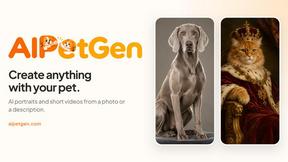
AIPetGen
AIPetGen turns a photo of your dog, cat, or other pet, or a written description, into a new picture or a short animation.

MyPhotoAI
Turn your selfies into AI headshots and portraits. Get 3 photos for US$5 or every photo from one shoot for US$10. No subscription.
ImageGPT
ImageGPT is an all-in-one AI creative platform for generating, editing and transforming images and videos using AI.
AI Album Cover Maker
Create release-ready album covers from a prompt or photo. Generate, refine, and export art for singles, EPs, mixtapes, and playlists.
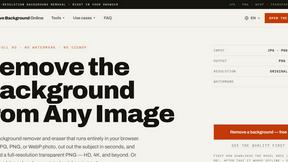
Remove Image Background
Free background remover that runs entirely in your browser — zero uploads, full resolution, no watermark. Your photos never leave your device.
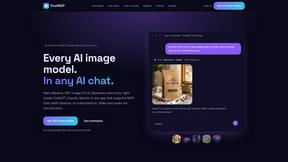
PixelMCP
Use every top AI image model (Nano Banana, GPT Image, FLUX and more) right inside ChatGPT, Claude, Gemini or any MCP client. One credit balance, no su
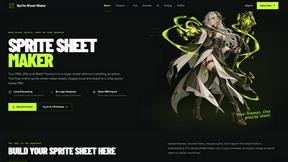
Sprite Sheet Maker
A free browser-based toolkit for creating, cutting, converting, and previewing sprite sheet animations.
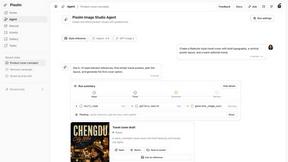
Pixolm
Create AI images from prompts and references, then refine them with an AI agent and editing tools in one workspace.