Dubvid
Dubvid quickly dubs your audio and video into multiple languages using natural voices and optional lip-sync features.
Visit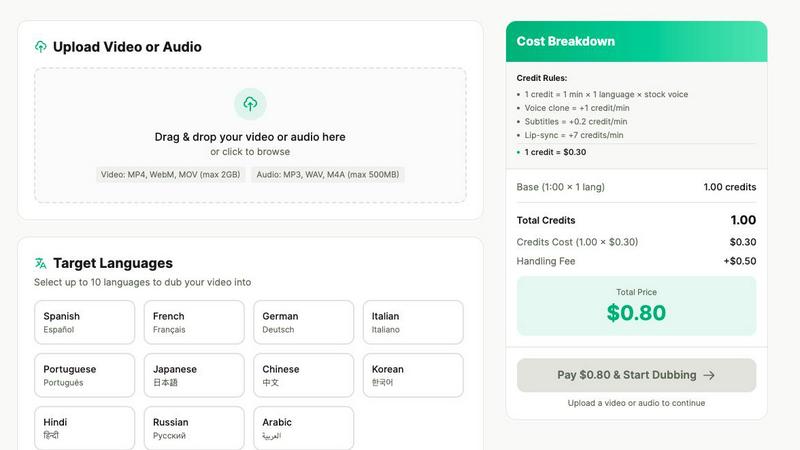
About Dubvid
Dubvid is a groundbreaking AI-powered platform that revolutionizes the way video and audio content is dubbed, making it accessible and efficient for creators, businesses, and brands. By simply uploading your original video, users can select from a range of target languages, and Dubvid will automatically translate and recreate voices while preserving natural tone, pacing, and emotion. This innovative approach eliminates the need for traditional studios and voice actors, streamlining the dubbing process into a user-friendly experience. Whether you are a YouTuber looking to broaden your audience, an educator aiming to share knowledge globally, or a marketing team focused on quick localization, Dubvid enables you to scale your content across borders in mere minutes. With support for over 10 languages, it effectively bridges language barriers and allows for engagement with diverse audiences, making it an invaluable tool for modern content creators.
Features of Dubvid
Seamless Language Selection
Dubvid allows users to choose from multiple target languages, facilitating the dubbing process. This feature empowers creators to effortlessly engage with international audiences by translating their content into languages that resonate with viewers, expanding their reach significantly.
Natural Voice Recreation
One of Dubvid's standout features is its ability to recreate voices naturally. Users can select from a variety of AI voices or even clone their own voice, ensuring that the dubbed content maintains the original tone and emotional resonance, enhancing viewer engagement and authenticity.
Quick and Easy Workflow
The workflow for dubbing content with Dubvid is streamlined into three straightforward steps: upload your video, select the desired language and voice, and download the localized version. This simplicity makes it accessible for anyone, regardless of technical expertise, saving time and resources.
Customizable Dubbing Options
Dubvid offers customizable options such as optional lip-sync and subtitles. Users can enhance their dubbed videos by making the audio match mouth movements for a more realistic experience or by adding subtitles for better comprehension, catering to a diverse audience.
Use Cases of Dubvid
Content Creation for Social Media
Short-form creators can use Dubvid to dub their content, such as YouTube Shorts, Instagram Reels, and TikToks, into multiple languages. This capability enables them to multiply their audience reach and engagement on various social media platforms.
Educational Content Localization
Educators can quickly translate their lessons and tutorials using Dubvid, allowing them to share knowledge with learners around the globe. This use case is particularly beneficial for online courses and webinars, making education more accessible.
Customer Support Enhancement
Companies can utilize Dubvid to localize their product demos and support videos, reducing customer support tickets by providing clear walkthroughs in various languages. This ensures that customers receive tailored assistance relevant to their region.
Podcast Distribution
Podcasters can effortlessly release episodes in new languages using Dubvid. This feature allows them to reach a broader audience without the need for extensive production resources, making it easier to share their content with diverse listeners.
Frequently Asked Questions
How does Dubvid ensure natural voice quality?
Dubvid employs advanced AI technology to recreate voices that maintain the original tone, pacing, and emotion. Users can choose from various natural AI voices or clone their own to ensure high-quality dubbing.
What formats does Dubvid support for video uploads?
Dubvid supports a range of video formats including MP4, MOV, and WebM. This flexibility allows users to upload their content with ease, accommodating different types of media.
Is there a limit to the number of languages I can dub my video into?
While Dubvid supports over 10 languages, users can select multiple target languages for each project, allowing for extensive localization and audience expansion without any restrictions.
Can I try Dubvid without a subscription?
Yes, Dubvid offers a free trial that includes 2 credits, enabling you to dub up to 60 seconds of audio or video without requiring a credit card. This allows users to evaluate the service and quality before committing to any payment.
Similar to Dubvid
AIPetGen
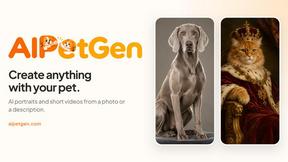
AIPetGen turns a photo of your dog, cat, or other pet, or a written description, into a new picture or a short animation.

AdsTurbo
Turn winning ads and product links into new video ad variations with AI actors, then translate them into 35+ languages with lip sync.

ViduAI
ViduAI creates consistent videos from text, images, references, and first or last frames with Vidu Q3.
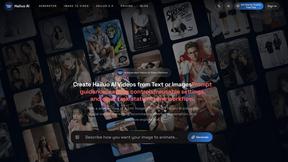
Hailuo AI
Create high-quality Hailuo AI videos from text or images with guided prompts, camera controls, flexible settings, task tracking, and downloadable resu
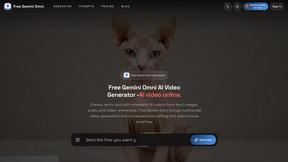
Free Gemini Omni
Create, remix, and edit cinematic AI videos online with Free Gemini Omni using text, image, audio, and video prompts.
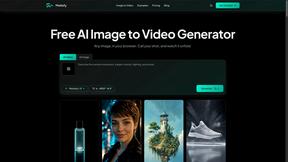
Motiofy
Motiofy is an AI creative workspace that helps creators and teams turn ideas into polished visual stories.