
ChatGPT Image 2
Unlock your creativity with ChatGPT Image 2, the ultimate AI hub for seamless image editing, generation, and dynamic video creation.
Visit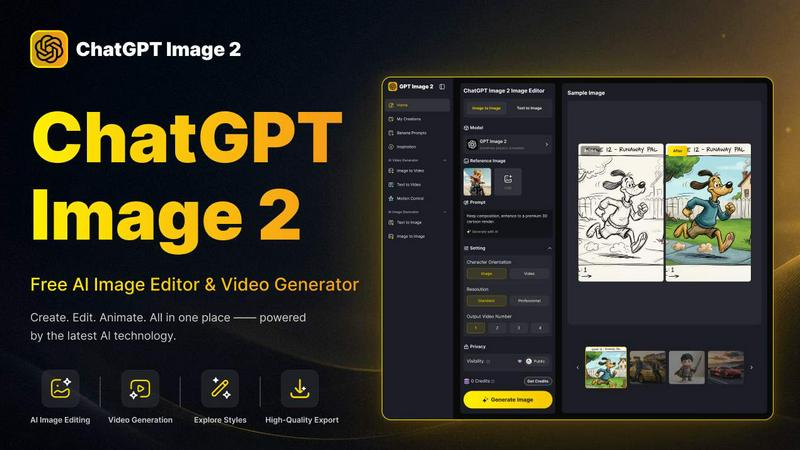
About ChatGPT Image 2
ChatGPT Image 2 is a cutting-edge, free AI image and video generator that caters to the diverse needs of creators, marketers, designers, and anyone seeking high-quality visuals. This innovative platform simplifies the creative process by allowing users to generate images from text prompts, modify existing photos, and even convert visual content into engaging videos—all within one seamless interface. Whether you are looking to create stunning artwork, social media graphics, product images, or professional marketing assets, ChatGPT Image 2 provides the tools to bring your ideas to life effortlessly. With features that support a fluid workflow from text to image and image to video, this tool is engineered for both quick inspiration and meticulous content production. Users can explore various art styles, enhance images, or animate visuals, enabling them to produce polished content for any project without the hassle of switching between multiple applications.
Features of ChatGPT Image 2
AI Image Generation
ChatGPT Image 2 allows users to generate original artwork and images from simple text prompts. This feature enables creators to visualize their ideas quickly and effortlessly, making it ideal for brainstorming sessions or when inspiration strikes.
Advanced Image Editing
With powerful editing tools, users can enhance and transform existing images. Functions like scene replacement, element swapping, and fine-grained detail editing provide unparalleled control, ensuring your visuals meet specific requirements and aesthetic preferences.
Video Creation Capabilities
The platform seamlessly transitions from static images to dynamic videos. Users can animate their designs and concepts, turning still images into engaging video content without needing separate software.
Near-Perfect Text Rendering
ChatGPT Image 2 excels in rendering clear and legible text within images. This feature is particularly beneficial for marketing materials, posters, and UI concepts where text clarity is crucial for audience engagement and understanding.
Use Cases of ChatGPT Image 2
Social Media Content Creation
Marketers can leverage ChatGPT Image 2 to quickly generate eye-catching visuals tailored for various social media platforms. From promotional graphics to engaging posts, the tool supports rapid content generation that aligns with branding strategies.
Product Visualization
E-commerce businesses can utilize the image generation capabilities to create stunning product images. By transforming simple descriptions into high-quality visuals, sellers can enhance their catalog and attract more customers.
Educational Material Development
Educators and content creators can benefit from the tool's capability to generate realistic visuals for educational content. Whether it's maps, diagrams, or historical recreations, ChatGPT Image 2 helps make learning materials visually appealing and informative.
Creative Projects and Artwork
Artists and designers can explore their creativity by using the platform to generate unique artwork. The AI-driven features support experimentation with different styles, allowing users to push the boundaries of their artistic expression.
Frequently Asked Questions
How does ChatGPT Image 2 generate images from text?
ChatGPT Image 2 uses advanced AI algorithms to interpret text prompts and create corresponding images. This intuitive process allows users to visualize concepts and ideas quickly, making it easy to generate custom visuals.
Can I edit existing images with ChatGPT Image 2?
Yes, ChatGPT Image 2 offers extensive editing capabilities. Users can upload their existing images and utilize features like scene replacement, detail enhancement, and style modification to achieve their desired look.
Is there a limit to the number of images I can generate?
While ChatGPT Image 2 allows for a generous number of image generations, users should check the platform's guidelines for any specific limitations based on their account type or usage.
What formats does ChatGPT Image 2 support for image uploads?
The platform supports various image formats, including JPG, PNG, and WEBP, with a maximum file size of 10MB. This flexibility ensures users can work with a range of visual assets for their projects.
Explore more in this category:
Similar to ChatGPT Image 2
ViduAI
ViduAI creates consistent videos from text, images, references, and first or last frames with Vidu Q3.
Hailuo AI
Create high-quality Hailuo AI videos from text or images with guided prompts, camera controls, flexible settings, task tracking, and downloadable resu
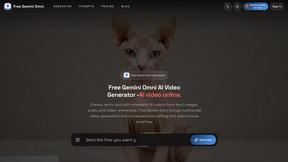
Free Gemini Omni
Create, remix, and edit cinematic AI videos online with Free Gemini Omni using text, image, audio, and video prompts.
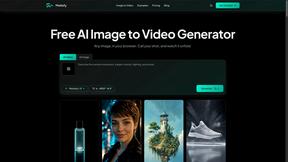
Motiofy
Motiofy is an AI creative workspace that helps creators and teams turn ideas into polished visual stories.
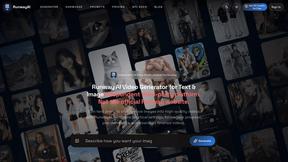
RunwayAI
Independent AI video generator for text and image workflows with practical controls and API access.

NeutrixFlow
AI tools directory with practical reviews, comparisons, and guides.
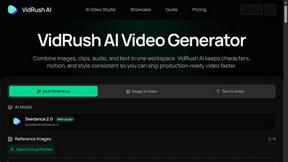
VidRush AI
AI-powered long video generator. Turn text, images, audio and video into long, production-ready AI videos.