
Bg Eraser
Remove backgrounds from up to 20 photos at once with automatic privacy, no signup needed, and clean transparent results.
Visit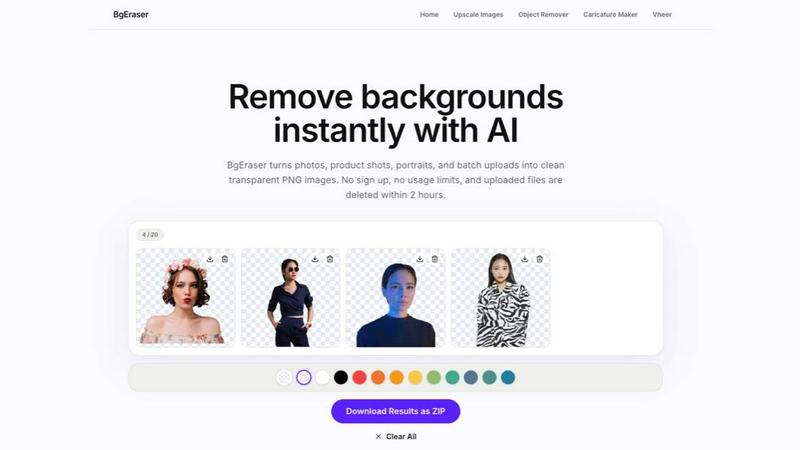
About Bg Eraser
Bg Eraser is a powerful and user-friendly online tool designed to remove backgrounds from images quickly and efficiently. It leverages advanced AI technology to separate subjects from their backgrounds, preserving clean edges and delivering high-quality transparent PNG files. Ideal for a wide range of users, including e-commerce sellers, graphic designers, photographers, and content creators, it simplifies the often tedious task of background removal. The tool is entirely browser-based, requiring no software installation or registration, which makes it accessible for anyone needing a fast solution. A key advantage is its batch processing capability, allowing users to upload and process up to 20 images simultaneously. This feature streamlines workflows for those handling large volumes of product photos, portraits, or everyday images. Bg Eraser also prioritizes user privacy and security; all uploaded files and generated results are automatically deleted from its servers within two hours. For users who need more robust capabilities, a downloadable version of BgEraser is available for both Windows and Mac operating systems, providing a dedicated application for heavy-duty use. Whether you need clean images for an online store, social media, marketing materials, or personal projects, Bg Eraser offers a convenient, free, and effective solution for instant background removal.
Features of Bg Eraser
AI-Powered Background Removal
Bg Eraser uses advanced artificial intelligence to intelligently detect and separate the main subject of an image from its background. This AI is trained to handle a wide variety of subjects, including people, products, pets, and logos. The technology ensures that the edges of the subject are preserved with high precision, reducing the need for manual touch-ups. This results in clean, professional-looking transparent PNGs that are ready for immediate use in any project.
Batch Background Removal
One of the most powerful features of Bg Eraser is its ability to process up to 20 images at once. Instead of editing each file individually, users can upload a batch of JPG, PNG, or WebP images and have their backgrounds removed simultaneously in the same workspace. This significantly speeds up production workflows for tasks like preparing product catalogs, marketplace listings, or social media content, allowing you to launch projects faster and more efficiently.
Transparent PNG Output
After processing, Bg Eraser delivers high-quality transparent PNG files. This format is essential for versatile use across different platforms and design tools. A transparent background allows the subject to be easily placed on any new background, integrated into a design mockup, or used as a standalone graphic without any unsightly white boxes or halos. The output is optimized for e-commerce listings, presentations, profile pictures, and professional design projects.
Privacy-Focused and No Sign-Up Required
Bg Eraser operates with a strong focus on user privacy. You can use the entire background removal service directly in your browser without creating an account or providing any personal information. To further protect your data, all uploaded images and generated results are automatically deleted from the server within two hours. This privacy-friendly approach ensures that your work remains confidential and reduces long-term file storage risks.
Use Cases of Bg Eraser
E-Commerce Product Photography
E-commerce sellers can dramatically speed up their listing creation process by using Bg Eraser. Instead of manually clipping out product photos one by one, sellers can upload a batch of up to 20 images and remove all backgrounds instantly. This is perfect for creating consistent, clean product images for online marketplaces like Amazon or Etsy. The resulting transparent PNGs can then be placed on a uniform white background or a custom brand color, ensuring a professional and cohesive storefront.
Social Media Content Creation
Content creators and social media managers can use Bg Eraser to quickly prepare images for posts, stories, and profile pictures. For instance, you can remove the background from a portrait to create a clean headshot for LinkedIn, or isolate a product for a promotional Instagram post. The tool allows for rapid iteration, enabling creators to swap backgrounds, combine elements, and produce engaging visual content without needing to open complex design software like Photoshop.
Graphic Design and Mockups
Graphic designers often need isolated subjects to place into design mockups, such as t-shirt designs, app interfaces, or brochures. Bg Eraser provides a fast way to extract the necessary elements from source images. Whether it is a logo, a person, or a piece of apparel, the tool delivers a clean cutout that can be dropped directly into a design project. This saves valuable time during the creative process and allows designers to focus on composition and layout.
Personal and Professional Portraits
Individuals and professionals alike can benefit from using Bg Eraser for portrait editing. Whether you need a passport-style photo with a plain background, a professional LinkedIn profile picture, or a fun portrait for a social media avatar, this tool simplifies the process. Simply upload your photo, and the AI will accurately detect the person and remove the distracting background. You can then download a clean, transparent version of the portrait ready for any application.
Frequently Asked Questions
What is BgEraser?
BgEraser is an online AI-powered tool designed to remove backgrounds from images automatically. It supports a variety of image types, including product photos, portraits, and everyday graphics. The service is free to use, requires no sign-up, and processes images directly in your browser. It also offers a batch processing feature for up to 20 images at once and provides transparent PNG downloads.
Can I remove backgrounds from multiple images at once?
Yes, BgEraser supports batch background removal. You can upload up to 20 JPG, PNG, or WebP image files simultaneously, and the tool will process them all in the same workspace. This feature is designed to save time for users who need to edit large volumes of images, such as e-commerce sellers or content creators.
How does BgEraser protect my privacy?
BgEraser is built with privacy in mind. You do not need to create an account or provide any personal information to use the service. Furthermore, all images you upload and the resulting processed files are automatically deleted from the server within two hours. This policy ensures that your data is not stored long-term and helps keep your work confidential.
What image formats does BgEraser support?
BgEraser supports the three most common image formats for web and design use: JPG, PNG, and WebP. You can upload files in any of these formats for background removal. The output is always provided as a transparent PNG file, which is the standard format for images with transparent backgrounds.
Explore more in this category:
Similar to Bg Eraser
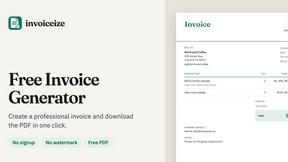
Invoiceize
Free invoice generator for freelancers and small businesses. Create invoices, receipts, quotes and pay stubs, then export PDF.

Emailyy
Free email tools for signatures, subject lines, HTML previews, word counts, and email headers. Browser-based, simple to use, and no signup required.

Uniclip
Clip pages, take full-page screenshots and batch-capture list data to Notion, Feishu, Obsidian, Markdown, CSV or JSON.
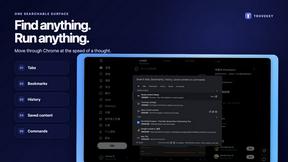
TroveKey
Search tabs, Chrome bookmarks and history, run browser commands, and save webpages and social posts locally—no account.

Agent Pets
Your Claude Code & Codex sessions as pets in Chrome. Approve, deny and reply to your coding agents from any tab.
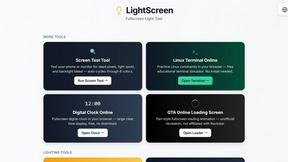
LightScreen
Free light screen tool online. Turn any display into a flashlight, ambient light, or solid-color screen. No download or sign-up.
Screen Issues
Free Online Screen Test Tool - Instantly diagnose dead pixels, lines, color issues, and flickering. Multiple test modes, no download needed.

Context Board
Context Board brings your numbers, docs, clients, content and day into one workspace that Claude and Codex can read and update.