
Text Remover vs Trafficclaw
Side-by-side comparison to help you choose the right AI tool.

Text Remover
Instantly remove unwanted text from images with AI for clean, professional results.
Last updated: March 1, 2026

Trafficclaw
TrafficClaw is an AI analyst that answers questions and delivers growth insights from your live SEO and analytics data.
Last updated: April 13, 2026
Visual Comparison
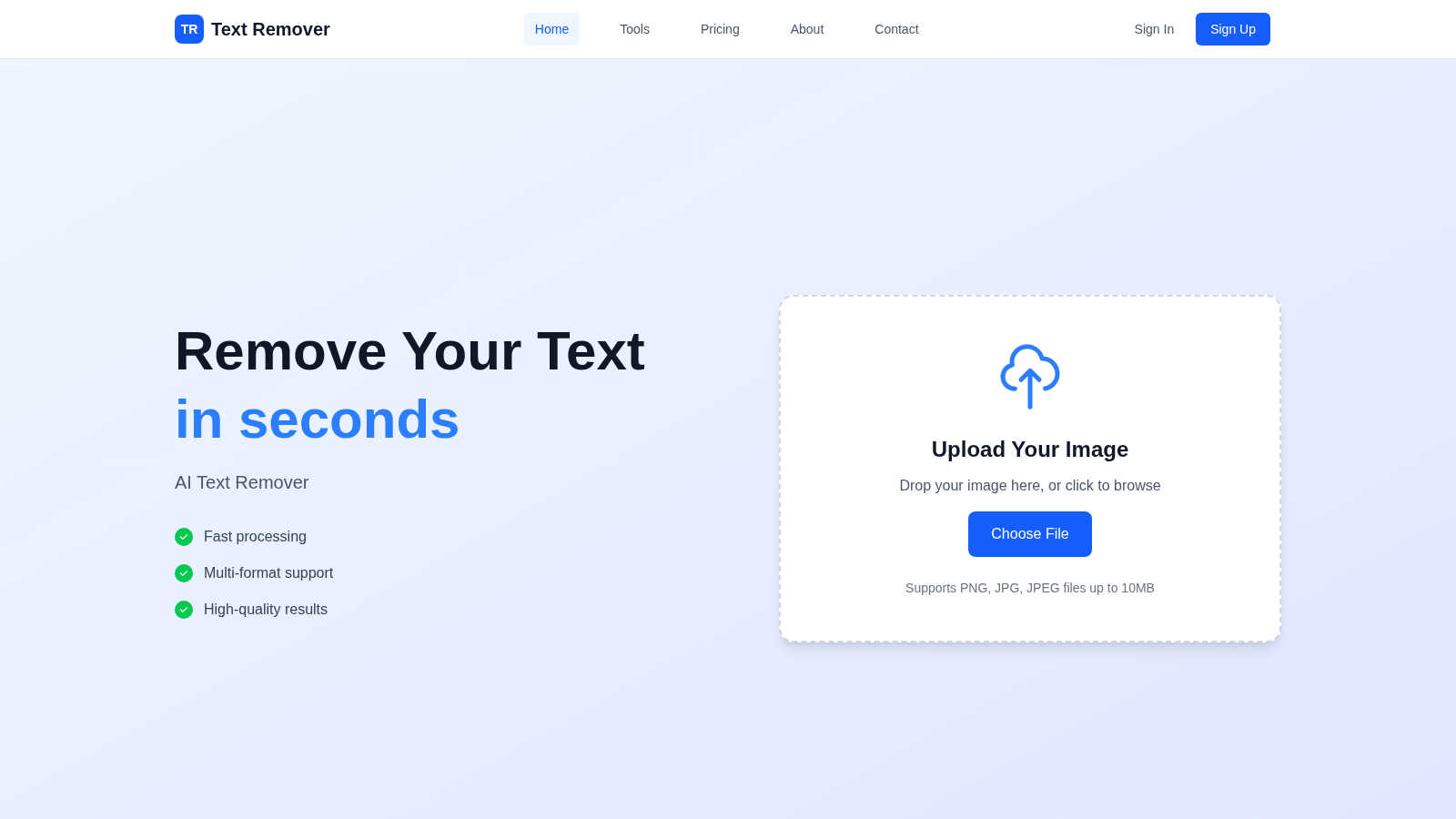
Text Remover
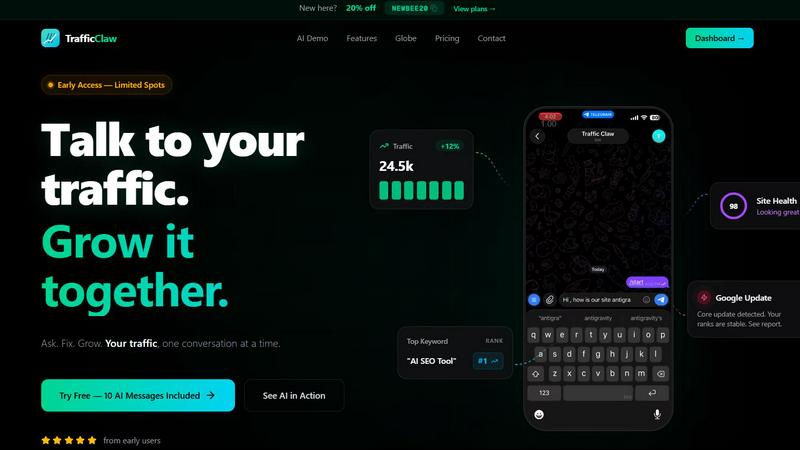
Trafficclaw
Feature Comparison
Text Remover
AI-Powered Precision Engine
At the heart of Text Remover is a state-of-the-art machine learning model trained to understand image context. It doesn't just delete pixels; it intelligently analyzes the area surrounding the selected text to generate a fill that perfectly matches the background's pattern, gradient, and texture. This ensures the removal is undetectable, maintaining the integrity and aesthetic of the original photograph without leaving blurry patches or obvious edits, a common flaw in simpler tools.
Secure & Privacy-Focused Processing
Text Remover is built with user privacy as a fundamental principle. All image processing occurs securely in the cloud with robust encryption, and crucially, your uploaded images are not stored or used for training purposes after the operation is complete. This makes it an ideal tool for safely removing sensitive personal information like addresses, license plates, or documents, giving users full confidence in the security of their data.
Intuitive Canvas Editing Interface
The tool features a user-friendly, browser-based canvas that makes the text removal process straightforward for everyone. Users can upload an image and use a simple brush or selection tool to mark the exact text areas for removal. This intuitive design eliminates the learning curve associated with professional editing software, making powerful image cleanup accessible to users of all skill levels directly from their web browser.
High-Quality Output & Format Support
Text Remover is engineered to preserve the original resolution and quality of your uploaded images. It supports all major file formats including PNG, JPG, and JPEG, ensuring compatibility with most digital images. The AI processing is optimized to deliver a clean, high-fidelity result that is ready for immediate download and use in professional projects, social media, or print, without any degradation in image quality.
Trafficclaw
AI Analyst Chat
This is the core of TrafficClaw. Engage in natural language conversation with an AI trained on your live analytics and SEO data. Ask specific questions about traffic trends, user behavior, or performance drops. The AI doesn't offer blog-style advice; it analyzes your connected data sources and delivers precise verdicts with evidence, often accompanied by charts and direct insights for immediate action.
SEO Intelligence Suite
Go beyond basic rankings. This feature proactively monitors your SEO health with advanced capabilities. It detects keyword gaps you can target, alerts you to content decay on older pages, identifies cannibalization issues where your pages compete against each other, and provides tools optimized for AI search engines. It turns raw search data into a strategic growth roadmap.
Integrated Analytics Dashboard
TrafficClaw unifies critical metrics into a single, intelligently designed overview. View real-time visitor counts, traffic trends, bounce rates, and conversion funnels side-by-side with your SEO data. This eliminates the need to constantly jump between GA4, Search Console, and other platforms, providing a holistic view of your site's performance in one glance.
Live Visitor Globe & Embed
A unique visual feature that displays your real-time GA4 traffic on an interactive 3D globe. See where your current visitors are located globally, with a live activity feed showing page views and exits. You can also generate an embed code to showcase this live globe on your own website, adding dynamic social proof without any additional tracking scripts.
Use Cases
Text Remover
Social Media Content Curation
Social media managers and influencers can use Text Remover to clean up images for their feeds and stories. It effortlessly strips away distracting watermarks from stock photos, removes unwanted date stamps from travel pictures, or deletes promotional text overlays. This results in a cohesive, professional, and aesthetically pleasing social media presence that engages audiences without visual clutter.
Professional Photography Retouching
Photographers can utilize the tool to perfect their shots during post-production. It is ideal for removing intrusive elements like price tags in product photography, accidental photobomber text on t-shirts, or location signage in portrait backgrounds. This allows photographers to deliver flawless final images to clients, saving hours of meticulous manual retouching work in complex software like Photoshop.
Meme and Graphic Template Creation
Content creators and marketers can leverage Text Remover to create custom memes and reusable graphic templates. By easily clearing text from popular meme formats or existing marketing images, users gain a blank canvas to add their own witty captions, promotional messages, or multilingual content. This streamlines the creative process for generating engaging and original visual content quickly.
Privacy Protection and Document Sanitization
Individuals and professionals can protect their privacy by sanitizing images before sharing them online. The tool is perfect for obscuring personal details in photos of documents, receipts, or IDs, removing visible phone numbers from pictures of business cards, or blurring house numbers in real estate photos. It helps ensure compliance with data protection norms by allowing safe sharing of visual information.
Trafficclaw
Diagnosing Sudden Traffic Drops
When your analytics show an unexplained traffic decline, instead of manually cross-referencing data for hours, simply ask the AI Analyst "Why did my traffic drop?" It will analyze your connected GA4 and Search Console data, pinpointing causes such as a Google algorithm update impact, a specific page losing rankings, or a technical issue, and provide the evidence-backed reason.
Uncovering Content & Keyword Opportunities
Identify growth levers without manual research. Ask questions like "What are my top untapped keyword opportunities?" or "Which old blog posts need updating?" The AI sifts through your search performance data to highlight content gaps, pages suffering from decay, and high-potential keywords you're not yet ranking for, directing your content efforts effectively.
Real-Time Website Performance Monitoring
Keep a pulse on your site's immediate activity and health. Use the unified dashboard to watch real-time visitor flow, geographic distribution, and on-site behavior concurrently with core SEO metrics. This is invaluable for monitoring campaign launches, site changes, or immediate reactions to industry news.
Streamlining Client or Stakeholder Reporting
For agencies or teams, TrafficClaw simplifies communication. The clear, conversational insights and visual dashboard provide an easily digestible snapshot of performance. You can quickly generate answers to specific stakeholder questions or use the live embed globe to transparently showcase site activity and engagement directly to clients.
Overview
About Text Remover
Text Remover is a sophisticated, AI-powered solution designed to effortlessly eliminate unwanted text from any image. It addresses a common yet time-consuming digital editing challenge, transforming cluttered visuals into clean, professional assets. The tool is engineered for a wide audience, from professional photographers and graphic designers needing pristine backgrounds, to social media managers curating perfect feeds, and everyday users aiming to protect privacy or refresh old photos. Its core value lies in its intelligent automation; instead of manual cloning or complex software, users simply mark the text they wish to remove. The advanced AI then seamlessly reconstructs the underlying background, preserving original textures, colors, and details. This process not only enhances visual appeal by removing distractions like watermarks, timestamps, or promotional overlays but also significantly boosts productivity by delivering results in seconds. With a commitment to quality, security, and accessibility, Text Remover empowers users to reclaim their images, ensuring every project meets a high standard of clarity and professionalism without requiring technical expertise.
About Trafficclaw
TrafficClaw is an AI-powered analytics command center designed to cut through the noise of traditional data tools. It transforms the complex, often frustrating task of understanding website performance into a simple conversation. By connecting directly to your Google Analytics 4 and Google Search Console accounts, TrafficClaw provides an AI analyst with real-time access to your data. Instead of staring at static graphs and exporting spreadsheets, you can ask direct questions like "Why did my traffic drop last Tuesday?" or "What are my top keyword opportunities?" and receive specific, actionable verdicts backed by your own metrics. It's built for website owners, marketers, and developers who value their time and seek direct, intelligent insights over generic advice. The core promise is effortless growth: stop switching between tabs, start having a dialogue with your data, and get clear fixes to drive your traffic forward.
Frequently Asked Questions
Text Remover FAQ
How does the AI ensure the background looks natural after text removal?
The AI model is extensively trained on diverse image datasets to understand context, textures, and patterns. When you mark text for removal, the AI doesn't just fill the area with a solid color. It analyzes the surrounding pixels to intelligently infer and reconstruct what the background should look like, blending new pixels seamlessly to create a natural, undetectable result that maintains the original image's visual flow.
What image formats and file sizes does Text Remover support?
Text Remover supports all common raster image formats including PNG, JPG, and JPEG. To ensure fast and efficient processing for all users, there is a current file size limit of 10MB per upload. This balance allows for high-quality image inputs while maintaining the tool's speed and responsiveness for a smooth user experience.
Is there a limit to how much text I can remove from a single image?
While you can select multiple text areas for removal in a single image, the accuracy and quality of the result are best when the selections are precise and not excessively large. The AI performs optimally on distinct text elements. For images where text covers a very significant portion, the complexity of reconstructing the background increases, which may affect the output.
Are my uploaded images stored or used by Text Remover after processing?
No, your privacy is paramount. Text Remover operates on a strict no-storage policy for processed images. Your uploads are used solely for the immediate purpose of text removal and are automatically deleted from the servers shortly after you download your result. They are never used for training the AI model or any other purpose without your explicit consent.
Trafficclaw FAQ
How does TrafficClaw access my data?
TrafficClaw uses secure, read-only Google OAuth to connect to your Google Analytics 4 and Search Console accounts. This means we never see your password, and our access is limited to viewing your analytics data only. Your data remains in your Google account and is not sold or used for training public AI models.
What makes the AI advice different from generic tips?
The AI Analyst is fundamentally different because it operates on your live, first-party data. Instead of giving general best practices, it analyzes your specific traffic patterns, keyword rankings, and user behavior to deliver personalized verdicts. The insight "your traffic dropped because page X lost its #3 ranking for keyword Y" is actionable, whereas "create better content" is not.
Is there a setup or coding required?
Setup takes less than a minute and requires no coding. You simply sign in with Google, grant read-only permissions to your GA4 and Search Console properties, and TrafficClaw auto-detects and imports your data. Your dashboard and AI Analyst are ready to use immediately after.
Can I use the Live Globe on my website?
Yes. The Live Visitor Globe is a feature available to all users. You can generate a unique embed code from your TrafficClaw dashboard and insert it as a simple iframe into any webpage, CMS like WordPress, or custom-coded site. It will then display real-time visitor data from your connected GA4 property without requiring any additional tracking code on your site.
Alternatives
Text Remover Alternatives
Text Remover is an AI-powered tool designed to cleanly and efficiently remove unwanted text, watermarks, and overlays from images. It falls into the broader category of AI assistants for visual content creation, helping users achieve professional, distraction-free backgrounds in seconds. Users often explore alternatives for various reasons. These can include budget considerations, the need for specific features not offered in a single tool, or compatibility with different operating systems and workflows. Some may seek more advanced editing suites or simpler, one-click solutions. When evaluating other options, consider core needs like output quality, processing speed, and ease of use. Key factors are the tool's ability to preserve image integrity, support for batch processing and multiple file formats, and the overall value it provides for your specific projects.
Trafficclaw Alternatives
Trafficclaw is an AI assistant for SEO and analytics, designed to translate complex data into actionable insights. It connects to platforms like Google Analytics and Search Console, allowing users to ask direct questions about their traffic and performance to receive clear, data-backed answers. Users explore alternatives for various reasons, such as budget constraints, the need for different feature sets, or integration with a broader tech stack. Some may require more advanced reporting, team collaboration tools, or support for additional data sources beyond the core offerings. When evaluating other solutions, prioritize tools that offer genuine conversational analysis, not just dashboards. Look for robust, secure data connections, transparent pricing, and a focus on delivering specific, corrective insights rather than just surfacing problems.