
Decode This Text vs Phishly
Side-by-side comparison to help you choose the right AI tool.

Decode This Text
Decode This Text gives you human-like clarity on confusing conversations in just 30 seconds.
Last updated: February 28, 2026

Phishly
Phishly uses AI to instantly detect phishing emails with a simple one-click scan in your browser or Gmail.
Visual Comparison
Decode This Text

Phishly
Feature Comparison
Decode This Text
Screenshot Analysis
Simply upload a photo of your chat conversation. The tool reads and analyzes the entire text exchange for you, eliminating the need to manually type out messages. This seamless feature saves time and ensures you capture every detail, from timestamps to emojis, for a complete and accurate interpretation of the interaction.
Tone & Intent Breakdown
Go beyond the words to understand the emotional temperature of a message. This feature measures whether the sender is being friendly, cold, sarcastic, or genuinely interested. It provides clear metrics on tone, effort, and intent, helping you avoid misinterpretation and see the true sentiment behind phrases like "I'll let you know."
Pattern Detection
The AI detects subtle behavioral cues that are easy to miss. It identifies patterns such as someone only messaging late at night, consistently avoiding direct questions, or gradually shortening their replies. This insight reveals underlying habits and intentions, providing context that explains confusing shifts in communication.
Smart Response Builder
Stuck on how to reply? This feature provides you with three tailored response options—calm, direct, or firm—based on the analysis of the situation. It helps you craft a confident reply that aligns with your goals, whether you need to set a boundary, seek clarity, or keep the conversation flowing smoothly.
Phishly
Intelligent Email Scanning
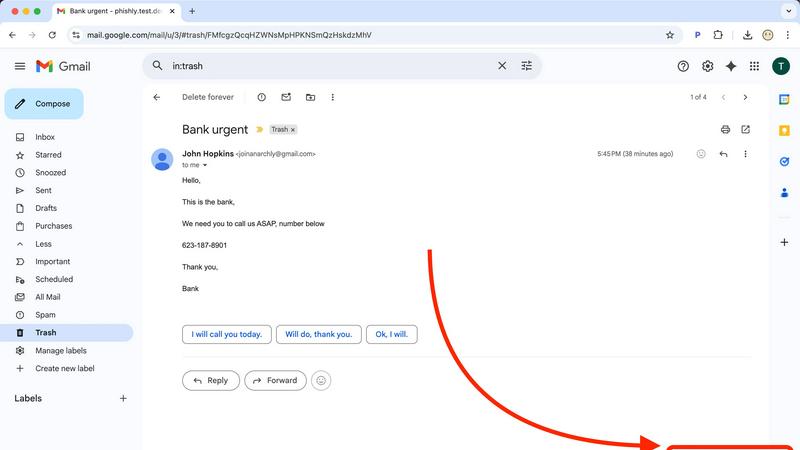
Phishly's intelligent email scanning feature allows users to analyze any email for potential phishing threats effortlessly. By simply clicking "Scan with Phishly" in Gmail or pasting email content on the website, users receive immediate feedback on possible risks.
Comprehensive Risk Assessment
Each scanned email is evaluated and categorized into three risk levels: Safe, Medium Risk, and High Risk. This comprehensive risk assessment provides users with clear insights into the legitimacy of their emails, empowering them to make informed decisions.
Detailed Threat Explanations
Phishly goes beyond just presenting risk levels by offering detailed explanations of the phishing indicators detected within an email. This educational aspect helps users understand the specific signs of phishing and enhances their overall email security awareness.
Privacy-Focused Analysis
Phishly prioritizes user privacy by only analyzing emails that users explicitly choose to scan. This means that users can trust that their personal information and email content remain secure and confidential while using the platform.
Use Cases
Decode This Text
Decoding Dating & Relationship Messages
Navigate the uncertainty of modern dating. Understand if a match is genuinely interested or fading away, interpret mixed signals after a great date, or decode the meaning behind sudden silence. Get clarity on intentions to decide your next move without endless anxiety or advice from friends.
Interpreting Professional Communication
Decipher ambiguous workplace messages with confidence. Understand if your boss's one-word email signifies anger, interpret the true meaning behind "we'll keep your resume on file," or learn how to say "no" professionally. Navigate office politics and communication with strategic insight.
Understanding Friends & Family Dynamics
Repair and maintain personal relationships. Figure out why a family group chat went silent after your message, understand a friend's distant tone, or interpret passive-aggressive comments. Gain an objective perspective to address issues without escalating conflict.
Preventing Regretful Messages
Act as a crucial buffer before you send an emotional text. Paste your drafted reply to get an analysis of how it might be perceived. This use case helps you avoid sending messages fueled by frustration or confusion that you might regret later, promoting more thoughtful communication.
Phishly
Individual Email Protection
Individuals can utilize Phishly to protect their personal email accounts from phishing attacks. By scanning suspicious emails, users can quickly determine if they are dealing with a legitimate sender or a potential scam, enhancing their online safety.
Small Business Security
Small businesses can implement Phishly as a cost-effective solution to safeguard their communications. With its easy-to-use interface and clear risk assessments, Phishly helps small teams remain vigilant against phishing attempts without requiring extensive training.
Email Verification for Online Transactions
Phishly is particularly useful for users engaging in online transactions. By scanning emails related to purchases, confirmations, or sensitive information, users can verify the legitimacy of the communications they receive, ensuring safe online interactions.
Education and Awareness Building
Educators and trainers can leverage Phishly as a tool for teaching about email security and phishing threats. By using real examples from their inboxes, participants can learn to recognize phishing attempts and adopt safer email practices.
Overview
About Decode This Text
In a world where digital communication is often ambiguous, Decode This Text provides the clarity you need. It is an innovative AI-powered tool designed to decipher the true meaning behind confusing messages. Whether you're puzzling over a vague text from a date, a cryptic email from your boss, or a silent group chat with friends, this tool cuts through the uncertainty. You simply paste the conversation, upload a screenshot, or describe the context. Within 30 seconds, you receive a comprehensive, human-like analysis that breaks down the underlying intentions, emotional tone, and hidden patterns in the exchange. More than just an analyzer, it empowers you with actionable advice, suggesting the best ways to respond with confidence. Built with privacy at its core—no human ever reads your texts—it’s the trusted, anonymous reality check for anyone looking to improve their relationships, enhance communication skills, and eliminate the stress of overthinking every word.
About Phishly
Phishly is an innovative AI-powered phishing detection platform designed to enhance email security for both individuals and small businesses. Available as a convenient Chrome extension for Gmail and an accessible web tool, Phishly simplifies the process of identifying potentially harmful emails. Users can effortlessly scan their emails by clicking "Scan with Phishly" in Gmail or by pasting suspicious messages directly onto the Phishly website for immediate analysis. The platform employs advanced artificial intelligence to detect a wide range of phishing indicators, including suspicious domain names, urgent or alarming language, spoofed sender addresses, and various social engineering tactics. Phishly categorizes the risk level of each email as Safe, Medium Risk, or High Risk, accompanied by detailed explanations to help users understand the threats they may face. This user-friendly tool is perfect for anyone seeking straightforward phishing protection without the complexities often associated with enterprise-level solutions. Importantly, Phishly only analyzes the emails that users explicitly choose to scan, ensuring that privacy is maintained throughout the process. With no technical knowledge required and the service offered for free, users receive instant answers to their concerns about email legitimacy and security.
Frequently Asked Questions
Decode This Text FAQ
How does Decode This Text protect my privacy?
Your privacy is paramount. The analysis is performed entirely by AI algorithms. No human ever reads, reviews, or stores the text conversations or screenshots you submit. All interactions are 100% anonymous, ensuring your sensitive communications remain completely confidential.
What kind of input does the tool accept?
You can provide input in three flexible ways: by directly pasting the text of a conversation, by uploading a screenshot or photo of your chat, or by simply describing the situation and what was said. The AI is designed to work effectively with any of these formats to give you a clear analysis.
How accurate is the analysis?
The tool uses advanced natural language processing trained on vast datasets of human communication to identify tone, intent, and patterns. While it provides highly insightful and nuanced analysis that users describe as a "wise older sister," it is an AI guide. It's designed to offer a powerful external perspective to inform your decisions.
What do I get in the analysis report?
Your report includes a breakdown of the perceived emotional tone, the level of effort from the sender, and their likely intent. It also highlights any detected communication patterns and, most importantly, provides you with actionable, context-aware suggestions for how to craft an effective response.
Phishly FAQ
How does Phishly detect phishing emails?
Phishly utilizes advanced AI algorithms to analyze emails for various phishing indicators such as suspicious domains, urgent language, and spoofed sender addresses. This allows the platform to accurately assess the risk level of each email.
Is Phishly free to use?
Yes, Phishly is completely free to use. Users can scan emails and receive risk assessments without any costs or subscriptions, making it accessible to everyone.
Do I need technical knowledge to use Phishly?
No, Phishly is designed to be user-friendly and requires no technical expertise. Users can easily scan their emails and understand the risk assessments provided by the platform.
Is my privacy protected when using Phishly?
Absolutely. Phishly only analyzes the emails that users explicitly choose to scan, ensuring that personal information and email content remain private and secure throughout the process.