
Oneprofile vs Playwriter
Side-by-side comparison to help you choose the right AI tool.

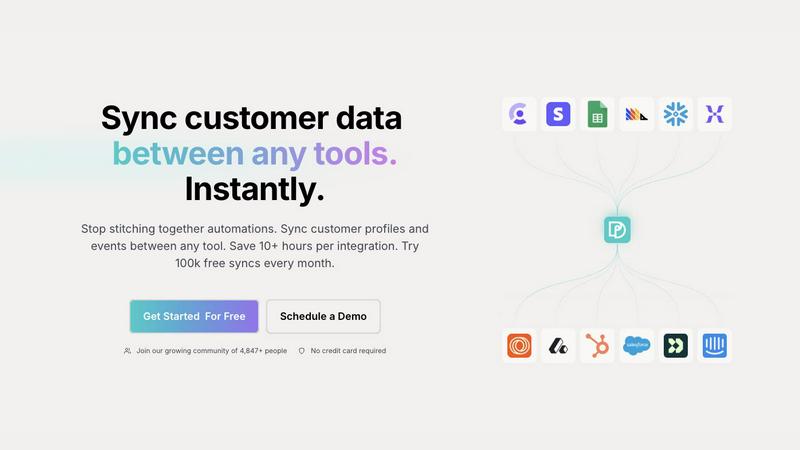
Oneprofile syncs customer data across all your tools to keep profiles consistent everywhere.
Last updated: February 28, 2026

Playwriter
Playwriter empowers your agents to control your Chrome browser seamlessly with full access to extensions, cookies, and the Playwright API.
Last updated: March 18, 2026
Visual Comparison
Oneprofile
Playwriter

Feature Comparison
Oneprofile
Unified Customer Profile Hub
Oneprofile brings together customer data from any SaaS tool or database into a single, consistent customer model. It intelligently matches customer identities and standardizes fields across disparate systems, ensuring that your CRM, marketing platform, and support desk are all referencing the exact same customer profile. This eliminates duplication and prevents data drift, even as information changes over time, providing a holistic and accurate view of every user.
Intelligent Identity Resolution
The platform automatically resolves customer identities across different tools, ensuring that "[email protected]" in Stripe is correctly recognized as the same person in Intercom, even if the records initially appear separate. This sophisticated matching logic connects the dots between user events and profile data, building complete customer journeys without manual intervention and guaranteeing that syncs are accurate and meaningful.
Configurable Sync Controls
You have complete control over how data flows between your systems. Oneprofile allows you to define sync direction (one-way or bidirectional), create custom field mappings automatically or manually, and set precise schedules for data updates. You can configure syncs to run on a recurring schedule, at specific intervals, or via cron jobs, tailoring the data flow to match your business processes instead of conforming to rigid, pre-built pipelines.
Real-Time Data Propagation
Changes made to customer data in any connected source tool are propagated to all designated destinations instantly. This real-time synchronization means that a support agent seeing an updated customer plan in Intercom, a marketer segmenting based on new LTV data in their platform, and a sales rep viewing the latest interaction in the CRM are all working from the same live information, enabling immediate and coordinated action.
Playwriter
Seamless Browser Integration
Playwriter integrates directly with your existing Chrome browser session, providing agents with access to all your logged-in accounts and extensions. This eliminates issues like bot detection and allows for a more natural interaction with web applications.
Full Automation API
The tool offers a comprehensive Playwright API accessible through a single execute command, simplifying the automation process. This reduces context switching and enables users to execute any Playwright code without the overhead of multiple tool definitions.
Real-Time Collaboration
With Playwriter, collaboration is made easy. Users can watch the agent perform tasks in real time, allowing for immediate intervention when faced with CAPTCHAs or consent walls. This ensures that human oversight is always available, providing a safety net for automation.
In-Depth Debugging Tools
Playwriter includes a powerful debugger with breakpoints, live code editing, and network interception capabilities. This allows users to analyze and optimize agent performance, making it easier to troubleshoot and enhance automated tasks on the fly.
Use Cases
Oneprofile
Synchronizing Sales & Support Data
Keep your CRM and customer support platform perfectly aligned. When a sales representative upgrades a customer's plan in the CRM, that change is instantly reflected in the support tool. This ensures support agents have immediate context on account value and status, allowing them to provide appropriately tiered service and avoid awkward conversations based on outdated information.
Enabling Cohesive Marketing Campaigns
Ensure your marketing automation and analytics tools share unified customer profiles. When a user completes a key event in your product, that behavioral data can sync instantly to your marketing platform, triggering personalized email sequences or ad campaigns based on real-time actions, all while maintaining consistent demographic and firmographic data across every channel.
Streamlining Product-Led Growth Operations
For product-led growth teams, syncing product usage data with sales and marketing systems is critical. Oneprofile can sync trial sign-up events, feature adoption metrics, and in-app activity to tools like Salesforce or HubSpot, enabling sales teams to identify hot leads based on product engagement and marketers to nurture users with relevant content.
Maintaining Accurate Billing & Account Information
Automatically sync customer account details between your billing system (like Stripe) and other business tools. When a customer updates their payment method or subscribes to a new plan, that information is immediately available in the CRM and support software, ensuring all client-facing teams have accurate billing and subscription data at their fingertips.
Playwriter
Web Scraping Automation
Using Playwriter, developers can automate the process of web scraping, leveraging the agent's ability to navigate complex websites while maintaining session integrity. This is especially useful for data collection in research and market analysis.
Testing Web Applications
Quality assurance teams can utilize Playwriter to automate the testing of web applications in real browser environments. This ensures that tests reflect real user interactions, improving the reliability of test results and enhancing product quality.
Interactive Customer Support
Support teams can deploy Playwriter to automate repetitive customer interactions while allowing agents to step in when nuanced human interactions are necessary. This hybrid approach improves efficiency and customer satisfaction.
Content Monitoring and Compliance
Organizations can use Playwriter for monitoring web content to ensure compliance with regulations. By automating the browsing of specific pages, teams can track changes and ensure that content remains aligned with corporate policies.
Overview
About Oneprofile
Oneprofile is the definitive solution for unifying customer data across a modern business's technology stack. It automatically syncs customer profiles and events between any tools a company uses, such as CRMs, analytics platforms, support software, and marketing automation systems. The core problem it solves is data fragmentation; instead of each system maintaining its own incomplete and often conflicting version of a customer, Oneprofile creates a single source of truth that is kept consistent everywhere. When a customer's email, plan, lifetime value, or any other property is updated in one tool, that change is reflected instantly across all connected destinations. This eliminates the need for manual data entry, complex custom pipelines, and brittle integrations that break over time. Designed for growth-focused teams, Oneprofile ensures that every department—from sales and marketing to support and product—operates with the same accurate, up-to-date customer information, enabling personalized experiences and data-driven decisions without the operational overhead.
About Playwriter
Playwriter is an innovative Chrome extension and command-line interface (CLI) designed to enhance the browsing capabilities of AI agents. Unlike traditional AI tools that operate in isolated environments with no access to user accounts or extensions, Playwriter allows agents to leverage your actual Chrome session. This means all your logins, cookies, and extensions are readily available for the agent to use, minimizing bot detection and enhancing the browsing experience. Playwriter is particularly useful for developers, testers, and teams requiring robust automation and collaboration tools. Its unique API allows for seamless integration with any Model-Client-Protocol (MCP) client, including Cursor, Claude, and VS Code. With features such as network interception, live code editing, and accessibility snapshots, Playwriter stands out by offering a full suite of automation capabilities without the constraints of traditional tools.
Frequently Asked Questions
Oneprofile FAQ
How does Oneprofile handle matching customers across different tools?
Oneprofile uses intelligent identity resolution, typically leveraging unique and consistent identifiers like email addresses to match customer profiles across different systems. It connects records for "[email protected]" from your billing, support, and marketing tools, merging them into a single, unified profile to ensure data consistency and eliminate duplicates across your entire stack.
What happens if the same field is updated in two different tools at once?
Oneprofile provides configurable rules to handle data conflicts. You can define a "source of truth" for specific fields, determining which system's data takes priority when conflicting updates occur. This ensures controlled and predictable data flow, maintaining integrity according to your business logic instead of creating chaotic or overwritten information.
Is coding required to set up integrations with Oneprofile?
No, Oneprofile is designed as a no-code/low-code platform. Setting up syncs between tools involves connecting your applications through OAuth or API keys, then using a visual interface to map fields and configure sync rules. This empowers operations and revenue teams to manage data flows directly without relying on engineering resources for every new integration.
What is included in the free plan?
The free plan offers 100,000 syncs every month, allowing you to connect tools and start syncing customer profiles and events without a credit card. It includes core features to unify data across key systems, making it ideal for startups and small teams to begin centralizing their customer data and eliminating manual workflows.
Playwriter FAQ
How does Playwriter improve agent performance?
Playwriter enhances agent performance by providing a real browser session filled with your logged-in accounts and extensions. This reduces the risks of bot detection and improves the accuracy of automated tasks.
Is Playwriter suitable for all web applications?
Yes, Playwriter is designed to work with any web application as it operates within your actual Chrome browser, allowing agents to interact with the site as a normal user would.
What are the system requirements for Playwriter?
Playwriter requires the Chrome browser and a local environment to run the CLI. It is compatible with any operating system that supports Node.js, making it accessible for a wide range of users.
Can multiple agents use Playwriter simultaneously?
Absolutely. Playwriter's local WebSocket relay allows multiple agents or CLI instances to interact with the same browser session concurrently, facilitating collaborative automation efforts.
Alternatives
Oneprofile Alternatives
Oneprofile is a customer data synchronization platform within the analytics and data category. It automatically unifies customer profiles and events across a company's CRM, marketing, support, and analytics tools, ensuring every system has the same, current information. Businesses may explore alternatives for various reasons, such as specific pricing requirements, the need for different feature sets, or compatibility with a particular technical stack. The search often stems from a desire to find the perfect fit for unique operational workflows and growth plans. When evaluating options, consider the depth of native integrations, the reliability of real-time data flow, and the overall simplicity of maintaining the connection between your core business applications. The goal is to achieve seamless data harmony without introducing complexity.
Playwriter Alternatives
Playwriter is an innovative tool designed to enhance automation in web browsing by allowing users to control Chrome through AI via Command Line Interface (CLI) or Multi-Channel Protocol (MCP). It bridges the gap for AI agents that struggle with web access, providing a seamless interface that utilizes your actual browser session complete with all your logins and extensions. This positions Playwriter within the automation category, serving developers and tech enthusiasts looking for advanced control over their browsing experience. Users often seek alternatives to Playwriter due to various reasons such as pricing, desired features, or specific platform compatibility needs. When exploring alternatives, it's essential to consider factors like ease of use, available integrations, the extent of automation capabilities, and support for existing workflows. A solid alternative should meet the unique requirements of your projects while providing robust functionality comparable to Playwriter.