
NanoImg vs SparkPix
Side-by-side comparison to help you choose the right AI tool.
NanoImg unites top AI models for free, studio-quality image generation and editing.
Last updated: March 1, 2026

SparkPix
SparkPix is your AI photo editor where you simply type to remove backgrounds, enhance images, or transform styles instantly.
Last updated: March 11, 2026
Visual Comparison
NanoImg
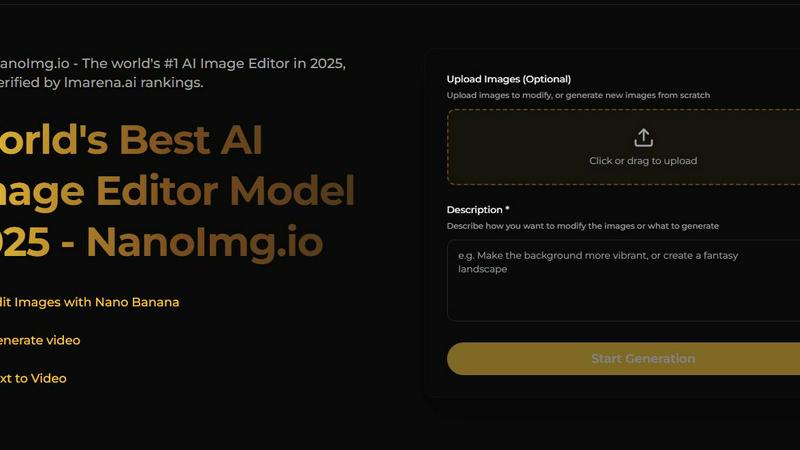
SparkPix

Feature Comparison
NanoImg
Unified AI Model Platform
NanoImg consolidates multiple state-of-the-art AI models into one seamless interface. Users can choose the perfect tool for their task, from the overall excellence of Nano Banana Pro to the ultra-fast editing of Flux Kontext and the cinematic video capabilities of Sora 2. This eliminates the need to juggle between different services, providing a centralized hub for all creative needs with consistent, high-quality outputs.
Intuitive Natural Language Editing
The platform revolutionizes image manipulation by allowing users to edit photos using simple text commands. Describe the change you want to see, and the AI handles the complex adjustments instantly. This feature removes the steep learning curve of traditional photo editing software, making advanced techniques like object removal, background changes, and style transfers accessible to anyone.
Rapid Generation and Consistency Tools
NanoImg excels at speed and coherence. Generate initial images from text in as little as 10 seconds with Nano Banana. More importantly, its advanced character consistency tools allow for the creation of uniform characters, objects, or styles across multiple images, which is essential for branding, storyboarding, and product visualization campaigns.
Extensive AI Tool Library
Beyond core generation and editing, NanoImg offers a curated suite of over 80 specialized AI tools. This includes everything from trending social media filters like the Bratz Doll or Barbie Filter, to practical utilities like Photo to Sketch, Black and White filters, and professional Vignette or Glitch effects, enabling limitless creative exploration from a single platform.
SparkPix
AI Photo Editor with Text Commands
This is the cornerstone feature of SparkPix. Instead of navigating complex menus and tools, you simply type what you want to achieve, such as "remove the tourist in the background" or "enhance colors and sharpen." The AI interprets your natural language request and applies precise edits to your uploaded image, delivering professional results in under 30 seconds. This makes advanced photo editing accessible to absolutely everyone, regardless of their skill level.
AI Background Remover
SparkPix offers a powerful, one-click solution for isolating subjects. Its AI is trained to handle a wide variety of scenes, from clean portrait shots and product photography to images with complex edges like hair or fur. It cleanly separates the foreground subject from the background, providing a transparent PNG or allowing for instant background replacement, which is essential for creating professional thumbnails, marketing materials, and social media content.
AI Photo Restoration & Enhancer
This dedicated toolset breathes new life into old or low-quality images. The restoration AI can intelligently repair scratches, tears, fading, and other damage commonly found in vintage family photos. Concurrently, the enhancer function can upscale resolution, reduce digital noise, sharpen details, and improve color balance in a single step, transforming blurry or pixelated shots into clear, high-definition memories or usable assets.
AI Style Transfer & Image Generator
SparkPix empowers creative transformation. The Style Transfer feature can convert any photo into over 15 artistic styles, including anime, oil painting, watercolor, and pencil sketch. Furthermore, its built-in AI Image Generator creates entirely new visuals from text prompts at resolutions up to 4K. This combination allows users to not only edit existing photos but also generate unique artwork, concepts, and design elements from imagination.
Use Cases
NanoImg
Social Media Content Creation
Create viral, on-brand visual content in seconds. From generating eye-catching posts and stories to applying trending AI filters and effects, NanoImg empowers marketers, influencers, and small businesses to maintain a consistent and engaging social media presence without requiring design expertise or a large budget.
E-commerce and Product Visualization
Transform product photography and mockup creation. Generate photorealistic lifestyle scenes, create unlimited product variations, and design professional marketing assets without expensive photoshoots. This drastically reduces costs and accelerates time-to-market for online stores and marketing teams.
Creative Storytelling and Character Design
Maintain perfect visual consistency for characters across hundreds of storyboard frames, book illustrations, or game assets. Writers, filmmakers, and game developers can use the character consistency tools to bring their narratives to life with coherent visuals that remain true to the original design from every angle.
Professional Marketing and Advertising
Produce high-conversion campaign visuals, ad creatives, and branded illustrations rapidly. The platform's ability to follow instructions and render text accurately makes it ideal for creating compelling posters, digital ads, and presentation materials that align perfectly with marketing messaging and brand guidelines.
SparkPix
E-commerce & Product Photography
Online sellers can use SparkPix to create polished, professional product images without a studio. Quickly remove distracting backgrounds, generate realistic product mockups in different settings, and enhance image quality to make items look more appealing on platforms like Shopify, Amazon, or Etsy. This streamlines catalog creation and helps products stand out in a crowded marketplace.
Social Media Content Creation
Content creators and marketers can rapidly produce eye-catching visuals for Instagram, TikTok, and YouTube. Easily remove unwanted objects or photobombers, apply trendy artistic filters with style transfer, generate custom graphics with the AI image generator, and create perfect thumbnails with clean background removal, all tailored to platform-specific aspect ratios.
Personal Photo Restoration & Enhancement
Individuals can preserve and revitalize precious family archives. Restore old, damaged, or faded photographs to their former glory, colorize black and white images to bring historical moments to life, and enhance blurry or low-quality personal snapshots. This use case is ideal for genealogy projects, creating digital family albums, or preparing photos for special occasions and gifts.
Professional Headshots & Formal Portraits
Create compliant passport, visa, or LinkedIn profile photos instantly. Using text prompts, users can generate professional headshots based on a reference image, specifying formal attire and a solid-color background. This eliminates the need for expensive photo studio sessions and provides a convenient, on-demand solution for professional networking and official documentation.
Overview
About NanoImg
NanoImg is the definitive all-in-one platform for AI-powered image generation and editing, designed to make professional-grade visual creation accessible to everyone. It consolidates the best AI models, including Nano Banana, Seedream, GPT Image 1, Flux Kontext, and Sora 2, into a single, intuitive browser-based workspace. The platform eliminates the traditional barriers of complex software, offering a frictionless experience where users can generate stunning images from text prompts in as little as 10 seconds or edit existing photos using simple natural language commands. Whether you need plug-and-play templates for social media, consistent character generation for branding, photorealistic product mockups for e-commerce, or cinematic video generation, NanoImg delivers Midjourney-level quality without the need for prompt engineering, layers, or manual masking. It is built for a broad spectrum of users, from complete beginners seeking fast results to creative professionals demanding precision and stylistic consistency, all within a no-install, free-to-start environment that hosts over 80 specialized AI tools.
About SparkPix
SparkPix is a sophisticated, web-based AI photo editor that transforms complex image editing into a simple, intuitive process. It democratizes professional-grade photo manipulation by allowing users to make edits through natural text instructions, eliminating the steep learning curve associated with traditional software like Photoshop. Designed for a broad audience, it serves content creators, social media managers, e-commerce entrepreneurs, photographers, and individuals looking to restore family memories. Its core value proposition lies in its powerful, AI-driven toolkit that delivers high-quality results—from background removal and photo restoration to artistic style transfer and object removal—in under 30 seconds. Accessible directly from any modern web browser on desktop or mobile, SparkPix offers a seamless, download-free experience. With a free tier to start and scalable pricing, it provides a practical and efficient solution for anyone needing to enhance, transform, or create compelling visual content without technical expertise.
Frequently Asked Questions
NanoImg FAQ
What AI models are available on NanoImg?
NanoImg provides access to a curated selection of leading AI models in one place. This includes Nano Banana (best for overall generation and consistency), Seedream 4.0 (for ultra-fast 4K processing), GPT Image 1 (superior for rendering text within images), Flux Kontext (for lightning-fast, style-preserving edits), and Sora 2 (for generating cinematic-quality videos).
Is NanoImg suitable for beginners with no design experience?
Absolutely. NanoImg is specifically designed to be accessible. Its intuitive, browser-based interface and natural language editing mean you can create professional images by simply describing what you want. There are no complex layers, manual masks, or prior prompt engineering knowledge required to start producing high-quality visuals.
Can I use NanoImg for free?
Yes, NanoImg operates on a free-to-start model. Users can begin generating and editing images online for free, which makes it easy to explore the platform's capabilities. Specific features, higher volumes of generation, or access to premium models may be part of upgraded plans.
How does NanoImg ensure character consistency across images?
NanoImg's advanced AI models, particularly Nano Banana, are engineered for multi-image fusion and style preservation. By using reference images and sophisticated algorithms, the platform can generate new images of the same subject—be it a person, mascot, or product—from different angles or in new scenarios while maintaining core visual features, colors, and style.
SparkPix FAQ
Is SparkPix really free to use?
Yes, SparkPix offers a free tier to get started. You receive 5 credits upon signing up without requiring a credit card, plus 1 additional credit daily. This allows you to test several AI edits and explore the platform's core functionalities. For higher-volume needs, affordable paid plans are available starting at $9.99.
What kind of edits can I make by typing?
You can instruct the AI to perform a vast array of edits. Common and effective commands include: "remove the background," "restore this scratched photo," "make it look like an oil painting," "enhance resolution and colors," "remove the person on the left," "change the background to a beach," or "colorize this black and white portrait." The more specific your prompt, the better the result.
Do I need to download any software?
No, SparkPix is entirely web-based. It works directly within your internet browser on any device, including Windows and Mac computers, iPhones, and Android phones. There is no software to download or install, ensuring easy access and immediate use from anywhere.
How does SparkPix compare to Photoshop?
SparkPix is designed for accessibility and speed, using AI to automate complex edits based on text commands, making it ideal for beginners and professionals seeking efficiency. Photoshop is a powerful, manual editing suite with a steep learning curve for full mastery. SparkPix excels at quick, AI-driven transformations, while Photoshop offers granular, manual control over every aspect of an image.
Alternatives
NanoImg Alternatives
NanoImg is a comprehensive AI image generation and editing platform that consolidates multiple leading models into a single, browser-based workspace. It belongs to the rapidly evolving category of AI-powered creative tools designed to produce studio-quality visuals from simple text prompts and natural language edits. Users may explore alternatives for various reasons, such as specific budget constraints, a need for different feature sets like advanced manual controls, or a preference for desktop applications over web-based platforms. Some may seek tools specialized in a single AI model's unique output style or require different licensing terms for commercial use. When evaluating other options, consider the core value of an all-in-one platform versus specialized tools. Key factors include the quality and diversity of the underlying AI models, the intuitiveness of the editing workflow, output consistency for branding, and the overall cost structure for your intended volume of use. The ideal tool balances powerful capability with an interface that matches your technical comfort level.
SparkPix Alternatives
SparkPix is an AI-powered online photo editor that simplifies complex image manipulation. It belongs to the growing category of web-based, text-driven creative tools that make advanced editing accessible without professional software. Users can type instructions to remove backgrounds, restore old photos, or apply artistic styles directly from their browser. People often explore alternatives for various reasons. Some may seek different pricing structures, more specialized features, or a platform that integrates with their existing workflow. Others might prioritize offline access, higher usage limits, or tools tailored for specific niches like professional graphic design or social media content creation. When evaluating other options, consider your primary use case. Look at the core editing capabilities, output quality, ease of use, and value for your budget. Also, assess whether the platform's access method—be it web, mobile app, or desktop software—aligns with how you prefer to work. The best choice balances powerful functionality with an intuitive interface that fits your needs.