
Imgezy vs MyImageUpscaler
Side-by-side comparison to help you choose the right AI tool.

Imgezy
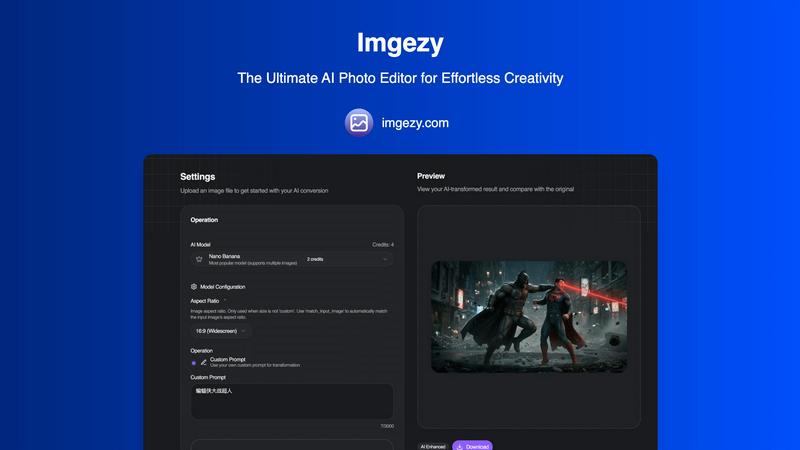
Imgezy is an AI photo editor that effortlessly removes objects and changes backgrounds for stunning, professional.
Last updated: February 28, 2026

MyImageUpscaler
Enhance and upscale your images instantly with MyImageUpscaler, featuring text preservation and a free tier for all.
Last updated: February 28, 2026
Visual Comparison
Imgezy
MyImageUpscaler

Feature Comparison
Imgezy
AI-Powered Editing
Imgezy leverages advanced artificial intelligence to automate the photo editing process. From removing distracting objects to enhancing image quality, the AI performs complex edits with just a few clicks, making the entire editing experience seamless and efficient.
Object Removal
One of Imgezy's standout features is its ability to remove unwanted objects from images with pixel-perfect accuracy. Whether it's a photobomber in your shot or distracting elements like power lines, the AI intelligently reconstructs the background, leaving no trace of the removed item.
Background Replacement
Users can instantly change the backgrounds of their photos to any desired scene. Whether you want a serene ocean view or a vibrant cityscape, Imgezy allows for quick and easy background swaps, transforming the overall feel of an image in seconds.
Photo Enhancement
Imgezy automatically enhances photos by adjusting colors, lighting, and sharpness. This feature ensures that your images pop and convey the intended mood, making them suitable for various applications, from personal albums to professional portfolios.
MyImageUpscaler
Advanced Detail Preservation
This feature utilizes sophisticated algorithms to ensure that when images are upscaled, fine details are not lost. The result is crisp images that maintain their original quality, making them perfect for professional use.
Fast Processing Speed
MyImageUpscaler processes images in under 10 seconds, allowing users to quickly enhance their visuals without waiting long. This rapid turnaround is ideal for busy professionals who need to work efficiently.
Batch Processing Capacity
With the ability to process up to 500 images simultaneously, MyImageUpscaler streamlines workflows for users dealing with large volumes of images. This feature is especially beneficial for e-commerce businesses and content creators.
Platform-Ready Presets
MyImageUpscaler offers tailored presets for various platforms like Amazon, Instagram, YouTube, and TikTok. These presets ensure that images are optimized for specific requirements, enhancing their visual appeal across different channels.
Use Cases
Imgezy
Social Media Content Creation
Imgezy is ideal for social media creators looking to enhance their posts. With its user-friendly interface and powerful editing capabilities, users can quickly produce eye-catching images that stand out in crowded feeds, driving engagement and likes.
E-Commerce Product Images
For e-commerce entrepreneurs, high-quality product images are crucial for attracting customers. Imgezy allows sellers to remove backgrounds and enhance photos, ensuring that their products are showcased in the best light, ultimately boosting sales.
Travel Blogging
Travel bloggers can utilize Imgezy to enhance their travel photos effortlessly. By removing unwanted distractions and swapping backgrounds, they can create stunning visuals that capture the essence of their adventures, making their blogs more appealing.
Casual Photography
Even casual photographers can benefit from Imgezy. Whether editing family photos or vacation snapshots, users can quickly make adjustments to create memorable images without needing extensive editing skills, preserving their cherished memories beautifully.
MyImageUpscaler
E-commerce Sellers
E-commerce sellers can benefit from MyImageUpscaler by enhancing product images to attract more customers. High-quality visuals lead to better engagement and increased sales, making it a vital tool for online retailers.
Content Creators on Social Media
Content creators can resize and enhance images for social media platforms effortlessly. By using MyImageUpscaler, they can ensure that their posts are visually appealing, helping to grow their audience and improve interaction rates.
Real Estate Agents
Real estate agents preparing MLS listings can utilize MyImageUpscaler to enhance property photos. High-resolution images can showcase properties more effectively, drawing potential buyers' attention and increasing interest.
Photographers Processing Large Batches
Photographers can streamline their workflow by processing large batches of images with MyImageUpscaler. This feature saves time and effort, allowing photographers to focus on their creative work rather than tedious image editing tasks.
Overview
About Imgezy
Imgezy is a groundbreaking AI photo editing tool that revolutionizes the way users approach image manipulation. Designed for a diverse audience ranging from social media influencers to e-commerce entrepreneurs, Imgezy allows anyone to achieve professional-grade photo edits without the need for extensive technical skills. Its core functionality hinges on transforming simple text prompts into stunning visual results. Users can describe specific changes they envision—be it removing unwanted objects, altering backgrounds, or enhancing colors—and the AI executes these commands with precision in mere seconds. By democratizing access to high-quality photo editing, Imgezy empowers users to unleash their creativity without the steep learning curve associated with traditional software. With over 200,000 satisfied users, Imgezy stands as the ultimate AI photo editor, providing limitless creative freedom and pixel-perfect results effortlessly.
About MyImageUpscaler
MyImageUpscaler is a cutting-edge AI-powered platform designed specifically for enhancing and upscaling images with remarkable precision. It caters to businesses, content creators, photographers, and e-commerce sellers who require high-quality visuals without the hassle of complex software. With state-of-the-art algorithms, MyImageUpscaler can boost image resolution 2x to 4x while maintaining sharpness and refining intricate details that matter most. The platform is user-friendly, allowing for rapid processing of images in under 10 seconds, which is crucial for professionals managing tight deadlines. Whether you are preparing product images for online stores, crafting marketing materials, or enhancing photos for social media, MyImageUpscaler ensures your visuals stand out. Its flexibility with batch processing—supporting up to 500 images at once—makes it an ideal solution for large projects. With a free tier offering 10 credits and no credit card requirement, MyImageUpscaler is accessible for users looking to elevate their visual content efficiently.
Frequently Asked Questions
Imgezy FAQ
How does Imgezy work?
Imgezy uses advanced AI algorithms to interpret user prompts and make photo edits. Users simply upload an image, describe the desired changes, and the AI processes the request in seconds, providing high-quality results.
Is there a learning curve for using Imgezy?
No, Imgezy is designed to be user-friendly, requiring no design experience. Users can achieve professional results by simply describing their desired edits in plain language.
What types of images can I edit with Imgezy?
Imgezy supports various image formats, including JPG, PNG, and WebP. Users can edit any type of photo, from personal snapshots to professional images, making it versatile for all needs.
Can I download my edited images?
Yes, after the AI processes the edits, users can preview the results and download their high-resolution images without any loss in quality, ensuring the final product meets their expectations.
MyImageUpscaler FAQ
What types of images can I upscale with MyImageUpscaler?
You can upscale a wide variety of images, including product photos, social media graphics, and professional photography. The platform is designed to enhance any image where quality matters.
How does MyImageUpscaler maintain image quality during upscaling?
MyImageUpscaler employs advanced AI algorithms that focus on detail preservation and sharpness enhancement, ensuring that images retain their quality even after significant enlargements.
Is there a limit to how many images I can process at once?
Yes, MyImageUpscaler allows batch processing of up to 500 images in one go. This feature is particularly useful for users who need to enhance multiple images quickly.
How does the free tier work?
The free tier of MyImageUpscaler includes 10 credits, allowing users to try the platform without any financial commitment. No credit card is required, making it accessible for anyone interested in enhancing their images.
Alternatives
Imgezy Alternatives
Imgezy is an innovative AI photo editor that simplifies the photo editing process by allowing users to make changes through intuitive text prompts. Designed for individuals ranging from social media influencers to casual photographers, Imgezy empowers users to achieve professional-quality edits without needing extensive technical knowledge. Its features include object removal and background replacement, making it a popular choice in the image and photo editing category. Users often seek alternatives to Imgezy for various reasons, such as pricing, specific feature sets, or compatibility with different platforms. When searching for an alternative, it’s essential to consider factors like ease of use, the range of editing capabilities offered, and the flexibility to integrate with existing workflows. Finding a tool that aligns with both creative vision and practical needs can enhance the overall editing experience.
MyImageUpscaler Alternatives
MyImageUpscaler is an AI-powered image enhancement and upscaling platform designed for businesses and content creators. It allows users to enhance and upscale photos quickly while preserving quality, making it an ideal tool for e-commerce sellers, real estate agents, and photographers alike. As users explore their options, they often seek alternatives due to factors such as pricing, specific features, or compatibility with their workflow and platform needs. When searching for an alternative, consider the core functionalities that matter most to you, such as processing speed, batch capabilities, and the quality of image enhancement. Additionally, evaluate whether the pricing structure aligns with your budget and whether the platform offers features like watermark-free images and easy integration with social media platforms. Finding the right match will ensure you continue to produce high-quality visuals efficiently.