
Image by Qwen vs Melograph
Side-by-side comparison to help you choose the right AI tool.

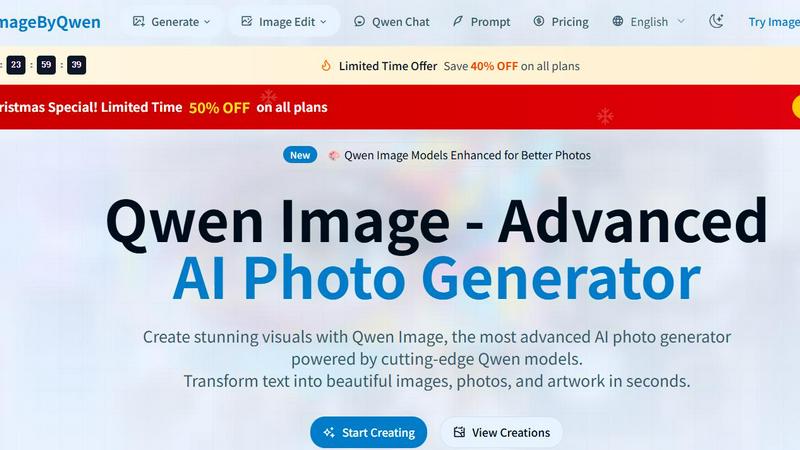
Image by Qwen
Qwen Image transforms text into stunning photorealistic visuals in seconds, powered by advanced AI technology.
Last updated: February 28, 2026

Melograph instantly creates stunning, platform-ready music videos from your tracks using customizable templates.
Last updated: February 28, 2026
Visual Comparison
Image by Qwen
Melograph

Feature Comparison
Image by Qwen
Advanced Qwen Models
Image by Qwen utilizes state-of-the-art AI models that produce superior photo quality, realism, and artistic nuance. These advanced models allow for intricate details and lifelike representations, ensuring that the images resonate with your creative vision.
Text-to-Image Generation
Easily convert any textual description into breathtaking images with the Qwen Image AI generator. This feature allows users to input detailed prompts, and the AI will interpret and visualize them, making the creative process intuitive and accessible.
High-Resolution Outputs
Generate images in high resolution, perfect for professional use. Whether for print media, digital marketing, or personal projects, Qwen Image ensures that your visuals are crisp, clear, and ready for any application.
Instant Photo Creation
Experience lightning-fast image generation, with professional-quality results delivered in seconds. The optimized processing pipeline of Qwen Image means users can create and download images quickly, enhancing productivity and creativity.
Melograph
Audio-Reactive Template Library
Melograph offers a curated selection of premium, designer-crafted templates that automatically sync to your music. Each template features distinct visual styles—minimal, cinematic, retro, futuristic—ensuring you can find a vibe that perfectly complements your track's genre and mood. The visuals are not static; they dynamically react to the audio waveform, creating a seamless and engaging connection between sound and sight without any manual animation work required from the user.
Intuitive, No-Timeline Workflow
The platform eliminates the steep learning curve of conventional video editors. There is no complex timeline to manage, no plugins to install, and no technical headaches. The entire creation process is built around three simple steps: choosing a template, uploading your audio with basic customization (artist name, song title, optional logo), and exporting the final video. This streamlined approach makes professional visual creation accessible to anyone, regardless of prior editing experience.
Platform-Optimized Exports
Every video generated by Melograph is exported as a high-quality 1080p MP4 file, optimized for sharing across all major platforms. The tool ensures that critical elements like artist and song title text remain clean, legible, and perfectly framed for mobile-first platforms like TikTok, Instagram Reels, and YouTube Shorts. This guarantees your visual content looks professional and intentional everywhere your audience consumes it.
Fast Browser-Based Rendering
Melograph operates entirely within your web browser, requiring no software downloads. The rendering process is fast and local, meaning your audio file is processed quickly on your device without needing to be uploaded to a remote server for lengthy processing. This results in a swift turnaround, from customization to final export, allowing you to create and publish visuals in a single, efficient session.
Use Cases
Image by Qwen
Professional Photography
Photographers can use Image by Qwen to generate unique backdrops or elements for their shoots, allowing for greater creative flexibility and the ability to visualize concepts before shooting.
Marketing and Advertising
Marketing professionals can create eye-catching visuals tailored to specific campaigns, enabling them to produce high-quality promotional materials quickly and efficiently, enhancing engagement with their audience.
Artistic Exploration
Artists can experiment with different styles and concepts without the need for extensive physical resources. Qwen Image provides a platform for artists to explore new ideas and techniques in a digital format.
Content Creation for Social Media
Social media managers can effortlessly generate stunning visuals for posts, ensuring that their content stands out in a crowded digital landscape. This capability allows for consistent and visually appealing branding across platforms.
Melograph
Indie Artist Music Releases
Independent artists can use Melograph to create eye-catching, professional video assets for new single or album releases. By providing a visually compelling accompaniment to their music, they can enhance their presence on streaming platforms like Spotify and Apple Music, and create shareable content for social media to drive engagement and attract new listeners without the budget for a full-scale music video.
Social Media Promotion for Producers
Producers and beatmakers can quickly turn their instrumental tracks into scroll-stopping visual content for platforms like Instagram, TikTok, and YouTube. A captivating audio-reactive video is far more effective at stopping a scrolling user than a static image or audio waveform alone, helping to showcase new beats, promote beat stores, and build a stronger visual brand identity online.
Label & DJ Marketing Content
Record labels and DJs can utilize Melograph to maintain a consistent and high-quality visual standard across multiple releases or promotional campaigns. The tool allows for rapid batch creation of visuals for various tracks, ensuring a cohesive brand aesthetic. DJs can create visuals for mix previews, event promotions, or highlight reels, adding a dynamic layer to their online content strategy.
Content for Music Creators & Educators
Music teachers, composers, and content creators can use Melograph to visualize musical concepts, create engaging educational content, or produce background visuals for live performances and presentations. The ability to easily sync complex audio to elegant motion graphics provides a powerful tool for explaining musical structure or simply creating an ambient visual backdrop.
Overview
About Image by Qwen
Image by Qwen is a groundbreaking AI-driven photo generation tool that empowers users to turn their creative visions into stunning, photorealistic images in mere seconds. Built on advanced Qwen models, this platform takes simple text inputs and crafts them into captivating visuals, making it an invaluable resource for photographers, artists, marketers, and content creators. Whether you're seeking a tranquil landscape, a vibrant cityscape of the future, or a detailed artistic portrait, Qwen Image meets your needs with exceptional quality. Its user-friendly interface ensures that even those with minimal technical skills can navigate the platform effortlessly. With features such as high-resolution outputs and rapid processing times, Image by Qwen stands out in the AI image generation market, allowing users to unleash their creativity and manifest their ideas into reality seamlessly.
About Melograph
Melograph is a purpose-built, web-based music visualizer maker designed to liberate musicians and creators from the complexities of traditional video editing. It transforms the often tedious process of creating promotional visuals into a simple, intuitive, and fast experience. The core philosophy is to provide stunning, audio-reactive videos in minutes, not hours. Users bypass complicated timelines and software by selecting from a curated library of premium templates that embody distinct moods—from chill and cinematic to retro and futuristic. The workflow is elegantly straightforward: upload your audio track, input your artist name and song title, and export a high-quality, platform-ready video. This tool is meticulously crafted for indie artists, producers, labels, DJs, and creators who demand professional, consistent visuals to enhance their music releases without investing significant time, money, or technical skill. Melograph’s primary value proposition is its singular focus on streamlining visual creation, allowing artists to concentrate on their sound while effortlessly generating captivating content for social media, streaming platforms, and promotional campaigns.
Frequently Asked Questions
Image by Qwen FAQ
How does Image by Qwen generate images?
Image by Qwen employs advanced AI models that interpret text descriptions and transform them into visually striking images. Users simply input their desired concepts, and the AI handles the rest.
Can I edit images once they are generated?
Yes, Image by Qwen includes editing capabilities that allow users to refine and adjust their generated images, enabling customization to meet specific needs or preferences.
What types of images can I create with Qwen Image?
You can create a wide variety of images, including photorealistic landscapes, artistic portraits, and imaginative cityscapes. The platform supports multiple styles to match your vision.
Is there a limit to how many images I can generate?
Image by Qwen provides various plans, including options for unlimited daily generations. Users can choose a plan that best suits their creative needs and frequency of use.
Melograph FAQ
Do I need video editing experience to use Melograph?
No, you do not need any prior video editing experience. Melograph is specifically designed to be intuitive and accessible. If you can select a template, upload your audio file, and type in your song details, you have all the skills necessary to create a professional music visualizer. The platform removes all complex editing steps.
Are the exported videos suitable for TikTok and Instagram Reels?
Yes, absolutely. All videos exported from Melograph are generated in 1080p high-definition and are formatted to be platform-friendly. The design ensures that text and key visual elements are framed correctly for mobile screens, making them perfectly sized and optimized for vertical platforms like TikTok, Instagram Reels, and YouTube Shorts.
Can I use Melograph for commercial purposes?
Yes, commercial use is allowed. Once you export a video using a paid plan (which removes the watermark), you own the output file and are free to use it for commercial purposes. This includes promoting your music, using it in monetized social media content, on streaming platforms, or as part of paid advertising campaigns.
Is Melograph a web-based application, and do I need to download software?
Melograph is entirely web-based. You access and use it directly through your internet browser (like Chrome or Safari) without any need to download or install software. All processing and rendering happen locally in your browser for speed and convenience, and your projects are managed within your account on the Melograph website.
Alternatives
Image by Qwen Alternatives
Image by Qwen is an innovative AI-powered photo generator that specializes in transforming text descriptions into stunning, photorealistic images in a matter of seconds. Catering to photographers, artists, marketers, and content creators, this tool falls under the image and photo category, offering users a seamless experience in visual creation. Users often seek alternatives to Image by Qwen for various reasons, including pricing, specific feature sets, or platform compatibility. When choosing an alternative, it's essential to consider factors such as the quality of image output, the range of styles available, processing speed, and overall user experience. Ensuring that the alternative aligns with your creative needs will enhance your project outcomes and streamline your workflow.
Melograph Alternatives
Melograph is a web-based music visualizer maker, designed to effortlessly transform audio tracks into professional videos. It belongs to the category of automated video creation tools, specifically tailored for musicians and creators who need high-quality, audio-reactive visuals without the steep learning curve of traditional editing software. Users often explore alternatives for various reasons. These can include budget constraints, a need for different features like more granular customization, specific platform requirements such as desktop software, or simply a desire to compare options within this growing niche of content creation tools. When evaluating other solutions, consider your primary needs. Key factors are the balance between ease-of-use and creative control, the quality and style of available templates, export resolution and format options, and of course, the overall value relative to the cost. The right tool should align with your technical comfort and visual goals.