
GPT Image 2 vs Image to Image Maker
Side-by-side comparison to help you choose the right AI tool.

GPT Image 2
GPT Image 2 generates photorealistic AI images with razor-sharp text and true color accuracy.
Last updated: April 13, 2026

Image to Image Maker
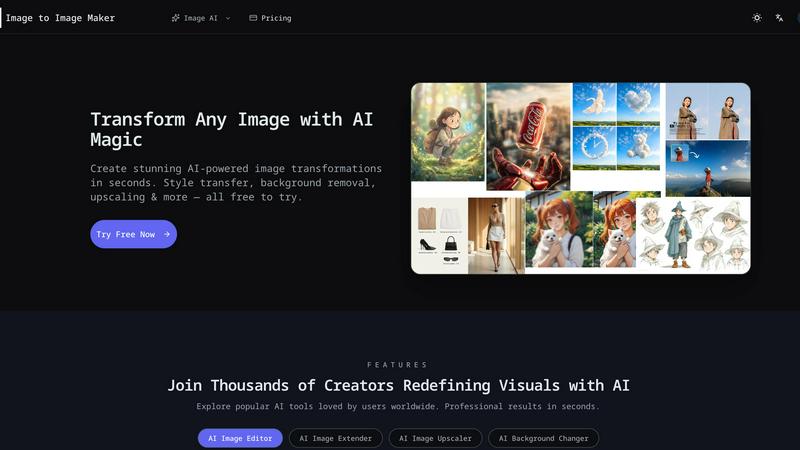
Transform any photo into a stunning, studio-ready image in seconds with our powerful AI image editor.
Last updated: February 28, 2026
Visual Comparison
GPT Image 2
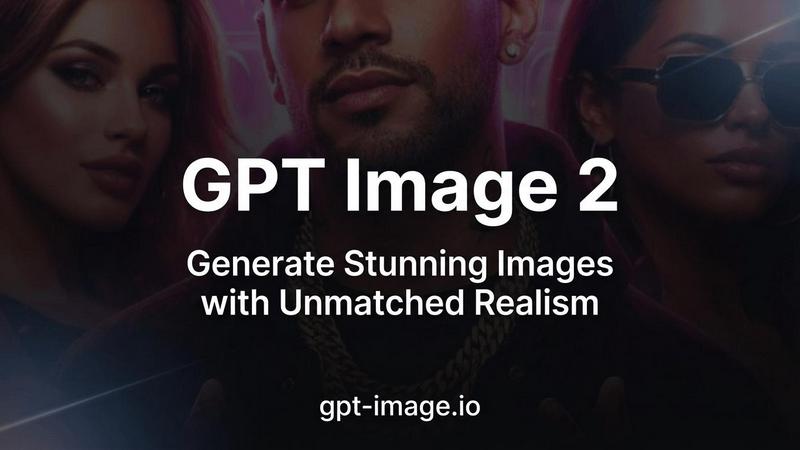
Image to Image Maker
Feature Comparison
GPT Image 2
Razor-Sharp Text Rendering
GPT Image 2 achieves a major breakthrough in AI-generated imagery by rendering text with over 95% accuracy. This feature ensures that words, logos, and signage within images are crisp, legible, and correctly spelled, eliminating a common pain point in AI art generation. It is indispensable for creating posters, social media graphics, product mockups, and any design where embedded text must be perfectly clear and professional.
Photorealistic 4K Output
The model generates images with stunning, lifelike detail that rivals professional photography, supporting resolutions up to 4096x4096. It masters natural lighting, textures, and composition to produce visuals that are nearly indistinguishable from real photographs. This makes it an ideal tool for creating realistic product shots, architectural visualizations, concept art, and any application where authentic realism is paramount.
True Color Accuracy
GPT Image 2 eliminates the warm yellow color cast prevalent in earlier AI models, delivering neutral and true-to-life color reproduction. This advanced color science ensures that the generated images faithfully reflect your creative intent, providing natural skin tones, accurate product colors, and balanced lighting that requires minimal to no post-processing correction.
Deep World Knowledge & Context
Leveraging extensive training, the model possesses a rich understanding of complex scenes, cultural context, and real-world details. This deep world knowledge allows it to generate nuanced and contextually accurate imagery across any subject matter, from historical scenes and scientific concepts to contemporary fashion and intricate landscapes, ensuring the output is both intelligent and coherent.
Image to Image Maker
Fast Retouch & Style
The Fast Retouch & Style feature allows users to refine images quickly and effectively. With AI-powered editing tools, you can enhance skin tones, adjust lighting, and modify colors in mere seconds. This is particularly useful for creating polished e-commerce images, social media portraits, and marketing materials, ensuring a consistent brand aesthetic while expediting the production process.
Cutout & Extend
Cutout & Extend is a powerful feature that simplifies the process of removing unwanted elements from your images. By employing the AI Object Remover, users can eliminate distractions and then utilize the AI Image Extender to seamlessly expand the frame. This capability ensures that margins remain clean and consistent, making it ideal for creating layouts, banners, and cover art without the hassle of manual adjustments.
Enhance & Restore
With the Enhance & Restore feature, users can upscale their images for improved clarity and detail. This tool includes the AI Image Upscaler, Photo Colorizer, and AI Unblur Image, making it perfect for transforming scanned prints and low-resolution assets into high-quality visuals. The enhancement process retains the original character of the image while delivering sharper edges and richer tones.
Create & Animate
The Create & Animate feature allows users to generate unique styles and animations from their images. By converting photos into cartoons or creating avatars, users can then animate these creations with the Image to Video tool. This is particularly beneficial for producing engaging campaign visuals, social media content, and motion clips for various marketing applications.
Use Cases
GPT Image 2
Marketing & Advertising Asset Creation
Professionals can rapidly generate high-quality visuals for campaigns, including realistic product mockups, lifestyle imagery, and social media ads with flawless embedded text. This streamlines content production, reduces dependency on stock photos and photoshoots, and enables highly customized, brand-specific visuals at scale.
Concept Art & Storyboarding
Artists and filmmakers can quickly visualize ideas and iterate on concepts for characters, environments, and scenes. The photorealistic output and deep world knowledge allow for the creation of detailed, coherent concept art that effectively communicates creative direction and serves as a powerful tool for pre-production planning.
E-commerce & Product Visualization
Online retailers can create photorealistic images of products in various settings or configurations without the need for expensive physical samples and photography studios. This is perfect for showcasing customizations, visualizing items in different colors, or placing products in aspirational contexts to enhance customer engagement and drive sales.
Graphic Design & Illustration
Designers can leverage the model's versatility across 50+ artistic styles to produce everything from logos and poster designs with sharp text to illustrations in watercolor, 3D, or digital art styles. It acts as a powerful creative assistant, expanding a designer's capability to explore ideas and execute complex visual projects efficiently.
Image to Image Maker
Professional Photography
Professional photographers can leverage Image to Image Maker to enhance their portfolio images with minimal effort. By using the AI tools to retouch and style photographs, they can achieve a polished look that attracts clients and showcases their skills effectively.
E-commerce Product Images
E-commerce businesses can utilize the platform’s capabilities to create eye-catching product images. By quickly removing backgrounds and refining details, online sellers can generate professional-quality visuals that enhance product presentation and drive sales.
Social Media Content Creation
Content creators and influencers can benefit from the platform by producing stunning visuals for their social media profiles. The ability to transform images, create unique styles, and animate content allows for more engaging posts that resonate with audiences.
Marketing Campaigns
Marketers can use the Image to Image Maker to create compelling visuals for advertisements and promotional materials. The tool enables quick iterations and adjustments, allowing teams to test various designs and styles for optimal audience impact.
Overview
About GPT Image 2
GPT Image 2 is a next-generation AI image generator designed to set a new benchmark for visual quality and creative precision. It transforms text descriptions into stunningly realistic images with an unprecedented level of detail and accuracy. Built for professionals, designers, marketers, and creators who refuse to compromise on quality, it delivers production-ready visuals in under 30 seconds. Its core value proposition lies in combining razor-sharp text rendering, true photorealistic output, and deep world knowledge into a single, powerful tool. This allows users to generate images that are not only visually captivating but also contextually accurate and rich in nuance, effectively bridging the gap between creative vision and final asset. Whether you need a hyper-realistic product mockup, a detailed scene with legible text, or an artistic illustration, GPT Image 2 provides the fidelity and control required for professional work.
About Image to Image Maker
Image to Image Maker is an innovative online platform that harnesses the power of artificial intelligence to transform the way artists, designers, and content creators approach image editing and enhancement. By utilizing cutting-edge image-to-image generation technology, this platform enables users to take existing images and explore limitless creative possibilities. Whether you are aiming to modify styles, enhance details, reinterpret compositions, or extend visual concepts, Image to Image Maker preserves the essence of your original artwork while elevating its quality to professional standards. Its intuitive user interface caters to both novice creators and seasoned professionals, allowing for complex edits to be made effortlessly. With a suite of powerful tools at your fingertips, this platform not only saves time but also empowers users to generate stunning visuals quickly and efficiently, making it a compelling alternative to traditional editing software.
Frequently Asked Questions
GPT Image 2 FAQ
How accurate is the text rendering in GPT Image 2?
GPT Image 2 sets a new industry standard with over 95% text accuracy in generated images. It excels at rendering legible, correctly spelled words within complex scenes, making it exceptionally reliable for creating graphics, posters, and designs that incorporate text, a task where most other AI image models struggle significantly.
What resolutions does GPT Image 2 support?
The model supports high-resolution outputs up to 4K (4096x4096). This ensures that generated images are suitable for professional applications, including large-format printing, high-definition digital displays, and any project where fine detail and clarity are critical, providing studio-quality results directly from your prompt.
How does GPT Image 2 achieve its photorealistic quality?
It combines an advanced neural architecture with sophisticated training on diverse, high-quality datasets. This enables the model to master intricate details like natural lighting, realistic textures, material properties, and accurate human anatomy, producing images that are consistently rated as the most realistic in user preference studies.
Can I try GPT Image 2 for free?
Yes, new users receive free credits to experience the platform's capabilities. There is also a limited-time offer of 50% off all plans, making it easy to explore the tool's advanced features and integrate it into your creative workflow before committing to a subscription.
Image to Image Maker FAQ
What is Image to Image Maker and how does it work?
Image to Image Maker is an AI-powered online platform that allows users to transform existing images into enhanced versions through various editing tools. Users upload their images, apply desired edits, and download the final product in high resolution.
Is the AI image editor free to use?
The platform offers a range of free tools and features, but some advanced functionalities may require a subscription or payment. Users are encouraged to explore the tool to understand its capabilities and any associated costs.
What types of image transformations can I create?
Users can create a wide variety of transformations, including style transfers, background replacements, enhancements, and animations. The platform’s diverse set of tools caters to various artistic needs and creative projects.
Can I use the AI image editor for commercial projects?
Yes, users can utilize the Image to Image Maker for commercial projects. However, it is recommended to review the platform’s terms of service to ensure compliance with any commercial use guidelines.
Alternatives
GPT Image 2 Alternatives
GPT Image 2 is a leading tool in the AI image generation category, known for its ability to create photorealistic images from text descriptions. It distinguishes itself with advanced text rendering and a deep understanding of complex prompts, offering a free online experience for users to explore. Users often seek alternatives for various reasons, including specific budgetary constraints, the need for different artistic styles beyond photorealism, or integration with other creative platforms and workflows. The search for the right tool is highly personal and depends on one's unique project requirements. When evaluating other options, consider the core output quality, the nuance of its text-to-image interpretation, and the overall user experience. A quality alternative should align with your creative vision while offering a reliable and intuitive generation process.
Image to Image Maker Alternatives
Image to Image Maker is an innovative AI-powered online platform designed for artists, designers, and content creators to transform and enhance images effortlessly. It falls under the category of image editing software and leverages advanced technology to facilitate creative exploration and professional-level enhancements. Users often seek alternatives to Image to Image Maker for various reasons, such as pricing, specific feature sets, or platform compatibility. With the multitude of options available, it's essential to consider factors like ease of use, the breadth of editing capabilities, and overall value when searching for a suitable alternative. When choosing an alternative, look for tools that offer similar functionalities, such as AI-driven enhancements, user-friendly interfaces, and a variety of creative options. Additionally, consider the support and resources available, including tutorials, customer service, and community engagement. A well-rounded alternative should cater to your specific needs while providing a seamless user experience that fosters creativity and efficiency.