
ErasewatermarkAI vs MyImageUpscaler
Side-by-side comparison to help you choose the right AI tool.

ErasewatermarkAI
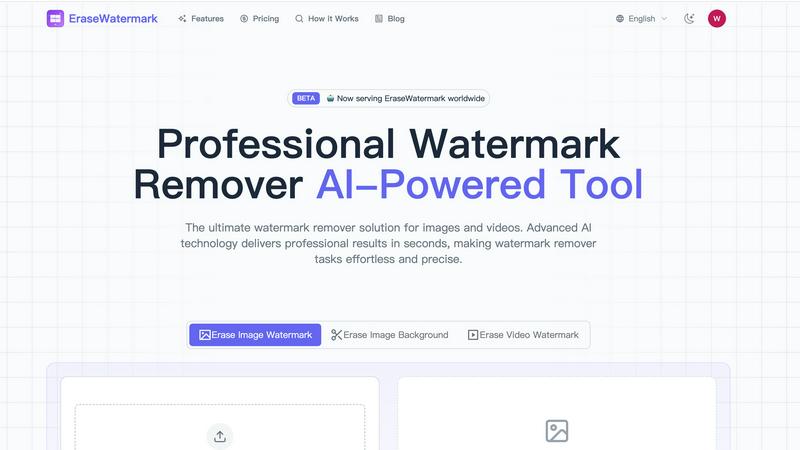
EraseWatermarkAI swiftly removes unwanted watermarks from images and videos, ensuring pristine quality and detail.

MyImageUpscaler
Enhance and upscale your images instantly with MyImageUpscaler, featuring text preservation and a free tier for all.
Last updated: February 28, 2026
Visual Comparison
ErasewatermarkAI
MyImageUpscaler

Feature Comparison
ErasewatermarkAI
AI Precision
ErasewatermarkAI employs state-of-the-art artificial intelligence algorithms to intelligently detect and erase watermarks. This precision ensures that the original quality and details of the image or video are preserved, providing users with a seamless result.
Fast & Convenient Processing
With ErasewatermarkAI, you can upload your files and receive a clean, watermark-free version in just a few clicks. This fast processing time allows for a streamlined workflow, making it an ideal solution for professionals who need quick results.
Multi-Format Support
The platform supports a variety of popular image and video formats, including JPG, PNG, MP4, and MOV. This versatility ensures that users can work with a wide range of media types, catering to various creative and professional needs.
Secure & Private Use
Privacy is paramount with ErasewatermarkAI. All uploaded files are processed securely, and the platform guarantees that your content is automatically deleted after processing. This commitment to privacy gives users peace of mind when using the tool.
MyImageUpscaler
Advanced Detail Preservation
This feature utilizes sophisticated algorithms to ensure that when images are upscaled, fine details are not lost. The result is crisp images that maintain their original quality, making them perfect for professional use.
Fast Processing Speed
MyImageUpscaler processes images in under 10 seconds, allowing users to quickly enhance their visuals without waiting long. This rapid turnaround is ideal for busy professionals who need to work efficiently.
Batch Processing Capacity
With the ability to process up to 500 images simultaneously, MyImageUpscaler streamlines workflows for users dealing with large volumes of images. This feature is especially beneficial for e-commerce businesses and content creators.
Platform-Ready Presets
MyImageUpscaler offers tailored presets for various platforms like Amazon, Instagram, YouTube, and TikTok. These presets ensure that images are optimized for specific requirements, enhancing their visual appeal across different channels.
Use Cases
ErasewatermarkAI
Social Media Content Creation
Content creators can use ErasewatermarkAI to remove watermarks from stock images and videos, allowing them to enhance their social media posts with clean visuals that attract more engagement and attention.
Marketing Asset Development
Marketers can benefit from ErasewatermarkAI by cleaning up promotional materials and advertisements, ensuring that all visual content is professional and free from distractions, ultimately enhancing brand image.
E-Commerce Product Listings
Online sellers can utilize the tool to remove watermarks from product images, providing potential customers with clear and enticing visuals that showcase their products without any interference.
Educational and Tutorial Content
Educators and trainers can use ErasewatermarkAI to prepare instructional videos and materials by removing watermarks from resources, thereby ensuring that their content is polished and easy to follow for learners.
MyImageUpscaler
E-commerce Sellers
E-commerce sellers can benefit from MyImageUpscaler by enhancing product images to attract more customers. High-quality visuals lead to better engagement and increased sales, making it a vital tool for online retailers.
Content Creators on Social Media
Content creators can resize and enhance images for social media platforms effortlessly. By using MyImageUpscaler, they can ensure that their posts are visually appealing, helping to grow their audience and improve interaction rates.
Real Estate Agents
Real estate agents preparing MLS listings can utilize MyImageUpscaler to enhance property photos. High-resolution images can showcase properties more effectively, drawing potential buyers' attention and increasing interest.
Photographers Processing Large Batches
Photographers can streamline their workflow by processing large batches of images with MyImageUpscaler. This feature saves time and effort, allowing photographers to focus on their creative work rather than tedious image editing tasks.
Overview
About ErasewatermarkAI
ErasewatermarkAI is an innovative online tool designed to effortlessly remove unwanted watermarks from images and videos in mere seconds. Leveraging advanced artificial intelligence technology, this platform provides users with a seamless and efficient solution for cleaning up their visual content. Whether you're a content creator, marketer, or business professional, ErasewatermarkAI caters to your needs by ensuring that your images and videos maintain their original quality while getting rid of distracting watermarks. With its user-friendly interface, you can upload files directly through your browser without the hassle of downloads or complex setups. The main value proposition lies in its ability to save time and enhance the quality of your visuals, making it an essential tool for anyone looking to produce polished and professional-looking media.
About MyImageUpscaler
MyImageUpscaler is a cutting-edge AI-powered platform designed specifically for enhancing and upscaling images with remarkable precision. It caters to businesses, content creators, photographers, and e-commerce sellers who require high-quality visuals without the hassle of complex software. With state-of-the-art algorithms, MyImageUpscaler can boost image resolution 2x to 4x while maintaining sharpness and refining intricate details that matter most. The platform is user-friendly, allowing for rapid processing of images in under 10 seconds, which is crucial for professionals managing tight deadlines. Whether you are preparing product images for online stores, crafting marketing materials, or enhancing photos for social media, MyImageUpscaler ensures your visuals stand out. Its flexibility with batch processing—supporting up to 500 images at once—makes it an ideal solution for large projects. With a free tier offering 10 credits and no credit card requirement, MyImageUpscaler is accessible for users looking to elevate their visual content efficiently.
Frequently Asked Questions
ErasewatermarkAI FAQ
How effective is ErasewatermarkAI?
ErasewatermarkAI achieves an impressive success rate of over 95% in removing watermarks while preserving the original quality of images and videos. The AI's training on millions of samples ensures it can adeptly handle various watermark types.
What types of watermarks can it remove?
The tool can effectively remove a wide range of watermarks, including text, logos, transparent overlays, and even complex multi-layered watermarks from both images and videos, showcasing its advanced capabilities.
Is my uploaded content stored or shared?
No, your privacy is a top priority at ErasewatermarkAI. All uploaded images and videos are processed in real-time and are automatically deleted after the processing is complete, ensuring your content remains confidential.
How long does processing take?
Processing with ErasewatermarkAI is exceptionally fast, typically taking just a few seconds to remove watermarks from your images and videos. This speed allows users to quickly obtain the clean results needed for their projects.
MyImageUpscaler FAQ
What types of images can I upscale with MyImageUpscaler?
You can upscale a wide variety of images, including product photos, social media graphics, and professional photography. The platform is designed to enhance any image where quality matters.
How does MyImageUpscaler maintain image quality during upscaling?
MyImageUpscaler employs advanced AI algorithms that focus on detail preservation and sharpness enhancement, ensuring that images retain their quality even after significant enlargements.
Is there a limit to how many images I can process at once?
Yes, MyImageUpscaler allows batch processing of up to 500 images in one go. This feature is particularly useful for users who need to enhance multiple images quickly.
How does the free tier work?
The free tier of MyImageUpscaler includes 10 credits, allowing users to try the platform without any financial commitment. No credit card is required, making it accessible for anyone interested in enhancing their images.