
BlitzCut vs Grok Video
Side-by-side comparison to help you choose the right AI tool.

BlitzCut
BlitzCut is an AI video editor that swiftly removes silences and adds captions, turning raw clips into shareable.
Last updated: February 28, 2026

Grok Video
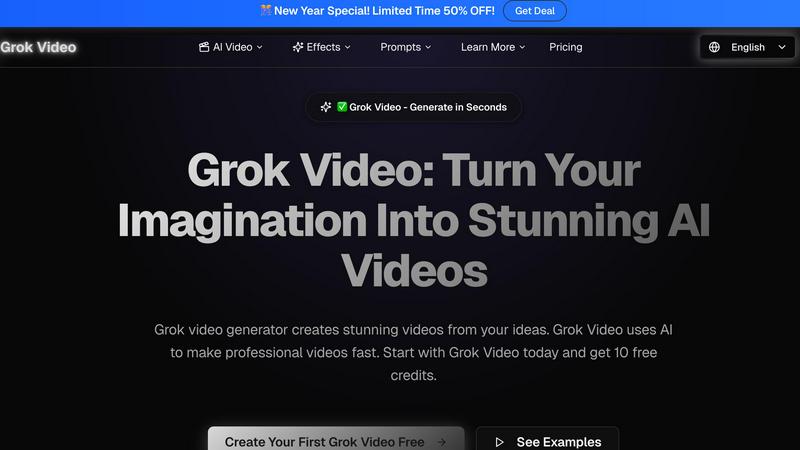
Grok Video transforms your ideas into stunning, professional-quality videos in minutes using advanced AI technology.
Last updated: April 13, 2026
Visual Comparison
BlitzCut

Grok Video
Feature Comparison
BlitzCut
Automatic Silence Removal
BlitzCut's Automatic Silence Removal feature utilizes advanced AI algorithms to detect and eliminate pauses in video clips instantly. This process not only saves time but also enhances the flow of the content, ensuring that viewers remain engaged without unnecessary breaks. The AI processes edits in real-time, allowing creators to focus on their storytelling without the burden of manual editing.
AI Captions
With an impressive accuracy rate of over 95%, the AI Captions feature automatically generates subtitles that are styled to be visually appealing and suitable for viral content. This functionality is ideal for creators who want to ensure their videos are accessible and engaging while maintaining high production quality. The captions are generated quickly, allowing for seamless integration into the video editing workflow.
Text-Based Editing
The Text-Based Editing feature revolutionizes the editing process by allowing users to edit video content directly from the transcription. Creators can easily remove sentences or sections of the video by simply deleting text from the transcript, making the editing process intuitive and straightforward. This functionality significantly reduces the time spent on traditional editing techniques.
Mobile-First Experience
BlitzCut is built with a mobile-first approach, ensuring that users can edit videos effortlessly on their iPhone, iPad, or Mac. The interface is designed for touch interaction, making it easy to navigate and utilize the app's features on the go. This mobile-centric design caters to the needs of modern creators who prioritize convenience and efficiency in their content production.
Grok Video
Lightning-Fast Video Generation
Grok Video revolutionizes the video creation process with lightning-fast generation times, allowing users to produce stunning videos in just 2-5 minutes. While many traditional video editing tools require hours of work, Grok Video streamlines the process so you can generate high-quality content quickly, saving you time and enhancing your productivity.
Simple Text-to-Video Magic
With Grok Video, creating videos is as simple as describing your vision in plain English. The AI understands your creative intent and translates it into captivating motion graphics, eliminating the need for complex software skills. This feature makes video creation accessible to everyone, regardless of their technical background.
Crystal-Clear 4K Quality
Every video generated with Grok Video boasts stunning 4K resolution, ensuring that your content looks sharp and professional on any device. Whether you are sharing videos on YouTube, Instagram, or TikTok, the high-quality output elevates your content and grabs your audience's attention.
Transform Photos into Videos
Grok Video allows users to breathe life into static images by transforming them into dynamic videos. By uploading a reference photo, creators can animate their memories, product images, or artwork, resulting in captivating visual storytelling that engages viewers and enhances your content's appeal.
Use Cases
BlitzCut
Social Media Content Creation
Content creators can leverage BlitzCut to produce engaging videos for platforms like TikTok and Instagram in mere minutes. The automatic silence removal and captioning features streamline the editing process, allowing creators to maintain a consistent posting schedule without sacrificing quality.
Vlogging
Vloggers can benefit from BlitzCut's efficiency, as they often have long, unedited footage. The app quickly removes silences and adds captions, turning raw clips into polished videos ready for their audience. This capability is essential for maintaining viewer interest and engagement.
Educational Videos
Educators and trainers can use BlitzCut to create informative and visually appealing educational videos. With automatic captions, their content becomes more accessible to diverse audiences, while the quick editing process allows for timely updates and new content creation.
Marketing and Promotion
Businesses and marketers can utilize BlitzCut to produce promotional videos rapidly. The ability to create polished video content quickly allows for agile marketing strategies, enabling brands to respond to trends and engage with their audience more effectively.
Grok Video
Social Media Content Creation
Grok Video is an invaluable tool for social media managers and influencers looking to generate engaging video content quickly. By leveraging the platform's intuitive prompt system, users can create eye-catching videos tailored to their audience, leading to increased engagement and follower growth on various platforms.
Marketing Campaigns
Businesses can harness Grok Video to produce professional marketing videos in minutes instead of hours. The tool's fast generation capability, combined with high-quality output, allows marketing teams to create compelling promotional content that resonates with their target audience, ultimately driving higher conversion rates.
Educational Videos
Educators and trainers can utilize Grok Video to create informative and engaging educational content that enhances learning experiences. By turning complex concepts into visually appealing videos, Grok Video helps educators capture students' attention and simplify information delivery.
Personal Projects and Memories
Grok Video is perfect for individuals looking to create memorable videos for personal projects, such as family events, travel experiences, or artistic expressions. By animating photos or crafting unique narratives, users can preserve and share their cherished memories in a visually captivating format.
Overview
About BlitzCut
BlitzCut is an innovative AI-powered video editing tool designed to streamline the video creation process for content creators, particularly those focusing on social media platforms like TikTok, Instagram, and YouTube. It addresses the common pain points associated with traditional video editing, which can be time-consuming and cumbersome. BlitzCut automates tedious tasks such as silence removal and caption generation, allowing creators to produce high-quality videos in a fraction of the time. With a mobile-first design, it caters to users on iPhone, iPad, and Mac, making professional video editing accessible anytime, anywhere. The main value proposition of BlitzCut lies in its ability to enable creators to focus on their content rather than the editing process, facilitating daily posting and engagement without the hassle of complex editing workflows.
About Grok Video
Grok Video is an innovative AI-powered video generation tool that transforms your ideas into stunning videos in just minutes. Designed for content creators, marketers, and individuals looking to elevate their video content, Grok Video offers a user-friendly interface that requires no technical expertise. Simply provide a text prompt, and Grok Video's advanced AI algorithms bring your vision to life, resulting in professional-quality videos that are perfect for social media, marketing campaigns, or personal projects. With features such as fast generation times and crystal-clear 4K output, Grok Video ensures that your content stands out in a crowded digital landscape. Whether you are looking to create engaging social media posts, promotional videos, or artistic animations, Grok Video empowers you to produce exceptional content effortlessly. Join thousands of satisfied users who leverage Grok Video for their video needs and start creating your first video with free credits today!
Frequently Asked Questions
BlitzCut FAQ
How does BlitzCut automate silence removal?
BlitzCut uses advanced AI technology to detect silences in video footage and automatically removes them. This process is completed in real-time, significantly reducing the time required for manual edits.
Can I use BlitzCut on multiple devices?
Yes, BlitzCut is designed to work seamlessly on iPhone, iPad, and Mac. This mobile-first approach allows users to edit videos from anywhere, ensuring flexibility in their content creation process.
Is an account required to use BlitzCut?
No, BlitzCut is available for free download and does not require users to create an account to access its features. This user-friendly approach simplifies the onboarding process for new creators.
What types of videos can I create with BlitzCut?
BlitzCut is ideal for creating various types of videos, including short-form content for TikTok, Instagram Reels, and YouTube Shorts. Its tools are tailored to meet the needs of content creators across different genres and styles.
Grok Video FAQ
What types of input can I use with Grok Video?
Grok Video allows users to create videos using both text and images as input. You can start with a simple text prompt or upload a reference image to generate dynamic videos based on your creative vision.
How long does it take to generate a video with Grok Video?
Videos can be generated in as little as 2-5 minutes, making Grok Video one of the fastest AI video creation tools available. This rapid turnaround allows users to produce high-quality content quickly and efficiently.
Is there a free trial available for Grok Video?
Yes, Grok Video offers new users 10 free credits to create their first videos. This allows you to explore the platform and see the quality of videos you can generate without any initial investment.
Can I remove the watermark from my videos?
Yes, if you already have a Grok Video video, you can remove the watermark instantly. This feature allows you to present your content professionally without any branding interference, making it suitable for public sharing or business use.
Alternatives
BlitzCut Alternatives
BlitzCut is an innovative AI-powered video editor designed specifically for content creators who want to streamline their video production process. This tool excels in automatically cutting silences, transcribing speech, and burning subtitles, allowing users to produce viral videos quickly and efficiently. As video content becomes increasingly vital in the digital landscape, many users seek alternatives to BlitzCut for various reasons, such as budget constraints, specific feature requirements, or compatibility with different platforms. When selecting an alternative, it's essential to consider factors like ease of use, the accuracy of automated features, and the overall speed of the editing process. Users should also evaluate whether the alternative caters to mobile-first editing, as this trend continues to shape how creators produce content on the go. Understanding these aspects can help ensure that the chosen editing tool aligns well with individual needs and enhances the overall content creation experience.
Grok Video Alternatives
Grok Video is an innovative video generator that allows users to create stunning videos quickly from text and images. It falls within the AI video creation category, facilitating seamless content generation for social media, marketing, or personal projects. Users often seek alternatives to Grok Video due to various factors such as pricing structures, feature sets, or specific platform requirements that may better suit their needs. When exploring alternatives, consider aspects such as ease of use, output quality, and the ability to process both text and images effectively. Look for platforms that offer natural language control, a variety of templates, and flexible pricing options to ensure that you find a solution that aligns with your creative goals and budget.