
AI Photo Generator vs Image to Image Maker
Side-by-side comparison to help you choose the right AI tool.

AI Photo Generator
Generate stunning, photorealistic AI photos from text or your own images, free to start.
Last updated: March 11, 2026

Image to Image Maker
Transform any photo into a stunning, studio-ready image in seconds with our powerful AI image editor.
Last updated: February 28, 2026
Visual Comparison
AI Photo Generator

Image to Image Maker
Feature Comparison
AI Photo Generator
Advanced Model Selection
The platform offers a curated library of state-of-the-art AI models, such as Flux, Ideogram, and Qwen, each fine-tuned for specific outcomes. Users can select the perfect engine for their task, whether it's achieving maximum photorealism, vibrant anime styles, consistent character generation, or efficient batch editing. This selective approach ensures higher fidelity to the user's intent and superior output quality for professional use cases.
Dual Creative Workflows
AI Photo Generator provides two distinct, optimized production paths. The Text-to-Image flow allows for prompt-driven creation from scratch, ideal for new concepts. The Image-to-Image flow enables controlled edits by uploading a reference photo, perfect for restyling, altering compositions, or maintaining brand identity. This clear separation allows users to choose the most efficient and effective method for their project.
High-Resolution & Commercial Rights
Every image generated is delivered in high resolution, suitable for both digital and print mediums. Crucially, users retain full commercial rights to the visuals they create. This makes the platform a reliable source for generating unique marketing assets, product visuals, and social media content without licensing concerns or copyright infringement risks.
Rapid Iteration & A/B Testing
Built on optimized cloud architecture, the tool emphasizes speed without sacrificing quality. Images are generated in seconds, not minutes. This enables rapid iteration, allowing users to create multiple variants of a concept for A/B testing, explore different artistic styles, and refine prompts in real-time to perfectly lock in the desired visual direction before final export.
Image to Image Maker
Fast Retouch & Style
The Fast Retouch & Style feature allows users to refine images quickly and effectively. With AI-powered editing tools, you can enhance skin tones, adjust lighting, and modify colors in mere seconds. This is particularly useful for creating polished e-commerce images, social media portraits, and marketing materials, ensuring a consistent brand aesthetic while expediting the production process.
Cutout & Extend
Cutout & Extend is a powerful feature that simplifies the process of removing unwanted elements from your images. By employing the AI Object Remover, users can eliminate distractions and then utilize the AI Image Extender to seamlessly expand the frame. This capability ensures that margins remain clean and consistent, making it ideal for creating layouts, banners, and cover art without the hassle of manual adjustments.
Enhance & Restore
With the Enhance & Restore feature, users can upscale their images for improved clarity and detail. This tool includes the AI Image Upscaler, Photo Colorizer, and AI Unblur Image, making it perfect for transforming scanned prints and low-resolution assets into high-quality visuals. The enhancement process retains the original character of the image while delivering sharper edges and richer tones.
Create & Animate
The Create & Animate feature allows users to generate unique styles and animations from their images. By converting photos into cartoons or creating avatars, users can then animate these creations with the Image to Video tool. This is particularly beneficial for producing engaging campaign visuals, social media content, and motion clips for various marketing applications.
Use Cases
AI Photo Generator
Social Media & Content Creation
Generate entirely unique, eye-catching thumbnails, story visuals, and post assets that stand out in crowded feeds. Content creators can produce a consistent stream of copyright-free imagery tailored to their brand's aesthetic, eliminating dependency on stock photo libraries and fostering a distinct visual identity.
Marketing & Advertising Campaigns
Create compelling visuals for ads, website banners, email campaigns, and product launches on demand. Marketers can quickly prototype concepts, generate model shots for products, or craft entire campaign aesthetics without the high costs and long timelines associated with traditional photo shoots.
Professional Portrait & Headshot Enhancement
Transform casual selfies or basic portraits into polished, professional-grade headshots. This is invaluable for entrepreneurs, remote teams, and professionals needing consistent, high-quality profile pictures for LinkedIn, company websites, and professional bios without hiring a photographer.
Product Visualization & E-commerce
Generate realistic product photography and lifestyle scenes for online stores. E-commerce managers and small business owners can create visuals for products that don't yet exist, showcase items in various settings, or produce clean, consistent studio shots to elevate their storefront's perceived quality.
Image to Image Maker
Professional Photography
Professional photographers can leverage Image to Image Maker to enhance their portfolio images with minimal effort. By using the AI tools to retouch and style photographs, they can achieve a polished look that attracts clients and showcases their skills effectively.
E-commerce Product Images
E-commerce businesses can utilize the platform’s capabilities to create eye-catching product images. By quickly removing backgrounds and refining details, online sellers can generate professional-quality visuals that enhance product presentation and drive sales.
Social Media Content Creation
Content creators and influencers can benefit from the platform by producing stunning visuals for their social media profiles. The ability to transform images, create unique styles, and animate content allows for more engaging posts that resonate with audiences.
Marketing Campaigns
Marketers can use the Image to Image Maker to create compelling visuals for advertisements and promotional materials. The tool enables quick iterations and adjustments, allowing teams to test various designs and styles for optimal audience impact.
Overview
About AI Photo Generator
AI Photo Generator is a premier creative platform designed to democratize professional-grade visual creation. By leveraging a curated suite of advanced neural networks, it transforms simple text descriptions or existing photographs into stunning, high-resolution digital art. The core philosophy is that exceptional creativity should not be gated by technical expertise or expensive software. This tool provides an intuitive, browser-based gateway to a world of visual possibilities, from hyper-realistic product shots to expressive artistic renderings. It serves a broad audience including content creators, marketers, entrepreneurs, and designers who need to produce unique, copyright-ready visuals rapidly and cost-effectively. With a free-to-start model and lightning-fast processing, it prioritizes a quality-over-quantity workflow, enabling users to refine concepts and execute final assets with precision and speed.
About Image to Image Maker
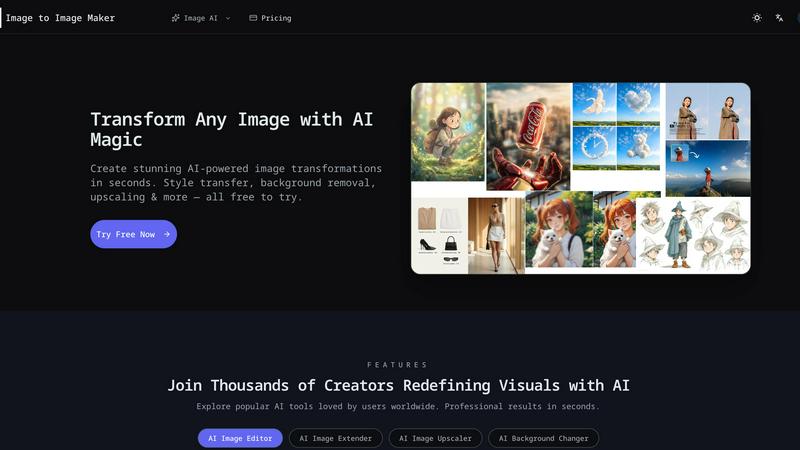
Image to Image Maker is an innovative online platform that harnesses the power of artificial intelligence to transform the way artists, designers, and content creators approach image editing and enhancement. By utilizing cutting-edge image-to-image generation technology, this platform enables users to take existing images and explore limitless creative possibilities. Whether you are aiming to modify styles, enhance details, reinterpret compositions, or extend visual concepts, Image to Image Maker preserves the essence of your original artwork while elevating its quality to professional standards. Its intuitive user interface caters to both novice creators and seasoned professionals, allowing for complex edits to be made effortlessly. With a suite of powerful tools at your fingertips, this platform not only saves time but also empowers users to generate stunning visuals quickly and efficiently, making it a compelling alternative to traditional editing software.
Frequently Asked Questions
AI Photo Generator FAQ
What is AI Photo Generator?
AI Photo Generator is an online platform that uses artificial intelligence to create images from text descriptions or to edit existing photos based on text instructions. It combines multiple advanced AI models into one streamlined workflow, making professional visual creation accessible to everyone, regardless of design skill.
Is there a free plan?
Yes, the platform operates on a free-to-start model. Users can begin generating images and testing the workflow without an initial payment. This allows for experimentation with prompts and styles before committing to a paid plan for higher-volume or commercial-grade output.
Can I use the generated images commercially?
Yes, you retain full commercial rights to the images you generate. This means you can legally use them in advertising, on products, in digital content, and for any other business purpose without owing royalties or facing licensing restrictions, provided you adhere to the platform's acceptable use policy.
How does the Image-to-Image feature work?
You upload a reference photo, which the AI uses as a structural and stylistic baseline. You then provide text instructions specifying what you want to change, such as the background, clothing, color palette, or overall mood. The AI regenerates the image, preserving elements from the original while applying your directed edits.
Image to Image Maker FAQ
What is Image to Image Maker and how does it work?
Image to Image Maker is an AI-powered online platform that allows users to transform existing images into enhanced versions through various editing tools. Users upload their images, apply desired edits, and download the final product in high resolution.
Is the AI image editor free to use?
The platform offers a range of free tools and features, but some advanced functionalities may require a subscription or payment. Users are encouraged to explore the tool to understand its capabilities and any associated costs.
What types of image transformations can I create?
Users can create a wide variety of transformations, including style transfers, background replacements, enhancements, and animations. The platform’s diverse set of tools caters to various artistic needs and creative projects.
Can I use the AI image editor for commercial projects?
Yes, users can utilize the Image to Image Maker for commercial projects. However, it is recommended to review the platform’s terms of service to ensure compliance with any commercial use guidelines.
Alternatives
AI Photo Generator Alternatives
AI Photo Generator is a leading platform in the AI image generation category, designed to transform text prompts and existing photos into professional digital art. It empowers users to create visuals without requiring advanced technical skills, making sophisticated design accessible to a broad audience. Users often explore alternatives for various reasons. These can include seeking different pricing models, specific features not offered, or a platform that better aligns with their unique workflow needs. Some may prioritize open-source models, different artistic styles, or integration with other creative software. When evaluating other options, consider the core aspects that matter most to your projects. Key factors include the quality and accuracy of image generation, the diversity of available artistic styles, processing speed, and the overall user experience. A thoughtful comparison ensures you find a tool that truly complements your creative process.
Image to Image Maker Alternatives
Image to Image Maker is an innovative AI-powered online platform designed for artists, designers, and content creators to transform and enhance images effortlessly. It falls under the category of image editing software and leverages advanced technology to facilitate creative exploration and professional-level enhancements. Users often seek alternatives to Image to Image Maker for various reasons, such as pricing, specific feature sets, or platform compatibility. With the multitude of options available, it's essential to consider factors like ease of use, the breadth of editing capabilities, and overall value when searching for a suitable alternative. When choosing an alternative, look for tools that offer similar functionalities, such as AI-driven enhancements, user-friendly interfaces, and a variety of creative options. Additionally, consider the support and resources available, including tutorials, customer service, and community engagement. A well-rounded alternative should cater to your specific needs while providing a seamless user experience that fosters creativity and efficiency.