
AI Image Maker vs Editaimg
Side-by-side comparison to help you choose the right AI tool.

AI Image Maker
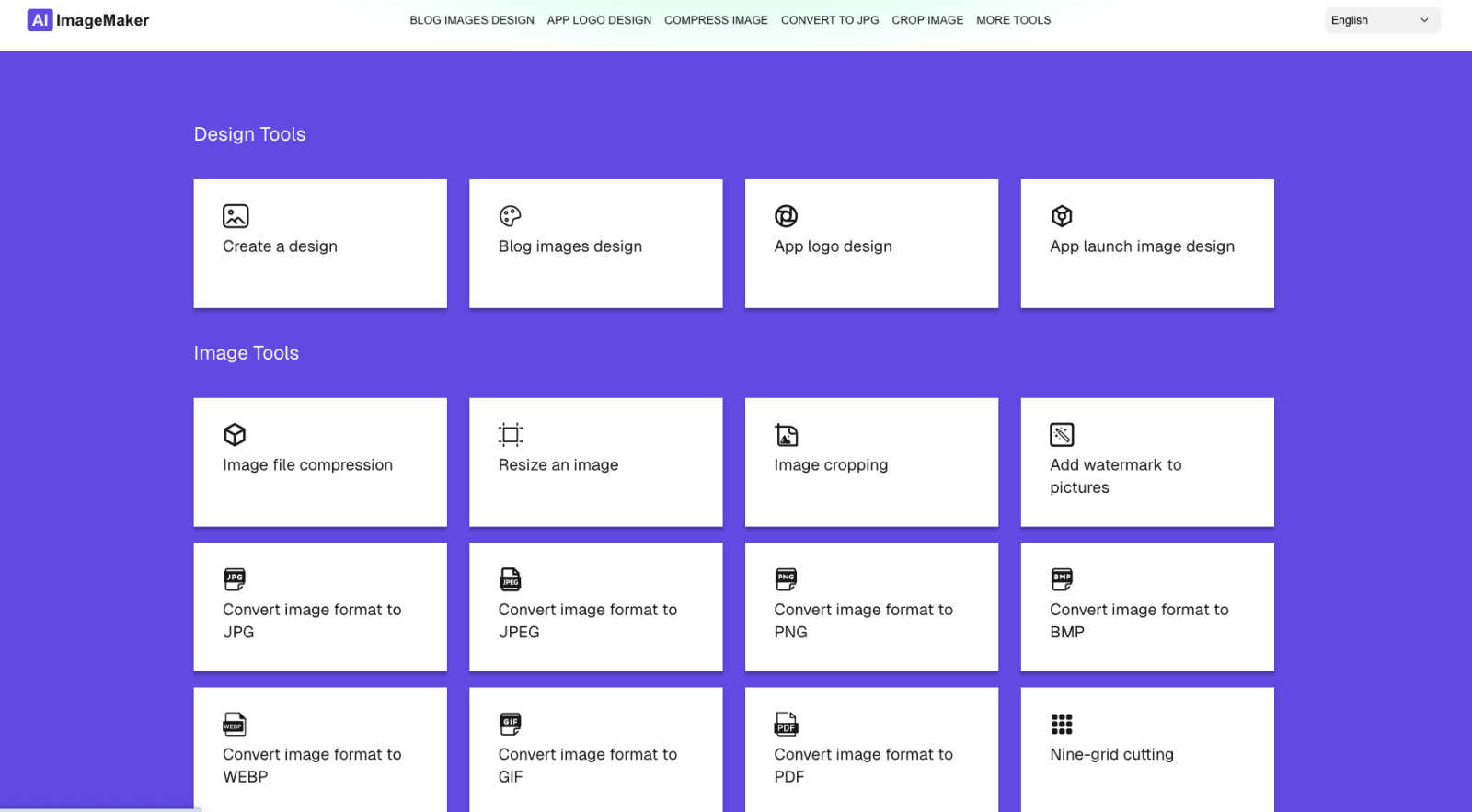
AI Image Maker is a free online tool for effortlessly creating stunning images, logos, and designs with 20+ built-in.
Last updated: March 1, 2026

Editaimg
Editaimg transforms your images instantly using simple text prompts and AI-powered editing tools.
Last updated: February 28, 2026
Visual Comparison
AI Image Maker
Editaimg
Feature Comparison
AI Image Maker
Design Canvas
The built-in design canvas allows users to create professional-quality blog covers, app icons, and App Store screenshots with ease. This feature provides a flexible workspace tailored for various design needs.
Background Removal
With just one click, users can effortlessly remove backgrounds from images, making it easier to create clean and polished visuals. This advanced feature saves time and enhances productivity in the design process.
Image Compression
AI Image Maker includes an image compression tool to help users reduce file sizes without compromising quality. This feature is essential for optimizing images for web use while maintaining visual integrity.
Format Conversion
The platform supports multiple image formats, including JPG, PNG, GIF, and PDF, allowing users to convert images between these formats seamlessly. This flexibility ensures compatibility across different platforms and applications.
Editaimg
Prompt-Based AI Image Editor
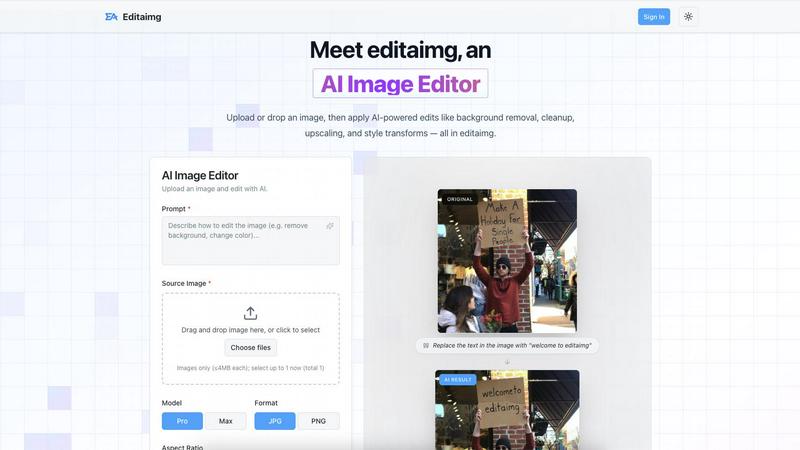
At the heart of Editaimg is its intuitive, prompt-driven editing interface. Users simply upload an image and describe the change they want in natural language, such as "remove people from the background" or "place this bottle on the kitchen sink." The AI interprets these text prompts to execute complex edits instantly. This feature eliminates the need for manual masking, layer management, and technical know-how, turning the editing process into a straightforward conversation and empowering anyone to achieve precise, professional results.
Specialized Niche Tools
Beyond general editing, Editaimg offers a suite of specialized tools targeting specific creative needs. This includes a dedicated Gemini Watermark Remover for clean exports, an AI Snow effect generator to add realistic seasonal atmosphere to images, and an intelligent "Add Someone to Photo" tool that blends new subjects into existing photos naturally. These focused features solve common, yet often overlooked, pain points that generic editors fail to address efficiently.
Image Text Editor
This powerful feature allows users to add, edit, or remove text from within any image seamlessly. The AI doesn't just overlay text; it intelligently matches the existing image's fonts, colors, textures, and lighting to make new text appear native to the original scene. Whether correcting a typo on a meme, updating a promotional graphic, or adding a caption, this tool ensures text integrations look authentic and professionally done.
Non-Destructive Editing & Instant Preview
Editaimg's workflow is built for speed and experimentation. All edits are non-destructive, meaning the original image remains untouched. Users receive instant previews of their AI-generated results in a clean grid layout, allowing for quick comparison and iteration. Once satisfied, final images can be downloaded or shared directly with a single click, streamlining the entire process from idea to final asset.
Use Cases
AI Image Maker
Content Creation
Content creators can leverage AI Image Maker to design eye-catching visuals for blogs, social media, and marketing campaigns. The platform's templates and tools make it easy to produce high-quality graphics that capture audience attention.
Indie Development
Indie developers can utilize the platform to create distinctive app icons and promotional images for their applications. With the design canvas and background removal feature, they can elevate their app's visual appeal without extensive design experience.
Marketing Materials
Marketers can craft engaging promotional materials, such as flyers and banners, using the intuitive templates provided by AI Image Maker. The ease of use allows them to focus on their messaging while ensuring professional design quality.
Small Business Branding
Small business owners can enhance their brand visibility by designing logos, social media graphics, and promotional content with AI Image Maker. The platform's comprehensive tools allow for consistent branding across various channels.
Editaimg
E-commerce & Product Photography
Online sellers and small business owners can use Editaimg to create stunning, context-rich product photos without expensive photoshoots. Simply upload a product shot against a plain background and use a prompt like "place this soap dispenser on a modern kitchen sink" to generate realistic lifestyle imagery. This transforms basic catalog images into compelling visual marketing assets that boost sales.
Content Creation & Social Media Management
Bloggers, social media managers, and digital marketers can rapidly produce high-quality visuals for their content calendars. Editaimg is perfect for creating custom graphics, removing unwanted elements or photobombers from photos, adding thematic effects like snow for holiday posts, or quickly editing text on images for announcements and promotions, all while maintaining a consistent, professional brand aesthetic.
Personal Photo Enhancement
Individuals can effortlessly perfect their personal photos. Remove distracting objects like utility poles from vacation landscapes, erase strangers from group shots at tourist sites, or even creatively add a friend who missed the picture using the "Add Someone to Photo" tool. This allows anyone to achieve clean, beautiful memories worthy of framing or sharing.
Professional Document & Presentation Design
Professionals preparing reports, pitches, or presentations can use Editaimg to quickly create and refine custom visuals. The Image Text Editor is ideal for updating charts and infographics, while the object replacement feature can subtly alter product mockups or concept images. This ensures all visual materials are polished, accurate, and tailored to the specific message without requiring a design department.
Overview
About AI Image Maker
AI Image Maker is a cutting-edge, browser-based platform that revolutionizes design and image editing, making it accessible to users of all skill levels. This tool caters to a diverse audience, including content creators aiming for striking visuals, indie developers in need of distinctive app icons, marketers crafting engaging promotional materials, and small business owners looking to boost brand visibility. What sets AI Image Maker apart is its comprehensive suite of creative tools, all available instantly and free of charge, with no account registration required. Users can enjoy a seamless experience as they utilize intuitive templates for designing stunning posters, blog covers, and app store images. The platform also boasts advanced features such as one-click background removal, enhancing the efficiency of the design process. With a user-friendly interface, AI Image Maker empowers individuals to unleash their creativity without the burden of complex software or financial constraints, transforming the way they approach visual content creation.
About Editaimg
Editaimg is an AI-powered image editor designed to democratize professional-grade visual editing. It bridges the gap between creative vision and polished output by replacing complex, manual tools with a simple, conversational interface. The platform is built for non-designers, solo founders, content creators, and marketers who need to produce high-quality visuals quickly but lack the time or expertise for traditional software like Photoshop. Its core value proposition lies in transforming sophisticated editing tasks—such as object removal, background replacement, and text editing—into processes that take seconds, not hours. By leveraging generative AI, Editaimg acts as a productivity engine, allowing users to iterate as fast as they think. It operates entirely in the browser, requiring no downloads, and focuses on solving specific, everyday creator pain points with niche tools, making professional visual content accessible to everyone without a steep learning curve.
Frequently Asked Questions
AI Image Maker FAQ
Can I use this commercially?
Yes, AI Image Maker allows for both personal and commercial use. You can create and sell the images you design using the platform without any recurring fees.
Do I need design skills?
No, AI Image Maker is designed for users of all skill levels. Its intuitive interface and pre-made templates make it easy for anyone to create professional designs without prior experience.
Can I customize the template?
Absolutely. The platform offers a wide range of customizable templates that you can modify to fit your specific needs, allowing for a personalized touch in your designs.
What image tools are included?
AI Image Maker comes with over 20 built-in image tools, including design canvas, image compression, background removal, and format conversion, ensuring a comprehensive suite for all your design needs.
Editaimg FAQ
How does the prompt-based editing work?
You upload your image to the Editaimg platform and describe the desired edit in the prompt box using plain English. For example, you could type "replace the text with 'Welcome to Editaimg'" or "swap the background to a beach." Our generative AI model then interprets your request, understands the context of the image, and executes the precise alteration, providing you with a new, edited version in seconds.
What image formats and sizes does Editaimg support?
Editaimg supports common image formats such as JPG, PNG, and WebP. You can upload up to 8 source images at a time, with each file being a maximum of 10MB. The platform also allows you to select output quality (like 1K or 2K) and various aspect ratios (1:1, 16:9, etc.) to suit your specific needs for web or print.
Is the "Add Someone to Photo" feature realistic?
Yes, the AI is specifically trained to handle the complex task of person insertion with natural blending. It analyzes the lighting, shadows, perspective, and color palette of the target photo to seamlessly integrate the new subject, making them appear as if they were originally part of the scene. The result is a cohesive and realistic composite image.
Do I need to download any software to use Editaimg?
No, Editaimg is a completely web-based application that runs in your browser. There is no software to download or install. You can access all features directly from our website, making it convenient to use on any device with an internet connection, and your generation history is saved when you sign in.
Alternatives
AI Image Maker Alternatives
AI Image Maker is a free, versatile online tool that belongs to the category of design tools, specifically focusing on image creation and editing. This innovative platform simplifies the design process, making it accessible to users of all skill levels, from content creators to small business owners. Users often seek alternatives due to various factors such as pricing, desired features, platform compatibility, or the need for additional functionalities that may not be offered by AI Image Maker. When searching for alternatives, it is essential to consider the specific features that align with your design needs. Look for platforms that provide customizable templates, comprehensive image processing tools, and advanced capabilities like background removal. Additionally, evaluate user-friendliness, accessibility, and whether the tool meets your budget and platform requirements to ensure a seamless design experience.
Editaimg Alternatives
Editaimg is a generative AI image editor that simplifies complex visual tasks like background swapping and object removal through intuitive text prompts. It belongs to the category of design and photo editing tools, specifically built to empower non-designers and solo creators by removing technical barriers. Users often explore alternatives for various reasons. These can include budget constraints, the need for different feature sets like advanced layer editing, or platform-specific requirements such as desktop software versus a browser-based tool. Some may seek tools with a broader scope or different pricing models. When evaluating other options, consider your primary use case. Look for a tool that balances ease of use with the specific capabilities you need most, whether that's speed, creative control, or integration into your existing workflow. The right choice should feel like a natural extension of your creative process, not a hurdle.