
AI Filter vs GPT Image 2
Side-by-side comparison to help you choose the right AI tool.

Transform your photos into stunning anime, watercolor, and pixel art styles instantly with AI.
Last updated: March 1, 2026

GPT Image 2
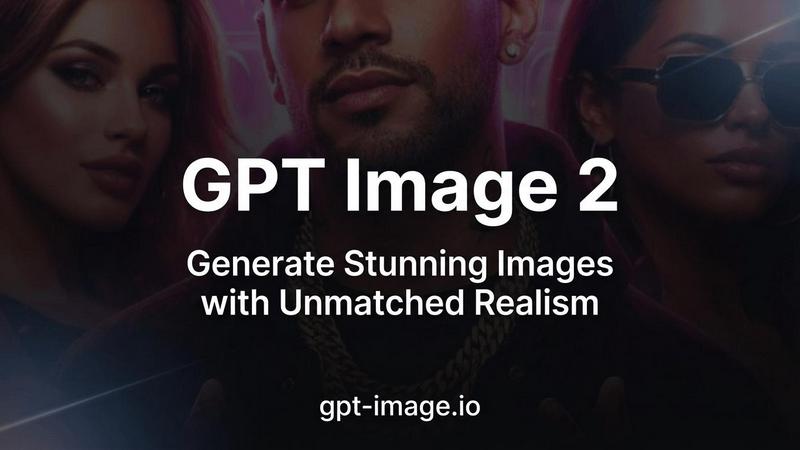
GPT Image 2 generates photorealistic AI images with razor-sharp text and true color accuracy.
Last updated: April 13, 2026
Visual Comparison
AI Filter
GPT Image 2
Feature Comparison
AI Filter
Diverse Artistic Style Library
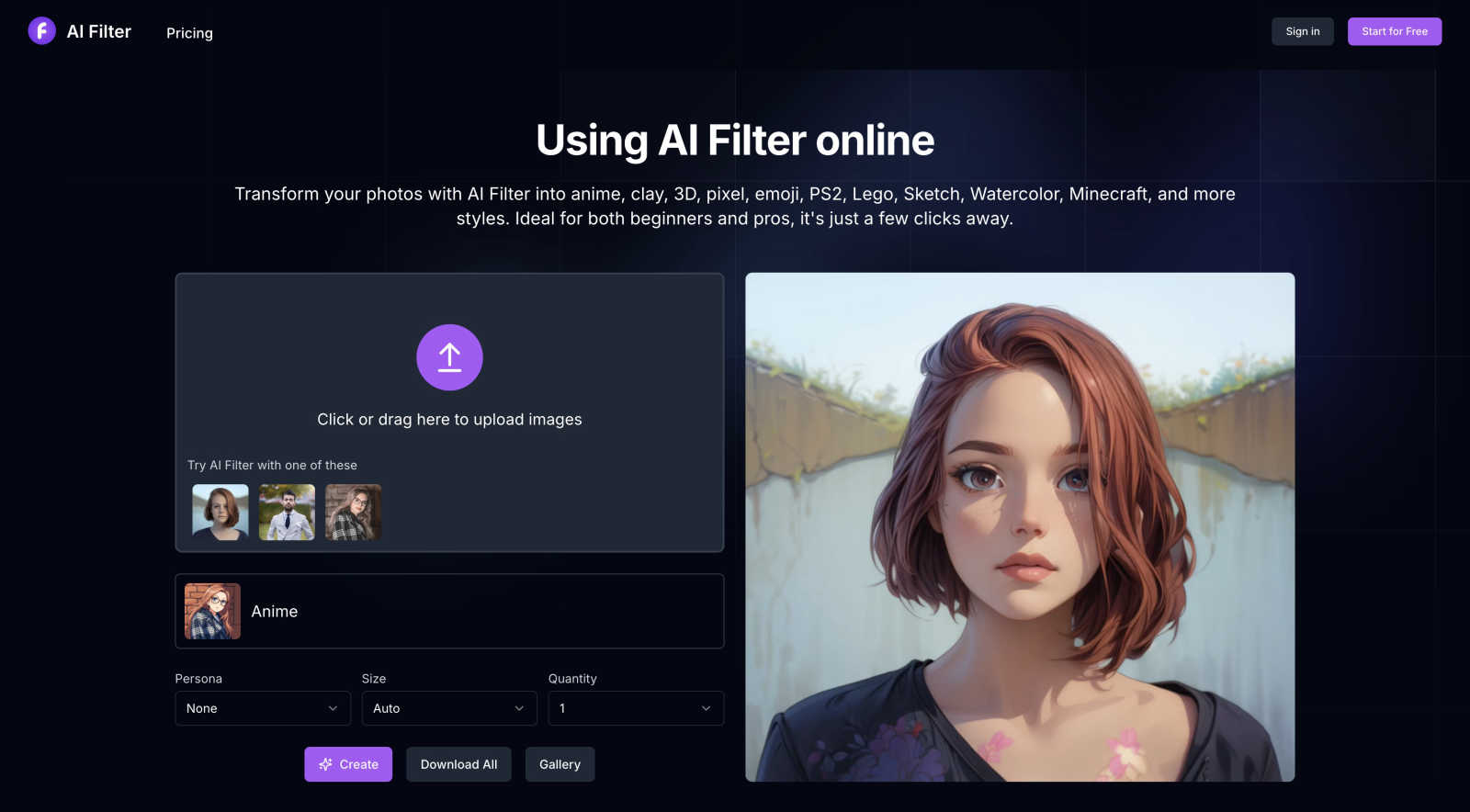
AI Filter provides a carefully selected collection of high-quality artistic filters. Beyond common styles, it includes unique transformations like PS2-era game graphics, tactile clay sculpting, minimalist sketch lines, and blocky Minecraft aesthetics. Each filter utilizes specialized AI models to authentically capture the essence of its chosen style, ensuring outputs are cohesive and visually striking rather than simple overlays.
Intuitive Browser-Based Platform
The tool is entirely web-based, requiring no software downloads or complex installations. Users can access its full capabilities directly by visiting the website. The interface is clean and guided, featuring a central upload area, a visually navigable style gallery with hover previews, and clear action buttons. This design ensures a seamless experience from upload to download on any device with an internet connection.
Prompt-Enhanced Customization
While fully automated, AI Filter offers an optional prompt field for users seeking more control over the final output. By entering simple descriptive words in English, users can gently guide the AI—for instance, emphasizing certain moods or details—to align the generated effect more closely with their personal creative vision, adding a layer of tailored customization.
Instant Processing and Gallery
The platform is engineered for speed, generating transformed images in moments. It also includes a personal gallery feature, allowing users to view and manage their creation history. The streamlined download process lets users save their artwork individually or in batches, facilitating easy organization and sharing across social platforms or with friends.
GPT Image 2
Razor-Sharp Text Rendering
GPT Image 2 achieves a major breakthrough in AI-generated imagery by rendering text with over 95% accuracy. This feature ensures that words, logos, and signage within images are crisp, legible, and correctly spelled, eliminating a common pain point in AI art generation. It is indispensable for creating posters, social media graphics, product mockups, and any design where embedded text must be perfectly clear and professional.
Photorealistic 4K Output
The model generates images with stunning, lifelike detail that rivals professional photography, supporting resolutions up to 4096x4096. It masters natural lighting, textures, and composition to produce visuals that are nearly indistinguishable from real photographs. This makes it an ideal tool for creating realistic product shots, architectural visualizations, concept art, and any application where authentic realism is paramount.
True Color Accuracy
GPT Image 2 eliminates the warm yellow color cast prevalent in earlier AI models, delivering neutral and true-to-life color reproduction. This advanced color science ensures that the generated images faithfully reflect your creative intent, providing natural skin tones, accurate product colors, and balanced lighting that requires minimal to no post-processing correction.
Deep World Knowledge & Context
Leveraging extensive training, the model possesses a rich understanding of complex scenes, cultural context, and real-world details. This deep world knowledge allows it to generate nuanced and contextually accurate imagery across any subject matter, from historical scenes and scientific concepts to contemporary fashion and intricate landscapes, ensuring the output is both intelligent and coherent.
Use Cases
AI Filter
Social Media Content Creation
Users can instantly elevate their social media presence by transforming profile pictures, post images, or stories into unique artistic statements. Applying an anime filter to a portrait or a pixel art effect to a travel photo generates visually engaging content that stands out in crowded feeds, driving higher interaction and expressing personal brand style.
Digital Art and Concept Inspiration
Artists and designers use AI Filter as a brainstorming tool to explore new visual directions. Photographers can see their work reimagined in watercolor or sketch styles, while digital illustrators might use the clay or 3D filters to conceptualize characters or scenes, providing a creative spark for further development in their primary medium.
Nostalgic and Thematic Projects
Gamers and pop culture enthusiasts can recreate the nostalgic visual feel of classic PS2 games or Lego worlds by filtering their photos. This is perfect for creating themed party invitations, custom merchandise ideas, or personalized gifts that resonate with specific fandoms and aesthetic communities.
Personalized Sticker and Emoji Design
The dedicated sticker filter allows users to turn personal photos or pet pictures into custom, shareable sticker art. This is ideal for messaging apps, creating unique decorations for digital planners, or designing personalized emojis that add a fun, intimate touch to everyday digital communication.
GPT Image 2
Marketing & Advertising Asset Creation
Professionals can rapidly generate high-quality visuals for campaigns, including realistic product mockups, lifestyle imagery, and social media ads with flawless embedded text. This streamlines content production, reduces dependency on stock photos and photoshoots, and enables highly customized, brand-specific visuals at scale.
Concept Art & Storyboarding
Artists and filmmakers can quickly visualize ideas and iterate on concepts for characters, environments, and scenes. The photorealistic output and deep world knowledge allow for the creation of detailed, coherent concept art that effectively communicates creative direction and serves as a powerful tool for pre-production planning.
E-commerce & Product Visualization
Online retailers can create photorealistic images of products in various settings or configurations without the need for expensive physical samples and photography studios. This is perfect for showcasing customizations, visualizing items in different colors, or placing products in aspirational contexts to enhance customer engagement and drive sales.
Graphic Design & Illustration
Designers can leverage the model's versatility across 50+ artistic styles to produce everything from logos and poster designs with sharp text to illustrations in watercolor, 3D, or digital art styles. It acts as a powerful creative assistant, expanding a designer's capability to explore ideas and execute complex visual projects efficiently.
Overview
About AI Filter
AI Filter is a sophisticated online platform that harnesses advanced artificial intelligence to reimagine your photographs. It transcends basic photo editing by applying complex, artistic style transfers with remarkable ease. The tool offers a curated library of distinctive aesthetic filters, enabling users to transform ordinary images into captivating works of art inspired by anime, hand-sculpted clay, classic pixel art, 3D game graphics, watercolor paintings, and more. Designed for a broad audience, it empowers social media enthusiasts to create standout content, provides artists with a springboard for inspiration, and allows casual users to explore creativity without a steep learning curve. The core value of AI Filter lies in its ability to democratize advanced AI artistry. It delivers professional-grade, imaginative transformations through an intuitive interface, making the process fast, accessible, and engaging. The platform balances simplicity for beginners with a depth of stylistic options for those seeking nuanced creative expression, all achievable in just a few clicks directly from a web browser.
About GPT Image 2
GPT Image 2 is a next-generation AI image generator designed to set a new benchmark for visual quality and creative precision. It transforms text descriptions into stunningly realistic images with an unprecedented level of detail and accuracy. Built for professionals, designers, marketers, and creators who refuse to compromise on quality, it delivers production-ready visuals in under 30 seconds. Its core value proposition lies in combining razor-sharp text rendering, true photorealistic output, and deep world knowledge into a single, powerful tool. This allows users to generate images that are not only visually captivating but also contextually accurate and rich in nuance, effectively bridging the gap between creative vision and final asset. Whether you need a hyper-realistic product mockup, a detailed scene with legible text, or an artistic illustration, GPT Image 2 provides the fidelity and control required for professional work.
Frequently Asked Questions
AI Filter FAQ
What is an AI filter?
An AI filter is a sophisticated tool that uses artificial intelligence and machine learning algorithms to analyze and transform photographs. Unlike standard filters that apply uniform adjustments, AI filters understand image content—like faces, objects, and scenery—and dynamically apply complex stylistic transformations, such as converting a realistic portrait into an anime character or a photo into a textured clay sculpture, while preserving core compositional elements.
Is AI Filter free to use?
AI Filter operates on a credit-based system. New users receive complimentary credits upon registration to explore the service. Once these initial credits are used, additional credits can be purchased separately to continue creating. This model allows users to try the tool before committing and pay only for the transformations they need.
Which image file formats are supported?
The platform supports widely used image formats including PNG, JPG, JPEG, and WebP. This ensures compatibility with most photos from smartphones, digital cameras, and other image sources, providing flexibility for users to work with their existing image libraries without needing prior conversion.
What types of AI filter styles are available?
AI Filter offers a growing repertoire of styles, including Anime, Clay, 3D, Pixel Art, Emoji, PS2, Lego, Sketch, Watercolor, and Minecraft, among others. The development team is continuously working to expand this library with new and innovative artistic filters based on user interest and technological advancements.
GPT Image 2 FAQ
How accurate is the text rendering in GPT Image 2?
GPT Image 2 sets a new industry standard with over 95% text accuracy in generated images. It excels at rendering legible, correctly spelled words within complex scenes, making it exceptionally reliable for creating graphics, posters, and designs that incorporate text, a task where most other AI image models struggle significantly.
What resolutions does GPT Image 2 support?
The model supports high-resolution outputs up to 4K (4096x4096). This ensures that generated images are suitable for professional applications, including large-format printing, high-definition digital displays, and any project where fine detail and clarity are critical, providing studio-quality results directly from your prompt.
How does GPT Image 2 achieve its photorealistic quality?
It combines an advanced neural architecture with sophisticated training on diverse, high-quality datasets. This enables the model to master intricate details like natural lighting, realistic textures, material properties, and accurate human anatomy, producing images that are consistently rated as the most realistic in user preference studies.
Can I try GPT Image 2 for free?
Yes, new users receive free credits to experience the platform's capabilities. There is also a limited-time offer of 50% off all plans, making it easy to explore the tool's advanced features and integrate it into your creative workflow before committing to a subscription.
Alternatives
AI Filter Alternatives
AI Filter is a popular online tool in the AI Assistants category, specializing in transforming photos into artistic styles like anime, watercolor, and pixel art. It uses advanced AI to make creative photo editing accessible and fun for a wide range of users. People often seek alternatives for various reasons. Some may need a different pricing model, such as a one-time purchase versus a subscription. Others might look for specific features not offered, require desktop software instead of a web app, or simply want to explore different creative aesthetics and output quality. When evaluating other options, consider your primary needs. Key factors include the range and uniqueness of artistic filters, the overall ease of use, output resolution and quality, cost structure, and whether the tool works on your preferred platform. A focused tool that excels in your desired style often provides more value than a generic editor with mediocre filters.
GPT Image 2 Alternatives
GPT Image 2 is a leading tool in the AI image generation category, known for its ability to create photorealistic images from text descriptions. It distinguishes itself with advanced text rendering and a deep understanding of complex prompts, offering a free online experience for users to explore. Users often seek alternatives for various reasons, including specific budgetary constraints, the need for different artistic styles beyond photorealism, or integration with other creative platforms and workflows. The search for the right tool is highly personal and depends on one's unique project requirements. When evaluating other options, consider the core output quality, the nuance of its text-to-image interpretation, and the overall user experience. A quality alternative should align with your creative vision while offering a reliable and intuitive generation process.