VRChat Avatar Maker
Create stunning, customizable 3D avatars for VRChat in minutes using text or images, with seamless model generation and auto rigging.
Visit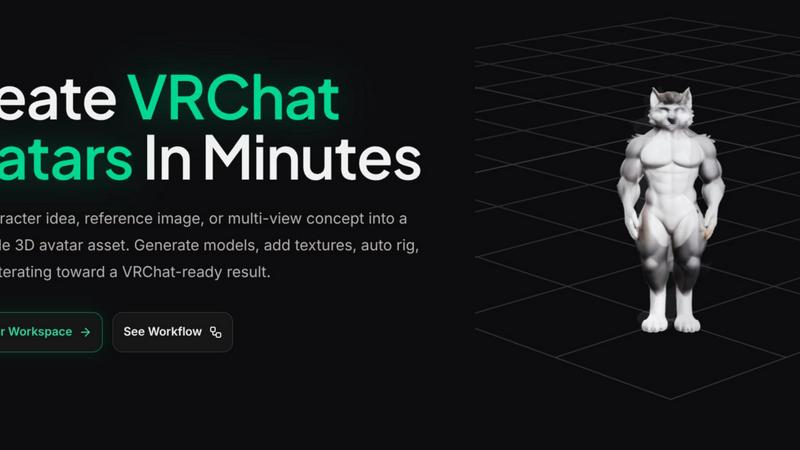
About VRChat Avatar Maker
VRChat Avatar Maker is an innovative workspace designed specifically for creators looking to transform their character ideas into fully functional 3D avatar assets. Whether you start with a text prompt, a single reference image, or multiple views of a character, this tool streamlines the entire avatar creation process. It enables users to generate models, apply textures, auto rig their avatars, and preview the final results—all within a cohesive environment tailored for VRChat. With features that cater to both novice and experienced creators, VRChat Avatar Maker facilitates a quicker and more efficient workflow, allowing users to focus on creativity rather than technical barriers. This platform is ideal for anyone who wishes to craft custom avatars, from hobbyists to professional developers, ensuring their creations are ready for the immersive world of VRChat in just minutes.
Features of VRChat Avatar Maker
Text to Avatar
This feature allows users to convert written descriptions of characters into 3D models. By inputting text prompts, creators can specify styles, clothing, and emotional tones, resulting in a rapid transition from concept to asset. This is particularly beneficial for those who have a clear vision but lack the skills to create a model from scratch.
Image to Avatar
Using a reference image, creators can generate a 3D avatar that closely resembles their visual inspiration. This feature supports both single images and multi-view inputs, enabling users to provide front, side, and back perspectives. By utilizing existing artwork, this tool enhances the accuracy of the avatar creation process.
Texture Generation and Repainting
VRChat Avatar Maker offers advanced texture generation capabilities that allow users to apply unique designs to their avatars. After creating a model, users can easily repaint and refine textures to achieve the desired aesthetic. This iterative process ensures that the final avatar not only looks good but also aligns with the creator's vision.
Auto Rigging with Motion Presets
This feature simplifies the rigging process by automatically assigning bone structures and motion presets to generated avatars. It saves significant time for creators who may not have expertise in rigging, making it possible to focus on the artistic aspects of avatar design while ensuring functionality within VRChat.
Use Cases of VRChat Avatar Maker
Custom Character Creation
Creators looking to build unique avatars for VRChat can leverage the Text to Avatar and Image to Avatar features. This allows for personalized designs that represent individual styles or concepts, making the avatars stand out in the community.
Concept Validation
Before diving into full 3D modeling, artists can use the Text to Image feature to generate concept art based on their ideas. This helps validate character direction and style, ensuring that the final model aligns with their initial vision.
Iterative Design Process
By utilizing the workspace's capability to build upon existing models, creators can continually refine their avatars. This iterative process allows for easy adjustments to textures and rigging, fostering a more dynamic approach to avatar development.
Collaborative Projects
Groups of creators can use VRChat Avatar Maker for collaborative projects. By sharing prompts and reference images, multiple users can work together to develop a series of themed avatars, enhancing creativity and teamwork within the VRChat community.
Frequently Asked Questions
How does the Text to Avatar feature work?
The Text to Avatar feature allows users to input descriptive prompts that outline the characteristics of their desired avatars. The tool then generates a corresponding 3D model, making it easier for creators to visualize their concepts.
Can I use my own images for avatar creation?
Yes, users can upload their own reference images to create avatars. The Image to Avatar feature supports both single and multi-view images, allowing for detailed and accurate model generation based on existing artwork.
Is it possible to edit textures after generating an avatar?
Absolutely. The texture generation and repainting feature enables users to modify and enhance the textures of their generated avatars, allowing for creative freedom and customization in the final design.
What if I need to make changes after downloading my avatar?
The VRChat Avatar Maker is designed for iterative development. Even after downloading, you can return to the workspace to make further adjustments to your avatar’s model, textures, or rigging, ensuring continuous improvement.
Explore more in this category:
Similar to VRChat Avatar Maker
GetYouTubeTranscript
Free YouTube transcripts on the web, a Chrome extension, and an API + MCP server so AI assistants can read YouTube.