
Voloshow
Voloshow is an AI creative studio for generating, editing, and refining images and short videos from prompts and assets.
Visit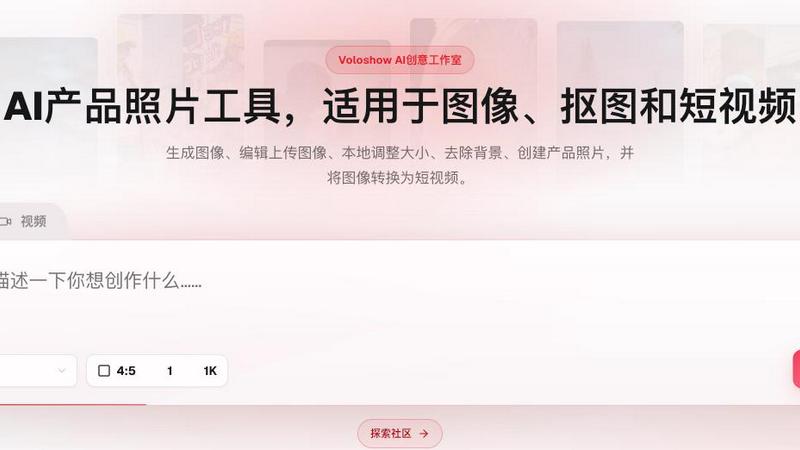
About Voloshow
Voloshow is a curated AI creative studio designed for artists, designers, and content creators who demand quality over quantity in their visual workflow. Rather than offering a scattergun of AI tools, Voloshow provides a focused, all-in-one workspace where you can generate, edit, and refine images and short videos without ever leaving the platform. The core philosophy is simple: start from a text prompt or an uploaded image, then use a precise set of editing tools to resize, compress, convert formats, and remove backgrounds. This eliminates the fragmented process of jumping between separate applications for generation and post-production.
What sets Voloshow apart is its selective approach to AI models and styles. Instead of overwhelming users with hundreds of generic options, it offers specialized modes for portraits, fantasy artwork, anime characters, and motion assets. This means you can create a commercial product photo, a cinematic video still, or an anime character with a consistent, high-quality output. The platform also integrates a community gallery where trending creations like retro portraits, street style prompts, and sports ads serve as inspiration, reinforcing a quality-over-quantity ethos. Accessible from both web and mobile, Voloshow is built for creators who want to move from concept to publish-ready visuals in a streamlined, intelligent environment. Whether you are crafting a brand storyboard or a fantasy adventure clip, Voloshow pairs powerful AI generation with essential in-app editing to deliver striking results quickly.
Features of Voloshow
AI Image Generation from Prompts and Uploads
Start with a simple text prompt or upload a reference image to guide the AI. Voloshow supports advanced models like GPT Image 2.0, allowing you to generate high-resolution visuals in aspect ratios such as 4:5 and 1K quality. This feature is designed for precision, not volume, giving you control over the creative direction from the very first step.
In-App Image Editing Suite
Once an image is generated or uploaded, you can refine it directly within Voloshow using a suite of editing tools. Resize images for different platforms, compress files without losing quality, convert between formats, and remove backgrounds seamlessly. This eliminates the need for third-party software, keeping your entire creative workflow contained in one polished environment.
Specialized AI Studios for Portraits, Fantasy, and Anime
Voloshow offers dedicated creative modes that go beyond generic generation. The Portrait Lab, Anime Studio, and Style Model tools let you craft AI portraits, fantasy artwork, and anime characters with distinct aesthetic qualities. Each mode is fine-tuned to produce consistent, high-quality results, whether you are creating a commercial portrait or a character poster.
Image-to-Video and Motion Assets
Transform static visuals into dynamic short videos with Voloshow's motion capabilities. Features like Camera Move, Product Transition, and Character Motion allow you to bring stills to life. This is ideal for creating short clips, sports ads, or fantasy adventure sequences, adding a layer of storytelling to your AI-generated images.
Use Cases of Voloshow
Commercial Product Photography
E-commerce brands and marketers can use Voloshow to generate product photos from scratch or edit existing images. Remove backgrounds, resize for different marketplaces, and create consistent visual assets for catalogs, ads, and social media. The AI ensures each product shot looks polished and professional without a full photoshoot.
Fantasy and Concept Art Creation
Artists and game designers can leverage the fantasy and anime studios to generate detailed character concepts, storyboards, and fantasy landscapes. The ability to refine images in-app means you can iterate quickly on visual ideas, adjusting composition and style before finalizing assets for a project.
Social Media Content Production
Content creators can streamline their workflow by generating and editing visuals in one place. Create a series of street style prompts, retro portraits, or cinematic summer images, then resize and compress them for Instagram, TikTok, or YouTube thumbnails. The mobile access ensures you can produce and publish on the go.
Short Video Storytelling
Turn a single AI-generated image into a short narrative clip using the image-to-video feature. This is perfect for creating product transitions, character motion sequences, or fantasy adventure teasers. Marketers and filmmakers can quickly prototype visual stories without complex video editing software.
Frequently Asked Questions
What types of AI models does Voloshow support?
Voloshow supports advanced models including GPT Image 2.0 for text-to-image generation, as well as specialized studios for portraits, anime, and fantasy styles. The platform focuses on a curated selection of high-performance models rather than an overwhelming library, ensuring consistent quality across all creations.
Can I edit images after generating them in Voloshow?
Yes, Voloshow includes a built-in editing suite that allows you to resize, compress, convert file formats, and remove backgrounds from any generated or uploaded image. This eliminates the need to switch to external editing tools, keeping your entire creative process within a single application.
Is Voloshow available on mobile devices?
Voloshow is accessible from both web browsers and mobile devices, allowing you to create and edit visuals on the go. The mobile interface is optimized for touch interactions, making it easy to generate prompts, apply edits, and manage your assets from anywhere.
Do I need a subscription to use Voloshow?
Voloshow operates on a freemium model. You can sign up for free and receive 50 credits to start using models like GPT Image 2.0. Premium plans are available for users who need additional credits, higher resolutions, or access to advanced features. Specific pricing details are provided on the platform's pricing page.
Similar to Voloshow
Bloom
An adaptive AI tutor that turns topics or your materials into courses, lessons, and answers tailored to how you learn.
Agent Pets
Your Claude Code & Codex sessions as pets in Chrome. Approve, deny and reply to your coding agents from any tab.
Zeptap
Zeptap lets AI use your real iPhone like you do: open apps, read the screen, tap, swipe and type. Reply to DMs, post Stories, book rides, test apps.
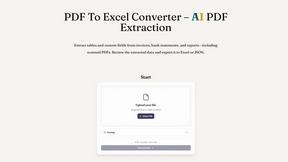
PDF to Excel
ReadyData is an online PDF to Excel converter powered by AI.
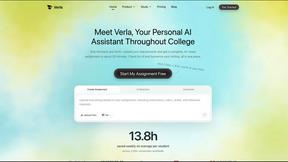
Verla AI
AI academic assistant for writing, research, presentations, and coding
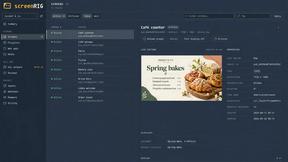
screenRIG
Signage and kiosk infrastructure for AI agents. Your agent publishes images, video, streams, web pages and apps to screens via one plugin.screenRIG is
Novastart
Novastart brings apps and files onto an infinite canvas where people and AI agents can work together.