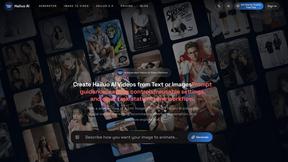
Spark Robin AI
Spark Robin AI transforms text prompts and images into stunning, high-quality videos quickly and effortlessly for all your creative needs.
Visit
About Spark Robin AI
Spark Robin AI is an innovative video generation platform that empowers creators to turn their ideas into captivating short videos directly from their web browsers. Powered by the advanced Spark Robin model, this tool is designed for individuals and teams looking to streamline their video production process without the need for traditional editing software. By transforming text prompts into dynamic video content or animating existing images, Spark Robin enables users to quickly generate high-quality video drafts. This functionality is particularly beneficial for marketers, content creators, and designers who require rapid visual iterations for campaigns, social media, or product promotions. The platform’s intuitive interface allows users to easily customize their video output, ensuring that creative briefs remain intact while fostering efficient collaboration and decision-making.
Features of Spark Robin AI
Text to Video Generation
Spark Robin AI allows users to convert written scenes into engaging video clips seamlessly. By providing a text prompt, creators can define the subject, action, and mood of the video, making it easy to visualize concepts before full production.
Image to Video Animation
This feature enables users to animate still images, preserving the original visual idea while adding dynamic motion. It is particularly useful for enhancing product imagery or character designs, allowing for a more immersive presentation.
Multiple Visual Styles
Spark Robin offers a variety of visual styles, including cinematic, realistic, anime, artistic, and minimalist. This versatility allows creators to select the aesthetic that best fits their project, ensuring that the final product aligns with their brand and target audience.
Flexible Output Settings
Users can tailor their video output to various aspect ratios and resolutions, such as 16:9 for standard videos or 9:16 for mobile-friendly content. Additionally, users can choose clip durations that suit different platforms, from short teasers to detailed demos.
Use Cases of Spark Robin AI
E-commerce Product Marketing
Ecommerce founders can leverage Spark Robin to quickly transform product photos and campaign ideas into engaging video drafts. This allows for better assessment of marketing strategies before committing to full-scale production.
Social Media Content Creation
Content creators can utilize Spark Robin to generate visual drafts for platforms like TikTok and Instagram Reels. By comparing different video hooks, they can determine which concepts resonate best with their audiences.
Performance Marketing Testing
Marketers can use Spark Robin to quickly visualize various angles for paid social campaigns. It provides rapid visual drafts, enabling teams to make informed decisions about which campaign ideas to pursue further.
Creative Mood Board Development
Designers can benefit from Spark Robin by creating motion-based mood boards that bring static concepts to life. This allows for more effective communication of ideas without the need for extensive video editing software.
Frequently Asked Questions
What platforms does Spark Robin AI support?
Spark Robin AI operates entirely within a web browser, allowing users to generate videos without the need for software downloads or installations. This accessibility makes it easy to use on various devices.
Can I customize the video output settings?
Yes, Spark Robin allows users to customize the aspect ratio, resolution, and duration of their videos. This flexibility ensures that videos are tailored to specific platforms and audience needs.
Is there a limit to the text prompt length?
Users can input prompts of up to 2000 characters, providing ample space to describe the scene, action, and mood for their video projects. This allows for detailed instructions to achieve the desired output.
Do I need to register to use Spark Robin AI?
No registration is required to start using Spark Robin. Users can immediately access the Text to Video and Image to Video features, making it easy to create videos without any barriers.
Explore more in this category:
Similar to Spark Robin AI
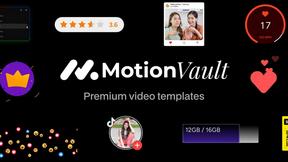
MotionVault
MotionVault: Motion Graphics, Video Templates & Overlays for Editors
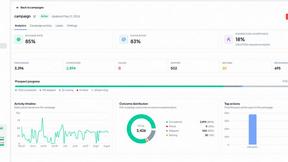
OutreachGenie
LinkedIn prospecting CRM with optional AI-assisted CSV column mapping and a browser companion for user-directed actions.
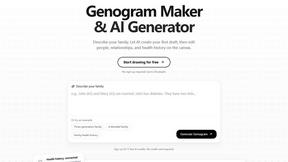
GenogramLab
GenogramLab is an AI-powered online genogram maker that turns family descriptions into editable diagrams, helping you visualize family structures and
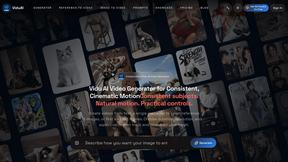
ViduAI
ViduAI creates consistent videos from text, images, references, and first or last frames with Vidu Q3.
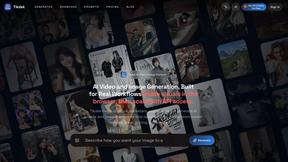
Tikdek
An AI video and AI image platform for creating visual content in the browser and scaling production with stable APIs.