Sketch To
Sketch To effortlessly transforms your images into stunning sketches with advanced AI technology for every creator.
Visit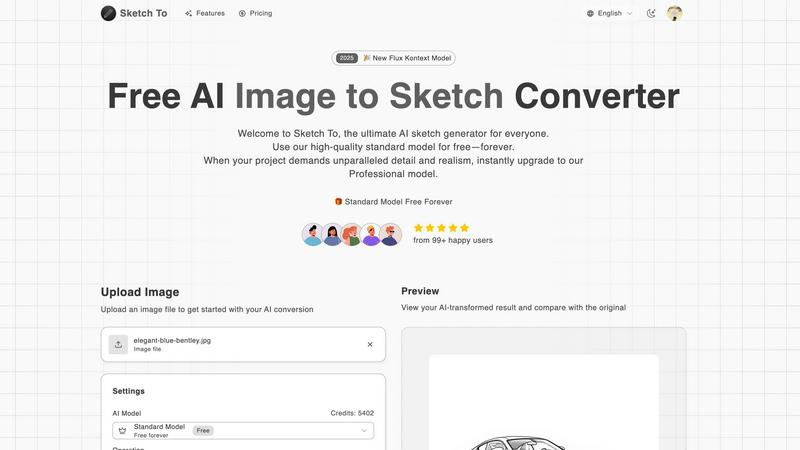
About Sketch To
Sketch To is an innovative AI tool designed to transform the art creation experience by enabling users to convert images into stunning sketches and vice versa. This powerful platform caters to artists, designers, and hobbyists, providing a seamless way to visualize creative ideas. With its advanced AI technology and user-friendly interface, Sketch To empowers users to bring their artistic visions to life, whether for social media content, school projects, or personal artistic endeavors. The dual functionality allows for effortless transitions between photorealistic images and artistic sketches, significantly expanding creative possibilities. Additionally, with a free standard model available, new users can explore Sketch To without financial commitment, making it a valuable resource for both casual creators and professionals seeking to enhance their artistic toolkit. The platform is designed to accommodate a range of creative needs, offering both standard and professional models to suit every user's requirements.
Features of Sketch To
Image to Sketch Conversion
Sketch To provides an advanced AI-powered feature that converts photos into beautiful pencil sketches. This functionality is ideal for artists and designers who wish to add an artistic touch to their photographs, enabling effortless creativity.
Sketch to Image AI
With the Pro model, Sketch To allows users to transform their sketches into stunningly realistic images. This feature delivers exceptional detail and accuracy, catering to professional artists looking to elevate their work.
Trial Credits Model
New users can take advantage of trial credits available with the standard model. This feature allows hobbyists and casual creators to explore the tool's capabilities without any financial commitment, making it accessible for everyone.
Instant Processing
Sketch To's powerful cloud-based AI processing engine ensures that conversions are completed in seconds. This instant processing capability allows users to quickly generate and download their creations, streamlining the artistic workflow.
Use Cases of Sketch To
Social Media Content Creation
Social media influencers and marketers can utilize Sketch To to create eye-catching content. By transforming photos into unique sketches or converting sketches back to photorealistic images, users can enhance their visual storytelling and engagement with audiences.
Educational Projects
Students and educators can leverage the capabilities of Sketch To for school projects. Whether creating artistic representations of historical figures or visually interpreting scientific concepts, the tool makes learning more engaging and visually appealing.
Personal Artistic Exploration
Hobbyists can explore their artistic side through Sketch To. The tool allows individuals to experiment with different styles and techniques in a user-friendly environment, encouraging self-expression and creativity.
Professional Artistic Development
Professional artists can benefit from Sketch To by utilizing the Pro model for client projects. The ability to produce high-quality, realistic images from sketches enhances their portfolio and enables them to deliver exceptional results to clients.
Frequently Asked Questions
How does the image to sketch conversion work?
The image to sketch conversion uses advanced AI algorithms that analyze the uploaded image and transform it into a beautifully rendered sketch. Users can choose from various artistic styles for customization.
Is there a limit to the file size I can upload?
Yes, the maximum file size for uploads is 5MB. This size limit ensures optimal processing speed and quality for your images and sketches.
Can I use Sketch To for commercial projects?
Yes, users can upgrade to the Pro model for commercial use, which provides superior detail and realism suitable for professional projects and client work.
What types of sketches can I create with Sketch To?
Sketch To offers a variety of sketch styles, including pencil sketches, charcoal sketches, comic sketches, and more. Users can select their preferred style during the conversion process for tailored results.
Similar to Sketch To
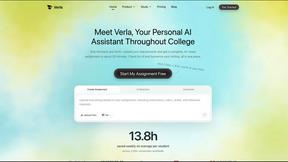
Verla AI
AI academic assistant for writing, research, presentations, and coding
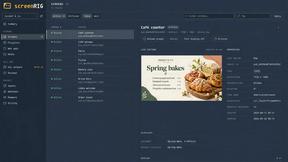
screenRIG
Signage and kiosk infrastructure for AI agents. Your agent publishes images, video, streams, web pages and apps to screens via one plugin.screenRIG is
Novastart
Novastart brings apps and files onto an infinite canvas where people and AI agents can work together.
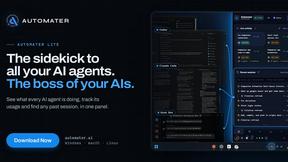
AUTOMATER.ai
A tray helper for every AI coding tool: sessions, alerts and usage in one place
GetYouTubeTranscript
Free YouTube transcripts on the web, a Chrome extension, and an API + MCP server so AI assistants can read YouTube.