
SeparateVocals
SeparateVocals is a browser vocal remover for karaoke and music edits, with local stereo splitting and optional cloud-based enhanced separation.
Visit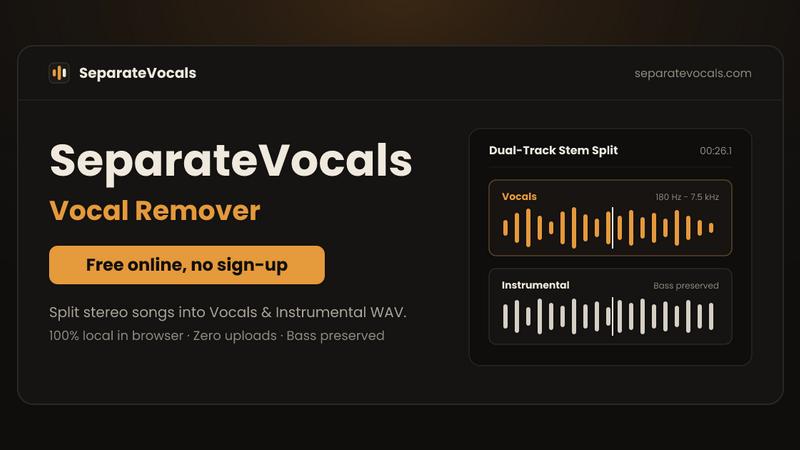
About SeparateVocals
SeparateVocals is aimed at people who want useful parts of a song without first building a full editing workflow. In Standard mode, a browser-based splitter separates a stereo track into vocals and an instrumental that preserves low-end bass. The page describes this mode as local, with no audio upload, and provides 16-bit WAV exports.
For karaoke, the result can serve as a backing track; for rehearsal, the vocal and instrumental stems can be auditioned in sync, slowed to 0.75x, or balanced with a guide vocal. Those options make the tool relevant to practice as well as quick edits. Separation controls let users adjust the strength and frequency boundaries, since mixes vary in how much centered material they contain.
Match the source to the processing
Standard is the straightforward choice for stereo songs and is free for tracks up to two minutes. The product says mono recordings, live room audio, and heavy reverb can be harder to separate with that engine. Enhanced HD handles those cases through cloud processing and offers four stems, but uses paid minutes beyond the included preview and signup allowance.
Features of SeparateVocals
- Separates stereo songs into vocals and a bass-preserved instrumental.
- Local Standard processing with no upload of the track.
- Synchronized stem playback, guide vocal, and 0.75x playback speed.
- Enhanced HD option includes four-stem output for vocals, drums, bass, and other.
Use Cases of SeparateVocals
- Create karaoke and backing tracks from stereo songs.
- Slow down and isolate parts for vocal rehearsal or ear training.
- Sketch DJ transitions and remixes using vocal or instrumental stems.
- Audition music beds for videos and podcast clips.
Frequently Asked Questions
Is the tool limited to karaoke?
No. The listed uses also include rehearsal, ear training, DJ transitions, remix sketches, and preparing music for video or podcast audio.
Does it work with mono recordings?
The product says mono recordings can be harder for Standard mode and recommends trying Enhanced HD for difficult mixes.
Do I need to install an app?
No desktop installer or mobile app is required; the product runs in a browser.
Pricing of SeparateVocals
Free Standard exports are available for tracks up to 2 minutes. Weekly and Monthly subscriptions are $4.90/week and $14.99/month, respectively, and include unlimited Standard separation.
Similar to SeparateVocals
Clean Audio
Clean Audio removes background noise from spoken audio and video in your browser, with on-device processing and adjustable reduction strength.

AI Rap Video.cc
Generate personalized solo or duo rap videos from photos, with AI-created performances and optional reference remixing.
VD6S.online
Save public YouTube videos as MP4 or choose standalone audio formats with VD6S.online, a browser-based downloader requiring no installation.

AI RAP
AI RAP makes short English duet videos from photos, using a selected scene and topic to guide generated lyrics, vocals and music.

airapvideo
Create a 10-second rap video from two portraits, with an AI-generated duet, beat and vertical MP4 download.

GenX.art
GenX.art offers AI image, video, and audio creation across multiple models, with campaign tools and credit estimates before each run.
SoundClean
SoundClean offers AI background noise reduction for audio and video, with a short preview to help creators evaluate a recording before download.
Notify Sound
Edit synthesized notification sounds in your browser, or create a layered sound through an MCP-connected AI assistant.