
MacBrightness
MacBrightness unlocks your Mac's hidden brightness range, doubling it past the stock limit for clear visibility in direct sunlight.
Visit
About MacBrightness
MacBrightness is a lightweight utility app designed for MacBook Pro users who need their screen to be readable in bright outdoor environments. The app unlocks the hidden HDR brightness range that Apple restricts to video playback, allowing the entire display to reach up to 1,600 nits system-wide. This means your screen can go nearly twice as bright as macOS normally permits, making it usable on sunny patios, in airport terminals, or next to bright windows. MacBrightness works with the brightness keys you already use, so there are no new shortcuts to learn or menu bars to navigate. It is built specifically for MacBook Pro 14-inch and 16-inch models with M-series Pro or Max chips, as well as the Pro Display XDR. The app is designed for professionals who work remotely, travelers, outdoor enthusiasts, and anyone who has struggled to see their screen in direct sunlight. There is no noticeable CPU overhead and no low-level system hacks, making it safe and efficient for daily use. The free trial offers a Splitscreen Mode that lights up half your screen so you can compare the difference side by side before committing to a one-time purchase. MacBrightness is a simple, elegant solution to a frustrating problem that Apple has left unaddressed for years.
Features of MacBrightness
System-Wide Brightness Boost
MacBrightness unlocks the full HDR brightness range of your display across every application, not just video content. While macOS reserves the maximum nits for HDR movies and photos, this app makes that same brightness available for your browser, code editor, email client, or any other app you use. The result is a screen that stays sharp and readable in direct sunlight, with no need to hunt for shade or squint at a mirror-like reflection.
Native Brightness Key Integration
There are no new shortcuts, menu bar icons, or complex gestures to learn. MacBrightness works with the brightness keys (F1 and F2) that are already built into your Mac keyboard. Simply tap the up key past the old maximum limit, and the entire screen continues to brighten. This seamless integration means you can adjust brightness exactly as you always have, just with twice the range. It feels like a natural extension of macOS rather than a third-party tool.
Splitscreen Free Trial Mode
The free trial opens in Splitscreen Mode, where one half of your display jumps to full brightness while the other half stays at the level macOS allows. This side-by-side comparison lets you see the dramatic difference instantly, without any commitment. The Splitscreen Mode remains free for as long as you want, giving you unlimited time to evaluate the product before deciding to purchase a full license. It is a transparent and honest way to demonstrate value.
Minimal System Impact
MacBrightness operates with no noticeable CPU overhead and uses no low-level system hacks. It simply opens the brightness range that your display already supports for HDR content, making it available for all content. Your Mac runs exactly as it did before, with no additional fan noise, battery drain, or performance degradation. This efficiency makes it suitable for continuous use throughout your workday, whether you are indoors or outdoors.
Use Cases of MacBrightness
Working from Sunny Cafes and Patios
Remote workers and freelancers who enjoy changing their scenery often face the frustration of a screen that becomes unreadable in bright sunlight. MacBrightness solves this by boosting the display to its full potential, allowing you to take the table by the window at your favorite cafe or work from a sunny patio without squinting. The extra brightness makes text, code, and designs clearly visible even when the sun is directly on your screen.
Traveling and Working from Airports or Planes
Frequent travelers often find themselves trying to work from airport gates or airplane windows where glare is unavoidable. MacBrightness ensures your screen remains functional in these challenging lighting conditions. Whether you are reviewing documents before a flight, responding to emails at the gate, or watching content during the journey, the boosted brightness keeps everything visible without needing to reposition your laptop constantly.
Outdoor Meetings and Standups
Software developers, product managers, and founders who participate in standup meetings from parks, balconies, or outdoor spaces benefit greatly from MacBrightness. Instead of seeing a gray smear where your screen should be, you get a fully readable display that lets you share your screen, review code, or present slides without interruption. This capability transforms outdoor spaces into viable work environments.
Photography and Video Editing in Bright Environments
Photographers and videographers who need to review their work in the field often struggle with screens that cannot compete with ambient light. MacBrightness provides the extra nits needed to accurately assess color, exposure, and detail when shooting outdoors or in brightly lit studios. The system-wide boost means your editing software, preview windows, and reference images all benefit from the increased brightness.
Frequently Asked Questions
Which Mac models are compatible with MacBrightness?
MacBrightness works with MacBook Pro 14-inch and 16-inch models that have M-series Pro or Max chips, as well as the Pro Display XDR. These displays use mini-LED panels capable of sustaining around 1,600 nits. Other Macs do not have the hardware capability to support this level of brightness. The app requires macOS 13 or later and does not require an account to use.
Is MacBrightness safe for my display?
Yes, MacBrightness is completely safe for your display. It only uses the HDR brightness range that your screen already supports and that macOS already enables for HDR video content. The app does not overdrive the panel or push it beyond its designed specifications. There are no low-level hacks, no kernel extensions, and no modifications to your system that could cause damage or instability.
How does the free trial work?
When you download and open MacBrightness, it launches in Splitscreen Mode. One half of your screen jumps to full brightness while the other half remains at the standard macOS brightness level. This allows you to see the difference side by side instantly. The Splitscreen Mode is completely free and remains available for as long as you want. To unlock full-screen brightness, you purchase a one-time license with no subscription fees.
Will MacBrightness drain my battery faster?
Using the full brightness range will consume more power than lower brightness levels, similar to how watching HDR content affects battery life. However, MacBrightness itself has no noticeable CPU overhead and does not introduce any additional power draw beyond what the display requires to operate at higher brightness. You can adjust brightness down when you are indoors to conserve battery, just as you normally would.
Pricing of MacBrightness
MacBrightness is available through a one-time purchase model with no subscription fees. The full license unlocks the entire screen to its maximum brightness capability across all applications. The free Splitscreen Mode trial is available indefinitely, allowing you to evaluate the product on half your screen before deciding to purchase. The pricing is designed to be accessible and straightforward, with no hidden costs or recurring charges. Specific pricing details are available on the MacBrightness website, and the company emphasizes that this is a single payment for lifetime access to the software.
Explore more in this category:
Similar to MacBrightness
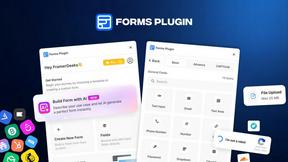
Forms Plugin
The #1 Native Form Builder Plugin for Framer - No Code, No Embeds, No External Platforms.
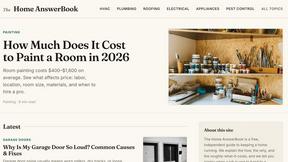
HomeAnswerBook
Practical, independent guides to home repairs, maintenance, costs, troubleshooting, and everyday fixes.
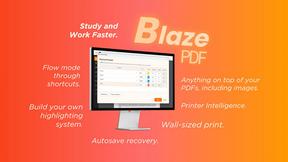
BlazePDF
Highlight faster. Study in flow with custom shortcuts and a workflow built around you. Print smarter, or turn any page into a tiled poster.
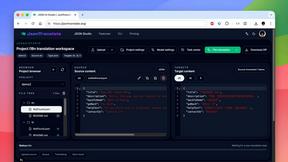
JsonTranslate
A json translater for translating JSON, Markdown, and TXT files while preserving keys, nested paths, and project structure.
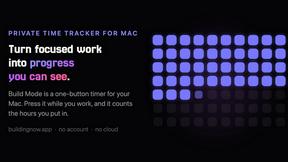
Build Mode for Mac
Build Mode is a Mac app that turns focused sessions into visible progress, so you can see the work adding up before the results arrive.


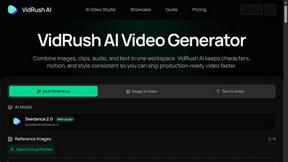
VidRush AI
AI-powered long video generator. Turn text, images, audio and video into long, production-ready AI videos.