
StreamGen vs Video Database
Side-by-side comparison to help you choose the right AI tool.

StreamGen
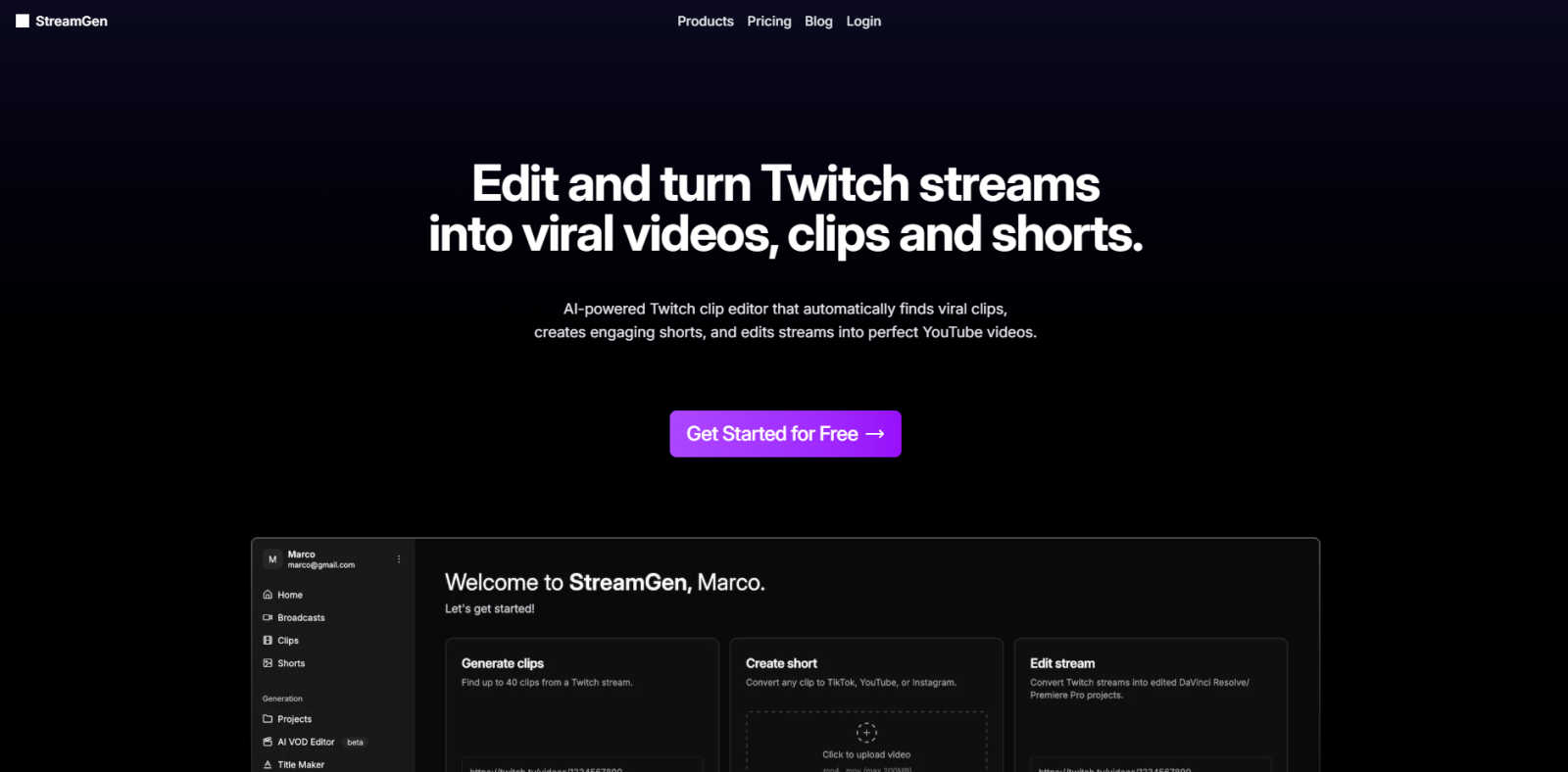
StreamGen effortlessly turns your Twitch streams into viral TikTok and YouTube Shorts.
Last updated: March 1, 2026

Video Database
Video Database is a curated library of winning short-form videos to inspire and inform your content strategy.
Last updated: April 13, 2026
Visual Comparison
StreamGen
Video Database

Feature Comparison
StreamGen
AI Twitch Clip Generator
This core feature acts as your intelligent highlight scout. It analyzes entire Twitch VODs, even those over eight hours long, using advanced AI models to automatically detect peak moments of excitement, laughter, and engagement. It identifies potential viral clips based on audio spikes, chat activity, and visual cues, saving you from the tedious task of manually scrubbing through hours of footage to find the best content.
Professional AI Clip Editor
Once clips are identified, this tool supercharges the editing process. It provides a powerful, yet user-friendly editor that automates the most time-consuming tasks. This includes generating accurate, stylized captions, intelligently removing silent pauses to keep pace brisk, automatically censoring specific words, and applying optimized vertical layouts for Shorts and Reels—all editable with a few clicks.
AI VOD to Project Editor
For creators seeking more advanced, long-form edits, StreamGen offers a unique capability. It can process your full Twitch stream and export it as a pre-organized project file directly into professional editing software like DaVinci Resolve and Adobe Premiere Pro. This provides a massive head start, with scenes marked and a basic edit structure in place.
Cross-Platform Scheduling & Publishing
To streamline your content calendar, StreamGen allows you to connect your TikTok and YouTube accounts directly. You can review, fine-tune, and then schedule your freshly created shorts for publication across both platforms from a single dashboard. This ensures consistent posting with minimal daily effort, a key factor for algorithmic growth.
Video Database
Hand-Curated Video Library
The foundation of Video Database is its collection of thousands of high-performing short-form videos, each manually selected for their effectiveness. This is not an automated scrape; it's a selective library built by experts who identify videos that demonstrate winning hooks, concepts, and formats. Every entry includes vital metadata like the creator, post date, view count, like count, and a calculated engagement multiplier (like-to-view ratio), providing immediate context for its success. This curation ensures you are studying proven examples, not just popular trends.
Advanced Filtering & Browsing
Move beyond basic search with a sophisticated filtering system that allows for precise discovery. You can browse videos by their structural Format (like One Shot, Carousel, or Greenscreen Talking Head) or by their core creative Concept (such as Expectation vs Reality, Product Demo, or Origin Story). Further filters let you sort by account type (Personal Brand, Business, etc.), performance metrics, and date added. This granularity helps you find exactly the type of reference you need, whether you're exploring a specific format or seeking inspiration for a particular messaging goal.
Creator Panel & Video DNA Extraction
Available in the Creator plan and above, this powerful feature provides AI-assisted creative tools directly within the context of a reference video. You can generate personalized hook ideas, brainstorm related video concepts, or write full scripts in your brand's voice. The "Extract Video DNA" function is particularly valuable, deconstructing a successful video into a detailed markdown template outlining its hook, visual structure, pacing, and key moments—essentially giving you a blueprint to adapt.
Save, Organize & Swipefiles
The platform enables you to build your own personalized knowledge base. You can save individual videos to custom collections for different projects or campaigns. For teams and serious creators, the ability to "Create & Share Swipefiles" turns personal research into a collaborative strategic asset. This feature ensures your best finds and inspirations are never lost, creating an always-accessible bank of proven creative references tailored to your specific needs.
Use Cases
StreamGen
Maximizing Content from a Single Stream
A streamer concludes a 6-hour gaming session. Instead of that VOD collecting dust, they connect it to StreamGen. The AI scans the entire broadcast, identifying 15 standout moments—clutch plays, funny glitches, and reactive banter. Within an hour, the streamer has a week's worth of polished, captioned shorts ready to schedule, dramatically increasing content output from a single source.
Maintaining Consistency with a Busy Schedule
For streamers balancing a full-time job, education, or family with content creation, manual editing is often the first task sacrificed. StreamGen automates the clip creation process, allowing these creators to maintain an active, professional presence on short-form platforms without sacrificing sleep or streaming time, making a dual career sustainable.
Enhancing Accessibility and Global Reach
By utilizing the AI's ability to generate accurate captions in over 90 languages, streamers can make their content accessible to viewers who are deaf or hard of hearing. Furthermore, they can easily repurpose clips for non-English speaking audiences, breaking down language barriers and tapping into new viewer demographics.
Streamlining Collaboration for Editors
Streamers who work with an editor or moderation team can use StreamGen as a powerful pre-production tool. The AI generates a shortlist of the best potential clips from a VOD, which the editor or mod can then review, approve, and send directly into the advanced editing suite. This eliminates guesswork and aligns the team on what content to promote.
Video Database
Content Creator Research & Ideation
A creator struggling with ideation or looking to refine their style can use the database to study top performers in their niche. By filtering by format (e.g., "Relatable One Shot") or concept (e.g., "Hot Take"), they can analyze dozens of examples to understand successful patterns, hooks, and editing techniques. The Creator Panel can then help them generate new, personalized ideas and scripts based on these proven frameworks, significantly speeding up the creative process.
Social Media Manager Campaign Planning
A social media manager planning a campaign for a brand can use the database to find relevant "Product Demo" or "Brand" videos. They can analyze what resonates with audiences, study engagement metrics to set realistic benchmarks, and build a swipefile of references to align their creative team. This provides a data-backed foundation for creative briefs and ensures proposed concepts are informed by real-world success, not just guesswork.
Video Strategist Trend Analysis
A strategist or agency lead needs to stay ahead of trends and advise clients on effective formats. They can use the database's "Always Updated" feed and advanced filters to track the performance of new video styles and concepts over time. By following specific creators or monitoring newly added videos daily, they can identify emerging patterns and provide forward-thinking strategic recommendations based on concrete examples.
Educator & Course Creator Curriculum Development
An educator, like the Cut30 bootcamp itself, can leverage the database as a teaching tool. Instead of sending students to random social platforms, they can direct them to specific, pre-vetted examples within the database that perfectly illustrate a lesson on hook writing, pacing, or visual storytelling. They can create shared collections for their students, ensuring everyone studies from the same set of high-quality, relevant reference material.
Pricing Comparison
StreamGen
StreamGen offers a free tier to get started, allowing users to experience its core clip generation and editing capabilities. For streamers seeking unlimited access, advanced features, and full publishing workflows, paid subscription plans are available. These tiered plans are designed to scale with a creator's needs, offering more VOD processing, higher export quality, and advanced AI tools to support growing channels. Detailed plan features and monthly costs are available on the StreamGen website.
Video Database
Video Database offers a tiered pricing model to suit different needs:
- Basic: Free. Includes robust filtering, access to hook templates, deep video analysis pages, and the ability to save videos.
- Creator: $49/month. Includes everything in Basic, plus the AI-powered Creator Panel for hooks/scripts/ideas, Video DNA extraction, the ability to create and share swipefiles, follow creators & formats, and submit videos for analysis.
- Strategist: $99/month (Coming Soon). Includes everything in Creator, plus tools to manage multiple brand voices via the Creator Panel, track new accounts, export data via CSV, and access an agentic strategy chatbot for advanced planning.
Overview
About StreamGen
StreamGen is the definitive AI-powered editing suite designed for the modern Twitch streamer. It solves a fundamental challenge in content creation: transforming lengthy, raw live streams into polished, platform-optimized clips without investing hours in manual editing. This intelligent platform automates the entire post-stream workflow. Its advanced algorithms analyze hours of VODs to intelligently identify the most engaging, viral-worthy moments—be it epic wins, hilarious fails, or heartfelt interactions. StreamGen then seamlessly edits these clips, adding professional-grade captions in over 90 languages, removing awkward silences, applying dynamic layouts, and even generating catchy title hooks. The final product is a library of ready-to-publish vertical shorts perfectly formatted for TikTok and YouTube Shorts. Trusted by a community of over 1000 streamers, from rising talents to established names, StreamGen's core value is empowerment. It allows creators to reclaim their time, maintain a consistent cross-platform presence, and ultimately unlock their channel's full potential by maximizing the reach and impact of every stream. Focus on live engagement; let StreamGen handle the rest.
About Video Database
Video Database is a meticulously curated reference library and analysis platform for short-form video content, designed to replace endless, inefficient scrolling. Born from the internal needs of the Cut30 short-form video bootcamp, it solves a fundamental problem for creators and strategists: the need to systematically study top-performing content without being at the mercy of algorithmic feeds. The platform transforms scattered inspiration into a structured, searchable, and analytical resource. It houses thousands of hand-picked winning videos from platforms like Instagram and TikTok, each tagged, categorized, and analyzed with key performance metrics. This tool is built for content creators, social media managers, brand strategists, and marketers who value quality over quantity and seek a strategic, data-informed approach to video research and creation. Its core value proposition is delivering curated excellence and deep structural insights, enabling users to understand why videos work and apply those lessons directly to their own content strategy.
Frequently Asked Questions
StreamGen FAQ
How does StreamGen find the best clips in my VOD?
StreamGen employs sophisticated AI models that analyze multiple data points from your stream. This includes detecting spikes in audio volume (cheers, shouts, laughter), analyzing viewer chat sentiment and activity, and recognizing visual cues. It synthesizes this data to identify moments with the highest potential for engagement and virality, acting as an intelligent first pass on your content.
Can I customize the clips that StreamGen creates?
Absolutely. StreamGen provides full creative control. The AI serves as a powerful starting point, but you have complete access to the editing suite. You can trim clip lengths, modify the automatically generated captions (fonts, colors, positioning), adjust the layout, censor different words, and choose from various title hook options. The AI handles the heavy lifting, you make the final creative decisions.
What platforms can I publish to with StreamGen?
StreamGen is specifically engineered for the short-form video ecosystem. It formats clips perfectly for TikTok and YouTube Shorts. Furthermore, the platform allows you to connect your accounts directly to schedule and publish content to both of these platforms from within StreamGen, creating a seamless workflow from stream to published short.
Is StreamGen suitable for new or small streamers?
Yes, StreamGen is an excellent tool for streamers at any level. For newcomers, it eliminates the steep learning curve and time investment required for professional video editing, allowing them to produce high-quality, competitive content from day one. The free tier offers a way to start, and the efficiency gain helps small channels grow their cross-platform presence faster.
Video Database FAQ
What makes this different from just browsing TikTok or Instagram?
Video Database removes the noise and algorithmic manipulation of social feeds. Instead of passive scrolling, it offers active, structured research. Every video is pre-vetted for quality and tagged with analytical data and structural categories (Format, Concept) that platforms don't provide. It's a focused tool for study and deconstruction, not entertainment, designed to save time and provide strategic insights you can't get from the apps themselves.
How often is the video library updated?
New videos are added daily to ensure the library reflects the latest trends and techniques. The homepage highlights recent additions, and the platform is committed to continuously expanding its curated collection with fresh, high-performing content from across major short-form platforms.
What is a "Video DNA" extraction?
Video DNA is a detailed breakdown of a video's successful formula. When you extract it, the system generates a markdown document that outlines the core hook, the visual and audio structure, key scene-by-scene moments, pacing notes, and the underlying concept. It transforms a great video from mere inspiration into an actionable template you can adapt for your own content.
Can I submit videos I find for analysis?
Yes, this is a feature included in the Creator plan and above. If you find a compelling video on social media that you believe holds valuable lessons, you can submit it to the Video Database team for potential inclusion and analysis. This helps grow the library with community-sourced gems and allows you to request a professional breakdown of videos you're curious about.
Alternatives
StreamGen Alternatives
StreamGen is an AI-powered video editing platform designed to help Twitch streamers effortlessly convert their long-form VODs into engaging clips for TikTok and YouTube Shorts. It operates within the specialized category of automated content repurposing tools, aiming to save creators significant time and effort. Users often explore alternatives for various reasons, such as budget constraints, specific feature requirements not offered by one platform, or a need to support different streaming or social media ecosystems. The search for the right tool is a natural part of finding the perfect fit for a creator's unique workflow and goals. When evaluating other options, key considerations should include the quality and intelligence of the automated editing, compatibility with your existing software, the range of customization for captions and formats, and the overall value relative to the investment. The ideal solution should streamline your content expansion without compromising on the quality that represents your brand.
Video Database Alternatives
Video Database is a curated content creation tool designed to organize and analyze high-value creator videos. It solves the problem of endless, inefficient scrolling by providing a centralized library of hand-picked references, allowing creators and strategists to study proven techniques systematically. Users may seek alternatives for various reasons, such as budget constraints, a need for different feature sets like collaborative editing or AI tagging, or a preference for a platform that integrates directly with their existing workflow tools. The specific demands of a team or individual project often drive this search. When evaluating an alternative, prioritize a quality-over-quantity approach. Look for a solution that offers thoughtful curation, robust organization beyond basic folders, and analytical insights that help you understand why a video works, not just where to store it. The goal is to transform inspiration into actionable strategy.