
Renderly vs StreamGen
Side-by-side comparison to help you choose the right AI tool.

Renderly
Renderly automates video production at scale, generating thousands of personalized videos quickly via a powerful API.
Last updated: February 28, 2026

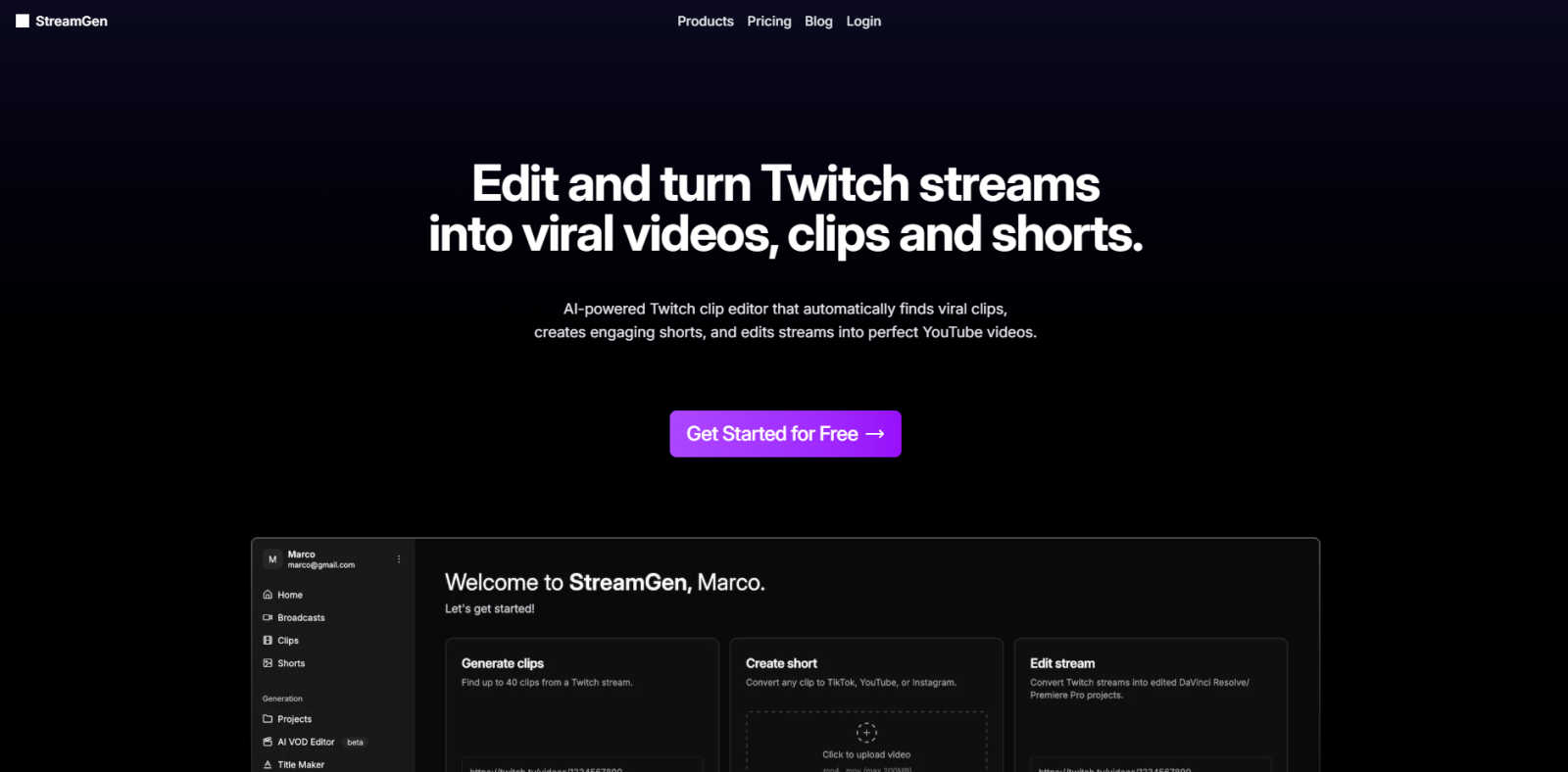
StreamGen effortlessly turns your Twitch streams into viral TikTok and YouTube Shorts.
Last updated: March 1, 2026
Visual Comparison
Renderly

StreamGen
Feature Comparison
Renderly
API-First Architecture
Renderly's RESTful API is designed for high-volume video generation, allowing developers to programmatically create and manage videos. The comprehensive documentation, webhooks, and SDKs make integration straightforward and efficient.
Template Management
With a centralized template library, users can easily manage and customize video templates. JSON configuration allows for variable replacement, enabling dynamic content generation tailored to specific audience needs.
Scalable Infrastructure
Renderly's cloud-native platform features auto-scaling capabilities, ensuring reliable performance even during peak demands. This infrastructure can handle thousands of concurrent renders, making it ideal for enterprises with fluctuating video production needs.
Credit-Based Billing
Renderly offers a transparent pay-per-render pricing model, allowing users to only pay for what they render. This approach provides significant cost savings of up to 90% compared to competitors and includes volume discounts for enterprise customers.
StreamGen
AI Twitch Clip Generator
This core feature acts as your intelligent highlight scout. It analyzes entire Twitch VODs, even those over eight hours long, using advanced AI models to automatically detect peak moments of excitement, laughter, and engagement. It identifies potential viral clips based on audio spikes, chat activity, and visual cues, saving you from the tedious task of manually scrubbing through hours of footage to find the best content.
Professional AI Clip Editor
Once clips are identified, this tool supercharges the editing process. It provides a powerful, yet user-friendly editor that automates the most time-consuming tasks. This includes generating accurate, stylized captions, intelligently removing silent pauses to keep pace brisk, automatically censoring specific words, and applying optimized vertical layouts for Shorts and Reels—all editable with a few clicks.
AI VOD to Project Editor
For creators seeking more advanced, long-form edits, StreamGen offers a unique capability. It can process your full Twitch stream and export it as a pre-organized project file directly into professional editing software like DaVinci Resolve and Adobe Premiere Pro. This provides a massive head start, with scenes marked and a basic edit structure in place.
Cross-Platform Scheduling & Publishing
To streamline your content calendar, StreamGen allows you to connect your TikTok and YouTube accounts directly. You can review, fine-tune, and then schedule your freshly created shorts for publication across both platforms from a single dashboard. This ensures consistent posting with minimal daily effort, a key factor for algorithmic growth.
Use Cases
Renderly
Personalized Marketing Videos
Marketing teams can leverage Renderly to create personalized video content for targeted campaigns. By using data-driven templates, businesses can automatically generate videos that resonate with individual customer preferences.
Social Media Content Creation
Renderly simplifies the process of producing bulk social media videos. Brands can quickly generate multiple pieces of content tailored for various platforms, ensuring consistent and engaging messaging across all channels.
Data-Driven Motion Graphics
Organizations can utilize Renderly for creating data-driven motion graphics that visualize complex information in an engaging format. This capability enhances storytelling and makes data more accessible to audiences.
E-Learning and Training Videos
Educational institutions and corporate training departments can use Renderly to automate the creation of instructional videos. By personalizing content based on the learner's profile, they can enhance the learning experience and improve engagement.
StreamGen
Maximizing Content from a Single Stream
A streamer concludes a 6-hour gaming session. Instead of that VOD collecting dust, they connect it to StreamGen. The AI scans the entire broadcast, identifying 15 standout moments—clutch plays, funny glitches, and reactive banter. Within an hour, the streamer has a week's worth of polished, captioned shorts ready to schedule, dramatically increasing content output from a single source.
Maintaining Consistency with a Busy Schedule
For streamers balancing a full-time job, education, or family with content creation, manual editing is often the first task sacrificed. StreamGen automates the clip creation process, allowing these creators to maintain an active, professional presence on short-form platforms without sacrificing sleep or streaming time, making a dual career sustainable.
Enhancing Accessibility and Global Reach
By utilizing the AI's ability to generate accurate captions in over 90 languages, streamers can make their content accessible to viewers who are deaf or hard of hearing. Furthermore, they can easily repurpose clips for non-English speaking audiences, breaking down language barriers and tapping into new viewer demographics.
Streamlining Collaboration for Editors
Streamers who work with an editor or moderation team can use StreamGen as a powerful pre-production tool. The AI generates a shortlist of the best potential clips from a VOD, which the editor or mod can then review, approve, and send directly into the advanced editing suite. This eliminates guesswork and aligns the team on what content to promote.
Overview
About Renderly
Renderly is a cutting-edge video infrastructure platform designed to revolutionize video production for developers and creators alike. By automating video generation at scale, Renderly eliminates the need for manual rendering, allowing users to generate personalized videos, bulk social media content, and dynamic motion graphics with ease. The platform is particularly beneficial for enterprises that require high-volume video production without compromising on quality or efficiency. With an API-first design, Renderly enables seamless integration into existing workflows, making it a powerful tool for businesses in various industries. Its template-driven approach, combined with an auto-scaling cloud-native infrastructure, ensures that users can rapidly produce thousands of videos while enjoying significant cost savings. Whether you are a marketing team looking to enhance engagement or a developer seeking reliable video generation capabilities, Renderly offers the tools and flexibility to meet your needs.
About StreamGen
StreamGen is the definitive AI-powered editing suite designed for the modern Twitch streamer. It solves a fundamental challenge in content creation: transforming lengthy, raw live streams into polished, platform-optimized clips without investing hours in manual editing. This intelligent platform automates the entire post-stream workflow. Its advanced algorithms analyze hours of VODs to intelligently identify the most engaging, viral-worthy moments—be it epic wins, hilarious fails, or heartfelt interactions. StreamGen then seamlessly edits these clips, adding professional-grade captions in over 90 languages, removing awkward silences, applying dynamic layouts, and even generating catchy title hooks. The final product is a library of ready-to-publish vertical shorts perfectly formatted for TikTok and YouTube Shorts. Trusted by a community of over 1000 streamers, from rising talents to established names, StreamGen's core value is empowerment. It allows creators to reclaim their time, maintain a consistent cross-platform presence, and ultimately unlock their channel's full potential by maximizing the reach and impact of every stream. Focus on live engagement; let StreamGen handle the rest.
Frequently Asked Questions
Renderly FAQ
What types of videos can I create with Renderly?
Renderly allows you to create a wide variety of videos, including personalized marketing videos, bulk social media content, and dynamic motion graphics, all using customizable templates.
How does the credit-based billing system work?
Renderly’s credit-based billing means you pay only for the videos you render. This transparent pricing model includes volume discounts, making it cost-effective for enterprises with high production needs.
Is Renderly suitable for small businesses?
Yes, Renderly is designed to scale with your needs, making it suitable for both small businesses and large enterprises. Its flexible API allows users of all sizes to automate video production efficiently.
What security measures does Renderly implement?
Renderly is SOC 2 compliant and employs data encryption, access controls, and audit logging to ensure the security and privacy of your content and data throughout the video production process.
StreamGen FAQ
How does StreamGen find the best clips in my VOD?
StreamGen employs sophisticated AI models that analyze multiple data points from your stream. This includes detecting spikes in audio volume (cheers, shouts, laughter), analyzing viewer chat sentiment and activity, and recognizing visual cues. It synthesizes this data to identify moments with the highest potential for engagement and virality, acting as an intelligent first pass on your content.
Can I customize the clips that StreamGen creates?
Absolutely. StreamGen provides full creative control. The AI serves as a powerful starting point, but you have complete access to the editing suite. You can trim clip lengths, modify the automatically generated captions (fonts, colors, positioning), adjust the layout, censor different words, and choose from various title hook options. The AI handles the heavy lifting, you make the final creative decisions.
What platforms can I publish to with StreamGen?
StreamGen is specifically engineered for the short-form video ecosystem. It formats clips perfectly for TikTok and YouTube Shorts. Furthermore, the platform allows you to connect your accounts directly to schedule and publish content to both of these platforms from within StreamGen, creating a seamless workflow from stream to published short.
Is StreamGen suitable for new or small streamers?
Yes, StreamGen is an excellent tool for streamers at any level. For newcomers, it eliminates the steep learning curve and time investment required for professional video editing, allowing them to produce high-quality, competitive content from day one. The free tier offers a way to start, and the efficiency gain helps small channels grow their cross-platform presence faster.
Alternatives
Renderly Alternatives
Renderly is a cutting-edge video infrastructure platform designed for developers and creators to automate video production at scale. With its powerful API and user-friendly online editor, Renderly allows users to generate thousands of videos in just minutes, making it ideal for personalized projects, bulk social media content, or data-driven motion graphics. However, as users explore their options, they often seek alternatives due to various reasons, including pricing, specific feature sets, or unique platform needs that may not be fully addressed by Renderly. When searching for an alternative, it's essential to consider factors such as ease of integration, the flexibility of the API, scalability, and the range of features offered. Users should also evaluate customer support, user experience, and any additional tools or resources that can enhance their video production workflows. By carefully assessing these criteria, users can find a solution that best aligns with their video creation goals.
StreamGen Alternatives
StreamGen is an AI-powered video editing platform designed to help Twitch streamers effortlessly convert their long-form VODs into engaging clips for TikTok and YouTube Shorts. It operates within the specialized category of automated content repurposing tools, aiming to save creators significant time and effort. Users often explore alternatives for various reasons, such as budget constraints, specific feature requirements not offered by one platform, or a need to support different streaming or social media ecosystems. The search for the right tool is a natural part of finding the perfect fit for a creator's unique workflow and goals. When evaluating other options, key considerations should include the quality and intelligence of the automated editing, compatibility with your existing software, the range of customization for captions and formats, and the overall value relative to the investment. The ideal solution should streamline your content expansion without compromising on the quality that represents your brand.