
Seedance 2.0 vs SeeDance Ai
Side-by-side comparison to help you choose the right AI tool.

Seedance 2.0
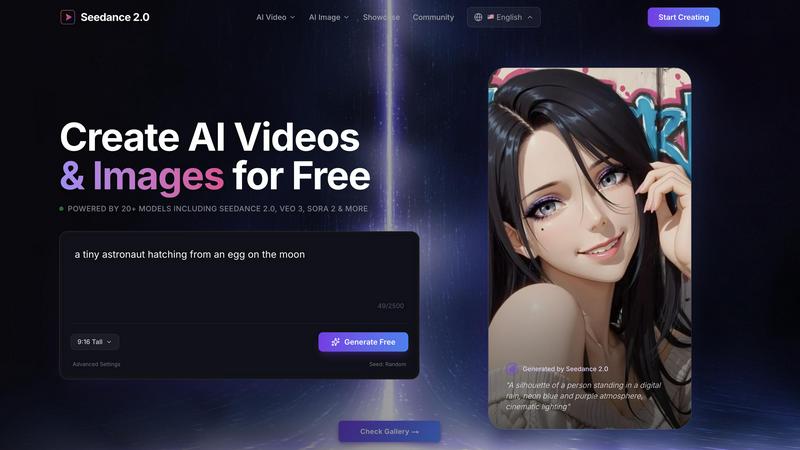
Seedance 2.0 empowers creators to effortlessly generate stunning AI videos and images for free using advanced models.
Last updated: February 27, 2026

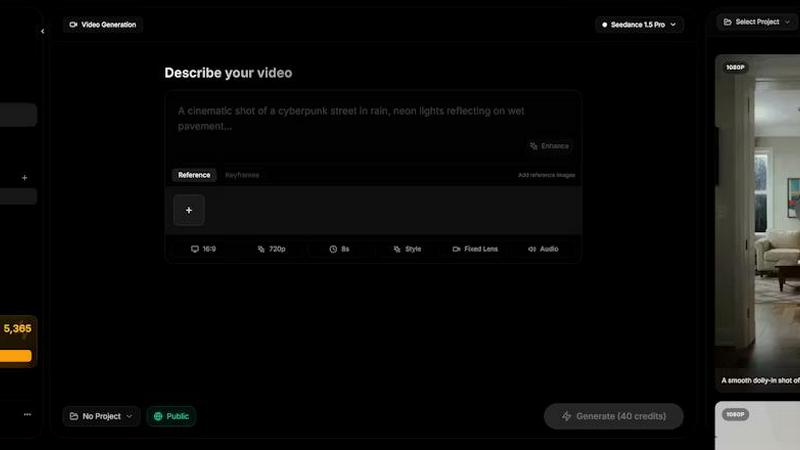
Seedance AI transforms your text, images, audio, and video into polished, sound-synced cinematic clips in one seamless generation.
Last updated: April 13, 2026
Visual Comparison
Seedance 2.0
SeeDance Ai
Feature Comparison
Seedance 2.0
Multi-Model Video Generator
Seedance 2.0 incorporates a powerful multi-model video generator that allows users to create professional-quality content using 7+ advanced models. This includes popular models like Seedance 2.0, Veo 3, and Sora 2, giving creators the flexibility to select the perfect model for their specific needs and project requirements.
Cinematic Camera Control
With advanced cinematic camera control features, Seedance 2.0 offers users professional camera movements such as pans, zooms, tracking, and aerial shots. This functionality empowers creators to produce Hollywood-quality footage with ease, elevating the visual storytelling aspect of their projects.
Image Generation
Seedance 2.0 also excels in image generation, utilizing cutting-edge models like Seedream, Flux, and GPT Image. Users can effortlessly create stunning images perfect for illustrations, product design, and more, making it a comprehensive tool for visual content creation.
Motion Replication
The platform's motion replication feature allows users to transfer movements from reference clips to their AI-generated content. Whether replicating dance moves or gestures, this innovative capability enhances the realism and engagement of generated scenes, making it ideal for creative storytelling.
SeeDance Ai
Multimodal @ Reference System
This core feature revolutionizes creative control. Instead of relying solely on descriptive text, you can upload up to 12 reference files—including images, videos, and audio clips—and tag them directly in your prompt using the @ symbol. This allows for precise instruction, such as applying a specific face from an image, replicating a camera move from a video, or syncing to the beat of an audio track, effectively eliminating guesswork and enabling exact creative replication.
Native Audio-Visual Synchronization
SeeDance Ai generates audio and video together in a single model pass, not as separate, post-processed layers. This results in exact timing where sound effects land on the correct frame, footsteps match the beat, and lip-sync remains accurate. The model natively produces environmental audio, background music, and character dialogue, making high-quality sound an integral part of the initial generation rather than a manual afterthought.
Consistent Character & Identity Lock
The platform solves the pervasive issue of character drift through a cross-attention reference system. It locks in facial geometry, clothing details, and stylistic elements across different scenes and shots. This ensures that characters, logos, and product details remain sharp, recognizable, and consistent throughout a video sequence, which is essential for serialized content, branded campaigns, and professional storytelling.
Precise Camera & Motion Control
Creators can achieve specific cinematic movements by uploading a reference video. The AI analyzes and replicates exact camera behaviors such as dolly zooms, tracking shots, orbital movements, or handheld shakes. This extends to complex human motion, allowing for the faithful transfer of choreography, dance routines, or martial arts sequences from a reference clip to newly generated characters with high physical fidelity.
Use Cases
Seedance 2.0
Marketing & Brand Content
Seedance 2.0 is perfect for marketers looking to create compelling product content, social media posts, and advertisements. By leveraging AI-generated videos, brands can enhance their engagement and reach, making their content more attractive and impactful.
Education & Training
Educators can transform complex concepts into engaging visual explanations using Seedance 2.0. The platform allows for the creation of tutorials and training materials that enhance comprehension and retention, making learning more effective and enjoyable for students.
Creative & Cinematic Projects
Independent filmmakers and artists can utilize Seedance 2.0 to produce short films, music videos, and artistic content. The advanced features and cinematic capabilities enable creators to prototype scenes quickly, fostering creativity and innovation in their projects.
Social Media & Viral Content
For content creators focused on social media, Seedance 2.0 facilitates the creation of trendy effects and clips designed for platforms like TikTok and Instagram. By generating engaging and shareable content, users can capitalize on viral trends and boost their online presence.
SeeDance Ai
Marketing & Promotional Clips
Brands and agencies can rapidly produce high-fidelity promotional videos, product showcases, and ad creatives. The ability to maintain consistent product visuals and brand characters across multiple shots, combined with native, synced audio, creates polished marketing assets without the need for expensive studio shoots or complex post-production editing.
Social Media & Viral Content Creation
Content creators and influencers can generate engaging, trend-focused videos for platforms like TikTok, Instagram Reels, and YouTube Shorts. The tool excels at creating dance videos, dynamic sketches, and visually compelling narratives with smooth motion and perfect audio sync, tailored for high engagement and shareability in fast-paced social feeds.
Cinematic Storytelling & Short Films
Independent filmmakers and storytellers can use the platform as a pre-visualization tool or to produce complete short films. The automatic multi-shot sequencing, director-level control over camera angles and motion, and consistent characters enable the creation of coherent, multi-scene narratives with a cinematic feel, all from a detailed prompt and reference materials.
Educational & Explainer Videos
Educators and businesses can create clear, engaging explainer videos and training content. By using image references for diagrams and audio for narration, the platform can generate videos where complex concepts are visualized with smooth animations and perfectly timed voiceovers or sound effects, enhancing comprehension and retention.
Overview
About Seedance 2.0
Seedance 2.0 is a revolutionary AI-powered platform that enables users to create stunning videos and images effortlessly and for free. Designed for creators of all levels, it harnesses the power of over 20 advanced AI models including Veo 3, Sora 2, and Kling, ensuring high-quality outputs without any watermark. Whether you're a marketer looking to enhance engagement, an educator aiming to simplify complex concepts, or a filmmaker searching for cinematic creativity, Seedance 2.0 serves as a versatile tool. Its intuitive interface allows for seamless video and image generation, making it accessible to both novices and seasoned professionals. With rapid generation speeds and a vibrant community showcasing inspiring creations, Seedance 2.0 stands out as a go-to solution for anyone interested in harnessing AI for creative projects.
About SeeDance Ai
SeeDance Ai is a specialized, multimodal AI video generation platform engineered for creators who demand cinematic quality and director-level control. It transcends basic text-to-video conversion by accepting a powerful combination of inputs: text prompts, images, audio clips, and video references. This allows it to generate polished, multi-shot video sequences with native audio-visual synchronization, realistic motion, and high adherence to creative direction. The platform directly tackles common industry pain points like "anatomical drift" and character inconsistency by implementing advanced motion-transfer and cross-attention systems, ensuring skeletal integrity and stable character identity across shots. With models like SeeDance 2.0 and SeeDance 1.5 Pro, it is designed for professional workflows in marketing, social content creation, dance, and storytelling, functioning as an automated production pipeline that handles camera work, physics, and sound design simultaneously.
Frequently Asked Questions
Seedance 2.0 FAQ
What is Seedance 2.0?
Seedance 2.0 is an AI-powered platform that allows users to generate stunning videos and images for free using over 20 advanced models. It is designed for creators of all levels and offers high-quality content without watermarks.
Is Seedance 2.0 free to use?
Yes, Seedance 2.0 offers a free version that allows users to create videos and images without any upfront costs. Users can start creating immediately, with no credit card required for sign-up.
What models are supported?
Seedance 2.0 supports more than 20 advanced AI models, including Veo 3, Sora 2, Kling, and the flagship Seedance 2.0 model. This diversity enables users to choose the most suitable model for their specific creative needs.
How does text-to-video generation work?
Seedance 2.0 employs advanced AI algorithms to convert textual descriptions into dynamic video content. Users simply input their desired text, and the platform generates corresponding video scenes, making content creation intuitive and efficient.
SeeDance Ai FAQ
What makes SeeDance Ai different from other AI video generators?
SeeDance Ai distinguishes itself through its true multimodal generation and native audio-visual sync. While many tools generate silent video or add sound later, SeeDance produces both simultaneously for perfect timing. Its @ reference system provides unparalleled control by using images, video, and audio as direct inputs, and its advanced models are specifically engineered to solve problems like character inconsistency and unnatural physics.
What types of files can I use as references?
You can upload a combination of reference files to guide your generation, including up to 9 images, 3 videos, and 3 audio clips. These are tagged in your text prompt using the @ symbol (e.g., @Image1, @Video2), allowing the AI to use specific elements from each file as precise instructions for the final video output.
Can SeeDance Ai create videos with consistent characters?
Yes, maintaining consistent characters is a core capability. Using its cross-attention reference system, SeeDance Ai can lock in a character's facial features, hairstyle, clothing, and other identity markers across multiple shots and entirely different scenes. This makes it highly effective for projects that require the same character to appear repeatedly.
Is SeeDance Ai affiliated with ByteDance or TikTok?
No, it is important to note that seedanceai.com is an independent website and platform. It is not affiliated with, associated with, or endorsed by ByteDance Ltd. or any of its products, such as TikTok.
Alternatives
Seedance 2.0 Alternatives
Seedance 2.0 is a free AI video and image generator that empowers users to create visually stunning content without the constraints of watermarks. It falls under the design tools and video categories, providing access to over 20 models, including Veo 3, Sora 2, and Kling. This versatility makes it appealing to both casual creators and professionals alike. However, users often seek alternatives to Seedance 2.0 for various reasons, such as pricing structures, specific features that may better suit their needs, or compatibility with different platforms. When exploring alternatives, it’s essential to consider factors like ease of use, the variety of creative options available, and whether the platform supports commercial usage without restrictions. Ultimately, finding the right tool can enhance the quality and efficiency of your creative projects.
SeeDance Ai Alternatives
SeeDance Ai is a specialized platform in the AI video generation category, designed to create cinematic, multi-shot videos from text, images, and other media. It distinguishes itself with a focus on director-level control and high-fidelity motion, particularly for content requiring realistic human movement and physics. Users often explore alternatives for various reasons. These can include budget constraints, a need for different feature sets, or compatibility with specific creative workflows. The search for the right tool is a natural part of finding the perfect fit for a project's unique demands. When evaluating other options, key considerations should be the consistency of character motion, the quality of audio-visual synchronization, and the overall adherence to creative prompts. The goal is to find a solution that minimizes technical artifacts and maximizes creative control for professional-grade output.