
One More Shot AI vs StatPecker
Side-by-side comparison to help you choose the right AI tool.

One More Shot AI
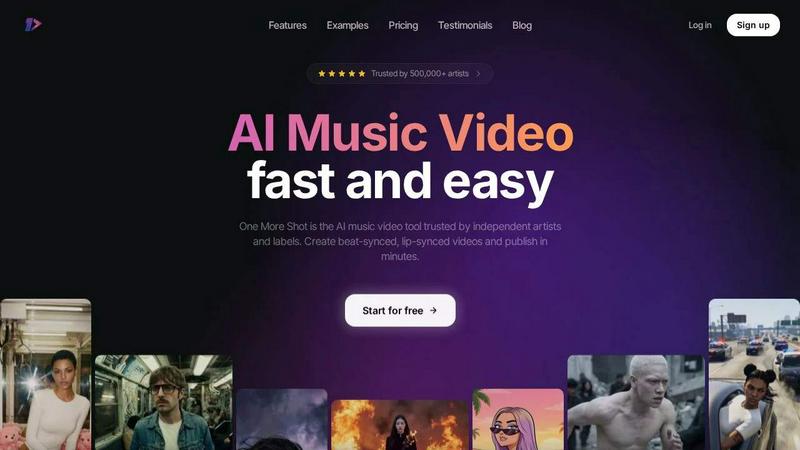
One More Shot AI instantly transforms your songs into professional, lip-synced music videos for artists.
Last updated: April 4, 2026

StatPecker
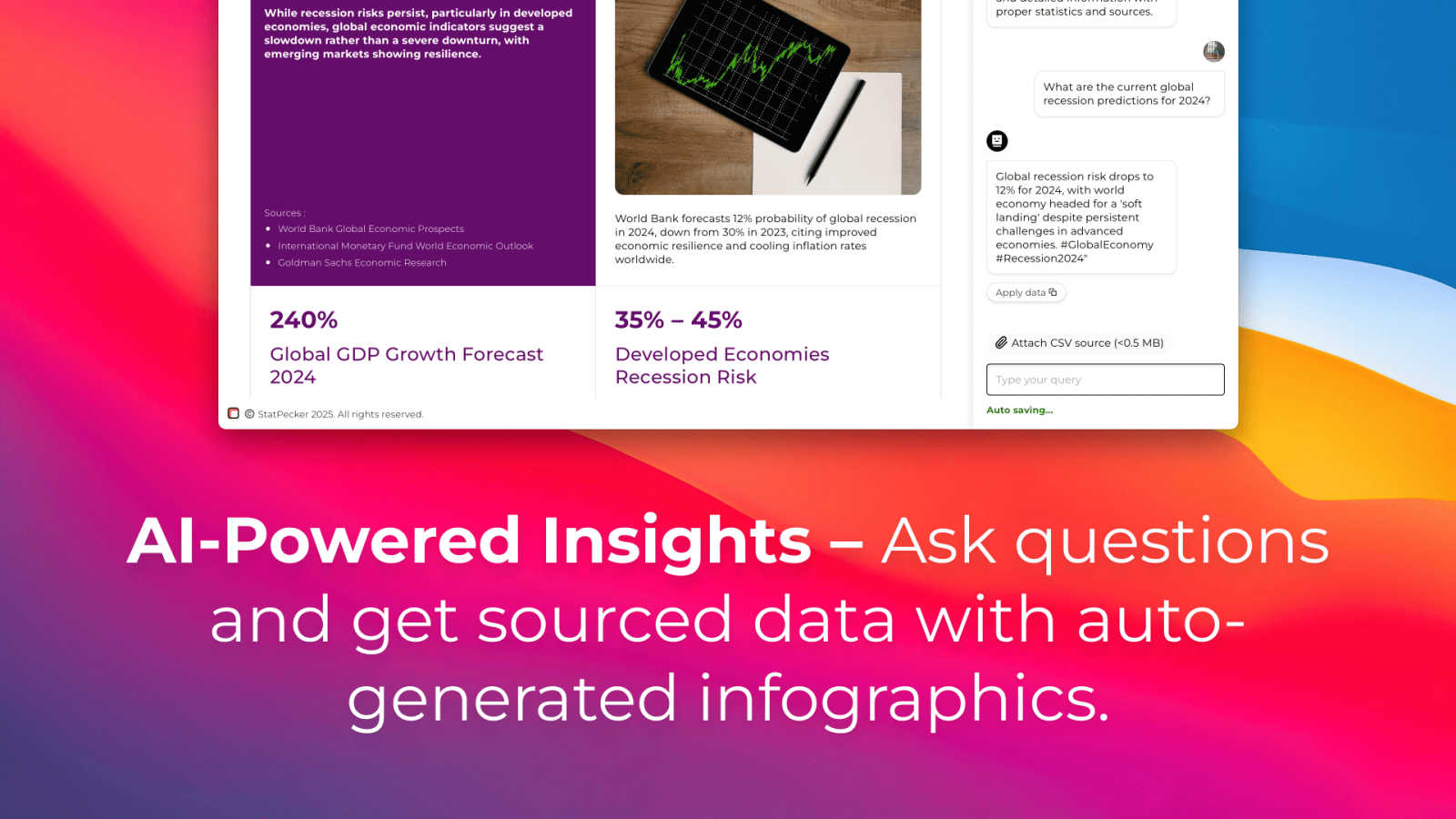
StatPecker transforms your data into secure, stunning visuals for quick insights and impactful storytelling.
Last updated: March 1, 2026
Visual Comparison
One More Shot AI
StatPecker
Feature Comparison
One More Shot AI
AI Artist & Identity Consistency
Create a persistent virtual artist from a single photo or descriptive prompt. This feature ensures your generated subject maintains a consistent appearance, clothing, and style across every scene and shot, building a recognizable identity for social content and full music videos without the need for a human actor or complex reshoots.
Auto Video Generation
Functioning as your automated production crew, this feature handles the heavy lifting. Simply input your song and a reference image, and the AI agents analyze the audio to construct a complete, rhythmically synced music video narrative. It's the fastest path from an audio track to a shareable visual piece, perfect for rapid prototyping and content creation.
Precise Project Mode Editing
For creators who demand granular control, Project Mode offers a timeline-based editor for meticulous, scene-by-scene and frame-by-frame customization. Start from an auto-generated video or from scratch, modifying individual shots, transitions, and visual prompts to perfectly align with your creative vision and the song's structure.
Top-Tier AI Lip-Sync (Seedance 2.0)
The platform hosts advanced lip-syncing technology to ensure singing scenes look natural and perfectly timed to the vocals. This model analyzes the audio track to animate mouths with high accuracy, eliminating the uncanny valley effect and providing professional-grade sync that is critical for believable music video performances.
StatPecker
Ask Your Query
StatPecker allows users to obtain instant insights by simply asking questions in natural language. This feature eliminates the need for complex tools and makes it easy for users to access validated sources of information, enhancing their ability to interpret data effectively.
Publish & Embed
With StatPecker, users can create interactive visuals that can be seamlessly integrated into blogs, articles, and websites. This feature ensures that users can share their data insights in a visually appealing format that captures the attention of their audience.
Upload & Analyze CSVs
Users can upload CSV files of up to 50MB and analyze them without the hassle of traditional spreadsheets. This feature simplifies the process of extracting key insights from data, enabling users to focus on storytelling instead of data management.
Download & Use Anywhere
StatPecker allows users to export their infographics as images, making them suitable for reports, presentations, and more. This feature ensures that users can utilize their visuals across various platforms and formats, providing versatility in data presentation.
Use Cases
One More Shot AI
Independent Artist Music Videos
Independent musicians and producers can transform their tracks from Suno, Udio, or traditional DAWs like FL Studio into full-fledged music videos without a production budget. This enables them to create a professional visual product for YouTube and streaming platforms, essential for artist discovery and fan engagement.
Social Media Content & Snippets
Artists and marketers can quickly repurpose a song into multiple format-specific clips—vertical for TikTok/Reels, square for Instagram, horizontal for YouTube. This allows for strategic, platform-native promotion, teasing new releases, and maintaining a consistent visual brand identity across all channels.
Lyric Video Creation
Generate engaging lyric videos where text appears dynamically in sync with the song. This use case is perfect for enhancing listener immersion, aiding in song memorability, and providing accessible content that stands out on visual platforms, all created automatically from the uploaded audio file.
Rapid Visual Prototyping & Mood Boards
Songwriters and labels can use the auto-generation feature to quickly visualize concepts and create mood boards for a track before committing to a high-cost traditional shoot. It serves as a powerful tool for brainstorming, pitching ideas, and solidifying the artistic direction of a final video.
StatPecker
Data-Driven Marketing
Marketers can leverage StatPecker to create compelling visuals that highlight campaign performance, customer demographics, and market trends. This helps in crafting data-driven strategies that resonate with stakeholders and drive decision-making.
Educational Presentations
Educators can use StatPecker to present complex data in an engaging manner. By transforming raw data into infographics, teachers can enhance their lectures, making learning more interactive and visually appealing for students.
Business Analytics
Analysts can utilize StatPecker to visualize sales performance, revenue breakdowns, and market comparisons. This empowers teams to make informed decisions based on clear and concise visual data representations.
Content Creation
Content creators can harness StatPecker to generate eye-catching visuals for articles, social media posts, and blogs. By embedding these visuals, they can enhance user engagement and provide valuable insights to their audiences.
Overview
About One More Shot AI
One More Shot AI is a dedicated platform for creating professional, AI-powered music videos with unprecedented speed and creative control. It transforms the traditional, labor-intensive video production process into a streamlined digital workflow, empowering musicians, creators, and music marketers to bring their audio tracks to visual life. The core value proposition lies in its intelligent synchronization; the platform analyzes a song's rhythm, energy, and mood to automatically generate beat-synced visuals and authentic lip-sync, making videos feel dynamic and professionally crafted. Designed for the modern content landscape, it supports multiple output formats—vertical, horizontal, and square—making it ideal for social media promotion, artist branding, and full-scale music video releases. Trusted by over 500,000 artists, it serves as a virtual production crew, enabling users to start with a simple, automated process or dive into granular, frame-by-frame editing for complete creative authority. Whether you're an independent artist on Suno or Udio, or a label looking to scale content, One More Shot AI provides the tools to publish captivating visual experiences in minutes, not months.
About StatPecker
StatPecker is an innovative AI-powered tool that transforms raw data into compelling visuals, targeting a wide audience including content creators, analysts, marketers, and educators. This platform automates the process of data storytelling, allowing users to generate impactful infographics without the burden of manual reporting or expensive design services. With StatPecker, users can quickly create visually engaging content in seconds, saving time and reducing costs while enhancing their presentations. The intuitive interface allows for easy CSV file uploads and the ability to ask insightful queries through AI, resulting in interactive visuals that can be embedded across various digital platforms. StatPecker democratizes data visualization, making it accessible to everyone, regardless of their technical proficiency, thereby empowering users to communicate insights effectively.
Frequently Asked Questions
One More Shot AI FAQ
What do I need to get started with One More Shot AI?
To begin, you primarily need your audio track (in formats like MP3) and a creative idea. You can start simply with a reference image and a text prompt describing the visual style. The platform guides you through an intuitive process, and you can choose between the fully automated flow or the detailed Project Mode for more control.
How good is the lip-syncing feature?
The platform utilizes a state-of-the-art lip-syncing model (Seedance 2.0) specifically designed to match mouth movements to vocals with high precision. It is continually updated to be among the best available, ensuring that singing scenes look natural, convincing, and perfectly timed to your track's audio.
Can I use the videos commercially?
Yes, videos created on One More Shot AI are intended for your promotional and commercial use as an artist or creator. This includes sharing on social media, streaming platforms, and using them for official music releases. It is always recommended to review the platform's Terms & Conditions for the most detailed and current usage rights.
What audio sources does it work with?
The platform is designed to work seamlessly with AI music generators like Suno and Udio, as well as audio from traditional Digital Audio Workstations (Ableton, FL Studio) and streaming platforms. You can upload any standard audio file (e.g., MP3) from your device to serve as the foundation for your video.
StatPecker FAQ
What types of files can I upload to StatPecker?
You can upload CSV files of up to 50MB to StatPecker for analysis. This allows you to extract valuable insights directly from your data without the need for spreadsheets.
How does StatPecker ensure data privacy?
StatPecker operates with a local SQL agent feature, meaning your data stays on your device during analysis. This ensures that your information remains private and secure.
Can I use StatPecker for free?
Yes, StatPecker offers a free tier that allows users to create unlimited projects and embeds, with a limit on AI queries and CSV uploads. This makes it accessible for users to start creating engaging visuals without any upfront costs.
What kind of support is available for users?
StatPecker provides support through various channels, including a comprehensive help section on their website and customer service for inquiries about features and functionalities. Users can also access community forums for shared experiences and tips.
Alternatives
One More Shot AI Alternatives
One More Shot AI is a platform in the AI content creation space, specifically designed to transform songs into synchronized music videos. It streamlines the traditional video production process, allowing artists and creators to generate visual content that matches the rhythm and mood of their audio through an intuitive, AI-powered workflow. Users explore alternatives for various reasons, including budget constraints, specific feature requirements like different AI models or editing tools, or the need for integration with other platforms. The search often stems from a desire to find the perfect balance between creative control, output quality, and cost for their unique projects. When evaluating other options, key considerations should be the quality and consistency of AI-generated visuals, the depth of synchronization with audio beats, the flexibility of output formats for different social channels, and the overall user experience. The right tool should align with both your creative vision and practical production needs.
StatPecker Alternatives
StatPecker is an innovative AI-powered tool that falls under the category of data visualization. It transforms raw data into stunning visuals, making it accessible for various users, including content creators, analysts, marketers, and educators. The platform's focus on automating data storytelling eliminates the need for tedious manual reporting and costly design services, allowing users to create engaging infographics quickly and efficiently. Users often seek alternatives to StatPecker due to factors such as pricing, feature sets, and specific platform requirements that may not align with their needs. When choosing an alternative, it is essential to consider aspects such as ease of use, the ability to integrate with existing workflows, available features, and overall cost-effectiveness. Identifying a solution that provides similar capabilities while catering to unique user demands can enhance data visualization efforts.