
Image3D AI vs Modelfy 3D
Side-by-side comparison to help you choose the right AI tool.

Image3D AI
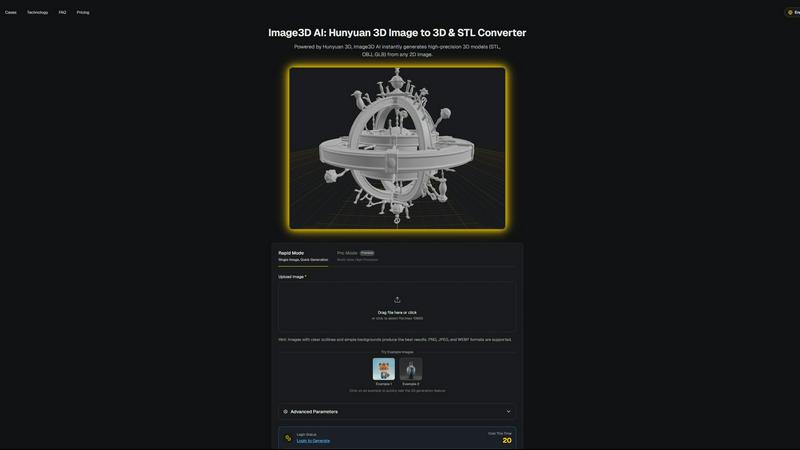
Transform any 2D image into stunning, high-quality 3D models in minutes, perfect for printing or gaming, with no skills.
Last updated: March 1, 2026

Modelfy 3D
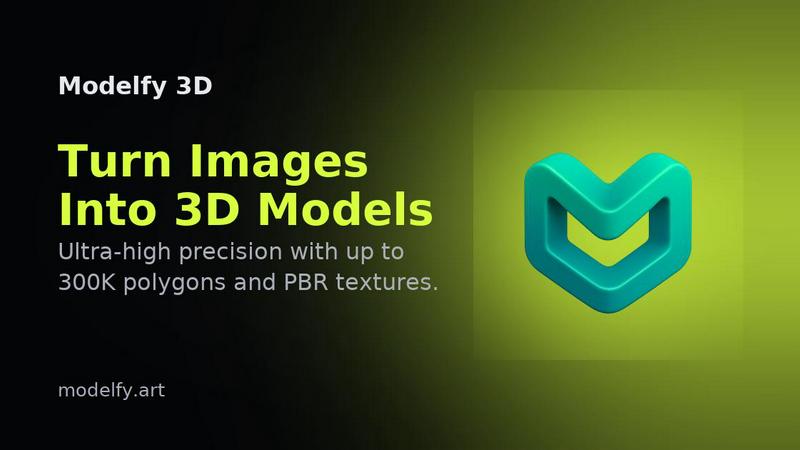
Instantly transform any image into stunning 3D models with Modelfy 3D's advanced AI technology.
Last updated: February 28, 2026
Visual Comparison
Image3D AI
Modelfy 3D
Feature Comparison
Image3D AI
Rapid Mode
The Rapid Mode allows users to generate high-quality 3D models from a single 2D image in just a few minutes. This feature is perfect for quick projects or for users who need a fast turnaround, making it an ideal choice for those on tight deadlines.
Pro Mode
For users seeking higher precision, the Pro Mode offers multi-view capabilities, allowing for the generation of detailed and intricate 3D models. This mode is ideal for complex objects where multiple perspectives enhance the accuracy of the final model.
Advanced Image Formats
Image3D AI supports a variety of file formats such as STL, OBJ, and GLB. This versatility ensures that users can export their models in the format best suited for their specific needs, whether for 3D printing, game development, or web integration.
Best Practices Guide
The platform provides a comprehensive Best Practices Guide that helps users maximize the quality of their 3D conversions. By following these guidelines, users can significantly improve the results of their image-to-3D transformations, ensuring high-quality outputs.
Modelfy 3D
AI Image to 3D Model Generator
Modelfy 3D's core feature is its AI-powered image-to-3D model generator. Users can upload a 2D image, and within minutes, receive a detailed 3D model with up to 300,000 polygons. This technology dramatically reduces the time needed for 3D modeling, transforming days of work into just a few minutes.
Multi-Format Export System
The platform supports a multi-format export system, allowing users to download their AI-generated 3D models in various industry-standard formats. Whether you need GLB for web applications, OBJ for 3D software, or STL for 3D printing, Modelfy 3D ensures compatibility with your project requirements.
Professional Asset Management System
Modelfy 3D features an enterprise-grade asset management system designed for efficiency. Users can organize their 3D conversions by filtering projects based on status, favoriting important work, and archiving completed models, all while managing custom titles, descriptions, and tags for easy retrieval.
Ultra-Precision Modeling
With a focus on quality, Modelfy 3D allows users to generate models with varying polygon counts, from 15K to an impressive 300K polygons. This ensures that whether for rapid prototyping or production-ready assets, users can achieve the precision and detail necessary for their specific project needs.
Use Cases
Image3D AI
Game Development
Game developers can use Image3D AI to rapidly generate high-quality 3D assets from concept art or sketches. This accelerates the development process and allows for quick iterations, enabling teams to focus on gameplay rather than 3D modeling.
E-commerce Enhancement
E-commerce businesses can transform their product images into interactive 3D models, enhancing online listings and providing customers with an immersive shopping experience. This feature can significantly improve engagement and conversion rates.
3D Printing
For 3D printing enthusiasts, Image3D AI serves as a powerful image-to-STL converter, delivering print-ready files with high precision. Users can convert their designs into real-world objects effortlessly, making it an essential tool for makers and designers.
Architectural Visualization
Architects and designers can quickly generate accurate architectural models from images, saving time and improving efficiency. This feature allows professionals to visualize concepts and present designs to clients without spending hours on manual modeling.
Modelfy 3D
Game Development
Game developers can leverage Modelfy 3D to quickly create immersive 3D assets from concept art or character designs. The rapid conversion process allows for faster iterations, enabling teams to refine their designs and streamline the game development workflow.
3D Printing
Modelfy 3D is an ideal tool for hobbyists and professionals in the 3D printing space. Users can convert their 2D designs into printable 3D models, ensuring high detail and quality. This capability enhances the prototyping process and allows for quick adjustments to designs before printing.
Architectural Visualization
Architects and designers can utilize Modelfy 3D for architectural visualization by transforming sketches or images of building designs into detailed 3D models. This aids in client presentations, providing a clearer understanding of spatial arrangements and design elements.
Educational Purposes
Educators and students can benefit from Modelfy 3D by using it as a teaching tool for understanding 3D modeling concepts. The platform's ease of use allows students to experiment with creating models from 2D images, facilitating hands-on learning in design and technology courses.
Overview
About Image3D AI
Image3D AI is a revolutionary tool that harnesses the power of artificial intelligence to transform static 2D images into high-quality, production-ready 3D models in mere seconds. Built on Tencent's advanced Hunyuan 3D engine, this platform democratizes 3D modeling, making it accessible to everyone, from veteran designers to casual hobbyists. With Image3D AI, users can effortlessly create intricate 3D printed objects, develop assets for video games, or enhance e-commerce listings with interactive 3D models. The intuitive interface allows for seamless generation of stunning 3D representations from single photographs or multiple views. This tool is designed to streamline workflows and enable users to bring their creative visions to life faster and easier than ever before.
About Modelfy 3D
Modelfy 3D is an innovative online platform designed to revolutionize the way users create 3D models from 2D images. Utilizing advanced artificial intelligence, Modelfy 3D allows anyone—from hobbyists to professionals—to transform ordinary images into stunning 3D models in a matter of seconds. Its value proposition lies in its ability to deliver high-quality 3D assets with up to 300,000 polygons, making it perfect for applications in 3D printing, game design, and visual projects. The platform is user-friendly, requiring no prior software training, thus catering to both experienced designers and beginners. With features like a professional asset management system and multi-format export options, Modelfy 3D stands out as a comprehensive solution for anyone looking to enhance their 3D modeling workflow.
Frequently Asked Questions
Image3D AI FAQ
What types of images work best for conversion?
Images with clear outlines and simple backgrounds yield the best results for 3D conversion. High-contrast images are recommended, while blurry or low-light images may not produce accurate models.
Can I generate 3D models from a single image?
Yes, Image3D AI's Rapid Mode allows users to create 3D models from a single image. However, for more complex objects, using multiple views is advisable for better accuracy.
What file formats can I export my 3D models to?
You can export your models in several formats, including STL for 3D printing, OBJ for traditional editing, and GLB for web and AR applications, ensuring versatility for various projects.
How long does it take to generate a 3D model?
Using the Rapid Mode, users can expect to generate a 3D model in approximately 60 seconds, making the process quick and efficient, which is especially beneficial for time-sensitive projects.
Modelfy 3D FAQ
How does Modelfy 3D work?
Modelfy 3D employs advanced AI algorithms to analyze 2D images and generate corresponding 3D models. Users simply upload an image, and the AI processes it to create a detailed 3D version in minutes.
Do I need any special software to use Modelfy 3D?
No, Modelfy 3D is a web-based platform that requires no additional software installation. Users can access all features directly through their web browser, making it convenient and accessible.
Is there a limit to the number of models I can create?
Modelfy 3D offers a credit-based pricing system, allowing users to create numerous models efficiently. The platform supports unlimited concurrent conversions, enabling users to work on multiple projects simultaneously.
Can I customize the quality of my 3D models?
Yes, users can select from different quality levels when generating 3D models, ranging from 15K to 300K polygons. This flexibility ensures that you can achieve the desired level of detail for your specific project needs.
Alternatives
Image3D AI Alternatives
Image3D AI is a revolutionary tool in the design category, enabling users to convert static 2D images into high-quality 3D models effortlessly. This AI-driven platform stands out for its accessibility, catering to a wide range of users, from professional designers to hobbyists seeking to enhance their creative projects. Many users seek alternatives to Image3D AI for various reasons, including pricing structures, specific feature sets, or compatibility with different platforms. When exploring alternatives, it is essential to consider the tool's ease of use, the quality of generated outputs, and the range of supported file formats to ensure it meets your unique project requirements.
Modelfy 3D Alternatives
Modelfy 3D is an innovative tool that belongs to the design tools and generative art categories. This advanced AI image to 3D generator allows users to transform 2D images into 3D models almost instantly, making it a valuable resource for 3D printing, game development, and various professional projects. Users commonly seek alternatives to Modelfy 3D for a variety of reasons, including pricing, specific features, platform compatibility, and user experience. When searching for an alternative, it is essential to consider the ease of use, the quality of the 3D models generated, any additional features that may enhance your workflow, and the overall cost-effectiveness of the tool in relation to your needs.