
Doodle Duel vs SVG to 3D
Side-by-side comparison to help you choose the right AI tool.

Doodle Duel
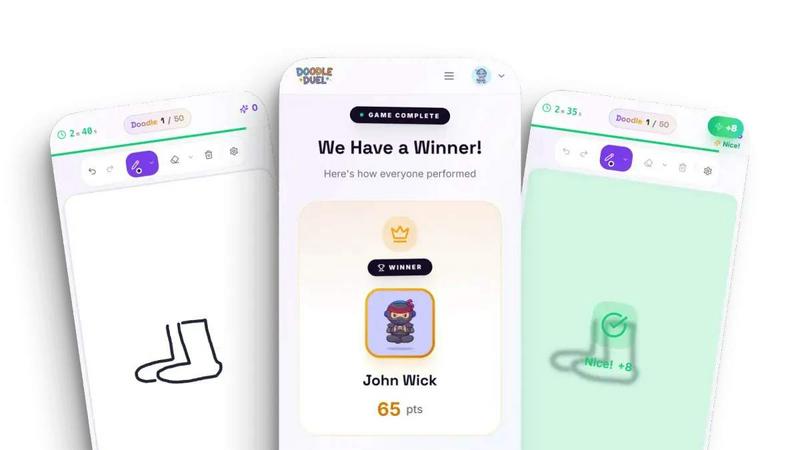
Compete in real-time drawing duels with friends and let AI judge your creativity in this fun, free multiplayer game.
Last updated: February 28, 2026
SVG to 3D
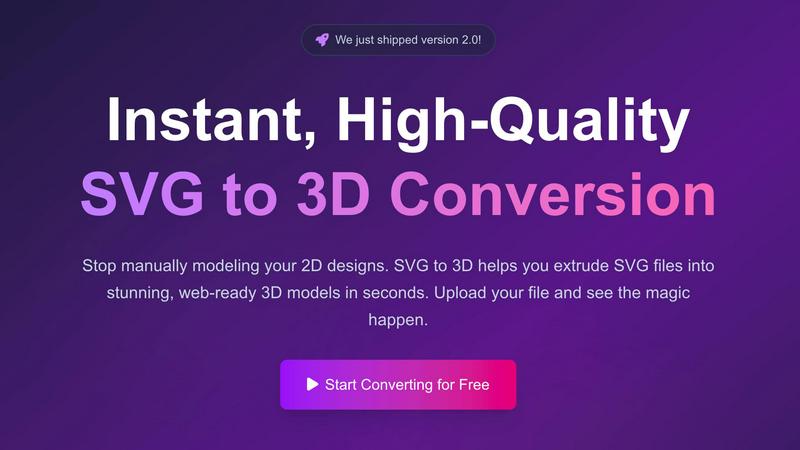
Instantly convert your SVG files into professional, web-ready 3D models.
Last updated: February 28, 2026
Visual Comparison
Doodle Duel
SVG to 3D
Feature Comparison
Doodle Duel
Real-Time Drawing Battles
Engage in thrilling real-time drawing battles with friends. Everyone receives the same prompt and has 60 seconds to draw, creating an exhilarating race against the clock.
AI Judging System
Doodle Duel features a unique AI judging system that evaluates drawings based on accuracy, creativity, and style. This objective feedback ensures fair competition, making sure that the best doodle wins.
Flexible Game Modes
Choose between solo arcade mode or multiplayer duels. The solo mode challenges you to conquer 50 levels of increasing difficulty, while multiplayer mode allows chaotic drawing competitions with friends.
Instant Playability
No downloads or account sign-ups are required. You can create a room and start playing in seconds. Just share a room code with your friends to jump right into the fun.
SVG to 3D
Instant Browser-Based Conversion
Experience the fastest SVG to 3D conversion available online. Our optimized algorithms process your files in seconds, not minutes, entirely within your web browser. Simply upload your SVG and watch as a detailed 3D model is generated instantly, with no software installation or lengthy waits required. This immediate feedback loop allows for rapid iteration and experimentation.
Advanced 3D Parameter Controls
Move far beyond basic extrusion. Our tool provides granular control over your model's properties. Precisely adjust the overall thickness, design complex custom bevels for rounded edges, and manipulate the model's scale and rotation. Every change is reflected in the real-time 3D preview, enabling you to craft the exact look and feel you desire before exporting.
Professional PBR Material System
Apply high-quality, physically-based rendering (PBR) materials to give your models realistic surfaces. Choose from a library of presets or customize properties like metalness and roughness. This advanced material system, typically found in professional 3D suites, allows you to create stunning, visually rich assets that stand out in any digital scene or presentation.
Developer-Optimized Export Formats
Export your creations in the formats you need for your workflow. We specialize in generating clean, lightweight, and web-optimized GLB/GLTF files that work seamlessly with Three.js, React Three Fiber, and Babylon.js. Additionally, export to OBJ or 3D-print-ready STL files with geometry that is intentionally clean and non-manifold error-free for reliable use in slicers and other applications.
Use Cases
Doodle Duel
Family Gatherings
Doodle Duel is perfect for family gatherings, offering a fun and interactive way to bond. Family members of all ages can join in, making it a delightful experience for everyone.
Parties with Friends
Whether it's a birthday party or a casual get-together, Doodle Duel adds an element of excitement. Guests can compete against each other, leading to laughter and memorable moments.
Team Building Events
In a corporate setting, Doodle Duel can serve as an engaging team-building activity. Colleagues can collaborate and compete in a light-hearted environment, promoting camaraderie.
Casual Hangouts
For casual hangouts, Doodle Duel provides an entertaining way to pass the time. Friends can challenge each other to quick drawing duels whenever they meet, keeping the fun alive.
SVG to 3D
Creating Interactive 3D Web Assets
Easily transform SVG logos, icons, and UI elements into engaging 3D models for the web. The tool's perfect SVG to GLB pipeline delivers assets that are ready to be integrated into interactive websites and experiences using popular JavaScript frameworks. This allows developers and designers to add depth and modern flair to digital projects without deep 3D expertise.
Preparing Designs for 3D Printing
Bridge the gap between digital design and physical creation. Convert vector art, logos, or custom shapes into ready-to-print 3D models. The clean STL export ensures your design is properly formatted for any slicer software, enabling hobbyists and professionals to bring their 2D concepts into the physical world without needing complex CAD modeling skills.
Enhancing UI/UX and Presentation Mockups
UI/UX designers can quickly add a new dimension to their mockups and client presentations. By converting Figma or Illustrator SVG exports into 3D models, you can demonstrate interactive components, logos, or interface elements with realistic lighting and depth. This creates more impactful, impressive presentations that effectively communicate design vision.
Rapid 3D Asset Prototyping
Speed up the early stages of any 3D project. Whether for game development, motion graphics, or architectural visualization, use SVG to 3D to quickly block out shapes, create simple 3D typography, or generate base models from vector drawings. It's an ideal tool for fast prototyping and concept development before refining models in more advanced software.
Overview
About Doodle Duel
Doodle Duel is an innovative real-time drawing game that combines creativity, competition, and laughter in a unique and engaging format. Designed for anyone who enjoys sketching—whether you're an experienced artist or a doodle novice—Doodle Duel allows you to challenge yourself and your friends in exciting drawing battles. With the capability to host up to 30 players, the game enables you to invite friends effortlessly using a simple room code, eliminating the hassle of account creation or downloads. Each game begins with a drawing prompt, and players must race against the clock to sketch their interpretation within 60 seconds. The twist lies in the AI judge, powered by Google Gemini or OpenAI, which evaluates each submission and provides humorous feedback. This blend of speed, creativity, and AI assessment makes Doodle Duel a perfect choice for parties, family gatherings, or casual hangouts, ensuring that everyone can have fun, regardless of artistic talent.
About SVG to 3D
SVG to 3D is a specialized, browser-based tool designed to solve a singular, common frustration: the cumbersome process of converting 2D vector graphics into usable 3D models. It eliminates the need to launch complex, resource-intensive 3D modeling software like Blender or Cinema 4D for simple tasks such as extruding a logo, icon, or design element. The tool provides a fast, streamlined, and intuitive pathway from a flat SVG file to a fully-realized 3D asset, catering specifically to professionals who value speed and quality.
The primary value proposition lies in its instant, high-quality conversion and deep, browser-based control. Users can upload an SVG and within seconds have a 3D model they can fine-tune—adjusting extrusion thickness, adding sophisticated bevels, and applying realistic PBR materials—all with a live preview. It excels at producing clean, optimized geometry suitable for two key outputs: web-ready GLB/GLTF files for interactive experiences in frameworks like Three.js and React Three Fiber, and 3D-print-ready STL files for physical fabrication. Built with a privacy-first approach, processing often happens locally in your browser, ensuring your designs remain secure. Ultimately, SVG to 3D is the essential bridge for developers, web designers, UI/UX professionals, and 3D printing enthusiasts looking to add a third dimension to their work without the traditional learning curve or overhead.
Frequently Asked Questions
Doodle Duel FAQ
How do I start playing Doodle Duel?
To start playing Doodle Duel, simply create a room and share the room code with your friends. No account creation or downloads are required, allowing for instant fun.
Can I play Doodle Duel on any device?
Yes, Doodle Duel is designed to be played on any device with internet access. This flexibility means you can enjoy the game on your computer, tablet, or smartphone.
Is Doodle Duel free to play?
Absolutely! Doodle Duel is completely free to play. There is also a Pro upgrade available for those who want additional features, but the core experience is free.
How does the AI judging work?
The AI judges each drawing based on three criteria: accuracy, creativity, and style. This ensures that the evaluations are fair and based on the quality of the artwork, rather than popularity.
SVG to 3D FAQ
What file formats can I export my 3D model to?
SVG to 3D supports exporting your converted models in multiple industry-standard formats. You can download your creation as a GLB or GLTF file, which is optimal for web use and real-time applications. For broader 3D software compatibility, OBJ export is available. For 3D printing, you can export directly as an STL file, ready for your slicer software.
Is my data secure and private when I use this tool?
Yes, privacy and security are fundamental to our tool. Whenever possible, the entire conversion process is handled locally within your web browser. This means your SVG files and the resulting 3D models are never uploaded to our servers, ensuring your proprietary designs and work remain completely confidential on your own machine.
Do I need to install any software to use SVG to 3D?
No installation is required. SVG to 3D is a fully web-based application that runs directly in your modern browser (like Chrome, Firefox, or Edge). You can access it instantly from any device with an internet connection, making it incredibly convenient and accessible without consuming disk space with software downloads.
What are the limitations on the SVG files I can upload?
The primary limitation is file size, with a maximum upload size of 5 MB per SVG file. The tool supports standard SVG elements including paths, shapes, and strokes. For best results, ensure your SVG file is well-formed and uses solid shapes for extrusion, as overly complex or open paths may not convert as intended.
Alternatives
Doodle Duel Alternatives
Doodle Duel is a dynamic multiplayer drawing game that invites players to engage in real-time sketching competitions. With an emphasis on creativity and fun, the game accommodates up to 30 participants, making it an ideal activity for parties and social gatherings. Players are given prompts and must quickly draw their interpretations, while an AI judge evaluates their work, adding a humorous twist to the experience. Users often seek alternatives to Doodle Duel for various reasons, including pricing models, specific features, or compatibility with different platforms. When exploring alternatives, it's essential to consider the game's accessibility, the quality of the AI judging system, and the overall user experience. Look for options that align with your group’s preferences and enhance the competitive drawing experience.
SVG to 3D Alternatives
SVG to 3D is a specialized AI-powered tool designed to streamline the conversion of 2D vector graphics into usable 3D models. It belongs to a growing category of web-based design and development utilities that prioritize speed and accessibility over complex, feature-heavy software. Users often seek alternatives for various reasons, including budget constraints, the need for different export formats, or a requirement for more advanced modeling capabilities not covered by a focused tool. When evaluating other options, it's crucial to consider your primary use case. Key factors include the supported 3D file formats for your pipeline, the level of customization for extrusions and materials, and whether the platform is web-based or requires software installation. The ideal alternative should match your specific workflow, whether for web development, 3D printing, or rapid prototyping. ---
FAQ_SEPARATOR---
[
{"question": "What is SVG to 3D?", "answer": "SVG to 3D is a tool that quickly converts 2D SVG vector graphics into high-quality 3D models, streamlining a process that typically requires complex 3D software."},
{"question": "Who is SVG to 3D for?", "answer": "It is built for web developers, designers, and 3D printing enthusiasts who need a fast, browser-based solution to create 3D assets from 2D designs."},
{"question": "What are the main features of SVG to 3D?", "answer": "Key features include one-click GLB export for web projects, 3D-print ready STL files, and in-browser controls for fine-tuning thickness, bevels, and PBR materials."},
{"question": "Why choose SVG to 3D?", "answer": "Choose SVG to 3D for its speed and simplicity, specifically for turning logos or icons into web-ready 3D models or printable files without opening heavyweight 3D software."}
]