About SVG to 3D
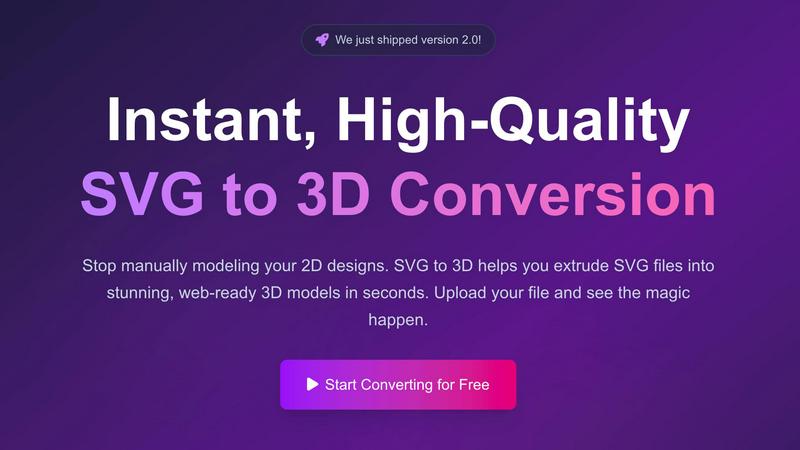
SVG to 3D is a specialized, browser-based tool designed to solve a singular, common frustration: the cumbersome process of converting 2D vector graphics into usable 3D models. It eliminates the need to launch complex, resource-intensive 3D modeling software like Blender or Cinema 4D for simple tasks such as extruding a logo, icon, or design element. The tool provides a fast, streamlined, and intuitive pathway from a flat SVG file to a fully-realized 3D asset, catering specifically to professionals who value speed and quality.
The primary value proposition lies in its instant, high-quality conversion and deep, browser-based control. Users can upload an SVG and within seconds have a 3D model they can fine-tune—adjusting extrusion thickness, adding sophisticated bevels, and applying realistic PBR materials—all with a live preview. It excels at producing clean, optimized geometry suitable for two key outputs: web-ready GLB/GLTF files for interactive experiences in frameworks like Three.js and React Three Fiber, and 3D-print-ready STL files for physical fabrication. Built with a privacy-first approach, processing often happens locally in your browser, ensuring your designs remain secure. Ultimately, SVG to 3D is the essential bridge for developers, web designers, UI/UX professionals, and 3D printing enthusiasts looking to add a third dimension to their work without the traditional learning curve or overhead.
Features of SVG to 3D
Instant Browser-Based Conversion
Experience the fastest SVG to 3D conversion available online. Our optimized algorithms process your files in seconds, not minutes, entirely within your web browser. Simply upload your SVG and watch as a detailed 3D model is generated instantly, with no software installation or lengthy waits required. This immediate feedback loop allows for rapid iteration and experimentation.
Advanced 3D Parameter Controls
Move far beyond basic extrusion. Our tool provides granular control over your model's properties. Precisely adjust the overall thickness, design complex custom bevels for rounded edges, and manipulate the model's scale and rotation. Every change is reflected in the real-time 3D preview, enabling you to craft the exact look and feel you desire before exporting.
Professional PBR Material System
Apply high-quality, physically-based rendering (PBR) materials to give your models realistic surfaces. Choose from a library of presets or customize properties like metalness and roughness. This advanced material system, typically found in professional 3D suites, allows you to create stunning, visually rich assets that stand out in any digital scene or presentation.
Developer-Optimized Export Formats
Export your creations in the formats you need for your workflow. We specialize in generating clean, lightweight, and web-optimized GLB/GLTF files that work seamlessly with Three.js, React Three Fiber, and Babylon.js. Additionally, export to OBJ or 3D-print-ready STL files with geometry that is intentionally clean and non-manifold error-free for reliable use in slicers and other applications.
Use Cases of SVG to 3D
Creating Interactive 3D Web Assets
Easily transform SVG logos, icons, and UI elements into engaging 3D models for the web. The tool's perfect SVG to GLB pipeline delivers assets that are ready to be integrated into interactive websites and experiences using popular JavaScript frameworks. This allows developers and designers to add depth and modern flair to digital projects without deep 3D expertise.
Preparing Designs for 3D Printing
Bridge the gap between digital design and physical creation. Convert vector art, logos, or custom shapes into ready-to-print 3D models. The clean STL export ensures your design is properly formatted for any slicer software, enabling hobbyists and professionals to bring their 2D concepts into the physical world without needing complex CAD modeling skills.
Enhancing UI/UX and Presentation Mockups
UI/UX designers can quickly add a new dimension to their mockups and client presentations. By converting Figma or Illustrator SVG exports into 3D models, you can demonstrate interactive components, logos, or interface elements with realistic lighting and depth. This creates more impactful, impressive presentations that effectively communicate design vision.
Rapid 3D Asset Prototyping
Speed up the early stages of any 3D project. Whether for game development, motion graphics, or architectural visualization, use SVG to 3D to quickly block out shapes, create simple 3D typography, or generate base models from vector drawings. It's an ideal tool for fast prototyping and concept development before refining models in more advanced software.
Frequently Asked Questions
What file formats can I export my 3D model to?
SVG to 3D supports exporting your converted models in multiple industry-standard formats. You can download your creation as a GLB or GLTF file, which is optimal for web use and real-time applications. For broader 3D software compatibility, OBJ export is available. For 3D printing, you can export directly as an STL file, ready for your slicer software.
Is my data secure and private when I use this tool?
Yes, privacy and security are fundamental to our tool. Whenever possible, the entire conversion process is handled locally within your web browser. This means your SVG files and the resulting 3D models are never uploaded to our servers, ensuring your proprietary designs and work remain completely confidential on your own machine.
Do I need to install any software to use SVG to 3D?
No installation is required. SVG to 3D is a fully web-based application that runs directly in your modern browser (like Chrome, Firefox, or Edge). You can access it instantly from any device with an internet connection, making it incredibly convenient and accessible without consuming disk space with software downloads.
What are the limitations on the SVG files I can upload?
The primary limitation is file size, with a maximum upload size of 5 MB per SVG file. The tool supports standard SVG elements including paths, shapes, and strokes. For best results, ensure your SVG file is well-formed and uses solid shapes for extrusion, as overly complex or open paths may not convert as intended.
Similar to SVG to 3D
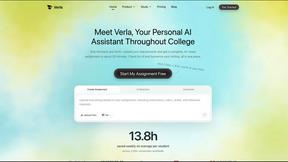
Verla AI
AI academic assistant for writing, research, presentations, and coding
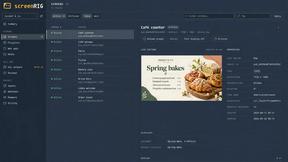
screenRIG
Signage and kiosk infrastructure for AI agents. Your agent publishes images, video, streams, web pages and apps to screens via one plugin.screenRIG is
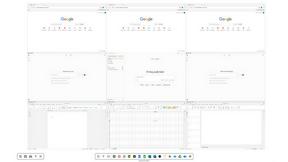
Novastart
Novastart brings apps and files onto an infinite canvas where people and AI agents can work together.

AUTOMATER.ai
A tray helper for every AI coding tool: sessions, alerts and usage in one place
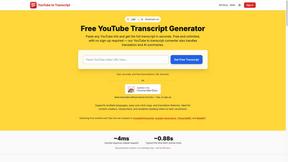
GetYouTubeTranscript
Free YouTube transcripts on the web, a Chrome extension, and an API + MCP server so AI assistants can read YouTube.