
Avif2Png vs Image to Image Maker
Side-by-side comparison to help you choose the right AI tool.
Avif2Png
Convert your AVIF images to widely compatible PNG format instantly while preserving quality.
Last updated: March 1, 2026

Image to Image Maker
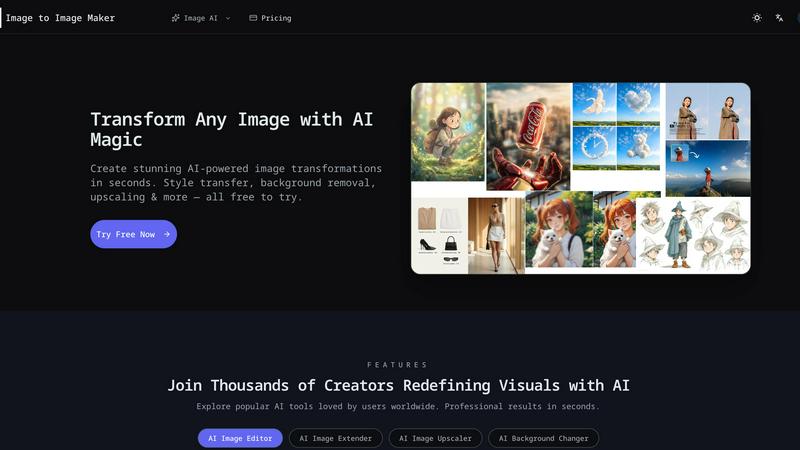
Transform any photo into a stunning, studio-ready image in seconds with our powerful AI image editor.
Last updated: February 28, 2026
Visual Comparison
Avif2Png
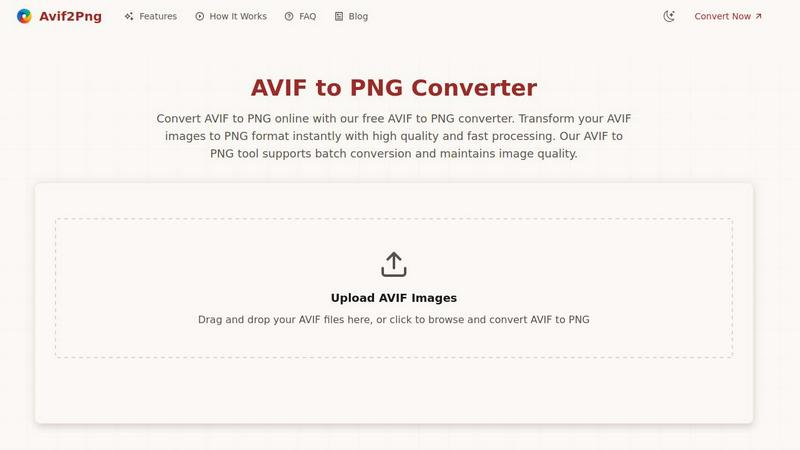
Image to Image Maker
Feature Comparison
Avif2Png
High-Quality, Lossless Conversion
Avif2Png ensures that the visual integrity of your original AVIF image is perfectly preserved during conversion. It employs a lossless process, meaning no detail, color accuracy, or clarity is sacrificed when transforming the file to PNG format. This guarantees that graphics, text, and fine edges remain sharp and true to the source, making it ideal for professional work.
Batch Processing Capability
The tool significantly enhances productivity by supporting the simultaneous conversion of multiple AVIF files. Users can upload several images at once, and Avif2Png will process them in a batch, delivering all converted PNG files ready for download. This feature eliminates the tedious task of converting images one by one, saving valuable time.
No Registration & Completely Free
Accessibility is paramount. Avif2Png requires no account creation, subscription, or payment. Users can immediately access the full conversion service without any barriers. This commitment to a free, open tool makes professional-grade format conversion available to everyone, from individual users to large teams.
Secure and Private Processing
Security is built into the workflow. Uploaded AVIF files and the resulting PNG conversions are handled with strict privacy measures. All files are automatically and permanently deleted from the servers shortly after the conversion process is complete, ensuring your images remain confidential and are not stored or misused.
Image to Image Maker
Fast Retouch & Style
The Fast Retouch & Style feature allows users to refine images quickly and effectively. With AI-powered editing tools, you can enhance skin tones, adjust lighting, and modify colors in mere seconds. This is particularly useful for creating polished e-commerce images, social media portraits, and marketing materials, ensuring a consistent brand aesthetic while expediting the production process.
Cutout & Extend
Cutout & Extend is a powerful feature that simplifies the process of removing unwanted elements from your images. By employing the AI Object Remover, users can eliminate distractions and then utilize the AI Image Extender to seamlessly expand the frame. This capability ensures that margins remain clean and consistent, making it ideal for creating layouts, banners, and cover art without the hassle of manual adjustments.
Enhance & Restore
With the Enhance & Restore feature, users can upscale their images for improved clarity and detail. This tool includes the AI Image Upscaler, Photo Colorizer, and AI Unblur Image, making it perfect for transforming scanned prints and low-resolution assets into high-quality visuals. The enhancement process retains the original character of the image while delivering sharper edges and richer tones.
Create & Animate
The Create & Animate feature allows users to generate unique styles and animations from their images. By converting photos into cartoons or creating avatars, users can then animate these creations with the Image to Video tool. This is particularly beneficial for producing engaging campaign visuals, social media content, and motion clips for various marketing applications.
Use Cases
Avif2Png
Ensuring Universal Web Compatibility
Web developers and content creators use Avif2Png to convert AVIF assets to PNG for guaranteed display across all browsers and content management systems. While modern browsers support AVIF, older versions and certain platforms do not, making PNG a reliable, fail-safe format for a consistent user experience on any device.
Graphic Design and Logo Preparation
Graphic designers frequently convert AVIF to PNG when preparing logos, icons, and interface elements. The PNG format's reliable support for lossless compression and alpha channels (transparency) is essential for maintaining crisp edges and transparent backgrounds, which are critical for professional design integration.
Print Media and Publishing
Print services and digital publishing platforms often have strict format requirements, with PNG being a widely accepted standard for high-resolution output. Converting AVIF to PNG ensures that images meet the quality and compatibility specifications necessary for physical prints, magazines, and high-fidelity digital publications.
Simplifying Cross-Platform Sharing
Individuals and professionals who need to share images via email, messaging apps, or social media use Avif2Png to avoid compatibility issues. Converting an AVIF to PNG ensures the recipient can open and view the image without specialized software, facilitating smooth communication and collaboration.
Image to Image Maker
Professional Photography
Professional photographers can leverage Image to Image Maker to enhance their portfolio images with minimal effort. By using the AI tools to retouch and style photographs, they can achieve a polished look that attracts clients and showcases their skills effectively.
E-commerce Product Images
E-commerce businesses can utilize the platform’s capabilities to create eye-catching product images. By quickly removing backgrounds and refining details, online sellers can generate professional-quality visuals that enhance product presentation and drive sales.
Social Media Content Creation
Content creators and influencers can benefit from the platform by producing stunning visuals for their social media profiles. The ability to transform images, create unique styles, and animate content allows for more engaging posts that resonate with audiences.
Marketing Campaigns
Marketers can use the Image to Image Maker to create compelling visuals for advertisements and promotional materials. The tool enables quick iterations and adjustments, allowing teams to test various designs and styles for optimal audience impact.
Overview
About Avif2Png
Avif2Png is a dedicated online solution for converting modern AVIF images into the universally compatible PNG format. It addresses a critical need in today's digital landscape, where the advanced compression of AVIF format meets the practical reality of widespread PNG support. This tool is engineered for professionals and individuals who prioritize both image fidelity and seamless compatibility. Its core value lies in transforming cutting-edge image files into a versatile, lossless format without the complexity of desktop software. By focusing on a single, essential conversion, Avif2Png delivers a streamlined, secure, and efficient experience. It empowers web developers to ensure cross-browser compatibility, enables graphic designers to work with transparent backgrounds, and assists anyone in making their images usable across all platforms and applications. The platform operates with a clear purpose: to bridge the gap between innovative image technology and practical, everyday use with reliability and speed.
About Image to Image Maker
Image to Image Maker is an innovative online platform that harnesses the power of artificial intelligence to transform the way artists, designers, and content creators approach image editing and enhancement. By utilizing cutting-edge image-to-image generation technology, this platform enables users to take existing images and explore limitless creative possibilities. Whether you are aiming to modify styles, enhance details, reinterpret compositions, or extend visual concepts, Image to Image Maker preserves the essence of your original artwork while elevating its quality to professional standards. Its intuitive user interface caters to both novice creators and seasoned professionals, allowing for complex edits to be made effortlessly. With a suite of powerful tools at your fingertips, this platform not only saves time but also empowers users to generate stunning visuals quickly and efficiently, making it a compelling alternative to traditional editing software.
Frequently Asked Questions
Avif2Png FAQ
Is Avif2Png really free to use?
Yes, Avif2Png is completely free. There are no hidden charges, subscription fees, or requirements to create an account. You can convert an unlimited number of AVIF images to PNG format without any cost, accessing all features including batch conversion.
How does Avif2Png protect my uploaded images?
Your privacy is a top priority. The service operates on a secure connection and implements an automatic deletion policy. All uploaded AVIF files and the converted PNG files are permanently removed from the servers shortly after the conversion is complete and you have downloaded your results.
Will converting AVIF to PNG reduce my image quality?
No. Avif2Png performs a lossless conversion. The PNG format supports lossless compression, meaning the conversion process re-encodes the image data without degrading its visual quality. Your converted PNG will retain the full detail and clarity of the original AVIF file.
What is the maximum file size or number of files I can convert?
While the provided content does not specify exact limits, the tool supports batch conversion for multiple files at once. For the most current information on file size and quantity limits, please refer to the tool's interface on the official website during the upload process.
Image to Image Maker FAQ
What is Image to Image Maker and how does it work?
Image to Image Maker is an AI-powered online platform that allows users to transform existing images into enhanced versions through various editing tools. Users upload their images, apply desired edits, and download the final product in high resolution.
Is the AI image editor free to use?
The platform offers a range of free tools and features, but some advanced functionalities may require a subscription or payment. Users are encouraged to explore the tool to understand its capabilities and any associated costs.
What types of image transformations can I create?
Users can create a wide variety of transformations, including style transfers, background replacements, enhancements, and animations. The platform’s diverse set of tools caters to various artistic needs and creative projects.
Can I use the AI image editor for commercial projects?
Yes, users can utilize the Image to Image Maker for commercial projects. However, it is recommended to review the platform’s terms of service to ensure compliance with any commercial use guidelines.
Alternatives
Avif2Png Alternatives
Avif2Png is a specialized online tool in the image conversion category, designed to transform modern AVIF files into the widely compatible PNG format. It serves users who need a straightforward, quality-focused solution for this specific task. Users often explore alternatives for various reasons. Some may require advanced editing features, offline desktop software, or support for a broader range of input and output formats beyond AVIF-to-PNG. Others might seek different pricing models, such as one-time purchases, or tools integrated into larger creative suites. When evaluating other options, consider your core needs. Prioritize output quality, processing speed, and data security. Assess whether you need batch processing, platform compatibility, or additional functionality. The best choice balances these factors with a reliable and user-friendly experience.
Image to Image Maker Alternatives
Image to Image Maker is an innovative AI-powered online platform designed for artists, designers, and content creators to transform and enhance images effortlessly. It falls under the category of image editing software and leverages advanced technology to facilitate creative exploration and professional-level enhancements. Users often seek alternatives to Image to Image Maker for various reasons, such as pricing, specific feature sets, or platform compatibility. With the multitude of options available, it's essential to consider factors like ease of use, the breadth of editing capabilities, and overall value when searching for a suitable alternative. When choosing an alternative, look for tools that offer similar functionalities, such as AI-driven enhancements, user-friendly interfaces, and a variety of creative options. Additionally, consider the support and resources available, including tutorials, customer service, and community engagement. A well-rounded alternative should cater to your specific needs while providing a seamless user experience that fosters creativity and efficiency.