
audiovideogenerator vs Wan 2.7 AI
Side-by-side comparison to help you choose the right AI tool.

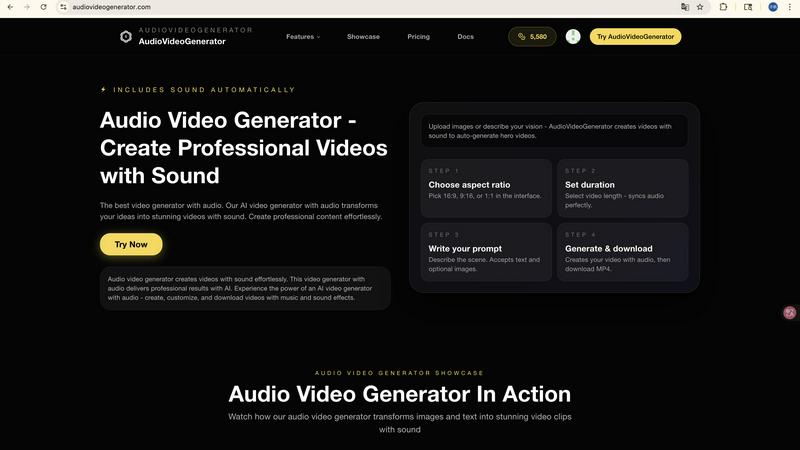
Audiovideogenerator creates professional AI videos with synchronized sound effortlessly.

Wan 2.7 AI is a creator-focused video generator that transforms text, images, or existing clips into steady, cinematic videos for dynamic.
Last updated: April 13, 2026
Visual Comparison
audiovideogenerator
Wan 2.7 AI
Feature Comparison
audiovideogenerator
Multi-Model AI Video Generation
AudioVideoGenerator provides access to a curated selection of the world's most advanced AI video models, including OpenAI's Sora 2, Google's Veo 3.1, and Wan 2.5. This allows users to select the ideal engine for their specific need, whether it's generating longer, high-fidelity narratives (3-8 minutes with Veo 3.1) or creating quick, cinematic clips (1-3 minutes with Veo 3.1 Fast). Each model is seamlessly integrated, ensuring you get the best possible visual quality tailored to your project's scope and style.
Automatic Audio Synchronization
This is the platform's signature capability. The AI doesn't just add random sound; it analyzes the generated video's content, mood, and pacing to automatically score it with perfectly matched background music, sound effects, and ambient audio. This creates a cohesive sensory experience where the audio dynamically complements the visual narrative, delivering professional sound design that would typically require expert knowledge and hours of manual work.
Text, Image, and Audio Input Flexibility
The platform supports multiple creative starting points. Use the Text-to-Video feature to generate scenes from descriptive prompts alone. Transform static photos into dynamic sequences with Image-to-Video. Uniquely, the A2V (Audio-to-Video) model allows you to input an audio file, and the AI generates a video that visually interprets and synchronizes with the provided sound, ideal for music videos or audio-driven storytelling.
Scenario-Optimized Templates & Outputs
AudioVideoGenerator is designed for real-world application. It offers optimized settings and aspect ratios for specific platforms like Instagram, TikTok, and YouTube. The system understands the requirements for different content types, whether it's a fast-paced social media clip, a detailed product demonstration, or an emotional brand story, ensuring the final video is not only professionally produced but also format-ready for its intended use case.
Wan 2.7 AI
Multi-Modal Video Generation
Wan 2.7 AI is not limited to text. It offers a versatile workflow supporting text-to-video, image-to-video, and video-to-video generation. This allows creators to start from a written idea, a reference image, or an existing clip, providing multiple entry points for the creative process and ensuring the final video aligns perfectly with the initial vision.
Advanced Motion and Consistency Control
A key upgrade in Wan 2.7 is its enhanced ability to maintain subject consistency and deliver steadier, more controlled motion across multi-shot sequences. This is crucial for dynamic storytelling, ensuring characters and elements remain coherent throughout action scenes, portraits, or any narrative clip, resulting in more professional and believable videos.
Granular Creative Settings
The platform provides extensive customization beyond the initial prompt. Users can fine-tune video duration, aspect ratio (including vertical 9:16 for social media), and output resolution. Advanced settings offer deeper control over the generation process, allowing for precise adjustments to match specific project requirements and platform specifications.
High-Fidelity Visual Realism
Wan 2.7 AI generates videos with significantly improved realism, featuring stronger highlight control, stable texture rendering, and natural environmental motion. The AI excels at creating dense lighting, deep perspectives, and cinematic quality that elevates the production value, making outputs suitable for professional marketing and storytelling.
Use Cases
audiovideogenerator
Social Media Content Creation
Create engaging, platform-optimized videos for Instagram Reels, TikTok, and YouTube Shorts. The generator produces content with perfect aspect ratios and automatically adds trending, attention-grabbing audio tracks and effects. This enables creators and brands to maintain a consistent, high-quality posting schedule without the overhead of video and audio production, keeping audiences engaged with professional-looking content.
Marketing & Promotional Campaigns
Generate compelling promotional videos, product showcases, and advertisement clips. The AI seamlessly incorporates background music and sound effects that enhance the product's appeal and the campaign's emotional tone. This allows marketers to produce a variety of A/B testable ad assets, explainer videos, and launch content quickly and cost-effectively, delivering cinema-quality visuals with professional audio.
Educational Tutorials & Online Courses
Transform static learning materials, slides, or concepts into engaging educational videos. The platform adds relevant, non-distracting background music and sound effects that can highlight key points, making tutorials, online course modules, and presentations more dynamic and easier to follow. This enhances knowledge retention and production value for educators and trainers.
Brand Storytelling & Event Highlights
Craft narrative-driven brand stories and emotional event recap videos. By inputting key themes or selecting relevant imagery, the AI generates a visual sequence scored with music that matches the desired sentiment—from inspirational and uplifting to reflective. This helps businesses build deeper emotional connections with their audience and preserve the energy of live events through professionally produced highlight reels.
Wan 2.7 AI
Social Media Marketing Content
Quickly produce eye-catching ads, promotional clips, and branded content for platforms like Instagram, TikTok, and YouTube. The ability to generate in vertical 9:16 aspect ratio and various styles makes it ideal for creating scroll-stopping video content that drives engagement and conversion.
Cinematic Storytelling and Prototyping
Filmmakers and animators can use Wan 2.7 to visualize complex scenes, create storyboards, or produce short cinematic sequences. The tool's strength in scene scale, contrast, and coordinated motion allows for the rapid prototyping of fantasy, sci-fi, or dramatic narratives with a high degree of creative control.
Product Demonstrations and Explainer Videos
Businesses can effortlessly create professional product stories and explainer videos. By inputting a description or using product images, Wan 2.7 can generate clear, attractive videos that showcase features, benefits, and use cases, perfect for websites, sales pitches, and customer education.
Fashion and Portrait Visuals
Create stunning fashion clips and portrait studies with exceptional attention to skin texture, styling consistency, and editorial pacing. This use case is ideal for brands and creators in the fashion industry looking to produce high-quality, consistent model shots and aesthetic motion content.
Overview
About audiovideogenerator
AudioVideoGenerator is the definitive AI-powered platform for creating professional-grade videos with fully integrated, synchronized audio. It transcends basic video generation by intelligently pairing your visuals with complementary background music, sound effects, and ambient audio, eliminating the complex, multi-step process of manual audio editing. The platform is engineered for a diverse audience, including content creators, marketers, educators, and businesses, who seek to produce engaging content without requiring a production team or specialized skills. Its core value proposition lies in its seamless automation of the most technically demanding aspect of video production—audio synchronization and scoring—while offering access to cutting-edge AI models like Sora 2, Veo 3.1, and Wan 2.5. Whether starting from text, an image, or an audio file, AudioVideoGenerator transforms your initial idea into a polished, cinematic output in minutes. It champions a quality-over-quantity approach, ensuring every generated piece is not just seen, but heard with professional clarity, thereby enhancing viewer engagement and storytelling impact effortlessly.
About Wan 2.7 AI
Wan 2.7 AI represents the next evolution in AI-powered video generation, designed for creators who demand quality and control. It is a comprehensive, creator-focused workflow that transforms simple text prompts, images, or existing videos into stunning, professional-grade visual content. This tool is engineered for marketers, content creators, filmmakers, and businesses seeking to produce high-impact videos without the steep learning curve or extensive resources of traditional production. Its core value proposition lies in democratizing high-fidelity video creation, offering unparalleled speed, ease, and creative flexibility. By handling the technical complexities, Wan 2.7 AI allows you to focus purely on your narrative and artistic vision, enabling rapid iteration from concept to final output. The model builds significantly on its predecessor with major upgrades in realism, subject consistency, and motion control, making it a powerful asset for crafting everything from social media ads and product stories to cinematic scenes and animated narratives.
Frequently Asked Questions
audiovideogenerator FAQ
What types of audio does AudioVideoGenerator add to my videos?
The AI automatically generates and synchronizes a complete audio track comprising three key elements: contextually appropriate background music that matches the video's mood, realistic sound effects relevant to the on-screen action, and ambient audio beds to create atmosphere. This holistic approach ensures your video has professional, multi-layered sound design.
Which AI models can I use, and how do I choose?
AudioVideoGenerator integrates top models like Sora 2, Veo 3.1 (and Veo 3.1 Fast), and Wan 2.5. Your choice depends on your needs: use Veo 3.1 for the highest quality longer videos, Veo 3.1 Fast for quick social clips, Sora 2 for creative, detailed narratives, and Wan 2.5 for efficient image-to-video transformation. The interface provides guidance on each model's best use case.
Can I use my own images or audio files as a starting point?
Absolutely. The platform specializes in Image-to-Video transformation, allowing you to upload a static photo to animate. Furthermore, the unique Audio-to-Video (A2V) model lets you upload an audio file (e.g., a song, podcast, or voiceover), and the AI will generate a video visually interpreted from and synchronized to that audio.
Is the generated content ready for commercial use?
Yes, videos created with AudioVideoGenerator are designed for commercial use, suitable for advertising campaigns, social media content, product marketing, and more. The platform handles the audio licensing and generation, providing you with a complete, royalty-free asset. However, it is always recommended to review the final output to ensure it aligns with your brand guidelines.
Wan 2.7 AI FAQ
What is the main improvement in Wan 2.7 over Wan 2.6?
The major upgrades in Wan 2.7 center on significantly enhanced control and continuity. It delivers better subject consistency across shots, steadier and more realistic environmental motion, and improved rendering of textures and lighting. This results in more coherent multi-shot narratives and higher overall visual fidelity compared to the previous version.
What kind of videos can I create with Wan 2.7 AI?
You can create a wide array of video types, including cinematic scenes, social media ads, animated explainers, fashion portraits, action sequences, fantasy worldbuilding, product showcases, and stylized anime clips. The platform's style control and advanced settings allow you to tailor the output to match virtually any creative genre or brand aesthetic.
How does the credit system work?
Wan 2.7 AI operates on a credit-based system. Generating a video consumes a set number of credits (e.g., 35 credits as indicated in the interface). Users purchase credit packs, and each generation deducts from the remaining balance. This model allows you to pay for what you use, scaling with your project needs.
Can I control the length and format of my generated video?
Yes, you have full control over key output parameters. Before generation, you can set the video duration (e.g., 5 seconds), choose from multiple aspect ratios like 16:9, 9:16, or 1:1, and select the resolution, including 480p, 720p, and 1080p, ensuring the video is perfectly formatted for its intended platform.