
Anyrow vs AnyToURL
Side-by-side comparison to help you choose the right AI tool.

Anyrow transforms PDFs, scans, and emails into structured, editable tables, streamlining document data extraction and export.
Last updated: April 13, 2026

AnyToURL
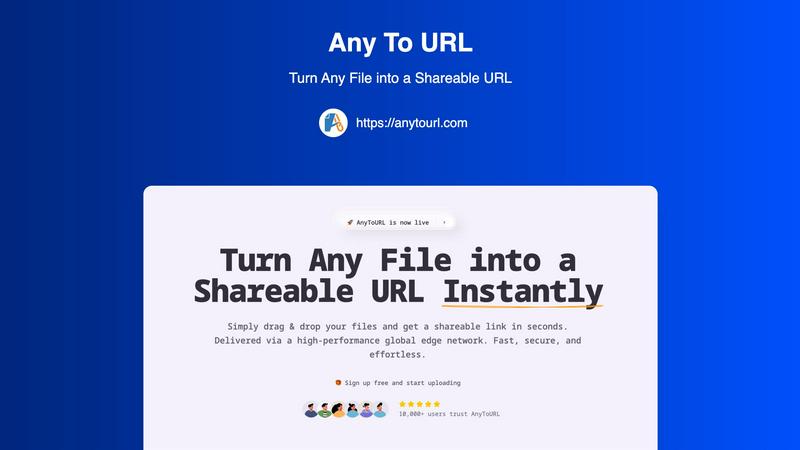
AnyToURL instantly turns your files into secure, shareable links with simple drag and drop.
Last updated: February 28, 2026
Visual Comparison
Anyrow

AnyToURL
Feature Comparison
Anyrow
AI-Powered Extraction
Anyrow's cutting-edge AI technology allows users to upload various document formats, including PDFs, images, and text. The AI efficiently extracts structured rows that match the defined schema, eliminating the need for manual templates and rules. This feature ensures that data is accurately captured from any document layout, making the extraction process seamless and highly reliable.
Live Editable Tables
Once the data is extracted, it flows directly into real-time editable tables. Users can easily filter, sort, and edit the extracted information, collaborating with team members in a single interface. This feature enhances productivity by allowing teams to manipulate and review data instantly, ensuring that everyone has access to the most up-to-date information.
Flexible Export Options
Anyrow offers versatile export options to meet diverse business needs. Users can export their extracted data in various formats, including CSV, Excel, JSON, and through API integrations or webhooks. This flexibility ensures that the data can be easily integrated into existing workflows or systems, enhancing operational efficiency.
Batch Upload Capability
With Anyrow, users can batch upload hundreds of documents at once, significantly speeding up the data extraction process. This feature is particularly beneficial for businesses dealing with high volumes of documents, allowing them to convert chaos into structured data in a matter of minutes rather than days.
AnyToURL
Drag-and-Drop Simplicity
The interface is built for absolute ease of use. Users can simply drag any file from their desktop and drop it onto the upload area, bypassing complex forms and folder navigation. This intuitive action triggers an immediate upload, making the process accessible to everyone, regardless of technical skill. It's the fastest gateway from a local file to a shareable online asset.
Instant Shareable Links & Smart Preview
Immediately after upload, AnyToURL generates a short, clean URL ready for sharing. Beyond just a link, the platform offers intelligent file handling. Recipients can preview common file types like images, PDFs, and documents directly within their web browser without needing to download them first. This streamlines review and feedback cycles significantly.
Global Edge Network Delivery
Performance is paramount. AnyToURL utilizes a high-performance global edge network, powered by providers like Cloudflare, to deliver your files. This means content is cached and served from servers geographically closest to the recipient, resulting in lightning-fast load times and reliable access anywhere in the world, enhancing the professional experience for all parties.
Secure by Design with Password Protection
Security is integrated, not an afterthought. For sensitive documents, users can add password protection to any shared link, ensuring only intended recipients with the password can access the content. This is complemented by strict file isolation and malware prevention protocols, providing peace of mind when sharing confidential business or personal files.
Use Cases
Anyrow
Streamlining Invoice Processing
Anyrow is ideal for accounting firms that need to process a high volume of invoices quickly and accurately. By extracting key fields like vendor name, invoice number, and amounts, Anyrow reduces manual data entry errors and accelerates financial workflows.
Enhancing Logistics Management
Logistics dispatchers can utilize Anyrow to manage shipping documents, contracts, and receipts efficiently. The ability to transform various documents into structured tables allows for better tracking and management of logistics operations.
Simplifying Financial Reporting
Finance teams can leverage Anyrow to extract and organize data from financial statements and reports. With the ability to query and edit extracted data, teams can generate insights faster, aiding in more informed decision-making.
Improving Data Accuracy for Bookkeepers
Bookkeepers can use Anyrow to automate data entry from multiple sources, ensuring that records are accurate and up-to-date. This reduces the burden of manual reconciliation and allows bookkeepers to focus on value-added tasks.
AnyToURL
Design Professionals Sharing Mockups
UX/UI designers and creative professionals can instantly share high-fidelity mockups, wireframes, and prototypes with clients or team members. The instant browser preview allows stakeholders to view designs immediately, facilitating faster feedback and iteration without requiring specific software or accounts, dramatically speeding up the approval process.
Marketing Teams Distributing Campaign Assets
Marketing departments often need to distribute large brand kits, high-resolution images, video clips, or campaign PDFs to internal teams, agencies, or partners. AnyToURL simplifies this by providing a single, fast-loading link for all assets, with preview capabilities that let recipients verify content on the spot, eliminating download delays and confusion.
Developers Exchanging Code Snippets & Logs
Developers can quickly share code snippets, configuration files, or error logs with colleagues for debugging or collaboration. Instead of pasting large blocks of code into chat, they can upload a file and share a clean link. The platform's support for various file types and secure, ephemeral links (on the free tier) makes it ideal for temporary technical sharing.
Product Managers Circulating Documentation
Product managers working with distributed teams can use AnyToURL to share product requirement documents (PRDs), spec sheets, and roadmap presentations. The global CDN ensures all team members, regardless of location, have equally fast access. Password protection can be added for sensitive strategic documents, controlling access effectively.
Overview
About Anyrow
Anyrow is an innovative AI-powered document extraction software designed to streamline the tedious task of data entry from various types of documents. It allows users to effortlessly upload PDFs, scanned images, invoices, receipts, emails, and more, transforming them into structured, editable tables. The core value proposition of Anyrow lies in its ability to provide schema-driven AI extraction without the need for per-vendor templates, making it a versatile solution for businesses across different sectors. Targeted primarily at operations teams, bookkeepers, accounting firms, logistics dispatchers, and finance teams, Anyrow simplifies the process of data extraction, storage, and management. By integrating extraction tools with CRUD functionalities and API capabilities, Anyrow replaces the cumbersome stack of tools like Parseur, Airtable, and Zapier, all within a single platform. This not only saves time but also reduces the complexity of managing multiple applications, allowing teams to focus on insights and decision-making instead of manual data handling.
About AnyToURL
AnyToURL is a modern file-sharing platform engineered for speed, simplicity, and security. It transforms the cumbersome process of sending files into an effortless experience by instantly generating a direct, shareable URL for any uploaded content. Designed for professionals, teams, and individuals who value their time, it eliminates the friction of traditional email attachments or complex cloud storage setups. With a core focus on instant access, AnyToURL serves a wide audience including designers sharing mockups, marketers distributing assets, developers exchanging code snippets, and product teams circulating documentation. Its value proposition is clear: deliver a secure, high-performance conduit for file sharing that requires no technical expertise. By leveraging a global edge network, it ensures files are delivered rapidly worldwide, while features like in-browser previews and optional password protection add layers of convenience and security. AnyToURL is the definitive solution for anyone needing to share files online without the hassle.
Frequently Asked Questions
Anyrow FAQ
What types of documents can I upload to Anyrow?
Anyrow supports a wide range of document types, including PDFs, scanned images, invoices, receipts, emails, Word documents, Excel files, and more. This versatility makes it easy to extract data from various sources.
How does the AI extraction process work?
The AI extraction process involves defining your schema once, after which Anyrow's technology automatically maps the content of each document to structured rows. This means no need for individual templates, allowing for efficient data extraction from any layout.
Can I collaborate with my team using Anyrow?
Yes, Anyrow features live editable tables that allow team members to collaborate in real-time. Users can filter, sort, and edit extracted data together, enhancing teamwork and productivity.
Is there a free trial available for Anyrow?
Absolutely! Anyrow offers a free trial that allows users to extract up to 150 documents per month at no cost. This gives potential customers the opportunity to experience the product fully before committing to a paid plan.
AnyToURL FAQ
What file types does AnyToURL support?
AnyToURL supports a wide range of over 50 common file types, including images (JPG, PNG, GIF), documents (PDF, DOCX, PPTX), code files, and videos. Most of these can be previewed directly in the browser. The platform is designed to handle the files professionals use daily for seamless sharing and review.
How long do files stay available on the free tier?
For users on the free plan, uploaded files are stored for 24 hours before expiring and being automatically deleted from the system. This is ideal for temporary, short-term sharing needs. For permanent storage and longer link lifetimes, users can upgrade to a paid plan.
Is there a file size limit for uploads?
Yes, there are file size limits that vary by plan. For free users, the maximum file size for upload is 50MB. Paid plans offer significantly higher limits, extending up to 10GB per file, accommodating larger media files and comprehensive project bundles for professional use.
How does the password protection feature work?
When uploading a file, you have the option to set a password. Once set, the shareable link will require anyone who clicks on it to enter the exact password before they can view or download the file. This adds a critical layer of security for sensitive business documents, client data, or personal information.
Alternatives
Anyrow Alternatives
Anyrow is an advanced AI document extraction software designed to transform various document types—such as PDFs, scans, and emails—into structured, editable tables. By integrating built-in storage and an API, Anyrow streamlines the process of data extraction, enabling users to efficiently manage their information in a single platform. This tool is especially beneficial for operational teams, accountants, and logistics professionals seeking to eliminate the inefficiencies of using multiple applications for data handling. Users often seek alternatives to Anyrow for various reasons, including pricing concerns, specific feature requirements, or compatibility with existing platforms. When considering an alternative, it's crucial to evaluate factors such as ease of integration, the flexibility of data extraction, user interface, and overall value for the intended use case. A well-rounded alternative should offer similar capabilities for document processing while aligning better with user needs and budget constraints.
AnyToURL Alternatives
AnyToURL is a specialized file sharing tool that transforms documents, images, and other files into direct, shareable URLs. It belongs to the category of instant file transfer and link generation services, prized for their speed and simplicity. Users often explore alternatives for various reasons, such as specific pricing models, advanced collaboration features, or integration with other platforms they use daily. Needs can vary widely, from enterprise-grade security to different storage limits or platform compatibility. When evaluating other options, consider your core requirements: the speed of upload and delivery, the security of your data, ease of use, and whether the tool fits seamlessly into your existing workflow. The best choice balances these factors with your budget and long-term needs.