
AI-NanoBanana vs Modelfy 3D
Side-by-side comparison to help you choose the right AI tool.

AI-NanoBanana
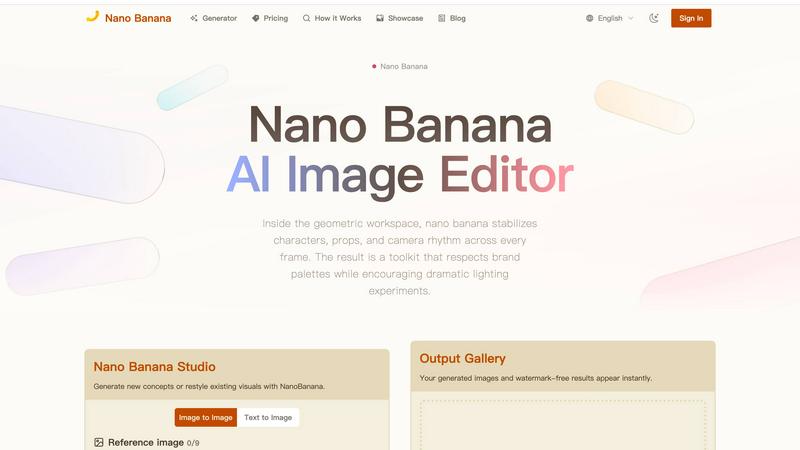
Nano Banana is an AI image editor that transforms any photo with simple text prompts.

Modelfy 3D
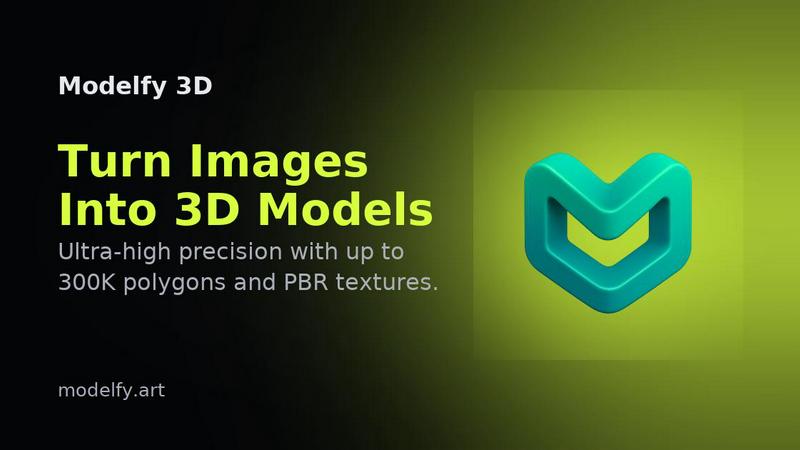
Instantly transform any image into stunning 3D models with Modelfy 3D's advanced AI technology.
Last updated: February 28, 2026
Visual Comparison
AI-NanoBanana
Modelfy 3D
Feature Comparison
AI-NanoBanana
Intelligent Text-to-Image & Image-to-Image
Command the studio with simple text descriptions or upload a reference image as your starting point. NanoBanana's advanced model intelligently blends your prompts with visual cues, generating entirely new scenes or transforming existing ones. This dual approach allows for both exploratory creation from scratch and precise, guided restyling of uploaded visuals, offering unparalleled flexibility in your creative workflow.
Granular Style & Detail Controls
Move beyond basic prompts with a suite of fine-tuning controls. Adjustable sliders and curated presets let you manipulate key elements like lighting conditions, lens effects, and overall narrative style. This level of detail ensures you can achieve a specific mood or aesthetic and maintain visual consistency across a series of images, a critical need for professional branding and storytelling.
Consistent Character & Scene Preservation
This is where NanoBanana truly excels. Unlike many AI tools that struggle with continuity, it reliably maintains the proportions, expressions, and interactions of multiple characters across sequential edits. Simultaneously, it preserves the original scene's structure, perspective, and lighting cues, ensuring transformations feel natural and cohesive rather than disjointed or artificially imposed.
Instant, High-Quality Export Suite
When your visual is ready, export it without compromise. NanoBanana delivers high-resolution, watermark-free images instantly. The exports are production-ready, including versatile formats like layered files for further editing, transparent PNGs for graphic design, and organized, brand-safe archives, streamlining the final step from creation to deployment.
Modelfy 3D
AI Image to 3D Model Generator
Modelfy 3D's core feature is its AI-powered image-to-3D model generator. Users can upload a 2D image, and within minutes, receive a detailed 3D model with up to 300,000 polygons. This technology dramatically reduces the time needed for 3D modeling, transforming days of work into just a few minutes.
Multi-Format Export System
The platform supports a multi-format export system, allowing users to download their AI-generated 3D models in various industry-standard formats. Whether you need GLB for web applications, OBJ for 3D software, or STL for 3D printing, Modelfy 3D ensures compatibility with your project requirements.
Professional Asset Management System
Modelfy 3D features an enterprise-grade asset management system designed for efficiency. Users can organize their 3D conversions by filtering projects based on status, favoriting important work, and archiving completed models, all while managing custom titles, descriptions, and tags for easy retrieval.
Ultra-Precision Modeling
With a focus on quality, Modelfy 3D allows users to generate models with varying polygon counts, from 15K to an impressive 300K polygons. This ensures that whether for rapid prototyping or production-ready assets, users can achieve the precision and detail necessary for their specific project needs.
Use Cases
AI-NanoBanana
Brand Marketing & E-commerce Visuals
Marketing teams can rapidly generate and iterate on product shots, promotional banners, and branded social media content. The ability to restyle images while keeping products and logos consistent ensures a cohesive brand identity across all channels, speeding up campaign production cycles.
Concept Art & Storyboarding
Game designers, filmmakers, and authors can quickly visualize characters, environments, and key scenes. The consistent character editing feature is invaluable for maintaining a hero character's look across various poses and settings, allowing for efficient exploration of narrative concepts and visual styles.
Content Creation & Social Media
Bloggers, influencers, and digital content creators can produce unique, eye-catching graphics, thumbnails, and illustrations to accompany their work. The text-to-image function helps generate original art for articles or videos, while image restyling can refresh existing photos with new themes or seasonal aesthetics.
Product Design & Prototyping
Designers can upload sketches or basic product renders and use image-to-image transformation to explore different materials, colors, and finishes. This allows for rapid visualization of concepts and client presentations without needing complex 3D modeling in the early ideation stages.
Modelfy 3D
Game Development
Game developers can leverage Modelfy 3D to quickly create immersive 3D assets from concept art or character designs. The rapid conversion process allows for faster iterations, enabling teams to refine their designs and streamline the game development workflow.
3D Printing
Modelfy 3D is an ideal tool for hobbyists and professionals in the 3D printing space. Users can convert their 2D designs into printable 3D models, ensuring high detail and quality. This capability enhances the prototyping process and allows for quick adjustments to designs before printing.
Architectural Visualization
Architects and designers can utilize Modelfy 3D for architectural visualization by transforming sketches or images of building designs into detailed 3D models. This aids in client presentations, providing a clearer understanding of spatial arrangements and design elements.
Educational Purposes
Educators and students can benefit from Modelfy 3D by using it as a teaching tool for understanding 3D modeling concepts. The platform's ease of use allows students to experiment with creating models from 2D images, facilitating hands-on learning in design and technology courses.
Overview
About AI-NanoBanana
AI-NanoBanana is a next-generation AI-powered image studio engineered for creators who demand precision without sacrificing creative freedom. It transforms ideas into polished, production-ready visuals through an intuitive interface that blends advanced AI with granular artistic control. At its core, NanoBanana is built for anyone looking to generate new concepts from text, restyle existing images, or maintain visual consistency across a project—from solo artists and content creators to marketing teams and game developers. Its main value proposition lies in delivering reliable, high-fidelity edits where other AI tools falter, particularly in preserving scene integrity and character consistency across multiple generations. By intelligently interpreting natural language prompts and reference images, it turns abstract vision into tangible, brand-safe visual assets, making professional-grade image creation accessible and efficient.
About Modelfy 3D
Modelfy 3D is an innovative online platform designed to revolutionize the way users create 3D models from 2D images. Utilizing advanced artificial intelligence, Modelfy 3D allows anyone—from hobbyists to professionals—to transform ordinary images into stunning 3D models in a matter of seconds. Its value proposition lies in its ability to deliver high-quality 3D assets with up to 300,000 polygons, making it perfect for applications in 3D printing, game design, and visual projects. The platform is user-friendly, requiring no prior software training, thus catering to both experienced designers and beginners. With features like a professional asset management system and multi-format export options, Modelfy 3D stands out as a comprehensive solution for anyone looking to enhance their 3D modeling workflow.
Frequently Asked Questions
AI-NanoBanana FAQ
What is AI-NanoBanana?
AI-NanoBanana is an advanced AI image editing platform that transforms your photos and ideas through intelligent prompt understanding. It specializes in turning text descriptions or reference images into high-quality visuals, with a particular strength in maintaining consistency for characters and preserving the core structure of original scenes during edits.
How does NanoBanana handle multiple characters in an image?
NanoBanana is specifically engineered to tackle the common AI challenge of multi-character consistency. It analyzes the relationships, proportions, and expressions of characters within a frame and maintains these details faithfully across subsequent edits, making it ideal for sequential artwork, comics, or any project requiring stable character representation.
What kind of files can I export?
NanoBanana provides production-ready, watermark-free exports in high-resolution formats. This includes standard image files as well as more flexible options like layered files (for advanced editing in other software), transparent PNGs for compositing, and organized archives suitable for brand asset management.
Is NanoBanana suitable for professional/commercial use?
Absolutely. The tool is designed with professional workflows in mind. The high-resolution, watermark-free outputs, combined with strong brand-safe archiving and the consistency needed for commercial projects, make it a viable asset for marketing teams, designers, and agencies creating visuals for commercial purposes.
Modelfy 3D FAQ
How does Modelfy 3D work?
Modelfy 3D employs advanced AI algorithms to analyze 2D images and generate corresponding 3D models. Users simply upload an image, and the AI processes it to create a detailed 3D version in minutes.
Do I need any special software to use Modelfy 3D?
No, Modelfy 3D is a web-based platform that requires no additional software installation. Users can access all features directly through their web browser, making it convenient and accessible.
Is there a limit to the number of models I can create?
Modelfy 3D offers a credit-based pricing system, allowing users to create numerous models efficiently. The platform supports unlimited concurrent conversions, enabling users to work on multiple projects simultaneously.
Can I customize the quality of my 3D models?
Yes, users can select from different quality levels when generating 3D models, ranging from 15K to 300K polygons. This flexibility ensures that you can achieve the desired level of detail for your specific project needs.